SL project updates 37/2: Content Creation User Group

Content Creation User Group Meeting, Hippotropolis Camp Fire Circle

The following notes are taken from the Content Creation User Group meeting, held on  Thursday, September 14th, 2017 at 13:00 SLT at the the Hippotropolis Camp Fire Circle. The meeting is chaired by Vir Linden, and agenda notes, etc, are usually available on the Content Creation User Group wiki page.

Medhue Simoni live steamed the meeting to You Tube, and his video is embedded at the end of this article. However, due to power issues at his end, the first few minutes are missing from the recording. Time stamps to that recording are included below, and clicking on any of them will launch the video in a separate browser tab at the assigned point. However as these notes present the meeting in terms of topics discussed, rather than a chronological breakdown of the meeting, time stamps may appear to be out of sequence in relation to the recording.

Animesh (Animated Mesh)

“I like the name ‘animated objects’ because I think it’s unambiguous, but it takes a long time to type!” – Vir Linden joking about the name “Animesh”.

Project Summary

The goal of this project is to provide a means of animating rigged mesh objects using the avatar skeleton, in whole or in part, to provide things like independently moveable pets / creatures, and animated scenery features via scripted animation.

  • Animated objects can be any rigged / skinned mesh which is correctly flagged as an animated object (so it has a skeleton associated with it), and contains the necessary animations and controlling scripts in its own inventory  (Contents tab of the Build floater) required for it to animate itself.
  • The capability will most likely include a new flag added to an existing rigged object type in order for the object to be given its own skeleton.
  • At this point in time, this is not about adding fully functional, avatar-like non-player characters (NPCs) to Second Life.
  • Animated objects will not (initially):
    • Have an avatar shape associated with them
    • Make use of an avatar-like inventory (although individual parts can contain their own inventory such as animations and scripts)
    • Make use of the server-side locomotion graph for walking, etc., and so will not use an AO
    • Use the avatar baking service
  • The project may be extended in the future.
  • It will involve both back-end and viewer-side changes, likely to encompass new LSL commands to trigger and stop animations (held in the object’s contents).

Project Viewer

[pre-video start and 46:06-46:40] Work on the viewer is focused on cleaning up how the viewer handles animation when dealing with Animesh objects, as there are some elements which simply aren’t used. The transform matrix has been adjusted, so that Animesh attachments now look as if they are attached to the avatar, rather than potentially floating somewhere reasonably close to it (so an Animesh object attached to a hand will now appear attached to the hand and move with the hand, for example). Further work is required, but things are now behaving a lot better; there’s still no ETA on the appearance of the project viewer, however.

Animesh Constraints

Some basic constraints on attaching Animesh objects to an avatar or in-world, and on the overall allowable complexity of Animesh objects have yet to be defined and incorporated into the viewer. These are necessary to prevent Animesh objects  negatively impacting performance to an undue degree. The initial constraints set within the project viewer will be subject to refinement in testing.

[32:21-33:06] In terms of avatar attachments, there is already a server-side limit on how many attachments can currently be worn by an avatar (38), so the Lab could look at the type of attachments being used, and limit Animesh in terms of an allowed number within this global attachment limit (e.g. 2 out of the 38 global limit for attachments may be Animesh).

Load Testing

Alexa provided a couple of GIFs demonstrating Animesh. The first showed her army of dancing bears – around 100 – all happily dancing on a region without causing an appreciable load.

Alexa’s army of dancing bears. Note that these are not actual avatars connected to the simulator via individual viewers; they are purely in-world objects being animated by scripts they contain driving a set of animations also contained within them.

[13:39-16:54] However, whether populated regions (in terms of avatars and objects) could handle such a load is open to question. Also, these bears are all the same optimised mesh, and are probably not placing the kind of load on the simulator and viewer as would be in the case of multiple and different kinds of mesh with varying levels of complexity. To help determine reasonable limits, the Lab will be establishing some test regions once the projects viewer is available, to allow for more comprehensive testing with assorted Animesh models, and which will used to further refine the Animesh constraints noted above.

[18:11-18:40] As a part of her own testing, Alex also intends to use the mesh starter avatars produced by the Lab, mixing them together in a scene using different animations, etc., to see how things behave.

Animesh and Pathfinding

[10:35-11:14] A couple of previous meetings have raised the idea of Animesh working with Pathfinding (the means by which scripted objects – people, animals, monsters, etc,– be set to move in a region / parcel and react to avatars, etc). Dan Linden is  looking into how Animesh and Pathfinding might work together, and he and Alexa shared a GIF image of some of the work, with some of Alexa’s dancing bears skating around their own pathfinding routes, which provide a quick demonstration that the two can likely be used together.

Dancing Bears following pathfinding Navmesh routes

Alexa has also been experimenting with Animesh and ice-skating, taking the view that having creatures and animals ice-skating in winter scenes (which can actually be common in “wintered” regions, with skating penguins and the like).

Animesh Attachments: Fluidity and Clothing

How smoothly attached Animesh objects work is liable to be dependent upon the animations themselves, and whether or not they move the object’s pelvis bone or nor. As with all things, some experimentation and fine tuning is likely to be required be creators in order to optimise the motions of their Animesh attachments.

Some people have been looking at Animesh as a means to get clothing to move more naturally with an avatar. However, as Vir pointed out in the meeting, utilising additional skeletons in clothes may not be the most efficient way to achieve this, when it should be possible – with a little care – to use existing some of the bones in the avatar skeleton to achieve the same results (e.g. skinning the cloth of a gown or skirt or cape to the wing bones, etc).

This would allow the clothing to move far more seamlessly and in sync with body movements than could be achieved with Animesh attachments, which would not have any direct means of syncing with an avatar’s movement.

Root Positioning

[1:39-3:03] Vir is has been working on aligning the root joint of a skeleton associated with a Animesh to the position of the object in-world. Sometimes this gives good results, sometimes it doesn’t, resulting in objects jumping around when animations is played or moving into the air or sinking into the ground, etc, as the server thinks they are somewhere else than the visual position shown in the viewer. Because of the mixed results, he’s considering alternative approaches, such as using the object’s bounding box, and will be exploring options before pushing out any project viewer. One of the balances he’s trying to achieve is presenting a nice visual result without over-complicating what has to be done in order to achieve that result.

Changing the Orientation of the Skeleton via LSL / LSL Commands

[34:12-34:45] Will there be a scripted function to change the default orientation of a skeleton to match an Animesh object? Conceivably; however, Vir is hoping to develop a reasonable default behaviour when attaching a skeleton which will allow simple editing of the object to achieve the desired result, if required. Should this be shown not to work sufficiently well enough, additional LSL support will likely be looked at.

[4:54] A question was asked about the list animations command (LlGetObjectAnimationNames). This is one of three new LSL commands being introduced to support Animesh – please refer to my week #35 CCUG update for details on these.

Continue reading “SL project updates 37/2: Content Creation User Group” →

Kokua and Black Dragon go 64-bit in Second Life

As the Lab’s 64-bit Alex Ivy viewer progresses through release candidate stage and the point where the code is regarded as a stable enough for TPVs to start picking up, viewer developers having been doing just that.

First out of the v5-stage gates at the start of September was Nicky Perian with 64-bit versions of Kokua for Windows and Mac. Towards the middle of the month, NiranV Dean issued a 64-bit version of Black Dragon for Windows.

It should be noted that in neither case are the provided 64-bit viewers the final, polished article. Nicky has clearly labelled his versions as test releases, which Niran is referring to his as an alpha series of releases.

I’ve not driven either viewer to any great extent, so the following is more informational than anything else. Please refer to the links at the end of this article for all download links to the viewers.

Kokua 64-bit

The Kokua 64-bit builds come in both RLV and non-RLV versions. Each is functionally identical to the other, with the exception of … RLV inclusion.  For convenience, I downloaded the 64-bit Windows version with RLV. all of the versions are based on the Lab’s Alex Ivy code base.

The Windows viewer builds include the SL Launcher .EXE, designed to ensure the correct version of the viewer (32-bit or 64-bit) is installed on your PC when updating the viewer. However, at this point, neither actually utilises it directly: the installation short-cut for the viewer points directly to the viewer .EXE. As the Launcher is also intended to start / terminate the viewer’s crash logging, and given – if I recall correctly – Kokua utilises the Lab’s viewer update process, I assume use of the Launcher may / will be folded-into the Kokua’s 64-bit Windows flavours in the future.

Beyond this, the viewer is functionally identical to the last full release of Kokua (5.0.6.41208), with additional updates from the more recent LL viewer releases since that date. This means the 64-bit viewer now includes the Asset HTTP updates from the Lab and the current release version (5.0.7.328060). I understand the 32-bit versions of the viewer have also been merged with these updates, but have not been formally released.

Nicky does note that there are some issues with the Mac 64-bit version of the viewer, some of which prompted an update following an initial release of the test viewers. Some of these have been logged via JIRA with the Lab (such as BUG-41395). For those downloading and trying the viewer, he particularly requests that feedback be given on notifications and taking / processing snapshots, which have caused noticeable issues in merging the code (obviously, feedback on other aspects of the viewer and problems encountered is also welcome).

Black Dragon 64-bit

Black Dragon currently has the SL Launcher removed. This generates a warning on starting the viewer, advising users to run things from the Launcher and to update short-cuts accordingly. However, it doesn’t interfere with the viewer’s operations.

The 2.9.0 64-bit version incorporates Niran’s more recent updates up to his 32-bit 2.8.2 release. For those with hardware which can handle it, Black dragon continues to offer a graphics experience several points above other viewers. For some people, this is somewhat mitigated by the viewer’s menu system presentation, which can take a little getting used to but really isn’t that hard to steer around. The large number of graphics options exposed / added can be a little frightening to those not into graphics tweaking – but again, there’s no real need to play around with any you’re not familiar with when adjusting settings.

In addition to the 64-bit iteration, the viewer includes further refinements to SL shadows, including an attempt to deal with a particular annoyance for photographers: disconnected shadows. That is, shadows which just fall short of actually visually connecting with the object casting them, and which at time no amount of jiggling with settings such as shadow quality and/or shadow bias can fix. A further change is that HTTP pipelining has been disabled within the viewer.

Rough-and-Ready Performance Notes

The benefits in using 64-bit versions of the viewer – for those who can – are much better memory utilisation and potentially a reduced crash rate and, potentially, a boost in overall viewer performance. In terms of the latter, and while direct comparisons are always subjective (and dependent upon some factors outside of your control, such as the complexity of any other avatars in your field of view / in the region, etc), I carried out some very rough-and-ready tests using ~Neive~ as my testing-point, and with the viewers all set-up according to my review system specifications.

Baseline test location: ~Neive~ 199, 155, 27, facing west, with three (or in the case of the Black dragon 32-bit version test, four) avatars within draw distance. All measurements were taken after setting the preferences in each viewer, and clearing object and texture caches before doing a fresh load to ensure each viewer had the scene locally cached. I then launched each viewer in turn, let the scene load from cache, measured, shut-down and launched the next & repeated.

Viewer
FPS Static FPS panning left / right
Firestorm 64-bit 5.0.7.529121 25 22-28
SL Alex Ivy 5.1.0.508209 38 33-38
Kokua 32-bit 5.0.6.41208 23 20-23
Kokua Alex Ivy 5.1.0.42217 37 34-37
Black Dragon 32-bit 2.8.22 36 33-38
Black Dragon 64-bit 2.9.0 Alpha2 45 33-46

Notes:

  1. Firestorm 64 is currently not using the Lab’s 64-bit code base, and so might be considered an indirect comparison, rather than a like-for-like code base comparison.
  2. Black Dragon has many additional exposed / tweaked graphics options, and a number of defaults somewhat different to the default viewer. In measuring, I attempted to tweak the viewer back more towards the default viewer.

Also note that the static fps numbers are a median based on fluctuations in numbers; the panning figures represent the average high/low fps values when panning. All measurements taken via the Stats floater (CTRL-SHFT-1) to ensure consistency of displayed floaters in the viewer.

As indicated towards the top of this article, I’ve not really played that much with either viewer, so cannot comment in-depth on overall performance  / stability, etc.

Links and Downloads

CioTToLiNa’s Hope in Second Life

Solo Arte: Hope

Now open at Solo Arte, curated by Melania (MelaniaBis), is Hope, an exhibition of sculptures and art by CioTToLiNa Xue.

CioTToLiNa is an extraordinary artist, working primarily in 3D sculpture, although she also produces unique 2D art as well. She is entirely self-taught since joining Second Life, and I’ve long admired her work, having first encountered it at Art on Roofs in 2015, where she has a few pieces placed out as a part of the gallery’s setting, rather than directly on display. I was immediately captivated by her work, and when invited to present a full sim installation at LEA that year, I knew I wanted  CioTToLiNa – despite her own shyness – to share the opportunity with me, and worked to include a number of her pieces into that build (see: Impressions: a personal view of Second Life).

Solo Arte: Hope

Since that time, CioTToLiNa has clearly grown in confidence as an artist, producing ever more complex pieces which are not only beautiful and highly collectible (we have a number in the gardens of our island home), but also reflect her own interests / concerns for the world, and  how we relate as a species one to another and the world around us. So it is that she has produced pieces focusing on women’s rights, the environment, LGBTQ rights, racism and more, as well as pieces which reflect things like a love of music, thoughts on love and relationships, and so on.

With Hope, CioTToLiNa has selected some 24 of her pieces – three of them 2D art, the rest sculptures – which are displayed around the paths and canals of Solo Arte (itself a beautifully coordinated venue designed by Terrygold) and within one of the gallery buildings. These present many of the facets of her work and concerns, with several marvellously scaled up to fit the spaces within which they sit, offering a perfect opportunity for her work to be properly appreciated.

Solo Arte: Hope

These are evocative pieces, both in presentation and in naming. Many directly represent an emotion, reaction of desire – such as  Tenacia (Tenacity), Pace (Peace – using the CND symbol),  Il Desiderio (The Desire) and Escapology. Others are more layered in meaning, such as Babele (Babel), which carries within it assorted cultural references as well as reflections on relationships and the entire male / female dynamic.

What is particularly fascinating to me is the way other artistic influences on CioTToLiNa’s art have been incorporated with her work. For example, and as noted above, I first came across her work at Art on Roofs, which at the time was exhibiting Mistero Hifeng’s work. He also as a unique and evocative approach to sculpture in Second Life, and often moves within the same artistic circles as CioTToLiNa. Little wonder then, that one or two motfis that he perhaps pioneered in SL sculpture are reflected in some of the pieces included in Hope – such as with Donna Spremuta (Juicy Woman) and Salvezza (Salvation). However, in doing so, CioTToLiNa is by no means copying his approach: she is incorporating techniques into her work whilst producing something equally as unique and attention-holding.

Solo Arte: Hope

Hope is another superb exhibition at Solo Arte featuring a marvellous talent. It is a delight to visit and I have no hesitation in recommending you hop over and spend time wandering the canal side paths and gardens of Solo Arte to admire  CioTToLiNa’s work.

SLurl Details

SL project updates week 37/1: week #36 region return issues

Mother Road; Inara Pey, September 2017, on FlickrMother Road – blog post

Server Deployments for Week #37

As always, please refer to the server release thread for updates and the latest news.

  • On Tuesday, September 12th, 2017, the Main (SLS) channel was updated with the same server maintenance package,17#17.09.01.508236, as deployed to the BlueSteel and LeTigre RCs in week #36. It is described as comprising internal fixes.
  • On Wednesday, September 13th, the RC channels should be updated as follows:
    • LeTigre and Magnum should receive a new server maintenance package, 17#17.09.08.508350 containing some internal HTTP fixes, described by Rider Linden as being, “pretty deep in the internals mostly having to do with how the server handles callbacks. [They]  mostly have to do with an issues on the response event. There was a rare case that could cause a crash.”
    • BlueSteel (and the smaller Cake RC) should receive a new server maintenance package, 17#17.09.08.508343, comprising some internal simulator changes.

Week #36 Region Return Issues

Following the RC deployments on Wednesday, September 6th, a number of regions across the grid experienced widespread object returns, resulting multiple forum threads (see here for an example). While some of the reports pointed a finger at the Magnum RC deployment as the cause, issues were also experienced on regions on other simulator channels as well.

The returns were triggered by objects within the affected regions having their physics shapes changed. This resulted in many objects undergoing an increase in their LI, prompting the returns as they exceed region / parcel allowances (see BUG-134270, and BUG-134271) and also meant that some objects which remained in-world, or which were placed out again by their owners could not longer be navigated by avatars (e.g. doorways appeared to be invisibly blocked, stairways couldn’t be climbed).

Commenting on the issue during the Simulator User Group meeting on Tuesday, September 12th, Oz Linden stated:

The problem is pretty well understood, and we’re working on it… it’s actually been around for a long time, but some bad luck has triggered it a couple of times lately it’s a timing thing, and the window where it can happen is narrow … It can happen on any restart, but only if there are other simultaneous back-end problems; fortunately, those are usually rare – or rather, they had some root causes in common.

We do have a change in progress that we think will prevent that kind of large-scale returns … or at least that particular way of triggering them.

One of the critiques in this situation has been the apparent lack of response to the issue by the Lab – and it is one that could have perhaps benefited from a blog post or a response through one of the forum threads to the effect that the matter had been noted and the underlying cause being looked into. Responding to similar criticism made during the SUG meeting, Oz also said, “Actually, I just came from a meeting in which we were discussing how to respond more quickly to things like that on the forums.” Hopefully, the discussions will result in more positive responses to major issues raised through the forums in future.

Week #36 Outage

Week #36 also saw a further significant outage with Second Life services involving the platform, log-in services and so on. So far, there has been no definitive explanation as to what happened, but hopefully a post-mortem blog post will be forthcoming from April Linden or one of the Ops team in the near future.

SL Viewer

On Monday, September 11th, the Maintenance RC viewer updated to version 5.0.8.328951.

The Wolfpack RC updated on Tuesday, September 12th to version 5.0.8.328990.  This viewer is functionally identical to the release viewer, but includes additional back-end logging “to help catch some squirrelly issues”.

The rest of the official viewer pipeline remains unchanged from the end of week #36:

  • Current Release version 5.0.7.328060, dated August 9, promoted August 23 – formerly the Maintenance RC
  • Release channel cohorts:
    • Alex Ivy 64-bit viewer, version 5.1.0.508209, dated September 5
    • Voice RC viewer, version 5.0.8.328552, dated September 1
  • Project viewers:
  • Obsolete platform viewer version 3.7.28.300847, dated May 8, 2015 – provided for users on Windows XP and OS X versions below 10.7.

Environment Enhancement Project

Rider Linden has recently been pulled away from the Environment Enhancements Project (EEP, aka “Windlight updates”). However, he notes that he is making progress on the viewer side of things. Commenting on his current work with the project, Rider said:

The changes I’m making right now are adding some new classes that can handle the .settings assets. I’m wiring them into the environment on the viewer side. I’m trying to clean up the entire environment manager and the location that the windlight parameters are used/calculated/stored as I go (currently it is spread across about 1/2 a dozen source files for skys alone.).”

He also noted that he has yet to start on the scripted support for EEP, and it is likely that both the new Windlight assets and a project viewer will appear before the new scripting capabilities make their appearance. Quite when the assets and viewer will appear isn’t certain, and Oz Linden noted that there is a certain amount of infrastructure work to be done in connection with EEP.

In Brief

  • There has been some criticism of the server release notes being somewhat vague (e.g. “internal fixes”), the reason given for this is that the Lab prefers to be obscure about some changes rather than offering potential clues on possible griefing vectors / fixes for griefing vectors.
  • The keen-eyed may have noticed that the number of server release packages has changed, from ##.##.##.3##### to ##.##.##.5#####. The “5” signifies the package has been built on the Lab’s new simulator build system, with the increase made to avoid possible collisions between build versions.

Gentle Breezes in Second Life

Gentle Breezes; Inara Pey, September 2017, on FlickrGentle Breezes – click any image for full size

Having opened in August 2017, Rosy Highwater’s Gentle Breezes is the perfect antidote to inclement weather and the approach of winter – or if you’re in the southern hemisphere, the perfect promise of summer – and a chance to wander carefree, simply enjoying the freedom to be.

A Homestead region, it has been laid out with an eye for detail, and love of nature. From the sandy beaches up through the wooded hills, everything is pretty much perfect for setting the mind at ease and encouraging feet (and camera lens!) to roam. It’s a place for the photographer, the romantically inclined and those seeking escape for life’s weight.

Gentle Breezes; Inara Pey, September 2017, on FlickrGentle Breezes

Surrounded by rolling hills and peaks which rise from sandy shores, the region presents itself as a small isle sitting in a channel between two larger islands. It is close enough to one of the latter to suggest that once upon a time, they may have been joined but overtime, the sea has had its way, cutting a path between them. Taken as a whole, the isle and hills around it – as high as some are – give the impression they may have all at some point in distant pre-history been the ring wall for the caldera of an ocean volcano which once pushed its head above the surrounding seas only to fall extinct and, over the aeons, have those seas erode away the weaker point of the crater walls, flooding the space within.

Visitors arrive towards the centre of the region, on the beach forming the lower part of the island, and which faces out to the west and south. Behind this, the hills of the island form a gentle curve from the east around to the north, casting rocky shoulders down to the sands below. The beach is split into three by channels running outwards from where water tumbles from the rocks of the hills, and it is on the central tongue of sand between the two channels that visitors initial land.

Gentle Breezes; Inara Pey, September 2017, on FlickrGentle Breezes

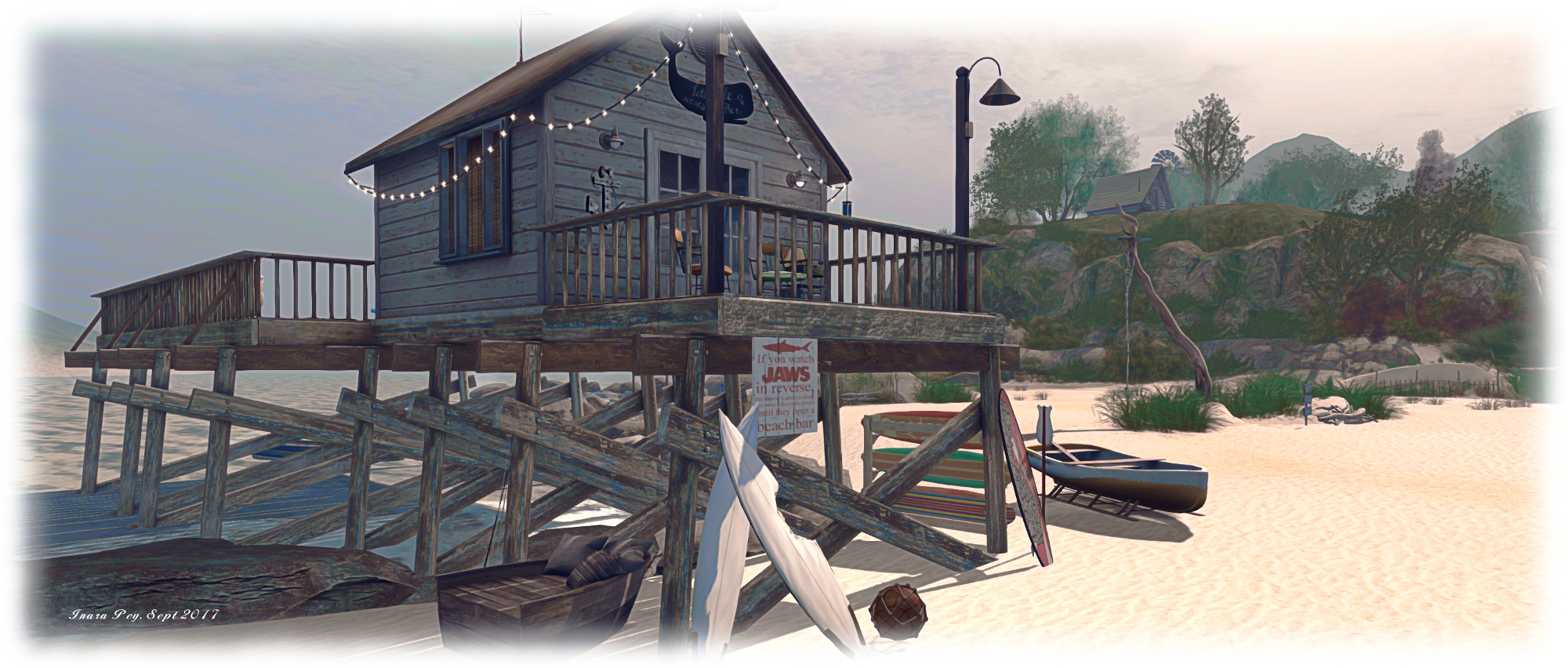
With waves lapping against it, the beach here offers an arc of places to sit and cuddle or chat looking out over the waters of the bay. Two wooden walkways reaching out over the waters separating it from the sands to the north and south. The latter is as big as the middle tongue of sand, and is home to a pier-top beach hut built over the waters, offering the active a little exercise in scrambling up to it it’s flat deck. Those preferring a more relaxed time can sit as watch from the rowing boat moored by the pier, or from the other cuddle and seating points scattered across the beach.

A path marked by wooden boards offers a way up the slope of the hills, leading to the first of the cottages and cabins which share the upper reaches of the island with trees and flowers. As it does so, the path passes between great slabs of rock reaching out from the hills like a protective wall, the sand within their arms gently giving way to grass, while a wind-bent tree offers a modest amount of shade to an old rowing boat converted into a lover’s lounger beneath its bent back.

Gentle Breezes; Inara Pey, September 2017, on FlickrGentle Breezes

The cabin at the top of the hill is cosily furnished and offers a taste of a simple life – bees for fresh honey, and an outdoor bath. A footpath runs southwards from the cabin, under an arch and to a lookout point overlooking the larger of the island’s two waterfalls and the hidden delight of a hot tub nestled at the foot of the cliffs. On the hill beyond the falls sit two more cabins, each simply furnished. More sitting and cuddle spots can be found spread between and around them, both in the open and under the shade of trees, while a second hot tub overlooks the southern end of the island.

The easiest way to reach the northern end of the island is over the board walk from the middle tongue of beach. This gives access to a set of wooden stairs which climb the cliffs to a brightly-painted beach house offering a grand view out over the island. A pair of wind turbines stand sentinel-like behind the beach house, and further away through the long grass, stone steps offer a way down to the foot of the smaller of the two waterfalls, and a raft floating gently on the water there.

Gentle Breezes; Inara Pey, September 2017, on FlickrGentle Breezes

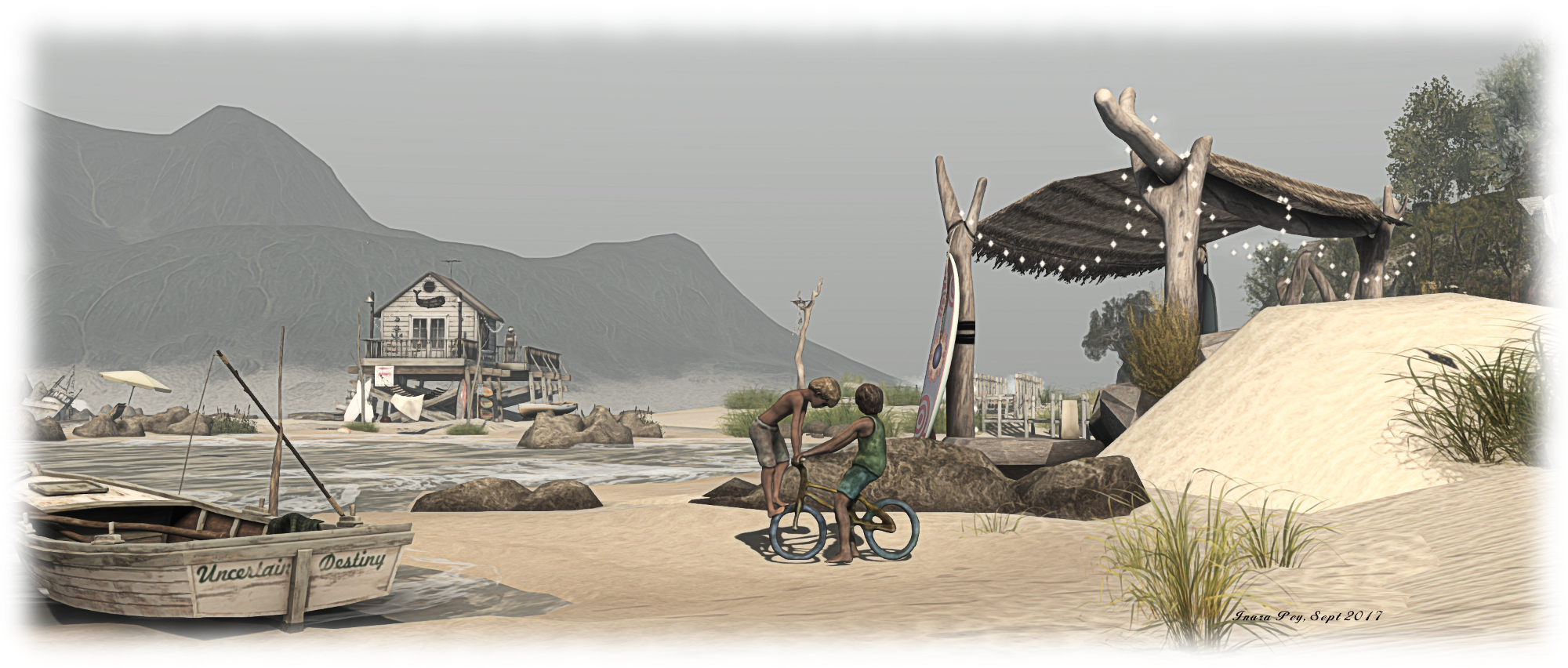
Gentle Breezes is truly a beautiful location – even now I’ve only just scratched the surface of all the details awaiting discovery – keep an eye out, for example for Rosy’s use of a sculpture by Silas Merlin to represent children playing on the beach. The setting is completely by a perfectly balanced ambient sound scape and for those so minded, a nicely considered chill-out music stream.

But there is also something more here as well. With its rugged hills, gentle beaches and offshore lighthouse, Gentle Breeze offers a remind of Rosy’s equally stunning Black Basalt Beach, which was open from 2013 through 2016, and about which I wrote in August 2013. For those of us who recall the latter, Gentle Breeze further offers a wonderful sense of memory whilst very much remaining its own landscape.

With thanks, once again, to Shakespeare and Max for the tip-off.

SLurl Details

2017 Viewer release summaries week 36

Logos representative only and should not be seen as an endorsement / preference / recommendation

Updates for the week ending Sunday, September 10th

This summary is published every Monday, and is a list of SL viewer / client releases (official and TPV) made during the previous week. When reading it, please note:

  • It is based on my Current Viewer Releases Page, a list of all Second Life viewers and clients that are in popular use (and of which I am aware), and which are recognised as adhering to the TPV Policy. This page includes comprehensive links to download pages, blog notes, release notes, etc., as well as links to any / all reviews of specific viewers / clients made within this blog
  • By its nature, this summary presented here will always be in arrears, please refer to the Current Viewer Release Page for more up-to-date information.

Official LL Viewers

  • Current Release version 5.0.7.328060, dated August 9th, promoted August 23rd – No change
  • Release channel cohorts (notes on manually installing RC viewer versions):
    • Wolfpack RC viewer 5.0.8.328879, released September 8th – this viewer is functionally identical to the release viewer, but including additional back-end logging “to help catch some squirrelly issues.”
    • The Alex Ivy 64- bit viewer updated to version 5.1.0.508209 on September 5th.
  • Project viewers:
    • No updates.

LL Viewer Resources

Third-party Viewers

V5-style

  • Black Dragon released a 64-bit version, 2.9.0, on September 5th.

V1-style

Mobile / Other Clients

  • No updates.

Additional TPV Resources

Related Links