The 12th Home and Garden Expo (HGE) in support of Relay for Life of Second Life and the American Cancer Society, has formally kicked-off and will run through until Tuesday, March 3rd, 2020. Taking place across nine regions (Hope 1 through 9), together with two Linden Homes preview regions presenting the range of currently-available Linden Homes, the event offers some of the finest in home, garden, and furnishing designs available across the grid.
With multiple exhibitors taking part, the event offers something for anyone who is looking for a new home, ideas for furnishing and décor, wishing to improve their building (or other) skills, or who just wishes to keep abreast of the latest building / home trends in Second Life.
As always, the Expo there will be a range of events and activities, including entertainment and talks, artists, auctions, Gacha stores (one on Hope 3, the other on Hope 7). and more – including, and for the first time at Home and Garden – a special Fashion / wearable creators mall.
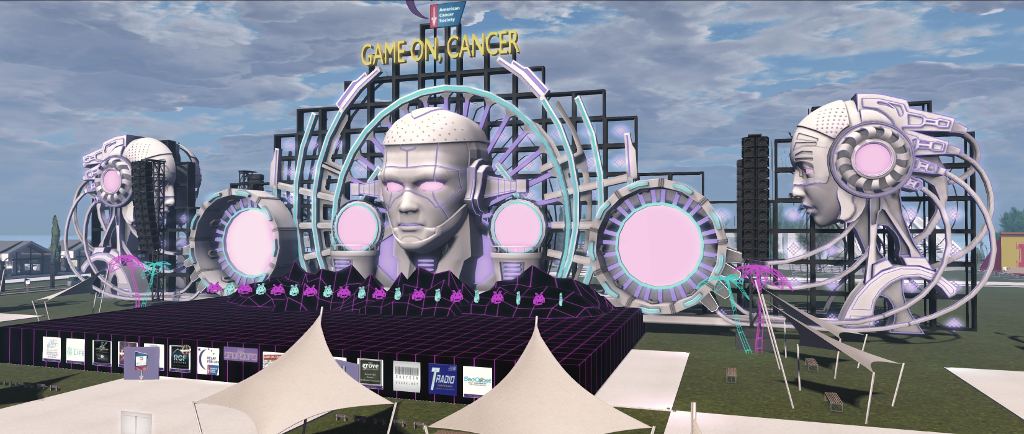
Hope 1 presents the event’s entertainment stage and kiosks for Relay for Life Second Life relay teams, with the auditorium for talks and presentation located in neighbouring Hope 3.
So, do be sure to drop in the the Home and Garden Expo, tours the houses, look at the furnishing and enjoy the entertainment – and feel free to drop a donation or two into the RFL kiosks, even if you’re not in the mood to purchase anything, and help support ACS and RFL of SL in their world-wide endeavours.
Now open at Savor Serenity is Dark Wood and Other Destinations, an exhibition of CybeleMoon’s always enchanting art. It offers a journey through her world, from woodland to coast, taking us past ethereal settings inhabited by children and creatures.
Cybele’s art ranges from portraits to landscapes, encompassing magical totems, hidden groves, wild glens, fairie circles, haunted woods, lonely shores and gardens of colour, light and shadow. Her palette offers us mixes of digital and real, gently mixed with tales and stories, children at play, picnic teas and enchanted children. All of which are offered within Dark Wood – and more besides.
CybeleMoon: Dark Woods and Other Destinations
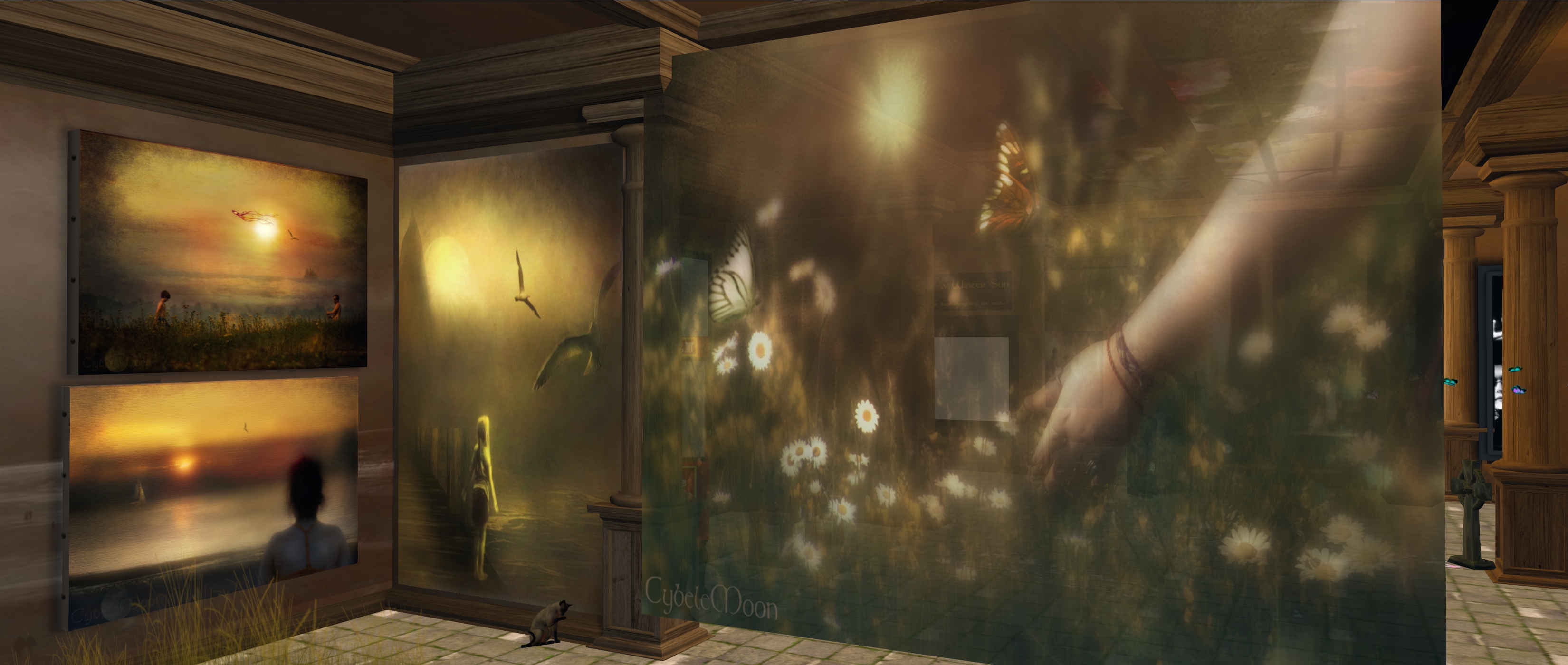
Splitting the gallery into three spaces through the considered placement of wall hangings that carry images of their own, Cybele presents us with a gentle tour of her work. Within the centre area we are introduced to her waifs, a wonderful set of largely monochrome portraits of children, together with one of her marvellously layered digital pieces that comes landscape and child’s face to present a haunting story within, and video presentations of her work.
Bordering the central area are images of her woodlands and coastal scenes, her glades and more of her children – the latter often infusing several of her images with a sense of fae magic. For me, one of the attractive aspects of this exhibition is Cybele’s use of 3D elements with two of her pictures; these lead us into the art with which they are placed, making a part of their narrative. In this, it is exceptionally hard not to want to climb the wooden bridge in from of The Winter Path and attempt to follow the trail to see what lies beyond the distant bend that sees it pass behind shadowed trees.
CybeleMoon: Dark Wood and Other Destinations
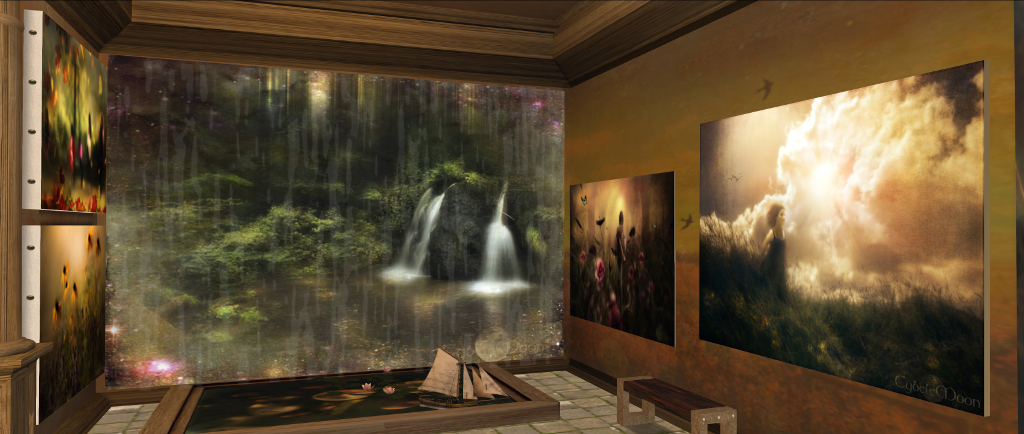
Similarly, the use of a pool with small boat and lilies sitting upon the water that adjoins The Fairy Glen at Rosemarkie, adds a depth of narrative to the idea of fae folk the art presents, the face below the water suggesting a water nymph at play in the waters spreading outward from the glen and “into” the pool.
Evocative, rich in image, colour, tone and story, Cybele’s art is always a delight, and for those familiar with it or have yet to experience her work, Dark Wood and Other Destinations should not be missed.
Aoshima, February 2020 – click any image for full size
New Eldelyn is a garden world located on the far edge of the Circinus Stream. It is the new homeworld of the Kalimshari, following their exile from their home galaxy to the harrowing horrors of the void.
– from the “WikiDex, the free galactic codex”
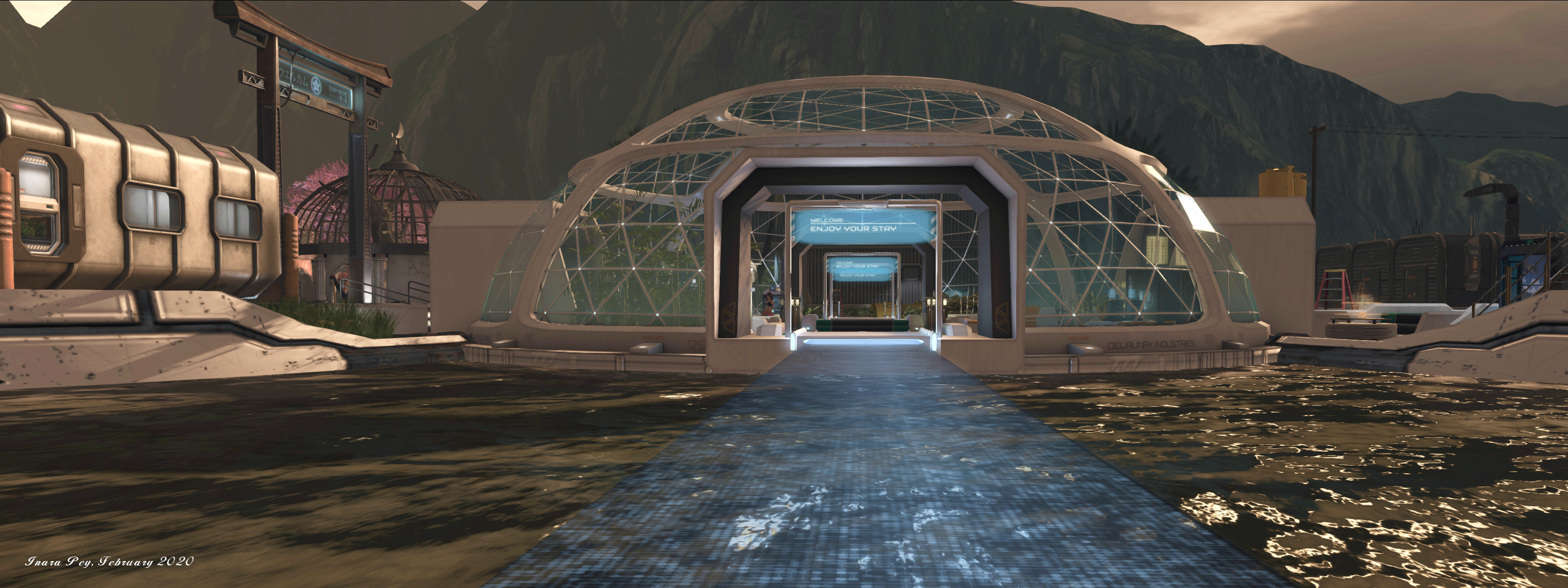
This is the informative greeting given (via a holographic sign board) to arrivals at the landing station at Aoshima, a homestead region designed by Rydia Lacombe that is both a private home and a public space in which visitors are welcome to spend time and explore.
Aoshima, February 2020
It’s a nicely presented setting, carefully considered and with a flow that makes exploration pleasantly relaxing, starting with the feeling of having just landed after a voyage through space. This is achieved by playing the landing point at the foot of the boarding / cargo ramp of a vehicle modelled after the Star Trek Online Delta Class of shuttle (which in turn was derived from the Delta Flyer from Star Trek Voyager). Around the landing pad are all the signs that this is a busy centre of operations: cargo bins and equipment sit to one side of pad, a storage unit on the other, while small drones periodically arrive to collect or deposit more cargo boxes and carry out repairs.
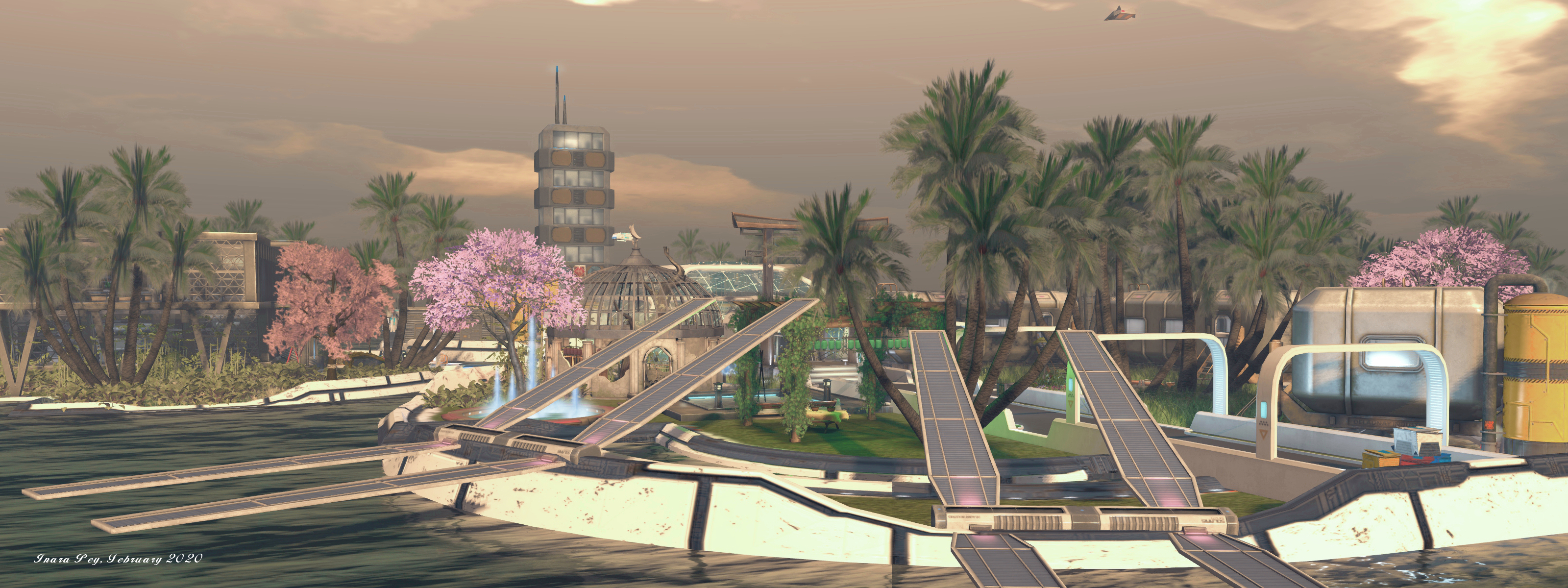
Beyond the landing pad gateway sits a raised walkway offering access to piers extend over the water, ready to receive water craft arriving from the seas that lie beyond the surrounding atoll hills. Beyond the piers, a series of habitat units have been stacked, awaiting occupancy.
Aoshima, February 2020
Like the rest of the station, the landing pay and the habitat modules sit on decks raised above the all-encompassing sea, suggesting that while the station sits within a bay formed by surrounding islands, the land is far too rugged to allow any form of homestead to be established on it. Instead, the rest of the facilities sit on five more such pontoons, three of which are directly connected one to another and linked to the landing pad by a low-slung light bridge – note that if this isn’t apparent, touch the blue pad on the lag of the white gate at the water’s edge and facing the central group of structures.
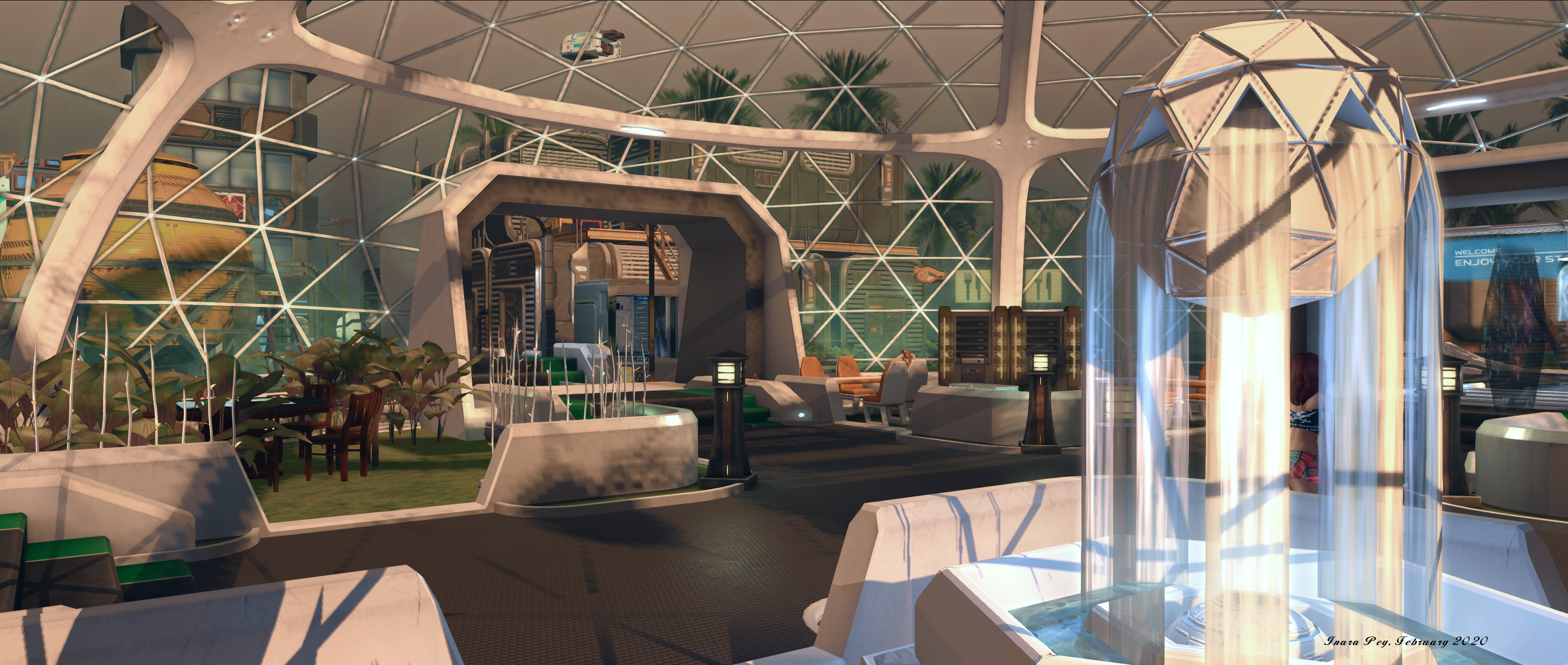
The middle island in this trio appears to be a domed recreational / refreshments centre for the station’s personnel. it is bracketed on one side by a garden area with further habitat modules waiting to be pressed into service, and which forms a home for solar arrays that help provide the station with power. Some of this may well go to the industrial facilities on the other side of the recreational pontoon. Within this workspace are more modules, a greenhouse and silos, all watched over by a – somewhat ominous – tower block. Lit from within but with frosted as if to hide whatever is going on inside, this sits on its own pontoon adjoining the industrial area, blue laser-like beams menacingly guarding the arched gateway between the two.
Aoshima, February 2020
The final pontoon sits beyond the recreational centre, another light bridge spanning the gap between the two. It presents a private dwelling surrounded by a garden of Earth-like plants combined with what appear to be local flora. Split over two floors, this accommodation is considerably larger than the modules found across the rest of the station, with plenty of space for those living within it.
Life is brought to the setting through the combined use of NPC characters that can be encountered while exploring – one of whom appears to subscribe to the idea that if it looks complicated, it probably needs a bigger hammer, – and by the numerous drones flying around the station, carrying boxes or welding equipment, together with the flyers that periodically pass overhead.
Aoshima, February 2020
Also overhead sits the ICV Kyrona, which appears to be a sublight cargo hauler (at least going by the stasis pods housed within it) that has been converted into something of a space-going home. Reached via a teleport disc within the cargo bay of the ground-level shuttle, the Kyrona is also open to exploration, the teleport disc in the stern compartment returning visitors to the shuttle when they have done so.
Aoshima makes for an engaging visit, with – as noted – plenty to capture the eye and camera. Finished with a suitable sound scape, it does have a smattering of adult items scattered around, but for the most part these are placed so as to be nicely tucked out of the way so as not to be obtrusive, and so should nod interfere with a visit.
During the Open-Source development meeting on Wednesday, February 12th, my ears picked up at the mention of Speedlight, a browser-based means of accessing Second Life from different devices and with the need for any downloads. Curious, I trotted off to find out more.
Developed by long-term Second Life resident Glaznah Gassner, who is responsible for the SmartBot group / bot management application, SpeedLight potentially offer users an alternative means of accessing Second Life from the browser of their choice, and which has been optimised for both statics and mobile displays, making it an entirely OS agnostic means of accessing Second Life to carry out various tasks.
At the time of writing, the core functionality offered by Speedlight comprises:
View a map of your current location and list all nearby avatars.
Send and receive local chat and IMs (and view your IM history when off-line).
View your friends list, groups, and avatar profiles.
Search for other avatars.
Use group chat.
View your inventory, and carry out basic inventory tasks.
Send / L$ amounts amounts to others and view your recent transaction history.
Teleport via SLurls.
In addition, Speedlight offers two account types:
Free – all of the above capabilities, but:
Users are limited to 1 hour on-line, after which a re-log is required.
Note that this can be avoided, if preferred, by paying for additional hours at the rate of L$10 per hour from within the service.
Avatars are automatically logged out if the browser is closed.
Note that closing the active Speedlight browser tab will not log you out, only closing the browser as a whole.
Gold monthly subscription: all of the above capabilities plus:
Avatars can remain on-line for an unlimited time.
Avatar can remain on-line even if the browser is closed.
Send “mass” IMs.
Further Gold capabilities as they are added.
The application’s website also notes that capability availability for each account type may change any any time, and also lists planned enhancement to the service. These include, but are not limited to:
Group notices: regular and scheduled Status: alpha, the regular notices.
Group chat moderation.
3D world view in a browser.
The ability to send regular group notices and the 3D world view are both defined as being in an “alpha” state, although the latter doesn’t render avatars at this point.
The rest of this article is designed to provide a general overview of Speedlight and its available functionality at the time this article was written.
Sign-up and Accessing Second Life
Sign-Up
Signing-up to use Speedlight is a two-stage process:
Create a Speedlight Account, requiring a user (avatar) name, e-mail address and acceptance of the Speedlight Terms of Service and Privacy Policy.
Link an avatar to your Speedlight Account – a step that requires acceptance of the Speedlight Terms once more.
Note that you can link more that one avatar to your Speedlight account if you wish. Click or touch the +panel in the pre-log-in avatar list in order to do so.
Accessing Second Life
Once you have linked one or more avatars to Speedlight, and you have one or more avatars linked to your Speedlight account:
Go to you Speedlight Account page (logging-in to the service if required).
Click / touch on Avatars in the top left of the page to display the avatar panels for all of your linked avatars.
Click /touch the log-in button associated with the avatar you wish to log-in.
Supply you avatar log-in credentials (you can have Speedlight optionally save these).
Confirm you are not a robot (one time only).
Click / touch the Login Now button.
You will be returned to the avatar panel – click / touch Open to access the Speedlight display for that avatar.
When you have linked one or more avatars to your Speedlight Account, you can log into SL using any of them by clicking /touching the Login button on the avatar’s panel (l), then entering your log-in credentials (c), then clicking the Open button when you are returned to the avatar button (r). Note that the button with the gear icon of the avatar panel (outlined in red on the left) accesses the SL settings you’ve set for Speedlight (e.g. your default log-in location, shown in the avatar log-in credentials panel (c)).
The Speedlight Display and Options
When you are logged-in to SL, the Speedlight display can be split into three sections:
The options menu on the left, providing:
Access to all of your available in-world options: avatar search, Friends list, Chat, IM, Groups, Inventory, L$ and transactions.
An option to purchase additional hours for Free account use or to sign-up for a Gold subscription.
An option to access or Speedlight account settings for the avatar (default log-in location, etc.).
An option to log-out of SL.
A central information display. By default this displays the Avatar Summary providing:
Your avatar’s name, account balance and location at the top,
A map of the region showing your avatar’s position and direction of view.
A list of nearby avatars and their distance from your avatar.
Note that clicking / touching an avatar name will open the avatar search display, with the avatar in question selected and their profile displayed.
Two options on the right:
A modal displaying the avatar’s name, on-line status and the current time in SL (closed by clicking / touching the X in the top right of the modal).
A Wish List tab:
When opened, displays a list of user-requested enhancements to Speedlight, which can be voted up or down, and the option to add further ideas for enhancements.
Includes two additional tab – IM and Inventory, which I admit to not experimenting with.
Click / touch the X in the top right of the Wish List panel to close it.
The Speedlight application window, as it should appear in any browser, and with the Avatar Summary option selected
Search
Search allows avatars to be searched via a full or partial name.
A full name search, if valid will display the avatar’s Profile.
A partial name search will return an unsorted scrollable list of potential matches. Clicking / touching a name in the list will open the corresponding profile.
One Billion Rising in Second Life will once again be taking place in Second Life on Friday, February 14th, 2020. The event will officially commence at just after midnight SLT on the 13th/14th February with a live performance by Holly Giles. Activities will then run right through the 24 hours of February with music, dancing, art and events.
When launched in the physical world on Valentine’s Day 2012, One Billion Rising (OBR) was the biggest mass action in human history; a call to action based on the staggering statistic that 1 in 3 women on the planet will be beaten or raped during her lifetime. With the world population at 7 billion, this adds up to more than one billion women and girls who are at risk. OBR aims to bring people together, raise greater awareness of the plight of those at risk the world over, and bring about a fundamental change in how vulnerable and defenceless women and girls are treated.
One Billion Rising 2020
This year follows the established format for OBR in Second Life, with four regions laid out to offer a central music / dance arena, around which sets and music sessions will move throughout the 24 hours of the event. In the surrounding parkland, and linked to the central stages and one another by trails and paths, are the landing points (with information givers), art exhibits, gardens, and additional event areas, such as the Poetry and Prose area.
Art installations this year include works by Instituto Español SL, Daark Gothly, iSky Silverweb, 2Lei, Jaz, Fran Gustav, Fifi Oh, Marcel Mosswood, FionaFei, Solkilde Auer, Ilyra Chardin, BB Woodford, Burners Without Borders in SL, Isadora Alaya, Campbell Hero Walk, Pixxe Snowpaw, and Darkstone Aeon.
In addition for 2020, there is a special exhibition: the OBR I Rise Campaign. In January 2020, Second Life artists and photographers were invited to produce original images for display at OBR in SL 2020. All of the images have been created from the heart and are intended to support the message of One Billion Rising: educating people about the plight of women. However, survivors may find some of the images uncomfortable. If this is the case, they are asked to reach out to event organisers if they feel they need support. All of the photographs can additionally be seen on the Campaign’s Flickr group.
One Billion Rising 2020
In addition, the four corners of the OBR estate offer park areas, two of them with elevated aspects that offer views across the regions, while the #MeToo Forest on the Unite region presents a place of retreat and meditation / contemplation. Also within Unite is the Heroes’ Pavilion featuring inspirational stories about women from many different cultures and communities.
The full schedule of events is now available, covering all live performers, DJs, dance performances and poetry.
One Billion Rising 2020
Why Dance?
A critique sometimes levelled at OBR / OBR in SL is that the issues it raises cannot be solved by dance. Well, that’s absolutely true, just as marching through the streets carrying placards and banners is unlikely to have a lasting impact on whatever it is people might be marching about.
But – like marches and protests, dance and music does serve to draw attention to matters. It provides a means by which people are encouraged to stop and think, and for information and ideas to be disseminated. What’s also important is that it’s a lot harder to see dancing as a threat than might be the case with an organised march or protest – something to take into consideration given there are countries where the right to march or protest freely does not exist. Hence why, as well, OBR in Second Life is marked each year with a dance video to the OBR theme song.
Practical Support
OBR in SL is not itself a fund-raising event, but exists as a means of raising awareness of violence against women and girls. If you’d like to show your support for organisations that work tirelessly throughout the year to bring about change, please visit the OBR in Second Life Non-Profits page for a short list of organisations.
One Billion Rising 2020
One Billion Rising in Second Life 2020 will open its doors to the public shortly before midnight SLT on the 13th/14th February 2020. Do consider popping along and showing support during Friday, February 14th.
As I noted earlier this week (and following Ryan Schultz’s lead on the matter – see the link in the referenced article) – there have been some significant changes at the Lab in respect of Sansar; notably multiple lay-offs.
The news of the lay-offs spurred a lot of speculation concerning Sansar, the Lab and Second Life – and given the last, on Thursday, February 13th, 2020, the Lab issued a statement specifically about Second Life and its future, indirectly touching on the matter of lay-offs in the process.
There’ve been quite a few rumours about changes at the Lab and their possible effects on Second Life and Tilia. The truth is that we have made a few operational and personnel changes to ensure that we continue to stay strong for the next decade and beyond. This means that we had to say goodbye to a few employees, but at the same time we also strengthened our team by bringing back some heavy hitters who will help make Second Life better than ever.
So, Second Life is still here and still strong. We’re continuing to invest in its future and you’ll see the results of our commitment this year as we roll out a new mobile companion app, new Linden Home themes, performance and usability improvements, and a number of other new features and enhancements. The ability to change names will be available in the next few weeks, too.
These changes reflect our commitment to making SL strong for many years to come. To infinity and beyond!
The statement has resulted in further forum speculation on whether the changes mean Linden Lab will have “more time, more money and effort to spend on Second Life”. This prompted a response from Soft Linden on the increased effort now available:
100% what this was about! Second Life has THREE rock star graphics devs now, an engineer with a proven track record for asset optimization to make texture delivery and management fast and reliable, and so much more. The various teams will have more to say in coming months, or just watch the viewer and server release notes. Right now, some of them are literally re-learning to get dressed. They missed the era between Bento bodies and Bakes on Mesh.
It was a painful adjustment. But a lot of the old timers and hardcore off-hours SL users here believe these changes are important. It’s part of the strategy for breathing many extra years of life into our favourite world.
As Whirly Fizzle notes in the same forum thread (she and I have been poking to see what may have been happening in terms of staff moves), the “heavy hitters” mentioned in the official statement (and referenced in Soft’s forum post) may be Runitai Linden and Monty Linden (Monty actually popped-up in the SL forums in December 2019 to respond to a comment there, so he may have been back with SL for a while, or possibly bouncing between Sansar and SL), Kurt Linden (QA) may also of transitioned back it late 2019, while Maestro Linden (from the engineering team) appears to have most recently moved back to SL.
Certainly, nothing that has occurred with Sansar / at the Lab doesn’t appear to have had any negative direct impact on Second Life, again as the official statement indicates.





 Inara Pey: Living in a Modemworld