Back into the Labyrinths of Sansar

Horizon Maze – that’s me, bottom centre, for a sense of scale

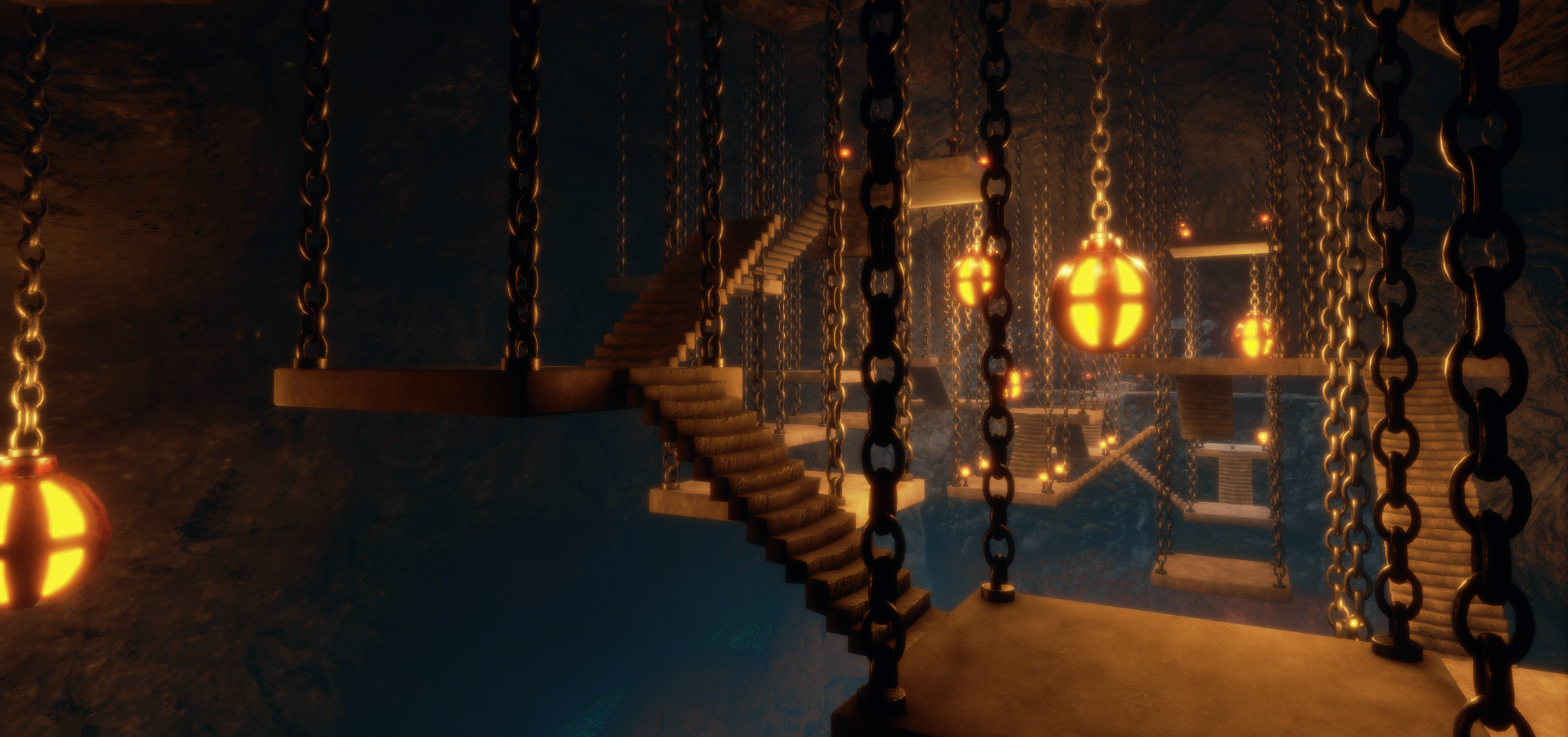
I recently wrote about my visit to the first prize winner in The Sansar Labyrinth Contest, which actually saw prizes awarded to a total of three among the various entries. Given that I did write about Abramelin Wolfe’s grand prize-winning entry The Secret of Mount Shasta, it seemed only fair I jumped back to Sansar and took a look at the second and third prize winners as well.

Horizon Maze

Horizon Maze is the third place entry, designed by Ecne. It’s an ingenious piece that, while lacking the direct challenges present in The Secret of Mount Shasta, makes up for it in presentation and design.

This is a compact, circular maze which may at first appear to be built along traditional lines. The aim is to get from the outer edge to the central ring, where a golden cup awaits. You can even freecam over the maze to get a feel for it before entering. It all sounds simple, except for two things.

Horizon Maze: the golden cup is your goal – if you can find your way to it and through the wall!

The first is that the maze comprises three concentric rings, revolving around a central axis. Moving between them requires finding one of several gateways in the ring you are in, then waiting for a gateway in the next ring to align with it, so you can step across.

The second is that the maze is on two levels – you must periodically take the stairs to the lower level and find your way around it. This may involve finding stairs back to the upper level, or it may mean finding another gate on the lower level where you can cross between rings. Nor is it all one-way; you may well have to move back out between ring in order to find the way back towards the waiting cup.

Horizon Maze: the lower tunnels

This all makes Horizon Maze a lot more complex a puzzle than first appears, so much so, that it can get a little confusing. To help people out, Ecne provides a number of maps inset into the floors of the rings at various points. These show both levels and mimic their rotation and also show where you are within the maze, allowing you to attempt to chart a course.

When you do get to the centre of the maze, there is one final challenge: getting past the wall separating you from the golden cup. The secret to doing this can b found both in the wall and on the floor of the path around it – but I’ll let you figure that out!

Ebucezam

Read the name of this entry by Tron backwards – maze cube – and you get pretty much was it is summed up in the title: a maze forming a roughly cube-like shape. The second prize winner in the competition is, like Horizon Maze, a compact design, but one which uses more of a vertical approach to its design.

Ebucezam

In parts uniformly monochrome in styling, Ebucezam is a series of box tunnels and shafts laid out within the volume of a cubic shape. The aim is to get from the single entrance on the ground level to the single large room on the far side of the maze. All of which again sounds simple enough, so where’s the catch?

The catch is that to get from front to back across the maze, you also have to go up and down. This requires using the elevators scattered around the various tunnels, as well as jumping back down shafts. The elevators are colour-coded. White elevators are open to use from the start, but any other coloured elevator – denoted by the colour of the activation switch on the wall and the glow surrounding it – requires you first obtain the corresponding colour energy node.

Ebucezam

These nodes are scattered throughout the maze, so in order to get to the far size, you must first locate the power nodes so you can activate the various elevators.  You only need to find a colour node the once, though. As you approach it, a pop-up notification will inform you have obtained it, and it will then unlock any elevator of the same colour at any time. However, it does mean a lot of moving forward, searching, then potentially backtracking to find the right elevator, making this maze harder to complete than might first appear to be the case.

Thoughts

Both Ebucezam and Horizon Maze are interesting designs; however, I admit to fining Horizon Maze the more engaging of the two. While Ebucezam is a clever design, I found the constant back and forth to find energy nodes and then unlocking elevators came a tad repetitive – it would have been nice to have a little more variation in things. That said, Horizon Maze wasn’t without a slight fault of its own; a could of times when first stating into it, I slightly mistimed my moved between rings and ended up caught in the walls and forced to try walking between them until I eventually fell and was respawned at the start point. The lesson here: time you moves carefully and double-tap run to move between rings!

Ebucezam

Nevertheless, for those looking for something a little different to do in Sansar, Horizon Maze and Ebucezam are worth dropping into and trying out. Congratulations to both Ecne and Tron on their designs and prizes.

Experience URLS and Links


The Secret of Mount Shasta in Sansar

The Secret Of Mount Shasta; Inara Pey, July 2018, on FlickrThe Secret Of Mount Shasta – click any image for full size

In June, Linden Lab announced another in their series of contests for Sansar experience creators. The Labyrinth Contest challenged entrants to design and build an engaging labyrinth / maze that has at least one challenge those exploring it must solve, whilst making their way from a defined start point to a defined end point.

On offer was a first prize of US $5,000 cash, with a choice of a one year subscription to Maya or Zbrush for second place and third prize of an Oculus Rift headset and hand controllers. Following the close of the competition towards the end of the month, The Secret Of Mount Shasta was judged to be the first prize winner.

The Secret Of Mount Shasta; Inara Pey, July 2018, on FlickrThe Secret Of Mount Shasta – the tunnels await …

This is the second Sansar contest entry by Abramelin Wolfe of SL Abranimations fame to win a prize. In November 2017, he was runner-up in the Halloween themed Sansar’s Scariest competition, producing Paranormal Investigation (which I reviewed here).

Quite a lot has happened in Sansar since then in terms of feature and capabilities, with more scope for content creators to script and present interactive experiences; and while things still might fall short of Second Life, the improvements can still show that Sansar is more than just a place to visit and look at; and The Secret of Mount Shasta proves this in spades.

Set as an adventure mystery, the experience presents a considered use of Sansar capabilities to provide a game-like environment winding its way through the caverns and tunnels of a high mountain and filled with traps. Filled with  challenges and traps, it sets out a single goal for visitors to achieve, as the introduction lays out.

The Secret Of Mount Shasta; Inara Pey, July 2018, on FlickrThe Secret Of Mount Shasta – the way is barred – or is it?

Search for the Lemurian Ascended Masters that live deep inside Mount Shasta. Navigate the caverns, avoid the booby traps and solve the various puzzles. Discover the secret of Mount Shasta!

– From the introduction to The Secret of Mount Shasta.

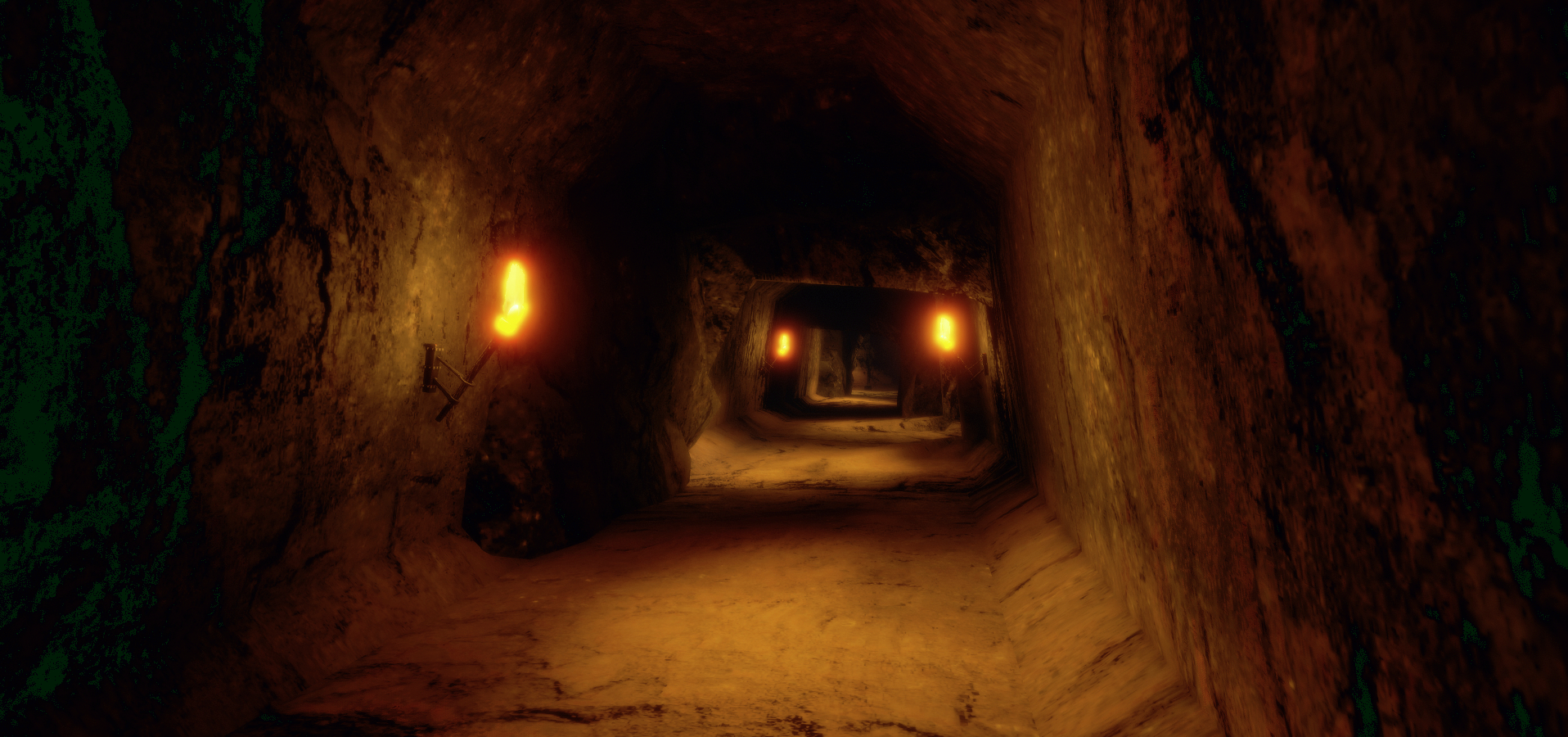
Visitors commence their adventure at a small tented camp sitting alongside the entrance to the caverns. This is guarded by imposing hooded figures carved from the living rock, oblivious to the wind and snow around them. Between their mysterious figures, light flickers from naked torches within the tunnel entrance, enticing people inside.

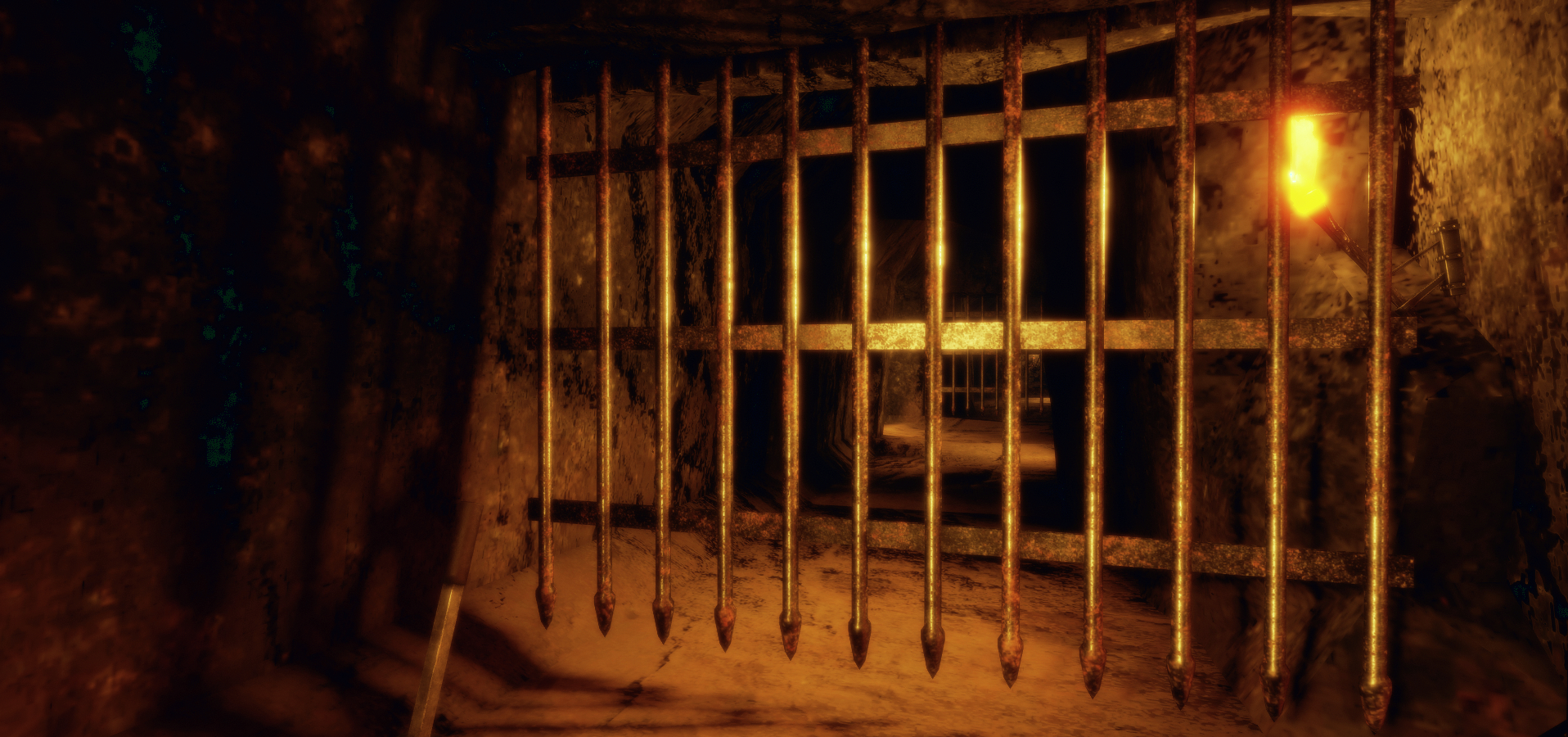
The torches are periodically placed along the bare stone walls, providing sufficient illumination to see the way forward – but be sure to keep an eye on either side, as further tunnels do open off the first, and can be easily missed if you’re only focused on what lies ahead. Some of these tunnels are gated, the way forward apparently blocked. Some can be opened – rising like portcullises – by pulling a nearby lever. Others may require other means of opening them (I’m not about to give away all of the secrets here!).

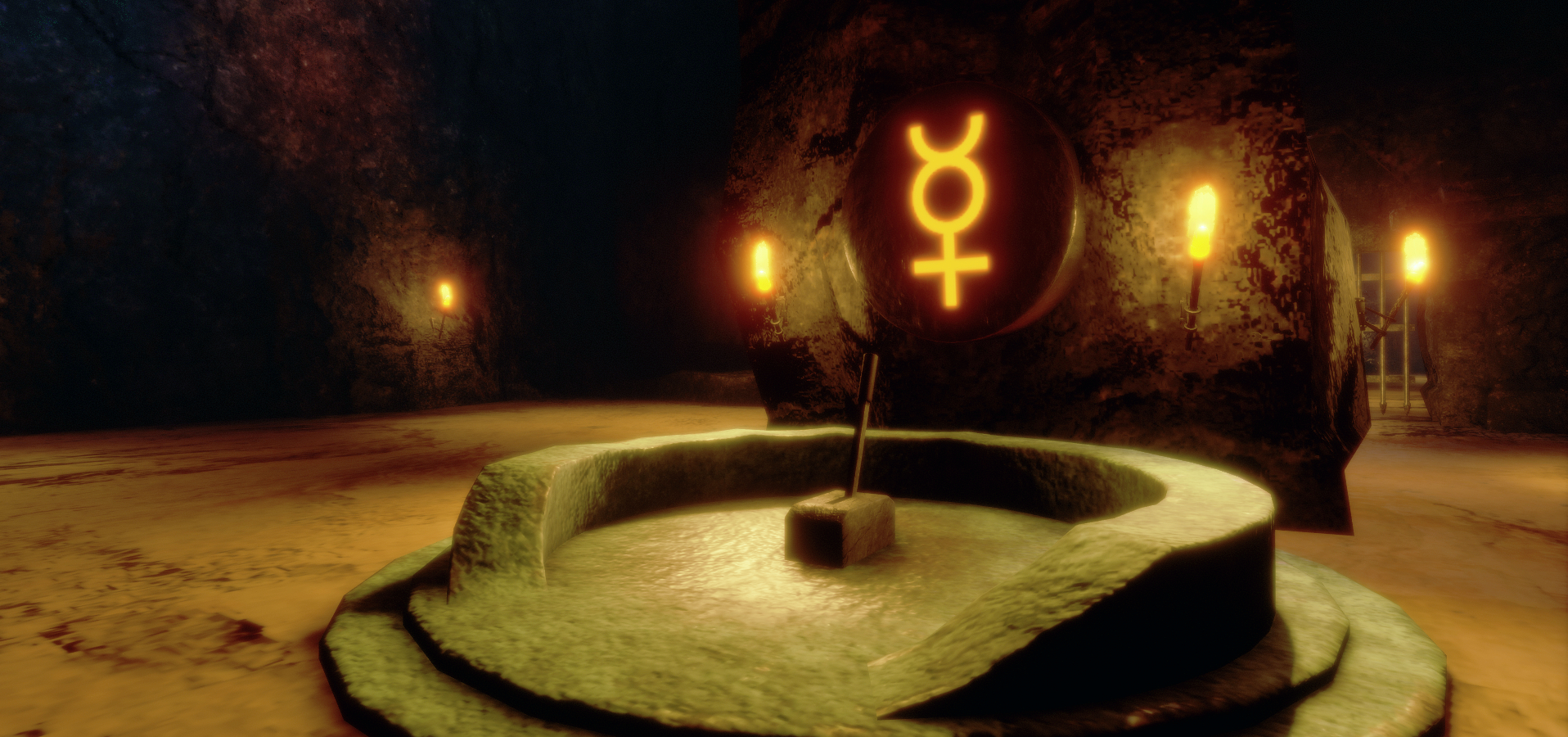
The Secret Of Mount Shasta; Inara Pey, July 2018, on FlickrThe Secret Of Mount Shasta – symbols will help you on your way – but only in the right order

Opened gates initially provides access to further tunnels – just beware of the booby traps, such as the arrows launched across a passageway at certain intervals. Such traps might be individually place, or come in pairs or groups – so keep your eyes peeled and time your moves accordingly. Should you be struck by an arrow, you will be transported via a chamber back to the experience spawn point at the base camp.

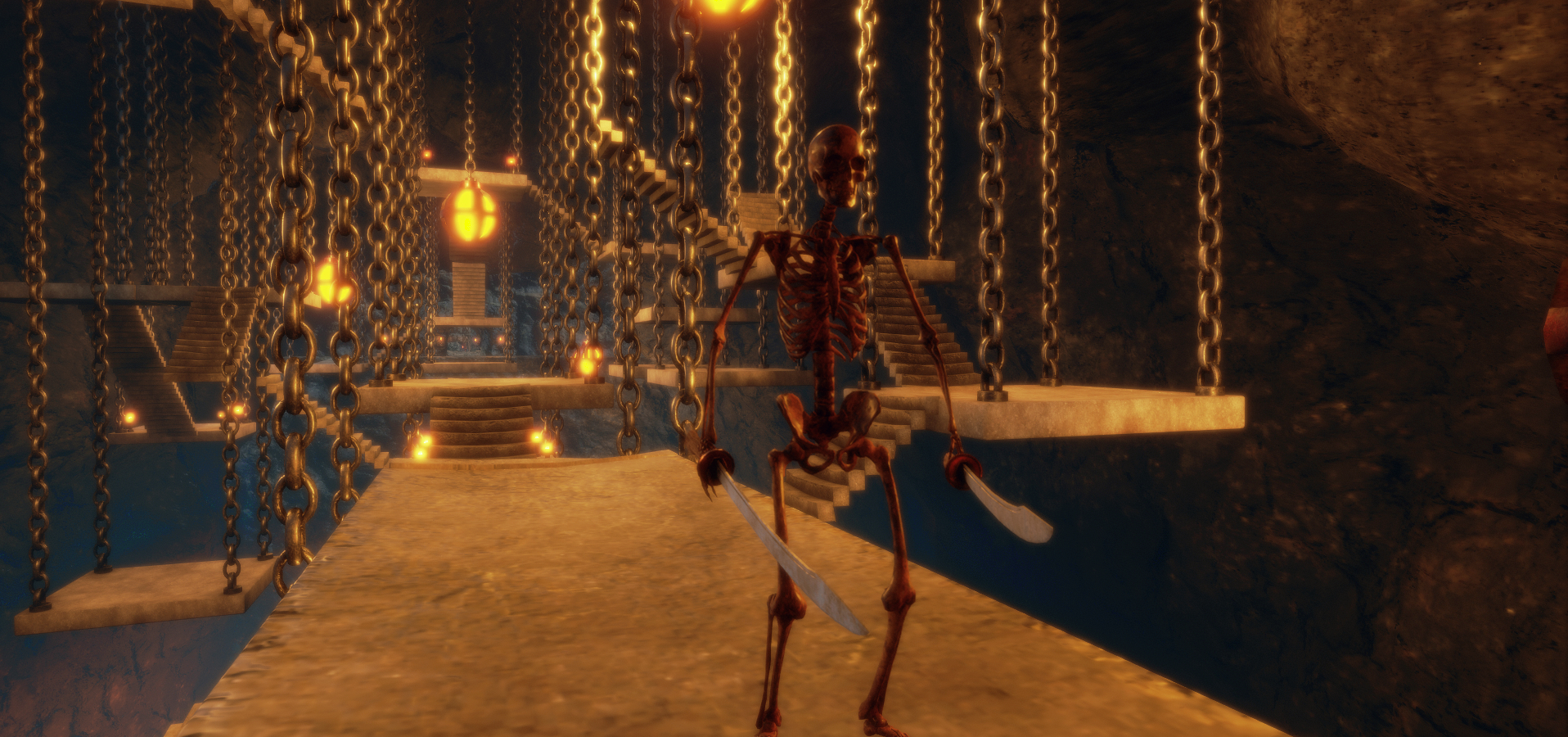
The further into the labyrinth you get, the more complex and engaging things get. Tunnels open out into caverns, again either individually placed or in close-knit groups, some even linked, although the way between them may be initially barred. Puzzles are to be found within these caverns, and you’ll need to look for the in-scene clues to correctly solve one of them. There are even skeleton guards to fight – yes, fight; again look for the clues on the walls / ground for how to do this, and remember, you can pick things up in Sansar and throw them.

The Secret Of Mount Shasta; Inara Pey, July 2018, on FlickrThe Secret Of Mount Shasta – you must be prepared to defend yourself. And to move stairs

All of this makes for an engaging – and actually quite addictive – challenge which combines elements of Tomb Raider with platform games and even a touch of Harry Potter as you work your way through things – complete with a ratcheting up of both frustration at each re-spawn and determination to end to the end of the challenge and find what awaits. For those with a sci-fi leaning, there might even be an echo of the Stargate franchise (ascended Lemurians  / ascended Lanteans?); ideal for those who prefer Daniel Jackson over Laura Croft or Indiana Jones!

There is a marvellous sense of an unfolding story within The Secret of Mount Shasta – and the way in which clues are provided in-game to solve one of the puzzles along the way is adds to this sense of story. Visually impressive with a superb and subtle audioscape to add further depth to the adventure, this is a worthy winner of the Labyrinth Contest and a thoroughly enjoyable experience.

Experience SLurl and Links

Sansar: Know Thy Neighbour release

Light switches and other scripted object interactions are now possible in Sansar. Credit: Linden Lab

Friday, June 1st saw the deployment of  the Sansar Know Thy Neighbour release, which brings user profiles to Sansar, adds object interactions through scripts and something the Lab call Access to Controls.

This article highlights some of the new features – and some deployed in May 2018. As always, full details of the updates in the new release are available in the release notes.

Initial Notes

  • As with the majority of Sansar deployments, this update requires the automatic download and installation of a client update.
  • Updates in this release mean that on logging-in for the first time following the update, users will be placed in the LookBook (Avatar App).

User Profiles

Second Life users are more than familiar with the idea of user profiles and their usefulness. They are something that has been raised on numerous occasions as one of the missing elements within Sansar – and with this release, they’ve started to arrive.

A Sansar profile can be used to display basic information about a user: their avatar name / ID, a photograph, and a short  biography. In addition, viewing other people’s profiles allows users to request / remove friendship, see a summary of any store listings they have or experiences they have published, each of which are interactive.

Every Sansar user has a profile by default, which can be edited and updated as required, although they must be updated from within the Sansar client. Profiles can, however, be viewed both within the client and on the web.

Editing Your Profile

To edit your profile, launch the Sansar client and then click on More Options > Edit Profile. This will open the Profile Editor, which has two user-definable fields: the profile image and biography.

Profile images are automatically generated by Sansar, based on the looks you have saved in the LookBook (See Customising your avatar). To select / change your profile image click on the edit icon at the four o’clock position on the photo display (1 in the image below, right). A list of your available images will be displayed. Click on the one you wish to use with your profile.

To update your biography, click on the Bio section (2 in the image below right) and enter your text.

Editing your Profile

When you’ve completed your updates, click Save to apply them.

Viewing a Profile

Profiles can be viewed in a number of ways:

  • From within an experience, through the client’s People App.
  • Via the Atlas, either within the client or on the web.
  • Via a store listing on the web.

Via the People App

Displaying a Profile via the People app (in this case, using Search)

When in an experience, you can display someone’s profile by opening the Chat App then clicking on the People App button.

  • To view the profile of someone on your Friends list, click on their name to display the interaction options and click Profile.
  • To view the profile of some on your Friends list, use the Search option, then click on their name to display the interaction options and click Profile.

Both of these options will open the user’s profile. This comprises a number of sections:

  • The user’s profile picture with a microphone icon at the four o’clock position. This is the mute / unmute option. Green indicates the person is not voice muted, red indicates they have been voice muted.
  • Three central options to direct message them; to friend / unfriend them or abuse report them.
  • The bottom section of a profile may  – or may not – display one or other – or both – of two further options: Store Items and Experiences.
  • Store Items: if the user has a Sansar Store, the total number of items they have listed will be displayed, with a See All option. Clicking the latter will display their store in your web browser. This option will be absent if the user does not have any items in the store.
  • Experiences:
    • if the user has published one or more experiences, the total number of their published experiences is displayed, with thumbnails of each of them.
    • Clicking on a thumbnail should open the experience
    • A button (V or ^) is displayed in this section – if the user has more than one experience, this will switch the thumbnail view between a single experience thumbnail and a tiled display of thumbnails.
    • This option will be absent if the user has not published any experiences.
  • To close a displayed profile, click the Back button at the top left of the profile display.

Note that when viewing a profile, you can also accept Friend requests sent by that person, as well as send your own.

Continue reading “Sansar: Know Thy Neighbour release”

Lab issues a further e-mail on EU GDPR and user privacy

On May 25th, 2018 the European Union’s General Data Protection Regulation (GDPR) comes into force. While an EU regulation, the GDPR not only applies to organisations located within the EU but it will also apply to organisations located outside of the EU if they offer goods or services to, or monitor the behaviour of, EU data subjects.

Earlier in May, the Lab issued a blog post providing an initial outline of their compliance with the GDPR, which covers both Second Life and Sansar. In that post they promised they would provide further details on how EU citizens can exercise their rights under the GDPR. On May 24th, they issued an e-mail summarising updates to their Privacy Policy. The e-mail reads in full:

We value our relationship with our community and your privacy.  We have updated our Privacy Policy to increase transparency and comply with the European Union data protection law known as the General Data Protection Regulation (GDPR), which goes into effect on May 25, 2018. We encourage you to read our policies in full, but here are some highlights of what’s changed:

  • We provide additional details about the types of data that we collect, the ways in which we use it, and the measures we take to keep your data safe,
  • We added information about new choices and controls for users to manage their privacy, and
  • We added information about user’s rights regarding their privacy.

The updates to our policies will go into effect on May 25, 2018.  If you have questions, please contact us at privacy@lindenlab.com.

Thank you for being part of the Linden Lab community!

The Linden Lab Team

The specific sections of the Privacy Policy that have been updated are:

Obviously, you should read the privacy Policy in full, rather than just these sections. The above list is provided only as a guide.

Captain’s Log: on the bridge of the USS Enterprise in Sansar

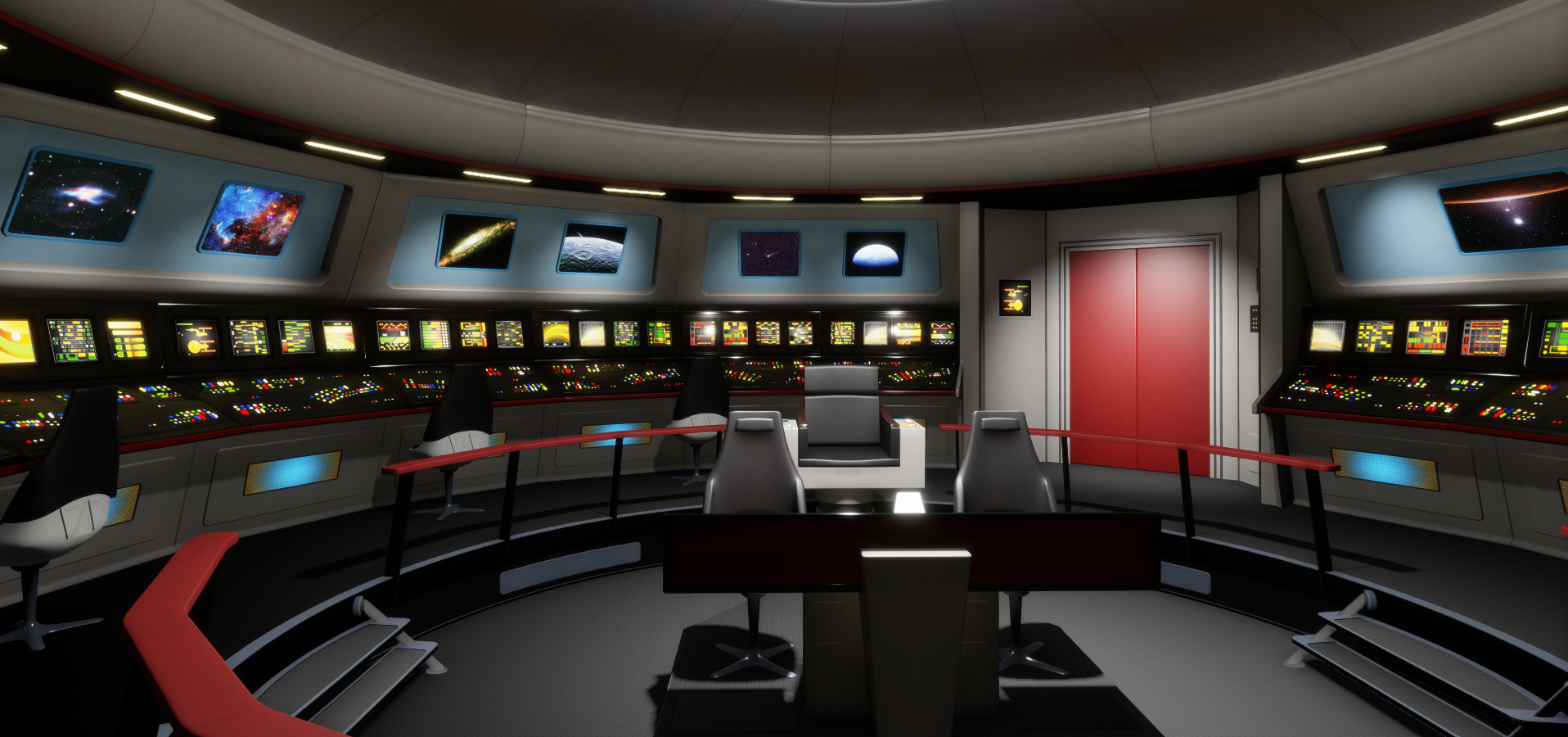
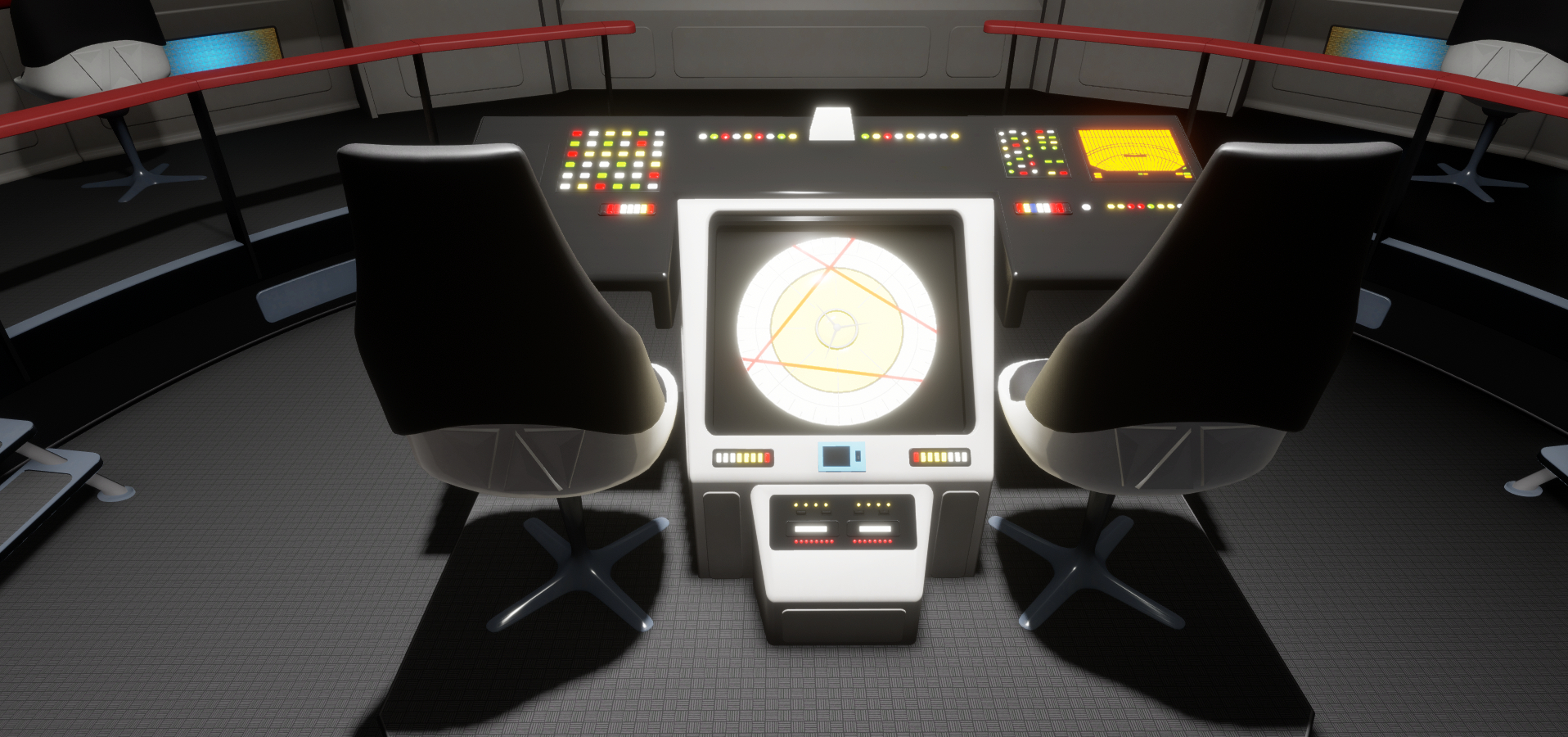
The Bridge of the USS Enterprise; Inara Pey, May 2018, on FlickrThe Bridge of the USS Enterprise, NCC-1701 in Sansar

Tuesday, May 22nd saw the launch of a new  enterprise for Sansar, with the public opening of a model of one of the icons of the original Star Trek TV series: the Bridge of the USS Enterprise, NCC-1701.

The experience has been developed as a joint venture between Roddenberry Entertainment, run by Eugene “Rod” Roddenberry Jr, the son of Star Trek creator Gene Roddenberry, and Linden Lab through Sansar Studios.  It has been designed as a tie-in with the Mission Log Live podcasts / live streams hosted every Tuesday by Ken Ray and or John Champion, which cover all things Star Trek (and often beyond), with news, discussions, Q&A sessions, guests, and  so on.

The core rendering for the experience has been produced by OTOY, the creator of the OctaneRenderer. Some might be familiar with OTOY’s work on the opening title sequence of HBO’s stunning TV series Westworld. Given this pedigree, and having seen some of the publicity shot (as I covered here), I admit  – as a long-term Star Trek fan – to looking forward to seeing the experience first-hand.

The Bridge of the USS Enterprise – a Sansar social space where people can watch weekly broadcasts of the Mission Log Live series, hosted by Ken Ray (seen on the viewscreen) and John Champion

Sadly, the official opening of the experience between 03:00 and 06:00 BST on the morning of Wednesday, May 23rd – FAR too late (or early!) for me. So it wasn’t until well after the event had finished that I was able to jump into the experience and have a look around.

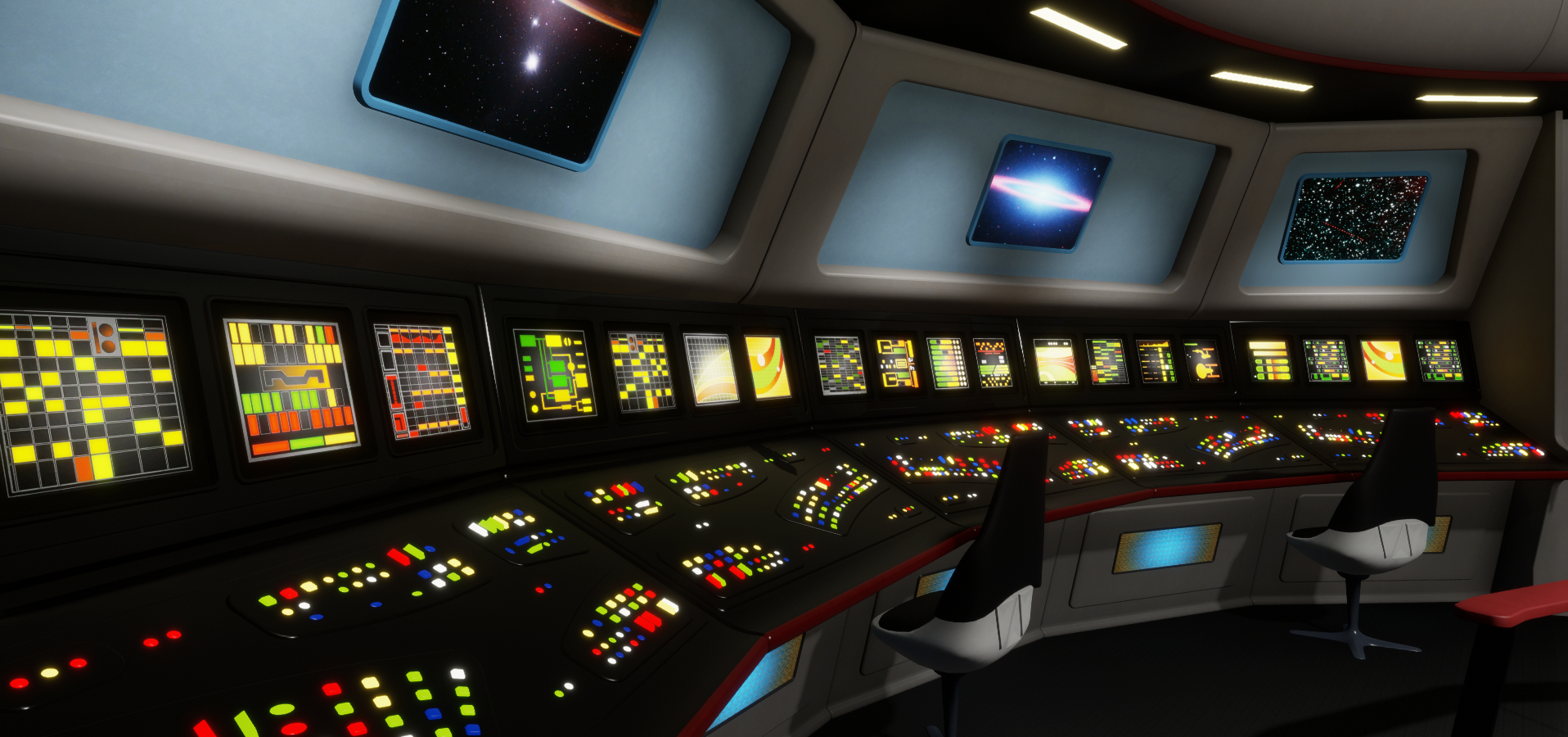
The Bridge of the USS Enterprise is, first and foremost, visually stunning. It is beautifully rendered, with almost everything a Trek fan would expect to see there and (for the most part) in the correct colours. Visitors arrive close to the turbo elevator doors at the back the the bridge; to the left is the Engineering station, Montgomery Scott’s usual station when on the bridge, and to the right, Uhura’s Communications with Spock’s science station just beyond it.

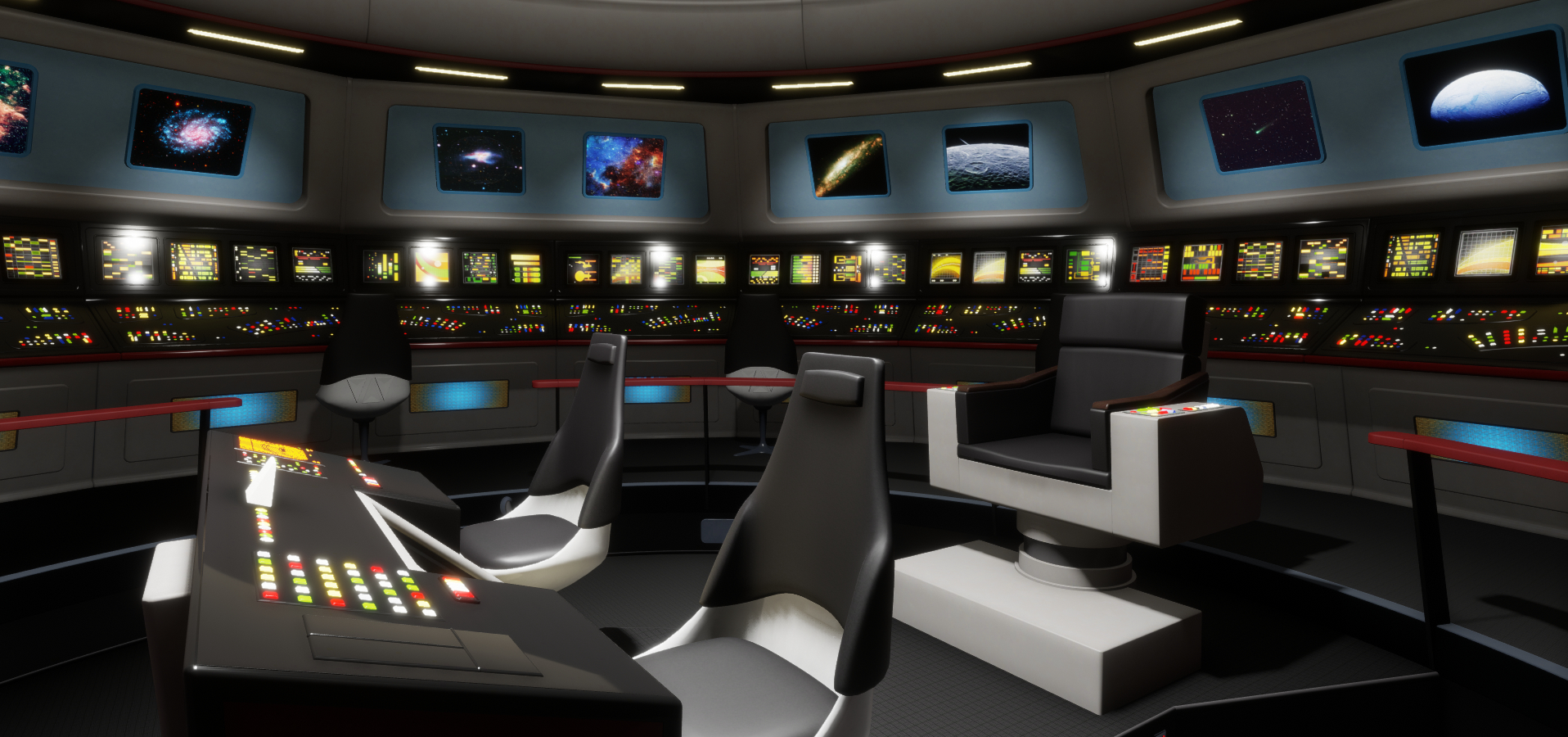
Of course, the Captain’s chair is there, sitting in the central well behind the helm / navigation console and facing the main viewscreen. A point of note here is that the show isn’t actually recorded  in the experience, but is intended as a place where fans of Star Trek and science fiction can drop into and watch the live stream broadcasts – or catch up with them after the fact – and enjoy the ambience of the Bridge. I understand that for the opening, around 25-30 people gathered in the experience – which must have been cosy, and Ken and John, the hosts of the show, dropped in after the fact.

The Bridge of the USS Enterprise; Inara Pey, May 2018, on FlickrThe Bridge of the USS Enterprise – “The engines cannae take it, Cap’n!” – Scotty’s bridge station

All of the detailing ia for the most part exquisite, although it is – aside from the viewscreen – a static rendering (at least in Desktop Mode with Sansar – I cannot speak to VR mode).

For the hardcore Trek fan there are perhaps one or two missing elements: the commissioning plaque is absent from the wall next to the turbo elevator doors; Spock’s station is lacking his “I see all through this box with a glowing slit” dohicky, for example. Also, the helm and navigation console also appears to have been taken from the game Star Trek: Bridge Crew, rather than conforming to the original TV series design and colours. On the flip side, it’s interesting to see the upper sensor dome that sits above the bridge deck shown as a skylight with stars zipping by – something of a nod of the head towards the original Trek pilot episode The Cage, perhaps?

The Bridge of the USS Enterprise; Inara Pey, May 2018, on FlickrThe Bridge of the USS Enterprise -“Take us out of orbit, Mr. Sulu. Ahead, warp factor one…”

It would be nice to see some interactive elements in the design – being able to touch Sulu’s console and see his weapons target / sensor relay unfold itself, or to be able to “flick” switches on the ring consoles and see the images on the screen above them change – just to give visitors more of a sense of presence (not to mention the hoary old ability to sit on the chairs). However, these little niggles aside, for those who like / love / appreciate the original Star Trek TV series, the experience is a wonderfully nostalgic homage.

It’s a little disappointing that the first Mission Log to be broadcast with the opening of the experience didn’t show more in the way of images of the space to encourage interest among Trek fans watching the show – although it certainly was mentioned several times. However, this was somewhat made up for the broadcast including an interview with one of the incarnations of James T. Kirk himself, Vic Mignogna, the man behind the engaging web series Star Trek Continues, which picks up right where the original series left off at the end of its third season, and includes some unique follow-ups to some of the episodes from that series and well as featuring several special guest stars from the worlds of Star Trek.

The Bridge of the USS Enterprise; Inara Pey, May 2018, on FlickrThe Bridge of the USS Enterprise – “The engines cannae take it, Cap’n!” – Scotty’s bridge station

While Sansar and the Enterprise bridge aren’t visually featured in the show, it is interesting to hear some of the comments Ken and John make in passing about Sansar – particularly where their avatars are concerned. While casual in nature, they do perhaps reflect one of the more noticeable “limitations” with the platform that even casual users are noting: the “sameness” evident in Sansar avatars at the moment, born out of a current lack of broad customisation capabilities.

Overall, Bridge of the USS Enterprise is an interesting experiment on the idea of offering social environments in virtual spaces that are specific to audiences who might not otherwise have an interest in such environments. With the planned tie-in with the Overwatch League now apparently on hold (assuming it still goes ahead), Bridge of the USS Enterprise is Sansar’s sole “partnership” social space of this kind right now, so it’ll be interesting to see how it continues to be used.

The next Mission Long Live event will be on Tuesday, June 5th, as John and Ken will be taking a break on Tuesday, May 29th.

Additional Information

Sansar: VR Chat release

The new “/sit 2” animation- VR Chat release

Monday, May 7th saw the arrival of the May 2018 Sansar release, entitled the VR Chat release. As the name implies, this release includes the long-awaited option for those in VR mode to see text chat from those around them. Alongside of this is Twitch integration, a further avatar sit option, and other nips, tucks and updates.

As always, full details are available in the release notes, this overview just highlights some of the key features / items in the release. In addition, a small update was issued on Tuesday, May 8th, 2018.

Initial Notes

  • As with the majority of Sansar deployments, this update requires the automatic download and installation of a client update.
  • Changes to the avatar inventory support means that on logging-in for the first time following the update, users will be placed in the LookBook (Avatar App).

Terrain Editor Reminder

Starting with the mid-March release, the Lab has been discontinuing the use of the Terrain Editor. This is as a result of recent investigation in Sansar’s performance revealing the height maps created using the tool could adversely affect performance in both the Run-time and Edit modes.For creators who have used the Terrain Editor, this means:

  • All existing terrain created using the Terrain Editor or through uploaded heightmaps should be replaced by the end of April. After this date, all terrain items that are still in scenes will be replaced by a place-holder asset.
  • All terrain items in the Store that have been created using a terrain heightmap should also be removed from the Store as soon as possible.

There is at this time no indication as to if / when the Terrain Editor will be re-introduced.

VR Mode Updates

Read Text Chat in VR Mode

A major limitation with Sansar up until now has been that those in VR mode have been unable to see text chat (either local chat or direct messages) in their headsets – which can lead to those using text as their preferred means of communications being ignored.

Chat in VR allows VR users to see local chat and direct messages whilst in VR Mode

Chat in VR rectifies this by providing the means for headset users to view the chat app in their field of view. I don’t actually have full-time access to a headset, so can’t vouch for how it works. However, from the Sansar documentation:

The Chat app in VR mode allows you to view messages from nearby people in your current experience in the Nearby tab and private messages in the Messages tab.

  • It is not currently possible to send messages while in VR mode.
  • You can move the Chat app by grabbing it with your Oculus Touch or Vive Wand and dragging it to a new location.
  • When you move or turn your head, the Chat app moves with you.

Pointer-based VR interaction

This update replaces the “move your head to select objects” approach with the more intuitive use of hand controllers. Simply point and hover over objects with the controller to select or pick up.
 Note that head movement is still required to use the Avatar tool when hovering over an avatar, however.

Twitch Integration

This release brings with it the ability to create a Sansar account via Twitch, and then log-in to Sansar using your Twitch credentials.

However, note that this is only for those creating a Sansar account via Twitch: it is not, at the time of writing, possible to link an existing Sansar account to a Twitch account and use the Twitch credentials to log-in to Sansar.

Those who create a new Sansar account via Twitch can now log-in to Sansar using their Twitch credentials

See the Twitch Integration article from the Lab for more.

Clothing Updates

The VR Chat update brings with it three updates related to clothing:

  • The Worn Clothing panel in LookBook > Customise option allows you to easily review, remove or adjust clothing on your avatar.
  • The Sansar astronaut and highlands outfits have been added to the default clothing inventory.
  • Adjustments for multiple Marvelous Designer clothing items can be made at the same time by clicking the “Adjust Clothing” button, or adjust each worn clothing individually by pressing on the “Play” button in the Worn clothing panel.
The Worm Items panel (LookBook > Customise) allows you to easily review / change the clothing you are wearing

New Sit Option

A basic ground sit came to Sansar in the April release (see here for more). However, as I remarked at the time, for a female avatar wearing a dress, the sit pose wasn’t the most elegant. This has now been addressed, to a point, with a new “/sit 2” pose, which set an avatar kneeling – see the animation at the top of this article. The hands-through-the-skirt aspect is still a little distracting, but “/sit 2” is a big improvement, as well as adding a bit of variety to a group sitting on the ground together.

Other Updates

The VR Chat offers a number of scripting updates:

  • API for object animation playback – play, pause, stop, rewind, slow down/speed up object animations via script.
  • API to override the media URL in a scene – update the streaming media at runtime via script.
  • Colours are now a supported type for script parameters.
  • Visibility added on container properties for local position and rotation in the property editor.
  • These are all explored in the Script API updates.

The release notes also reference Avatar broadcasting the ability for one avatar to the precedence when speaking over others – useful for presentations, music events, etc. It’s not currently available for end-user use, but the Lab indicate it will be used in some Sansar events.

Feedback

An interesting update, but one that I have to admit, hardly excites. Frankly, I’m still of the opinion that if LL really want to encourage new users into Second Life, they really need to tackle the Sansar website – notably getting rid of ZenDesk (and Discord, which just doesn’t strike me as either scalable when it comes to supporting the hoped-for user base with Sansar, and which doesn’t have any real integration with Sansar) and establishing a properly integrated and informative web platform, with decently provided blog updates, a proper forum, etc., and which can help engage new users and make information a lot easier to see and to surface.