Of rocks and ruins

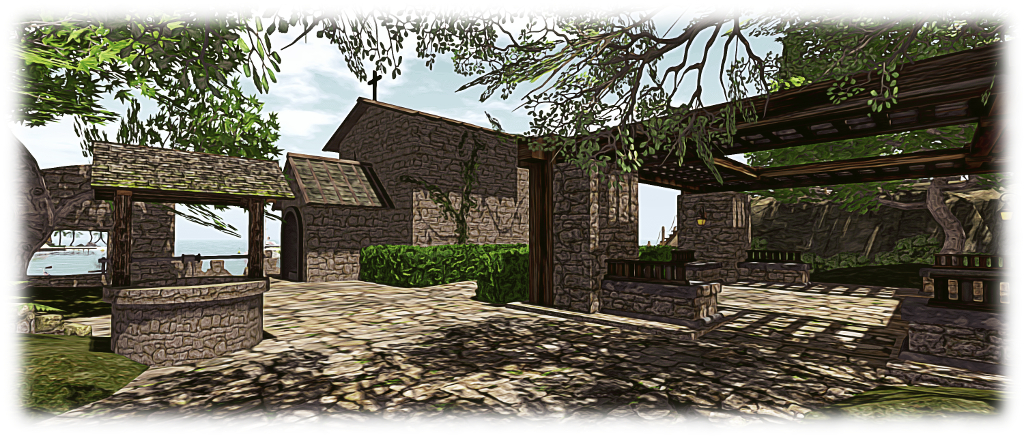
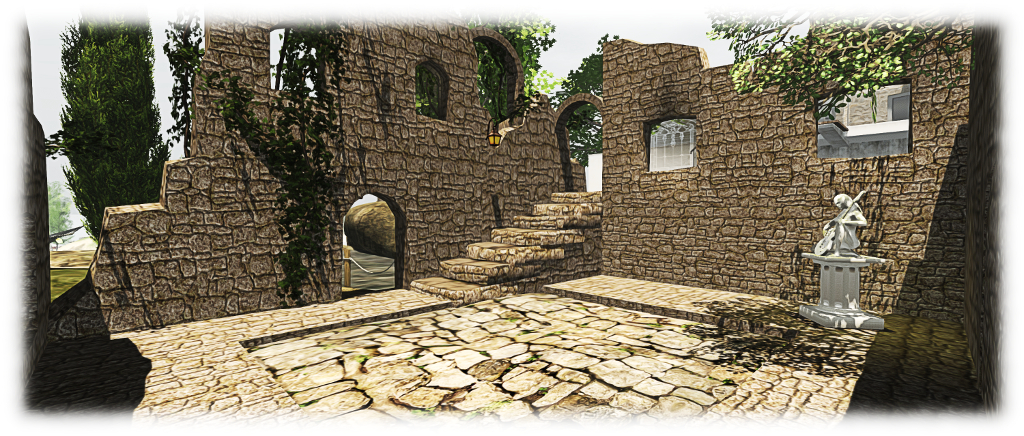
The new flagstone courtyard at the entrance to our island ruins, which helps integrate the pavilion (centre right) with the rest of the design
The new flagstone courtyard at the entrance to our island ruins, which helps integrate the pavilion (to the right) with the rest of the design

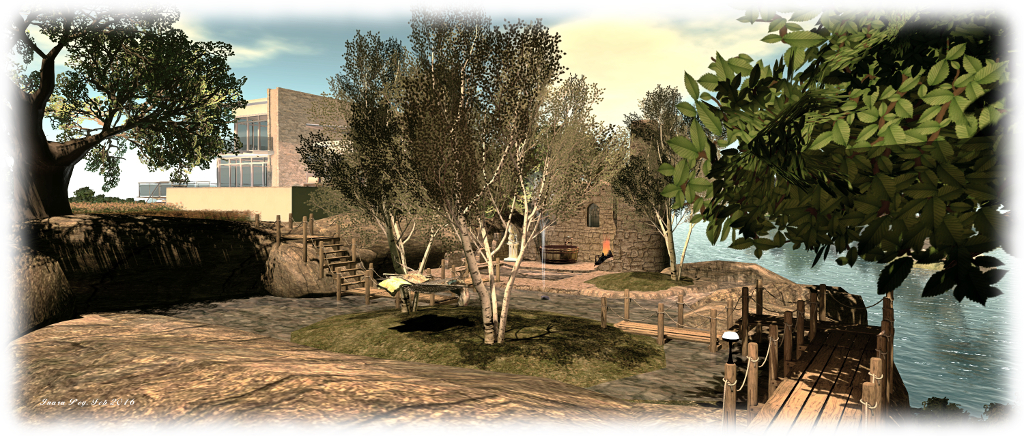
Another month, and another weekend fiddling around with the home island (we’ll get there one day…!). I’m not entirely sure how it all started, other than thinking the “bath house” ruin on the mid-level of the island looked in need of something. So, up went additional walls, a shifting of a few things, and so matters snowballed a bit 🙂 .

The result is that the ruin with the bath is now the remains of a fair-sized 2-storey structure which now contains the steps linking the upper and mid levels of the island, making things a lot tidier. This in turn allowed the water feature on this level to be revised, with new shorter board walks making it easier to cross the water and leaving it more open. Some additional tweaks to the waterfalls improved things a little more as well, offering a more natural flow through from the main pool.
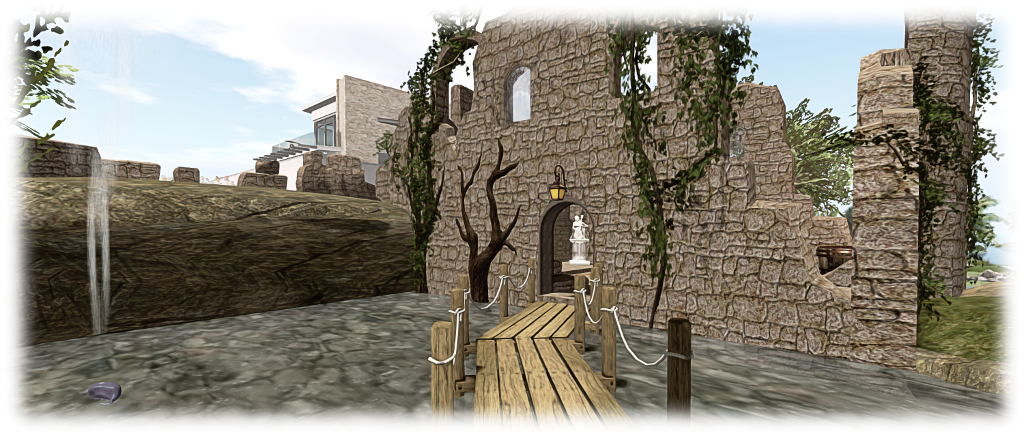
The extended "bath house" ruins, sitting below the house, and reached via revised board walks
The extended “bath house” ruins, sitting below the house, and reached via revised board walks

As someone asked me after I last wrote about the island, the main component used in building the ruins has been Rya Nitely’s mesh Medieval Ruins. Available as either a pack sold through his SL Marketplace presence or via his in-world store, the various parts can also be purchased individually in-world as well. I like these as they are modifiable, and so can be both resized (with care, where doorways are concerned) and re-textured to fit with most designs. They can also be easily tweaked here and there with the addition of a prim or two.

Rya’s pieces aren’t the only elements I’ve used to create the ruins, but they are the most numerous. Alongside of them, and equally invaluable in bringing things together, has been Alex Bader’s Lush and Enchanted Wall texture pack. This has allowed me to give a (largely) uniform stone wall finish to all of the various part of the ruins, which also include (as I’ve mentioned in the past) Kriss Lehmann’s beautiful Forest Ruins Tower, together with Reid Parkin’s Mesh Ruins and the .:BTH:. Medieval Ruined Chapel (which I’ve extensively modified).
The new "bath house" ruins now also contain the steps linking the house with the mid-level of the island
The new “bath house” ruins also contain the steps linking the house with the mid-level of the island

One part of Rya’s set which has come in handy this time around is the stone flooring segment. I’ve always been a little bit bugged by the layout of the lower section of the ruins, and the stone flooring segments have provided the means to solve the problem. So we now have a flagstone courtyard linking the island entrance with the chapel and tower stairs, as well as providing a home for the old well.

The stone flooring has also allowed us to better integrate the Trompe Loeil Rustic Pavilion, thanks to a quick swap-out of the latter’s base for some prims to give it a suitable finish. With a footpath of nicely uneven (as with age and settlement) stone slabs, the lowest level of the island now looks more like a complete whole, rather than an assortment of bits occupying the same space.
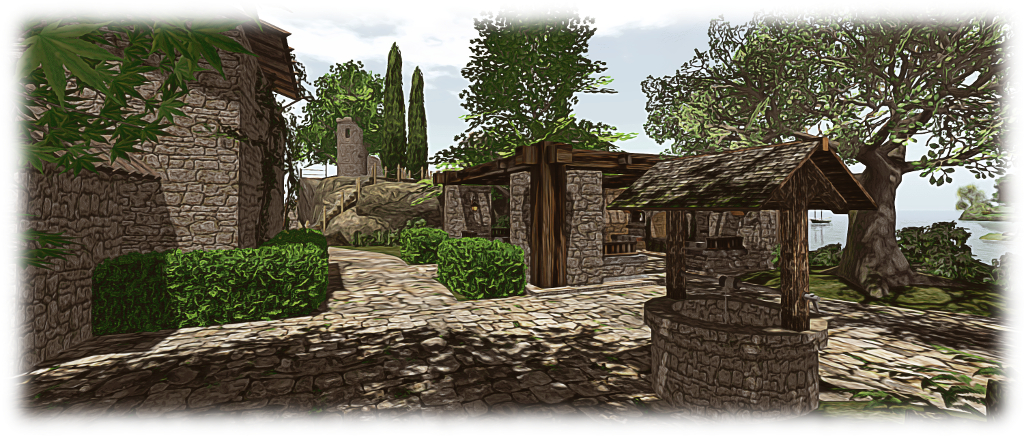
The flagstones and new path - finishing touches?
The flagstones and new path – finishing touches?

The finishing touch came via a suggestion from Caitlyn: adding ivy to help break-up the stone walls and give a further sense of age. Once again, Kriss Lehmann had just what we needed, with vines “borrowed” from the Forest Ruins Tower which, with a little reshaping and rotation, fitted well with the “bath house”, towers and the chapel.

So is this it finally for the island? Well, we do still have the upper level lawn to think about. Caitlyn has already suggest a croquet court might be in order – so who knows 🙂 .

The PrimPossible mesh piano in Second Life

The new PrimPossible mesh piano

I’ve previously written about my passion for pianos, both in the physical world and the virtual (where I can indulge my fantasy of owning a concert grand). Over the years I’ve shifted from the Musical Alchemy grand by Persephone Milk, through Ample Clarity’s 1 prim / LI PrimPossible sculpted grand, to the current piano gracing the music room at home, the 8 LI Lisp mesh grand.

On March 12th, 2016, Ample launched his latest piano. It’s again a model with just a single LI, but this time it is presented in mesh, and he was kind enough to pass over models for me to take a look at.

The new piano offers a far more natural grand piano form then the earlier sculpted model, with a much higher level of detail
The new piano offers a far more natural grand piano form then the earlier sculpted model, with a much higher level of detail, including a 3D cast iron plate in the harp assembly (which can be substituted by a texture of the entire visible harp: plate, strings and soundboard, if preferred)

The new piano is s collaborative piece, Ample tells me, and on rezzing it is certainly striking. Not only is it unsurprisingly less taxing, rendering-wise, than its sculpted predecessor, the details and style are a lot more refined. The keyboard is one of the best I’ve seen in terms of attention to detail, and there is a nice little touch with a reflection of the keys in the open lid.

Controls are straightforward: touch (left-click) the piano once to initiate it. This presents the  menu controlling the music selection (15 classical pieces, although a further 9 are included in a separate book which can be mounted on the music stand), the piano’s appearance (change the textures and / or shine and also switch between either a 3D cast iron plate for the harp, or one of 9 different soundboard / strings / plate textures), set general access permissions for the piano, etc.

They keyboard is beautifully detailed and includes and interesting "reflection" in the lacquer of the lid)
They keyboard is beautifully detailed and includes and interesting “reflection” in the lacquer of the lid)

Left-clicking a second time will seat you (and add a 1LI invisible “pose shell” around the piano to allow the pose system to work). When seated, the animation / pose menu is opened, with the PG version offering some 400+ individual and couples animations, while the Adult version offers a further 400 “XXX” rated animations (again, individual and couple). A permissions option can also be used to limit access to this menu.

The playing poses are split between male and female and offer several playing styles, and all poses can be adjusted, as one would expect. Music playback is as good as any other high-end piano available in SL, although there is on occasion a slight distortion during intense passages – but again, this can be found in other models as well. When seated,  the top boards automatically close to facilitate the animation system (which makes use of the top of the piano). To open it for playing again, type “open lid” (sans quotes) in local chat (you’ll have to STOP the system via the menu and then re-sit if you later wish to use the animations as part of the same session).

Some of the detailing, such as the top board props and music stand are a little heavy compared to the rest of the piano, probably due to the fact the entire instrument is a single mesh

Given this is a 1 LI item (2 with the pose shell, as noted above, and which is required for the piano to work in SL), the amount of detail and capabilities packed into this piano is remarkable. However, the fact that the piano is just a single mesh has led to one or two minor compromises in detailing which for me had the annoying habit of attracting my eye once noticed, leaving me feeling that perhaps the use of a second mesh (the 1 prim approach of PrimPossible notwithstanding) might have avoided them.

But that said, the PrimPossible mesh piano is a stylish, ultra-low LI design. The L$950 price tag for both No Copy models equates to that of most Copy versions of other upmarket SL grand pianos, but few others have the range of animations associated with this model. The Copy versions, meanwhile are priced at L$2,400 (PG) or L$2,800 (Adult).

The PrimPossible mesh piano at Caitinara Bar
The PrimPossible mesh piano at our Caitinara Bar

I’ll be honest and say that the PrimPossible mesh piano hasn’t persuaded me away from the Lisp at home, but it certainly now adds an extra grace at Caitinara Bar. Certainly, those who like their pianos to give something a little extra beyond music will be hard pressed to find a piano to match this one, while those operating on an LI budget who want a really nicely style grand piano simply won’t find better.

The PrimPossible mesh piano is available via the PrimPossible Marketplace furniture store and via the PrimPossible in-world store.


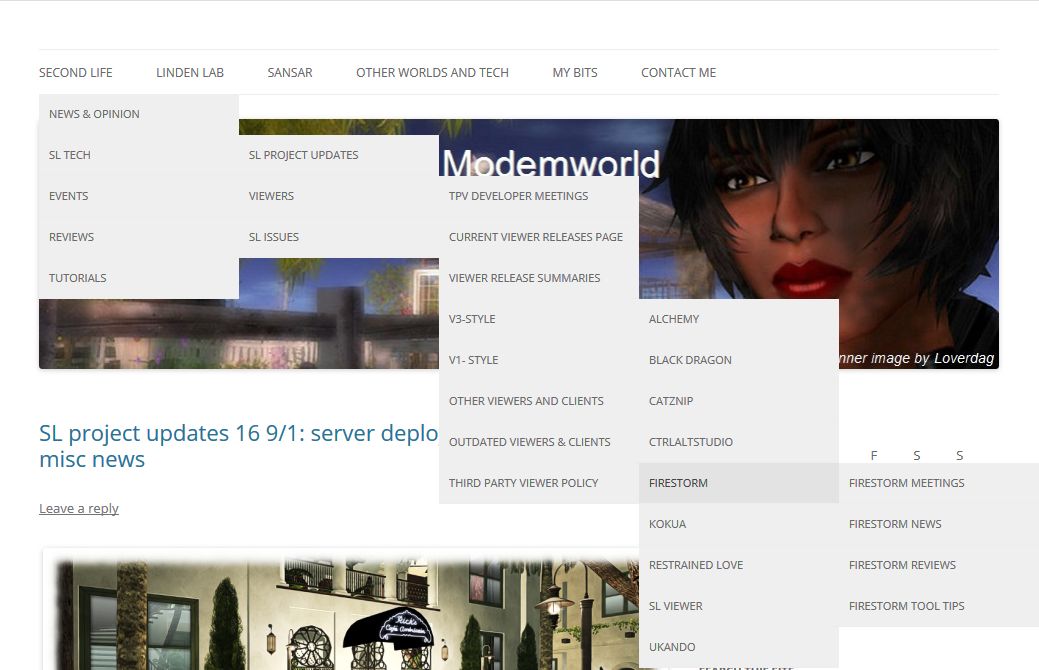
Blog menu update

The March 2016 iteration of the blog menu bar

One of the things I’m striving to achieve within this blog is ease of access to information, be it through the way I use categories and tags for posts or through the use of the available menu options within the blog’s theme.

This inevitably means that I reshuffle things every so often: rationalising tags, re-ordering categories and fiddling with the menus. I hope that such re-orderings help make finding information and topics in this blog easier as things grow, be it via category searches or through general searches or the tag cloud, or through the menus.

It is the latter in particular which I’ve revised. The work isn’t finished, as I’ll be adding, tweaking and moving things over the next few days as time allows, but I think there is enough there to offer the menu for people to try, if they’re so-minded 🙂 .

There are now six main headings to the menu, most of which should be self-explanatory:

  • Second Life: which covers all things directly related to SL, and has five sub-menu items:
    • News and Opinion – for news and views on Second Life;
    • SL tech – for all my weekly SL project updates, news and reviews of the viewers and clients I cover in the blog; and news on significant SL issues
    • Events – all coverage of the events I’ve previewed / reported on, arranged by topic ( Bay City, BURN2, VWBPE, RFL, etc,)
    • Reviews – all my art previews and reviews, my reviews of SL regions, Sl product reviews, etc.
    • Tutorials – (hopefully) useful tutorials I’ve written or found and had permission to reproduce here
  • Linden Lab:   news, views and reviews more directly related to the Lab than purely about Second Life, including things like tier, Blocksworld, meeting transcripts, etc
  • Sansar: news (via the Lab or the media) on Project Sansar, plus my own speculations / thoughts
  • Other Worlds and Tech: my coverage of other virtual world environments, my AR and VR related reports, my space and astronomy items and any general tech news I cover
  • My Bits: the About Me bit, with personal notes on blogging and other assorted bits
  • Contact Me form.
Hopefully, the topics in the menus and sub-menus will make it easier to find things, whether it is specific information you want on a topic (e.g by selecting "Firestorm News" for just that topic or all the articles I've published on Firestorm by clicking the "Firestorm" menu item)
Hopefully, the topics in the menus and sub-menus will make it easier to find things, whether it is specific information you want on a topic (e.g by selecting “Firestorm News” for just that topic or all the articles I’ve published on Firestorm by clicking the “Firestorm” menu item)

As with previous iterations of the menu note that:

  • Clicking the menu title will display all articles related to all of the sub-menus associated with that item. So if you Click “Sansar”, you will get both the “Sansar News” and “Sansar Speculations” articles
  • Similarly, clicking on a sub-menu option will display all the articles listed under that menu item, and within any sub-menu associated with it. So if you navigate to SL Project Updates (Second Life > SL  Tech > SL Project Updates), and click on it, all on my SL project update reports will be displayed in newest to oldest order. However, if you navigate to the 2015 Updates sub-menu item, only my 2015 updates will be displayed
  • Clicking the blog banner will return you to the front page.

Hopefully, these changes won’t confuse those who have made use of the old menus, and will further assist people in finding information in these pages.


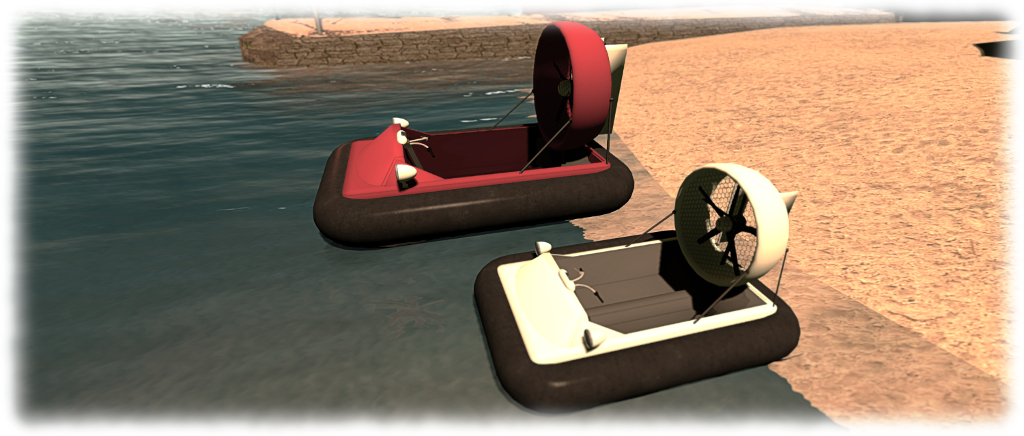
Playing with a hovercraft in Second Life

The Hovercraft 1.0 on land
The Hovercraft 1.0 by Kaliska (Yetius) on land

Every so often it happens: you’re hunting for something specific on the Marketplace or in-world, when something else grabs your attention. It’s not what you’re looking for and it may even be something you’re not sure you want – but it’s there and it gets your attention just enough for you to think, “why not?”

Such is the case with the all mesh Hovercraft 1.0 by Kaliska (Yetius), which I happened across on the MP whilst looking for mooring buoys. Despite being into my tenth year in Second Life, I’ve not really seen that many hovercraft around, so the idea of a little single-seater (and which is offered free to boot) proved to be a little too distracting.

... and over water ...
… and over water …

Kaliska describes the vehicle thus:

I recently discovered the dinkie avatar (a mesh tiny sized avatar), and just had to do something about the total non-existence of dinkie-friendly vehicles.

So this is primarily a diminutive hovercraft for dinkies.  It’s loosely modelled on pictures of single seat racers and personal/leisure/small utility craft, but based on nothing in particular.

By “dinkie”, I think Kaliska means “petites”; however, and as she notes, this is not a vehicle aimed at a single small market; there is a version included in the package suitable for tinies and one for “normal” sized human avatars (if you’re 7+ feet tall, some adjustment to the sitting pose may be required).

Everything bar the engine script is supplied Mod, offering plenty of opportunities for playing around with the vehicle and texturing / colouring it to suit personal tastes – maps are supplied to assist with both, and can be found in the instructions note card. For the purposes of testing, I simply recoloured parts of mine from white to red. I could well end up playing more extensively with it at some point 🙂 .

The full-size Hovercraft (red) and the "dinkie" / tiny version
The full-size Hovercraft (red) and the “dinkie” / tiny version

At just 12 LI for the human version and 8 LI for the “dinkie” / tiny version, this is a little craft which can easily fit within most land budgets. It is also, I have to say, A lot of fun once the controls are mastered – and these are not exactly taxing. Sitting in the vehicle and typing “start” in chat enables the engine, lifting the vehicle slightly as dust (is on land) our spray (on water) is blown out from under the skirt.

From here, movement is simple: the UP and DOWN arrows are your throttle (faster and slower respectively), LEFT and RIGHT turn you. If you prefer, WASD achieves the same). PAGE DOWN / C acts as quick stop, bringing you immediately to a standing hover. A couple of things to note is steering is only possible when in forward motion, and doesn’t work at all in reverse, which is accessed by coming to a standing hover and then pressing and holding the DOWN key.

In addition to the above, PAGE UP / E will toggle the headlamps on/off – note that these use projected lighting, so ALM needs to be enabled to see them decently. Finally, typing “HUD” in text shows / hides the vehicle’s hovertext info, and typing “stop” shuts down the engine.

The default pose for "normal" sized human avatars is pretty spot-on in terms of handlebar placement
The default pose for “normal” sized human avatars is pretty spot-on in terms of handlebar placement

Overall, the hovercraft handles very well; a quick few taps on the UP key and you’ll be zipping along; both water and terrain are handled well, and mesh terrain doesn’t prove a major challenge. I zapped from home across the waters and to Holly Kai Park in next no time and traversed from mesh beach to water and back to beach with ease at both ends of the ride.

I’d actually be happy paying for this little vehicle, and perhaps see it with group driving were it offered for sale, as it’s the kind of thing that’s fun to rez when friends visit, and then scooting around the sea together. Setting a nominal fee for it would allow it to be gifted, which is something I’d like to do with a few close friends as well, rather than nagging them to go grab it as a freebie.

But these are really minor point.As a freebie, there is absolutely no faulting it – and it really be worth paying for it were it to be offered at a reasonable price. As it is, if you’re looking for a little vehicle to mess around with on land and water, this could certainly be just the ticket. Now, if you’ll just excuse me, I’m off for a little more fun…

Hovercraft 1.0 by Kaliska (Yetius)

Links

Working on the island

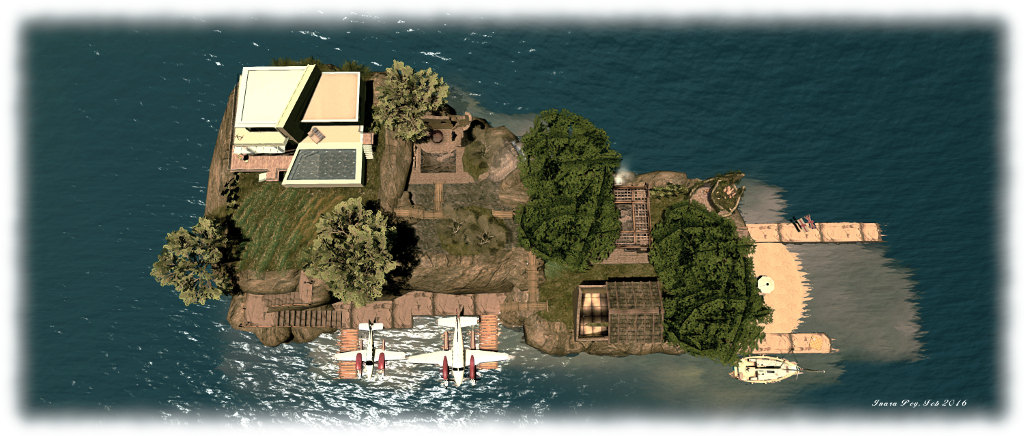
Overhead view of the revised island layout with the new beach location and moorings for our two 'planes. Also visible is the more watery mid-level of the island
Overhead view of the revised island layout with the new beach location and moorings for our two ‘planes. Also visible is the more watery mid-level of the island

I’m always fiddling around with the island home – as regulars to these pages know only too well! While the changes made in December left us happy with the overall look and feel to the place, I still found one or two things niggling me. Fortunately, Caitlyn is very understanding of my need to fiddle, twiddle and generally play around with mesh and prims, so when the niggles reached a point where I wanted to start doing the fiddling and twiddling, she handed me the prim glue and loads of encouragement 🙂 .

Three things in particular had been playing on my mind: the boat and plane slips, which still looked a bit excessive to my eyes. So over the past few weeks as time has allowed, I’ve been introducing changes, adding new (and novel) moorings for our two motorboats (no, I’m not saying how the moorings are novel; we have to have some secrets!) and re-working the west and southern sides of the island, as well as the “mid level” part of the garden.

In particular, the west side of the island has had the beach and the winding rock path leading down to it from the house removed. While the path looked good, the physics on it also made ascents and descents along it look a bit awkward in my eyes, avatars often seeming to walk on air. It also, when all is said and down, took up a lot of space.

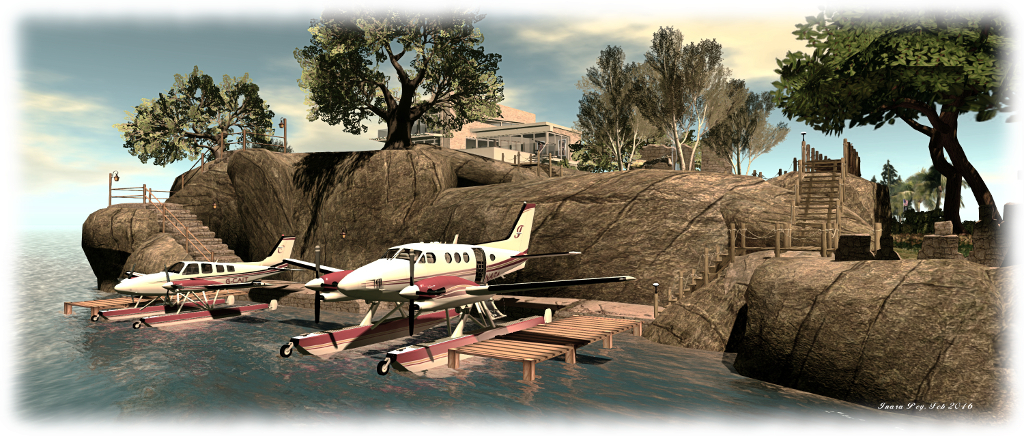
The 'planes at their new mooring below the house
The ‘planes at their new mooring below the house

The path has now been replaced by a set of stone steps leading down the cliff in a switch back, while the beach has been replaced by a stone jetty and moorings for our two DSA aeroplanes. The TUFF stone steps kit proved very handy for all this, providing the means to add the steps and made the jetties. A mesh system, it is nicely modifiable, parts easily resized and re-textured. The latter being handy for us, as it allowed the steps and jetties to be textured to match the stonework of the rest of the island’s ruins (those interested in the kit can also see it at Rya Nitely’s in-world store).

Moving the ‘planes has allowed the southern end of the island to be tided-up, with the mass of moorings there replaced by a couple of stone jetties (courtesy of the TUFF stone steps kit again). These provide both moorings for our Loonetta 31 and the boats or seaplanes belonging to visiting friends, and protects our relocated beach from the tide.

The revised mid-level part of the island, partially flooded, but retaining the "bathhouse" and now with a little pot for the garden hammock
The revised mid-level part of the island, partially flooded, but retaining the “bathhouse” and now with a little pot for the garden hammock

The other change we’ve made is to make the mid-level of the island a little more watery. After installing the outdoor bathing area, the falls and their source pond looked a little unnatural. Solution: “flood” the level with water from a smaller fall exiting from the upper cliffs, and provide a sense of it flowing down to the falls. Stone foundations have been added to the “bathhouse”, increasing the feel of it being part of the island’s old ruins, and board walks now  provide passage over the water channels.

Overall, I think the tweaks suit the island, as does Caitlyn. Certainly, having an uncluttered southern end to the place, where we can sit on sun loungers and watch the passing vessels and occasional race through the regions, gives the place a much nicer appearance. And that now really does seem to be job done – so if you’re very lucky, this might be the last time I witter on about the island 🙂 .

Holly Kai Park: Caitinara Bar opens with Anthony

Music with Anthony, Wednesdays 16:00-18:00 SLT at Caitinara Bar

When Nber invited me to take over curating art exhibitions at Holy Kai Park, I had no idea where things would lead. As I’ve noted in various reports in this blog, the work offered a lot of attractive elements: working with artists, building on the foundations laid by Nber and Autumnx with Art in the Garden and Art at the Park, to further develop the park for all kinds of artistic expression, as well as establishing a new Art Garden, and also redesigning some of the park  as well.

Part of the redesign at the park saw the installation of a bar on the west side of the park, overlooking the beach. This actually hadn’t been part of the original plan, but when I saw the building on the Marketplace, I had to view it in-world, and Caitlyn agreed that, with a little modification and adjustment, it would make a good addition to the beach and park. Thus was born Caitinara Bar.

Which left only one problem  – what to do with it?

Music with Anthony: Wednesdays 16:00-18:00 SLT at Caitinara Bar

Fortunately, I’m surrounded by good friends, so when Boudicca whispered in my ear that Anthony Wesburn, her partner, a DJ with 10 years experience in SL, and whose music I’ve previously enjoyed at their home region of Hestium (which is itself an absolute delight – read more about it here) – I jumped at the opportunity. And so was born Music with Anthony, a new 2-hour set hosted at the bar by Boudicca, Anthony, Caitlyn and myself every Wednesday  between 16:00 and 18:00 SLT, with the opening event taking place on Wednesday, February 3rd.

I admit to approaching the evening with a little trepidation; as Caledonia Skytower is teaching us in these pages with If you just build it, they might not come, getting a venue established needs a lot of promotion, and that’s something that, in-world, I’ve not had much exposure to (and am still learning by mistakes with the park!). But, the notices and invitations went out, and my fears were quickly put to rest. :); the response was fabulous, and we were quickly into a thoroughly enjoyable two hours of great music from the 1960s, great conversation, great company  – and a lot of fun!

Music with Anthony (clockwise from top left): Anthony; Terrygold and Coittolina; Michelle; BK; Alicia, Kerena, Ty and Romie – pictures by Romie Vella (thank you, Romie :) ) and via the Holy Kai Park blog
Music with Anthony (clockwise from top left): Anthony; Terrygold and Coittolina; Michelle; BK; Alicia, Kerena, Ty and Romie – pictures by Romie Vella on Flickr (thank you, Romie 🙂 ) and via the Holy Kai Park blog

Anthony’s style as a DJ is one of the most pleasant in Second Life, and his eye and ear for music are both superb. The playlist he put together, linked by anecdotes and jokes, and into which he neatly slotted requests from guests, was outstanding, with the music flowing seamlessly through the evening.

Hosting a music venue is a new experience for me, and I’d like to thank Anthony, Boudicca and Caitlyn for making the task so much easier for me (particularly when I was distracted by IMs and things!),. I’d also like to thank everyone for their feedback on the venue and support for the evening. We’re already planned some themed events as a result of the conversations!

I’d especially like to offer a very special thank you to CioTToLiNa Xue for her gift of a name plaque for the bar, which now graces the building and the deck and really completes the place.

Ciottolina's name plaques for the bar really add a touch of style, lit here using projectors.
Ciottolina’s name plaques for the bar really add a touch of style, lit here using projectors.

And finally, but by no means least, thank you to everyone who made the evening a success; we very much hope to see you back next week, and in the weeks to come – and to welcoming new guests and friends to Music with Anthony at Caitinara Bar 🙂 .