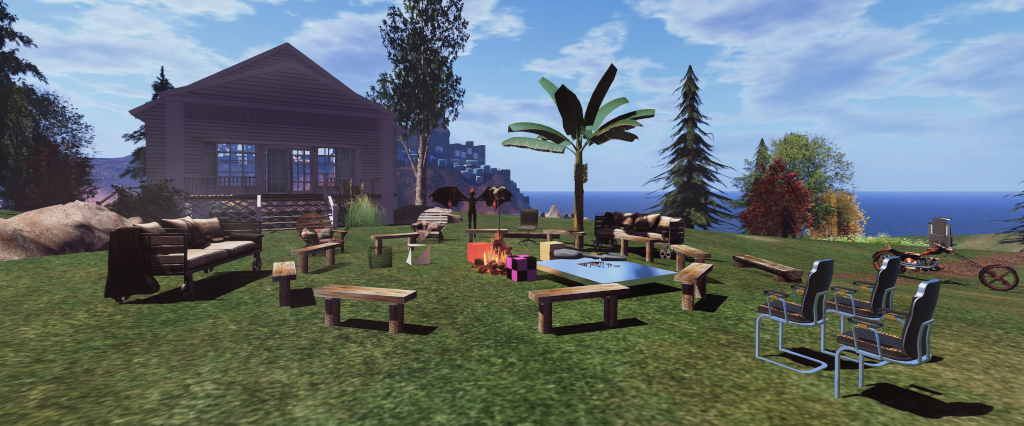
Raglan Shire, Second Life’s Tiny community, is once again opening its doors to people from across the grid, as participating artists and visitors are invited to the Raglan Shire Artwalk 2025.
This year, the the event runs from Sunday, May 18th, through until Sunday, June 15th, 2025, inclusive. It offers an opportunity not just to appreciate a huge range of2D art together with a selection of 3D pieces, but to also tour the Shire regions and enjoy the hospitality of the Raglan Shire community – one of the friendliest and fun-seeking groups in Second Life.
A non-juried exhibition, the Artwalk is open to any artist wishing to enter, and has minimal restrictions on the type of art displayed (one of the most important being all art is in keeping with the Shire’s maturity rating). All of this means that it offers one of the richest mixes of art displayed within a single location in Second Life, with 2D art is displayed along the hedgerows of the Shire’s pathways and tree platforms overhead and 3D art among the community’s parks.
Raglan Shire Artwalk 2025
Over 100 artists are participating in 2025, many for the first time. As such, the depth and range of art on display is guaranteed to keep visitors exploring the paths and walks around and through the hedgerows – and if walking proves a little much, there are always the Shire’s tours to ease the load on the feet, together with the teleport boards to help move visitors swiftly around and through the different display areas. But that said, I do recommend exercising your pedal extremities and doing at least some of your exploration on foot – just keep in mind people do have their homes in the regions as well.
Given the number of artists involved, there isn’t a published list of participants, but anyone interested in the world of SL art is bound to recognise many of the names of the artists here. The Artwalk is also a marvellous way to see art from both our physical and digital worlds and for catching artists both familiar and new to your eye. Just don’t try to see it all at once; the Artwalk is open for a month, which gives plenty of time for browsing and appreciating the art without feeling overloaded.
Raglan Shire Artwalk 2025
SLurl Details
All of the Raglan Shire Artwalk regions are rated General)
While we have never met, Jeannie Schimmer is a woman somewhat after my own heart; someone driven by curiosity and the need to create. It was a drive that started with a single goal which – as I’ve found myself, as doubtless have many others – evolved into something far greater. In this case, an entire public region.
I wanted to learn how to make a proper wharf. After the wharf came a little village, then came the countryside and so much MORE! Feel free to wander around and explore.
-Jeannie Schimmer on creating Calland
Calland, May 2025
Called Calland, the region is a pleasing mix of open spaces, waterside spots, a little village and pleasant walks. It’s is also a place which appears to be going through continuous evolution – again the mark of a creative mind twiddling with ideas and updates.
An example of this comes with the local church; original shots of the setting show the church to be modest, traditional affair with white wood sidings and a tiled roof and steeple. The current church is a far more modern design, its wooden-beamed sides and general form making a strong statement whilst also fitting with the surrounding fir trees and those growing across the hills behind the north of the village.
Calland, May 2025
This village sits just back from the Landing Point – a paved waterfront quay marked by boat moorings, houseboats and a parade of shops. The quayside also give the first indications that there are activities to be enjoyed here: a bubble rezzer sits next to a bicycle rezzer, the pair of them giving visitors the choice of floating or pedalling around the setting if they wish.
The church mentioned above sits to one end of a road paralleling the quay, and which might be considered the village’s main street. It is home to the local garage, movie theatre and more shops sitting with their back to those on the quayside. Facing the church at the far end of this street are parkland offices – the park presumably being the open lands above and to the north of the town.
Calland, May 2025
An old mine tunnels under the hills of the park as a means to to reach the region’ northern side. It is actually one of four routes for doing so. The second takes the form of a boardwalk at the eastern end of the quays, and which passes between the park offices and a large house boat. The remaining two lay a walk westward alongside the quayside from the landing point.
The first of these latter two takes the form of a footpath meandering its way through a formal garden; the second a walk north along the region’s western edge. This passes by way of a deserted bar and a 1950’s style diner, together with a floating pier and a shingle waterfront which runs between the water and a small bungalow (possibly a private home; I’m not actually sure) and a walled garden respectively.
Calland, May 2025
The formal garden, meanwhile, offers places to sit and pass the time, games, including mah-jong within its small auditorium, and dancing. Beyond it, the path continues on to the parklands, sandwiching the bungalow and walled garden (which again offers places to sit and is popular with the local rabbits and birds!) between itself and the west-side coastline.
The northern landscape offers winding paths, horse grazing (and horse riding), an impromptu shindig, a Hobbit hole home(!) and outdoor seating. The east side of the park is particularly hilly and semi-rugged, the paths and trails slithering between the higher peaks, with bridges spanning streams, water falling from the higher slopes, with the local bears keeping their eyes on things.
Calland, May 2025
Two islands complete the setting. The larger, sitting to the north-west, is connected to the rest of the region via two bridges. A large house and grounds take up its space. Again, I’ve no idea if it is intended to be a private residence or not; however, as I did not wish to invade privacy were it to be so, I didn’t dally there.
The second island sits within a bay on the north side of the region. Cut off from the rest of the landscape by water, it is home to the Racoon Creek camp ground. The best way to reach it without flapping your arms and taking to the air is via the zip line that extends down from the hills in the middle of the mainland area to the pier at the entrance to the camp site. For getting back across the water after a visit, try using the local bubble rezzer on the arrival pier.
Calland, May 2025
Tranquil and with considerable details throughout (there is much I’ve intentionally not mentioned here), Calland is a charming place to visit, offering a fair amount to do and a lot to appreciate.
An artist’s rendering of China’s Tiangong station – potentially set to double in size in the next few years. Credit: CCTV
As NASA faces the threat of significant cuts in its science missions and research budgets, together with a potential overhaul of the US-led Artemis Project, China has further indicated its commitment to expanding its human presence in space, while the European Space Agency could see an increase in its budget (subject to end-of-year approval), amidst a call for Europe in general to increase its overall spending on space-based activities.
China has confirmed that it will be moving ahead with an expansion of its Tiangong space station with up to three new modules, potentially doubling its size. First hinted at in late 2022, the new modules are believed to comprise:
An updated version of the Tianhe core module , being referred to as the expansion module, providing additional power systems, a new multi-port docking adaptor equipped to handle a range of vehicles, including the upcoming next generation crew vehicle.
Two multi-function science modules, likely updated versions of the current Wentian, and Mengtian science modules.
The new modules are to include state-of-the-art engineering and maintenance capabilities, such as 3D printers capable for producing replacement parts used on the station (as had been introduced with the International Space Station), as well as allowing the total crew mission complement aboard the station to be expanded.
A Long March 5B rocket being assembled. Credit: CCTV
In confirming the expansion plans during a China state television interview, Wang Jue from China Aerospace Science and Technology Corporation (CASC) stated that the timeline for the expansion has yet to be confirmed, but in keeping with launches for the station to date, the modules will be flown aboard the Long March 5B booster, currently China’s most powerful launch vehicle and capable of pushing up to 25 tonnes of payload to low-Earth orbit (LEO).
Wang also confirmed that Long March 5B is itself undergoing “reliability and safety” updates – although these are not interrupting the current launch schedule. In particular, China is looking to make the re-entry of the rocket’s large first stage a more controlled affair. The country has been heavily critiqued for its Laissez-faire attitude of just allowing the first stage, which tends to fly higher than the first stages of comparable western rockets, to simply make an uncontrolled re-entry and break-up over the Pacific Ocean, rather than actually guiding it towards doing so.
Most recently, the Long March 5B has been used to launch the first batching of China’s Guowang (also called Xingwang and Hulianwang – the latter being the name of the satellite class) megaconstellation to compete with Starlink. It has taken over this role from the Long March 2 and 3 vehicles to accelerate the deployment of some 13,000 operational Hulianwang satellites of various classes. These will be placed into a range of orbits, as is the case with Starlink, allowing the system to join Starlink in further interfering with Earth-based astronomy on a global basis and adding to the amounts of pollutants dumped into the upper atmosphere annually as defunct satellites in the systems re-enter and burn-up.
The next space station related launch for Long March 5B, meanwhile, is due in 2026. This will be to deliver the free-flying Xuntian space telescope, a “Hubble class” orbital observatory. It will operate largely remotely from, but in a co-orbit with, Tiangong, the crews from which will perform routine maintenance on the telescope.
A mock-up of the Xuntian space telescope on display at the National Museum of China
With a 2-metre diameter primary mirror offering a field of view some 300 times greater than the Hubble Space Telescope, Xuntian will be equipped with a 2.5 gigapixel imaging system and will be used to study areas including dark matter, dark energy, galaxy formation and evolution of the cosmos. China has stated the observatory will be offered for international science and research.
One major aspect of the Tiangong expansion will be the ability for the station to house larger crews, including tiakonauts from China’s partner nations. The country is due to shift its crewed spaceflight capabilities from its current Shenzhou, 3-person vehicles, to its modular, multi-function and semi-reusable Mengzhou (“Dream Vessel”) craft.
A model of the lunar-capable of the Mengzhou reusable space vehicle mated to its expendable service module (l), a version of which will carry crews to and from the Tiangong space station. For missions to the Moon, the craft will rendezvous with the Lanyue lander, seen in model form on the right, mounted on its service module. Note the rover vehicle stowed on the side of the lander.
The latter, due to commence operations in 2027 or 2028, will be able to deliver up to 6 crew at a time to Tiangong (or 3 crew and a half-tonne of equipment). A further variant of the craft will form the vehicle for delivering crews of three to lunar orbit in the 2030s, who will then use the companion Lanyue (“embracing the moon”) lunar lander (launched separately) to descend to and return from the surface of the Moon, in order to achieve China’s intent to establish a permanent human presence on the Moon in the 2030s.
Rocket Lab Gains US DoD Support
Rocket Lab, the little company looking to out-SpaceX SpaceX, has gained a further boost in confidence.
Currently, the company is best known for its Electron semi-reusable launcher capable of putting 320 kg to LEO and 150 kg to Sun-synchronous orbit (SSO). However, Electron is just one element in a multi-part strategy that has enabled Rocket Lab to achieve considerable success. As well as the booster, the company has developed its own range of 3D printed rocket engines, develops satellite for customers, and has built a multi-purpose spacecraft “bus” called Proton, capable of delivering payloads to orbit or to other planets, as well as other tasks.
But one thing CEO Sir Peter Beck said the company would never do was move into the field of building “big” rockets – and he was so adamant in this, he promised to eat his hat if the company decided otherwise. And eat his hat he did, some four years ago, when Rocket Lab announced it was developing Neutron, a medium-lift launch vehicle (MLLV) capable of delivering up to 13 tonnes to low-Earth orbit.
A rendering of Rocket Lab’s Neutron Rocket. Credit: Rocket Lab
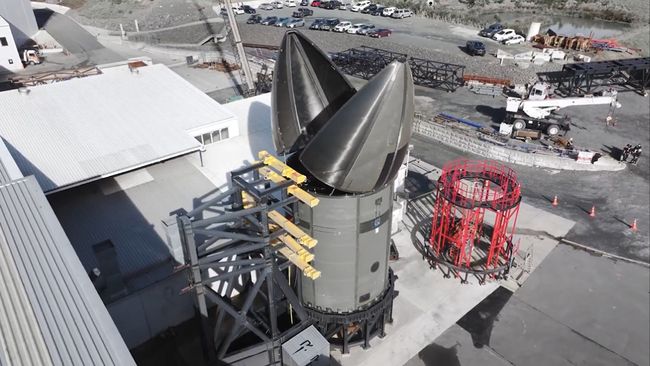
As launch vehicle go, Neutron is unique. The entire first stage of the vehicle is a rocket unto itself – and fully reusable. Rather than comprise a first stage with one (or more) stages bolted on top of it and the payload on top of those, Neutron is designed to carry its “upper” stage and its payload inside itself. On reaching orbit, the nose of the vehicle opens up, allowing the “upper” stage (an expendable kick stage) with the payload attached, to be pushed clear, prior to igniting its motor.
The first launch of a Neutron vehicle is due later in 2025, and in keeping with the likes of SpaceX and Blue Origin, Rocket Lab will attempt to recover the first stage with an at-sea landing on specially adapted landing barge. But even before its first flight, Neutron has been given a double boost (no pun intended) by the US Department of Defence. The first of these is that Rocket Lab, with Neutron, has been cleared to bid for US National Security Space Launch (NSSL) contracts through to 2029. As SpaceX knows, this is a lucrative market, and Rocket Lab is the first public-traded launch company to be selected to possibly fly NSSL missions to orbit. The company has already commenced launch assurance reviews with the US military, and Beck has indicated that Rocket Lab could present bids for NSSL launches as soon as mid-2026.
In addition, the US Air Force (somewhat keen to regain some of the space high ground it has had to cede in the formation of the United States Space Force) has also selected Neutron as the test vehicle for the Rocket Experimentation for Global Agile Logistics (REGAL) initiative, intended to assess the use of rocket vehicles to rapidly deploy materiel from locations in the United States to “anywhere in the world” in what are referred to as “point-to-point” flights.
This idea was recently given a stir by the SpaceX CEO, stating that company’s Starship / Super Heavy combination would be “ideal”. While interest in the concept has remained within the USSF and USAF, the selection of Neutron for initial testing is a poke in the eye for SpaceX and one which makes a lot of sense. While Neutron cannot lift the upper end of Starship’s payload spectrum, it is entirely possible that in point-to-point operations, Starship would have its payload capacity somewhat limited. Further, Neutron is ready-made for landing on its own feet, Starship isn’t, and it doesn’t require a bloody great booster to get it (and any payload it has to carry off the ground at either end of the operation.
The “hungry Hippo” a test article for the payload doors for Rocket Lab’s Neutron rocket undergoing qualification testing. Credit: Rocket Lab
However, that said, the whole idea of REGAL is questionable. It’s not like you can simply lob a rocket on a ballistic flight, flip it over and land it anywhere you like. It requires quite substantial infrastructure at either end of the equation (assuming you’d like it to return to base after a flight, at least). A landing / launch platform is required; you need propellant storage and delivery / pumping capabilities; payload handing equipment, skilled personnel and facilities to undertake these and other operations. None of which can just be thrown up overnight.
As such, any idea of “point-to-point” capabilities is at best limited to complex facilities fully capable of handling the receipt and launch of the booster vehicle and payload. While this doesn’t entirely rule the idea out, it does restrict where and how such capabilities might be used; it’s hard to see such a system dropping into a FOB in a zone of conflict, or putting down right on top of a natural disaster to deliver aid – two of the promoted ideas behind REGAL. Given this, it will be interesting to see what develops as REGAL testing commences, potentially (again) in 2026.
Voyager 1: Thrusters Recovered
In another deep space piece of miracle working that would impress Montgomery Scott, NASA engineers have recovered a set of thrusters vital for communications with Earth, on their Voyager 1 spacecraft – twenty years after the system was considered defunct.
The Voyagers maintain communications with Earth via a large high-gain communications dish they carry on their “backs”. However, as they move through interstellar space, both Voyager 1 and Voyager 2 must carry out periodic “roll manoeuvres” to ensure these dishes remain aligned with Earth for communications to continue.
These manoeuvres are carried out using small sets of thrusters on each vehicle, under the guidance of a star tracker system. The latter calculates the position of Earth and the spacecraft’s required orientation thereto by means of observing a set of notable stars the system can “see”, and using their positions to calculate where Earth is and the degree of roll the vehicle must make to re-centre the communications dish.
Artist’s rendering of the twin Voyager 1 and Voyager 2 spacecraft, in mission configuration. Credit: NASA
In 2004, the heater units required to warm the “primary” thrusters on Voyager 1 started to show signs of failure, risking a possible thruster misfire which could swing the vehicle so far off-axis, its star tracker would no longer be able to identify the stars in needed to carry out its calculations. Because of this, operations were switched to the “back-up” thrusters.
By 2018, these “back-up” thrusters (now re-designated the “primary thrusters) were encountering issues as a result of the build-up of residual material in their chambers after each use. Steps were taken to reduce this issue by placing some of the remaining thrusters into “reserve”, the idea being to switch to the “reserve” thrusters if those remaining in operation become too unreliable for continued use.
This actually happened in September 2024 – however, it transpired that the “reserve” thrusters were already badly “clogged” with residual material. This might not have been a critical issue but for the fact that, starting in May 2025, the 70-metre diameter Deep Space Station 43 (DSS-43) radio communications dish located in Canberra, Australia, would be going off-line for a 10-month overhaul. A part of NASA’s Deep Space Communications Network (DSN), DSS-43 is the only Earth-based communications system available to NASA for communications with either of the Voyager craft.
The DSS-43 communications dish located at Tidbinbilla, near Canberra, Australia, a part of NASA’s Deep Space Network Credit: NASA
The concern was that if Voyager 1 was allowed to continue to rely on its increasingly faulty thrusters, a misfire might occur whilst DSS-43 was offline, and the craft would be “lost” as a result of a communications breakdown. To avoid this, the decision was taken in March 2025 to try to recover the original thrusters system on the grounds that they would have 20 years less wear-and-tear and residue build-up, due to being inactive.
Even so, switching back to them would not be without risk; Voyager 1 would have to restore power to the thrusters disabled in 2004. However, with a dwindling ability to generate electrical power (since 1998, NASA has had to periodically shut-down instruments on each Voyager craft so they could maintain some degree of minimal operational and communications capability); as such there was real concern any power-up of the electrical systems on the 2004 thrusters could cause a damaging electrical surge – particularly given the previously-faulty heaters – or a thruster misfire, ending communications with Earth.
The attempt to do so was made in March 2025; it was carried out in stages designed to ensure if anything went wrong, Voyager 1 would still be capable of locating Earth again in the event of the latter occurring. With a 46-hour lag in two-way communications between Earth and Voyager 1, the attempt was made in late Match 2025 – and proved a success.
On March 20th, 2025, mission control at the Jet Propulsion Laboratory, Pasadena, California, received the information they’d hoped: Voyager 1 had successfully brought the 2004 thruster system back on-line. There was no power spike, no issue with the thrusters firing, and Voyager 1 confirmed it had completed the test manoeuvre.
Since then, the system has continued to be monitored, and with DSS-43 due to go down for its upgrade, control was swapped from the increasingly at-risk “back-up” thrusters back to the “primary” thrusters. This should hopefully allow Voyager 1 to maintain contact with Earth, even without it being able to receive commands of any complexity (there are narrow windows of opportunity in the DSS-43 overhaul during August and December 2025, where it could send short sequences of commands to the Voyager craft), and be ready to say “hello!” once more when full communications are resumed in 2026.
Bay City, the first major project undertaken by the Moles of the Linden Department of Public Works (LDPW), will be turning 17 on Sunday, May 18th, 2025. Citizens of Bay City will be joining in celebrations to mark the anniversary, with a parade, music and entertainment, and residents from across of Second Life are invited to visit Bay City and join in the celebrations.
Activities will kick-off at noon SLT, with a parade line-up at the band shell in Bay City – Harwich. At 12:30 SLT, the parade will commence its way along the City’s Route 66, and proceed to the Bay City Fairgrounds in the North Channel region for an afternoon of entertainment and fun.
Bity City Parade Route 2024
DJ GoSpeed Racer will be providing the music throughout the parade, which will be followed by at live concert from 13:30 SLT onwards at the fairgrounds. The line-up for the concert this year comprises (all times SLT):
13:30-14:30: Aubryn.
14:30- 15:30: Mimi Carpenter.
15:30-16:30: Jesie Janick.
As usual, celebratory goods are available at the Bay City Community Centre, in the Daley Bay region for those who wish to be a part of the parade. Ample viewing areas are provided, such as those at Orleans and Falconmoon. The event is also open to anyone who wants to attend, not just Residents of Bay City
About Bay City and the Bay City Alliance
First opened for initial viewing in May of 2008 and with parcels throughout the city being auctioned soon after, Bay City is a Mainland community which has shown itself to be one of the highlights of Second Life: a blending of Linden infrastructure and a strong, friendly community of involved residents who give the area its unique charm. It is home to the resident-run Bay City Alliance, also founded in 2008, to promote the Bay City regions of Second Life and provide a venue for Bay City Residents and other interested parties to socialize and network. It is now the largest Bay city group, and home to most Residents of Bay City.
Each year, in honour of Bay City’s founding, Bay City residents come together with this special celebration.
The following notes were taken from my audio recording and chat log of the Content Creation User Group (CCUG) meeting of Thursday, May 15th, 2025. Please note that this is not a full transcript, but a summary of key topics, and timestamps are to the official video, embedded at the end of this report. .
The CCUG meeting is for discussion of work related to content creation in Second Life, including current and upcoming LL projects, and encompasses requests or comments from the community, together with related viewer development work.
This meeting is generally held on alternate Thursdays at Hippotropolis.
Dates and times of meetings are recorded in the SL Public Calendar, and they are conducted in a mix of Voice and text chat.
Official Viewer Status and Updates
Viewer Status
Default viewer: 2025.03 7.1.13.14343205944, issued April 9th and promoted April 15th.
The feature set for the 2024.04 RC viewer remains as per the currently available version:
Chat Mentions (Early Support): Type @ then pick a name. To follow: audible alerts and highlight colour pickers. This does not support generic mentions such as @everyone or @here.
My Outfits subfolders: now supports the use of subfolders.
Hover height: the minimum/maximum is now +/- 3 meters.
UI Quality of life improvements.
Use the release notes link, above, for full details.
The upcoming 2025.05 RC looks set to include:
A “catch-up merge” of fixes and updates from the old Develop / Maintenance C branches.
Inventory Favourites (described at the meeting as “a little bit buggy”). As per [Video: 11:41-13:30], this is a capability originally designed in 2024, and will see the addition of an Inventory tab where selected favourite items can be listed.
The decision has been made to move this out of the upcoming 2025.05 RC viewer.
This decision also means that the Lab is evaluating what will be required to get PBR material imports working as part of the mesh upload process at the same time (rather than just having only the Base Colour uploaded).
Under previous plans, it had been stated that direct import of a full set of glTF materials as a part of a glTF mesh requires an large refactoring of code; so the initial release of the uploader would only support Base Colour, with other maps to be added in the future.
It also marks a switching away from discussions at the last CCUG, where creators expressed a preference to upload meshes with all materials and just have blank faces to which they could they apply their materials post upload. This is because the Lab would rather provide a complete drag-and drop solution, if this can be done.
The unspoken element of this update suggests that if direct upload of materials with meshes does prove to be complex, providing uploads with blank faces will likely be the fallback approach.
Either way, the ability for people to apply their own materials to objects that are Modify will remain unchanged.
[Video: 7:02-8:31] As to when an in which viewer the mesh uploader will surface is TBA, and subject to further internal discussions at the Lab.
There is currently a issue in getting rigged meshes (full avatars, as provided for testing by content creators, rather than individual items) to upload correctly.
LL is not opposed to shipping the uploader as a Project viewer once suitable for testing. This is liable to occur “sooner rather than later”, subject to the above mentioned issue.
[Video: 8:55-9:55] Will the glTF uploader support large meshes / those with more than 8 faces, rather than breaking them up?
The 8-face constraint a current system constraint and requires potentially significant simulator codes changes. As such, it is liable to remain “for now”
Implementation of a glTF mesh uploader will not mean the end of COLLADA (.DAE) upload support for SL – this will remain available. However, as modelling tools, etc., are deprecating COLLADA support, there is a recommendation that if creators wish to continue supporting their old mesh content, then they convert it to glTF .
In Brief
[Video: 13:32-15:00] Feature Request Add Custom Tags to Inventory Items – was raised at the end of 2024, and is currently marked as Tracked. It was raised again at this meeting. Kyle Linden confirmed that a design for such tagging in on the viewer roadmap.
Terrain:
[Video: 15:15-16:12] Potential for better terraforming tools: Described as something LL would like to get to, including higher resolution texture support; the (currently on-hold) Terrain Painting work, etc. However, nothing is currently being worked on, and suggestions for terrain improvements request through the Feedback Portal.
[18:04-20:26] New terrain textures for Mainland: seen as a “nice to have”. However, given issues around enabling HDR skies to make PBR look good on Mainland (and the resultant “dim/dark” look to the skies) + the number of people still not using PBR-capable viewers (although this number is falling), LL is cautious about making widespread changes to Mainland. Nevertheless, updating terrain textures is something (per the above) LL “would like to do” in time.
[Video 44:41-46:26] WRT terrain and texturing a question was asked on whether it would be possible to have a “grass” functionality at so point, allowing land holder spawn grass on their land, rather than just having a texture. This does (to a point) exist in the viewer through the Build floater → plant rez option, although this is admittedly old and can be LI intensive, so likely needs revisiting in the future to update. Canny requests on what people would like to see with this were requested.
The discrepancies in height are something LL would like to address, but involves where they are and what needs to be done (even different viewers can report different heights for the same avatar). But is it not something currently in progress.
[Video: 20:33-24:39] A discussion on being able to “share” attachments (e.g. one person being able to have a pizza box attached to them, and others being able to “take” a slice of pizza from the box a) without any complex means of taking an attachment to inventory and adding it (or similar) and b) having the corresponding slice of the pizza “vanish” from the box.
Rider Linden confirmed two approaches (to meet different use-cases) are “on the drawing board” to address this. One involves the use of Experience capabilities; the other enabling attachments to be made directly from an object’s inventory. However, neither option is currently being worked on.
Providing additional attachment points is seen as sub-optimal, simply because of the additional rendering load / script processing requirements doing so will bring.
Rather, and while not currently on the roadmap, LL might look towards allowing customs skeletons (when supported) to have their own attachment structures, with a proxy system to offer back compatibility with the existing attachment point system.
This discussion touched on the Permissions system (e.g. allowing no modify items to be linked to others), which is really a no-no among many (although subject to debate within and without LL), as so unlikely to change in the foreseeable future, if at all.
[Video: 29:50-31:20] The above flowed into a discussion on the proposed permissions “bypass” that had been put forward by Geenz Linden for resolving issues of alpha/gamma issues causing some hairstyles to look “wrong” under PBR lighting.
This would have enabled uses to make a change through the viewer to enable “legacy” blending on the hair, even if it was No Modify. However, this was not seen as an optimal route to take by some at LL.
As such, the fix remains on hold until either those at LL can be persuaded that allowing such a bypass of permissions is not so bad, or an alternative solution can be determined, which could be used to detect all instances where legacy alpha blending is required.
It is acknowledged that the current avatar imposter system is looking increasingly outdated.
The idea of providing some form of proxies (e.g. “visible triangle only” when seen from a distance) has been discussed internally at LL, however, this is not something being actively worked upon, nor is it part of any scheduled future work.
There were also general discussions around Gacha (more policy than content creation) and this Canny report; new user on-boarding; content being ripped from SL (or other platforms) and (re)uploaded to SL for sale (file a DMCA Take-Down request); LL addressing quality of life issues (usability) – being addressed, file Cannys!; items awaiting better prioritisation (e.g. dynamic Landmarks). Please refer to the last 20 minutes of the video for more on these.
TNC Commons, May 2025 – click any image for full-size
In my previous Exploring Second Life piece, I visited Lavender Springs, a location tucked away on Heterocera, and designed by some of the talents behind Cerulean Sea (see: Relaxing in Lavender Springs in Second Life). At the time I noted that a return visit to the Cerulean regions on my part would be forthcoming. However – and for reasons I’ve yet to determine – my system / viewer decided to be very unhappy when I did earlier in the week, performance-wise, so I’m shelving that for another visit at a later date.
Instead, and to make up for this, I decided to drop back to Lavender Springs and head west along Atoll Road to visit the TNC Commons, a further part of The Nature Collective no too far away. The work of Teagan Cerulean, Emmerson Skye Cerulean (Emm Evergarden), TNC Commons covers just 8048 sq metres, forming a charming and picturesque corner of Second Life, literally packed with information and places to visit.
TNC Commons, May 2025
The Nature Collective welcomes you to TNC Commons, a blend of urban charm, green space, and forest trails. With exhibits, gardens, and open spaces to gather or reflect, TNC Commons invites you to connect with nature and community.
– TNC Commons description
Again sitting just off the Atoll Road (and thus passed by the local tour pods), the Landing Point for the setting sits back from said road, and alongside the TNC Info centre, where you can – if not already familiar with The Nature Collective and the work of Emm and her friends – discover the secrets of the the Nature Collective and its network of locations and associated locations around the grid.
TNC Commons, May 2025
The Info Centre sits to one side of a cobbled street lined on the other side by little rental apartments. This street is cut through along part of its length by tram tracks – and be careful where you stand on arrival, as the tram is indeed running, and can sneak up behind the unwary as it comes to a halt at the Info Centre!
Jumping onto the tram will take you on a trip around the Commons – which includes a rather novel hop by the tram over the footpath running along the front of the apartment houses 🙂 . This journey offers a pleasant loop around the landscape, and is certainly worth the ride – particularly as it does have a number of station stops at points of interest along the way, allowing you to hop off and explore (you can also explore on foot, obviously).
TNC Commons, May 2025
The far end of the street is home to The Dancing Rabbit Café – a special place for many, and if you know why, you know; if you don’t – please take the information pack from the stone rabbit to the right of the steps leading up to the Café. It is a thoroughly charming corner and, due to its meaning, also has its own Landing Point. Passing around the Café via the little canal to one side or the path between the Café and the neighbouring apartment house on the other will bring visitors to the garden spaces to the rear which includes more outdoor seating for the Café and an event space.
One of the local tram stations is just to the other side of the latter, but for those on foot, steps can be found to the upper parts of the setting – charmingly called The Canopy, due to it being shaded by tall oaks, fir trees and one special tree in particular. Spread throughout this area are places to sit and relax, places to meditate, water features offering space for local wildfowl and critters.
TNC Commons, May 2025
Also to be found throughout is – as noted a wealth of information (including some on the aforementioned particular tree). These information boards allow you to obtain the TNC Connect HUD, offering more on The Nature Collective; information on the secret language of trees (the Wood Wide web); links to external nature-related websites and more; together with opportunities for mindfulness.
A further HUD, the TNC Travelogue, can be obtained at the entrance to the setting from the Atoll Road. It provides SLurls to other locations around the grid associated with The Nature Collective. A sign board alongside the HUD giver also provides direct TP links to those locations.
TNC Commons, May 2025
There are some little quirks to the setting which – to me – add charm. The warning signs for the tram track are placed such that the provide warnings to approaching trams rather than pedestrians, and the track does change gauge to cross a bridge. This is genuinely not to pick holes; in the case of the gauge change, it’s a classic example of making used of different creations to produce a means to add further visual interest to a setting.
In all, a richly engaging visit – as one would expect when it comes to The Nature Collective.