Meeting Purpose
- The Mobile User Group provides a platform to share insights on recent mobile updates and upcoming features, and to receive feedback directly from users.
- These meetings are conducted (as a rule):
- The last Thursday of every month at 12:00 noon SLT.
- In Voice and text.
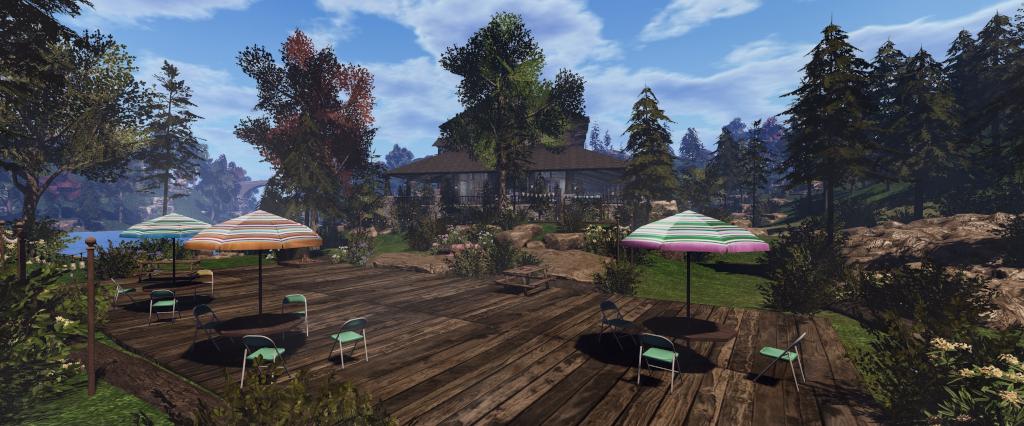
- At Campwich Forest.
- Meetings are open to anyone with a concern / interest in the above topics, and form one of a series of regular / semi-regular User Group meetings conducted by Linden Lab.
- Dates and times of all current meetings can be found on the Second Life Public Calendar, and descriptions of meetings are defined on the SL wiki.
Resources
- Second Life Mobile Beta website.
- Second Life Mobile on the Feedback Portal:
Release Updates
Latest Releases
Version: 2025.5.550 (Android) – June 4; 0.1.548 (iOS) – June 5, 2025.
- Avatar rendering:
- A further fix to rotational movement on attachment bones. This will fix some avatars and attachments on avatars.
- “Pivot” offsets as well as “pos” offsets are now handled when considering when to ignore a deformer. This should fix a few more cases of avatars rendering incorrectly.
- Improvements to the v-stick controller – size, position and visibility.
- Addition of a new water shader along with a new setting “Use New Water” that defaults to enabled.
- A new setting so you can choose to enable or disable automatic log-in.

- iOS Specific:
Comments on the Updates
- The avatar appearance fixes were the result of issues around deformers identified too late to make the previous update release. These were related to:
- Meshes having embedded deformers which weren’t being handled correctly.
- Some of the default deformers which should ignore bone positions being “incorrectly” handled, mainly as a result of “some confusion” within the desktop viewer over which value to read when ignoring deformers, and this had to be replicated in the Mobile app to get it to handle those deformers as expected when compared to the desktop viewer.
- With the exception one one possible bug fix, there will now be a pause in avatar fixes and updates while the focus of work switches back towards rendering and merging-in / testing a number of changes and improvements, including how long avatars remain in silhouette (transparent), amount of content displayed, etc.
- Water improvements: the water shader has been updated to more closely match the desktop viewer, notably in low-lighting conditions.
Purchasing Linden Dollars
- A release to iOS in May 2025 added the ability to make Linden Dollar purchases through the App. This includes support for all payment methods supported by Apple.
- iOS has received this capability first, as Apple required LL to add it within a certain time frame.
- In-app purchases of Linden Dollars is on the roadmap for Android, but LL would rather focus on feature development, particularly given the limited ways in which L$ can be spent through the app at present.
Chat History and Synching with the Desktop
- LL acknowledge that in order to be a useful companion app, SL Mobile needs to be able to access all of a user’s conversations (chat), IMs, group messages etc., regardless of receipt when using the app, offline or using the desktop viewer.
- As all of the above are currently locally stored by the viewer on the client computer. In order to be available across both desktop and Mobile, some form of cloud storage needs to be considered, which requires he building of an API and the provisioning of security to ensure only the designated user can access their chat and IM logs, etc.
- Some cloud storage has been created to handle the same for Mobile, but it is limited.
- A further complication is the desire to have users be able to log-in to the Lobby on Mobile without and in-world presence, thus potentially allowing for simultaneous access via the desktop viewer, which would require sharing of chat and histories, etc., between the two in order for them to remain in synch.
- As such, the capability is not easy to implement and requires careful consideration, utilising multiple resources at LL (Mobile team, Server team, the teams that own the chat and IM, etc., services). Given this, while it will be coming in the future, there is currently no time-line as to when.
Tip and Tricks
- The Go To Lobby button is now available from the Mobile menu when users are in-world, allowing for a quick return to the Lobby.
- Wearing Group tags:
- Group tags are off by default.
- To enable: Menu → Settings → General → set Show Group Titles slider to On (√).
- To change a Group tag: Menu → People → select Groups from the drop down → select the required Group to display its information tap Wear Group Tag.

In Brief
Please refer to the video for details on the following and other questions which may have had a simple “yes” or “in progress” reply.
- [Video: 15:10-20:42] Map support:
- There have been numerous requests for SL Mobile to support maps – both the World map and the Mini-Map.
- As both the Mini-Map and the World map serve different functions, both were seen by those at the meeting as being useful to have.
- It was also noted that the major reasons given: finding locations and teleporting (World) and seeing who is nearby (Mini), are use cases that do not necessarily require a map in order to be solved, if alternate mechanisms could be provided (e.g. a “nearby people” list).
- For provisioning a World map style of solution, one option might be to use the web map system (although, as noted at recent Web User Group meetings, this does need some TLC in its own right), which would avoid the need for in-app map rendering.
- Web maps already work with Mobile: use them via the browser on your device and TP links will open in Mobile.
- [Video: 21:51-26:25] Continuous log-in – the ability to have a avatar logged-in Mobile all the time, without necessarily appearing as on-line, and able to receive and respond to messages etc.
- Seen as positive by those at the meeting, with the caveat that there is the ability to maintain a full chat history, etc., between both Mobile and desktop.
- This also included the suggestion of allowing users to save their chat logs, etc., to their own cloud storage and access it from both desktop and Mobile.
- [Video: 26:30-28:23] Switching accounts: there have apparently been requests to make switching between accounts on Mobile “easier”.
- General consensus was that switching accounts on Mobile is no worse than on the desktop viewer.
- A suggestion of having multiple account be able to use Mobile and access the Lobby for messaging purposes would be useful.
- [Video: 28:34-29:25] Clarification was given that the Mobile Team are looking at chat/message histories, continuous log-in and switching accounts as a set of deliverables that could be made together in some form, and were looking for indicators that they would be well-received by users.
- [Video 33:50-34:55] The Mobile app can (at least for some, myself included) hang when loading the Lobby. The screen will simply freeze for multiple seconds (sometimes into double-digits). There is no clear cause for this, but might be related to network connectivity issues, which are due to be looked at, with those experiencing the problem asked to submit feedback through the app.
- [Video: 35:44-37:04] PBR support – this is pending the rendering work, which should help optimise memory use to allow PBR support + one other piece of work. When done should be close to the desktop implementation.
- Via chat: Scripted Rotation Broken on Mobile – to be looked at.
Date of Next Meeting
- 12:00 SLT, Thursday, July 31st, 2025, at Campwich Forest.