An Indonesian Cloudbreak in Second Life

Cloudbreak; Inara Pey, July 2018, on FlickrCloudbreak – click any image for full size

Update, November 13th: Cloudbreak appears to have closed, and all SLurls have been removed from this article. My thanks to Miro Collas for letting me know.

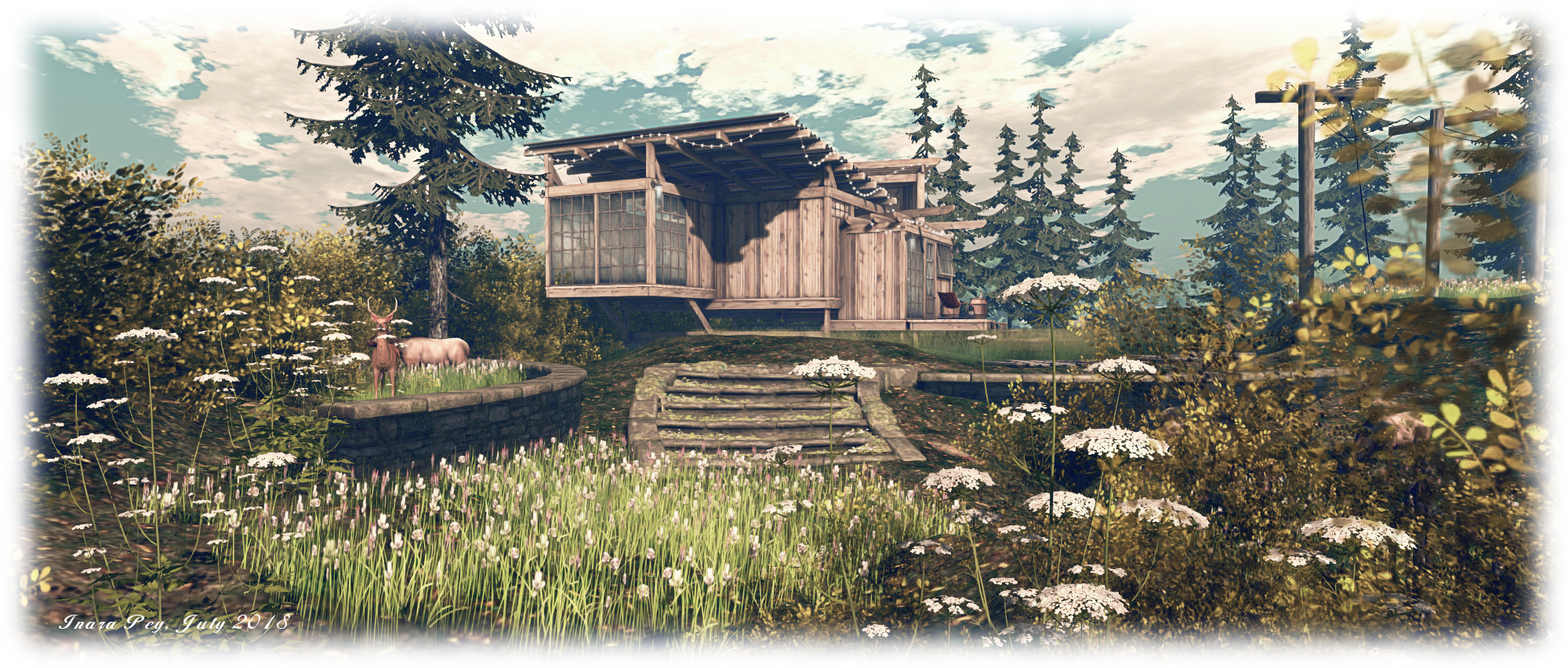
Cloudbreak is the all-encompassing name for two regions  – one Full (Cloudbreak), the other a Homestead (Cloudbreak II) – offering visitors a taste of “an Indonesian inspired surfers’ paradise”, and both are very well put together to offer a nicely immersive environment.

Designed by Leaf (Peyton Darmoset) under the dirty.pretty banner she runs with partner Julz (Juliette Rainfall), the two regions have a distinctly north-south / east-west design, the land running down the eastern sides of the two regions, their western sides being open to the sea. The land itself is primarily rugged territory, backing directly on to the mountainous sim surround that greatly heightens the feeling that this is a remote coastal area in the world’s largest archipelago nation. To the west, the land drops sharply away to the water, a ribbon of sand winding up along the coast under the constant bombardment of a rolling tide of breakers.

Cloudbreak; Inara Pey, July 2018, on FlickrCloudbreak

The “official” (although not enforced) landing point lies to the south-east of the landscape, well up into the rocky terrain. It’s worth starting your visit here,  rather than simply dropping in anywhere on the map, as it really provides the best sense of immersion in the environment whilst exploring – plus there’s also a good chance a “blind” teleport will either drop you in the sea or possibly into one of the private rental properties to be found to the south and north. The landing point also provides information on the rentals, as well as on a local photography contest (running until August 3rd and with some impressive L$ prizes, as well as encompassing the regions of Ash Falls (read here for my July 2017 review of the region) and Erebos Harbor, also operated under the dirty.pretty banner).

Stone steps, guarded by small stupa-like objects, lead the way down into the richly forested landscape, where trails and wooden walkways offer a variety of paths to explore. Some of these run between the rugged highlands, others offer a way down through them. Some keep to the eastern extremes of the regions, others offer the way to cross to the west side before descending to the beaches. Two of the more impressive of these is a zip line that runs from the highest accessible point to the east down to a platform on the west side of a deep gorge, where (for those prepared to jump) a rocky path winds down under a great table-like slab of rook to reach the sands of the coast.
Cloudbreak; Inara Pey, July 2018, on FlickrCloudbreak

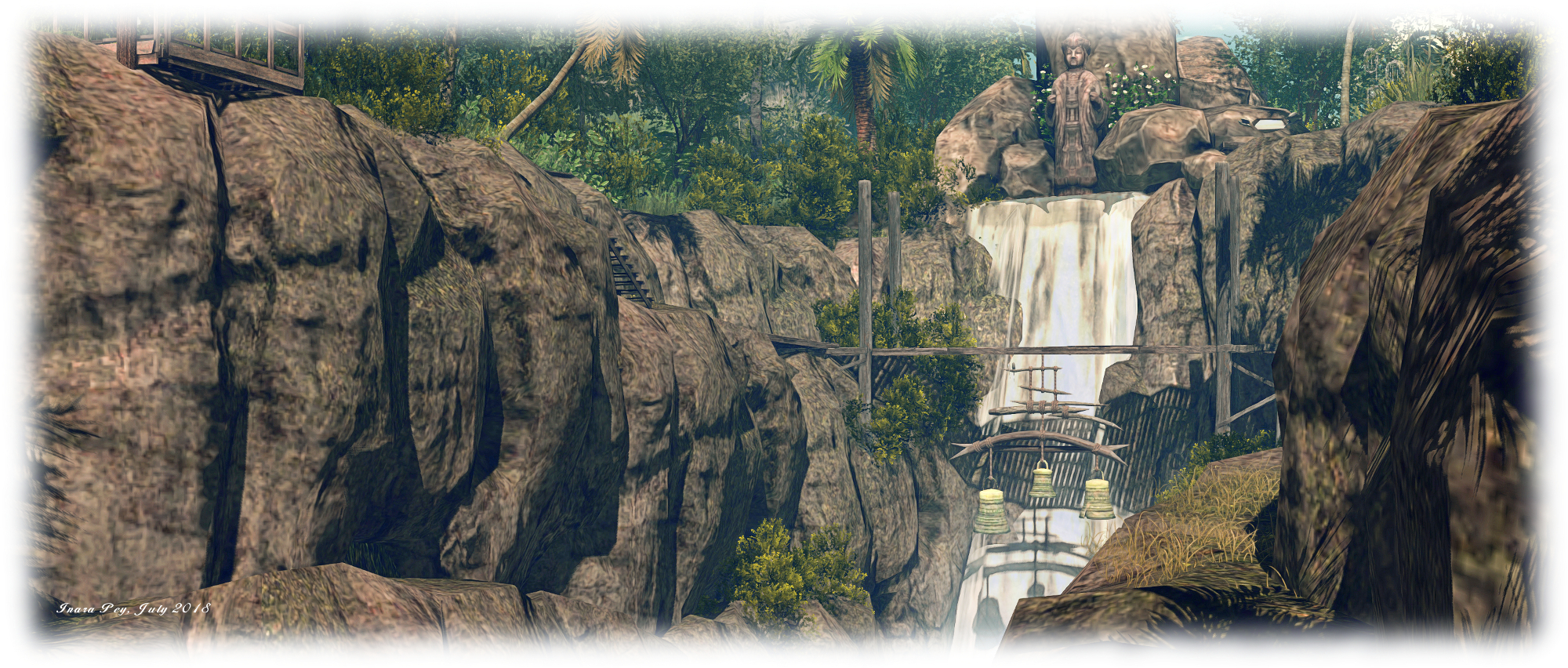
For those who don’t fancy the sliding and jumping, the second option is to follow the wooden walkways and steps that offer a way across the upper end of the gorge, close to a high waterfall, and a single bridge from which is suspended three great copper bells to join the path down the west side of the gorge, and thence to the beach.

Take the trails south or north along the rugged uplands, and you will eventually come to the rental properties. The northern most of these had, at the time of our visit, a rather aggressive security system (5 second warning prior to teleport to the edge of the parcel) and no sign to indicate it was private property – so care when approaching these might be advisable.
Cloudbreak; Inara Pey, July 2018, on FlickrCloudbreak

There are also public areas along the highlands as well, so don’t let the thought of security systems put you off. Perhaps the most prominent of these public spaces sits upon the great slab of rock mentioned above, and under which the waters of the gorge flow into the sea. Looking west to where Buddha sits atop a rocky island, it offers a cooling pool of water in which to relax and shades places to sit and cuddle. Elsewhere can be found camp sites and shaded wooden platforms, on which to sit and rest.

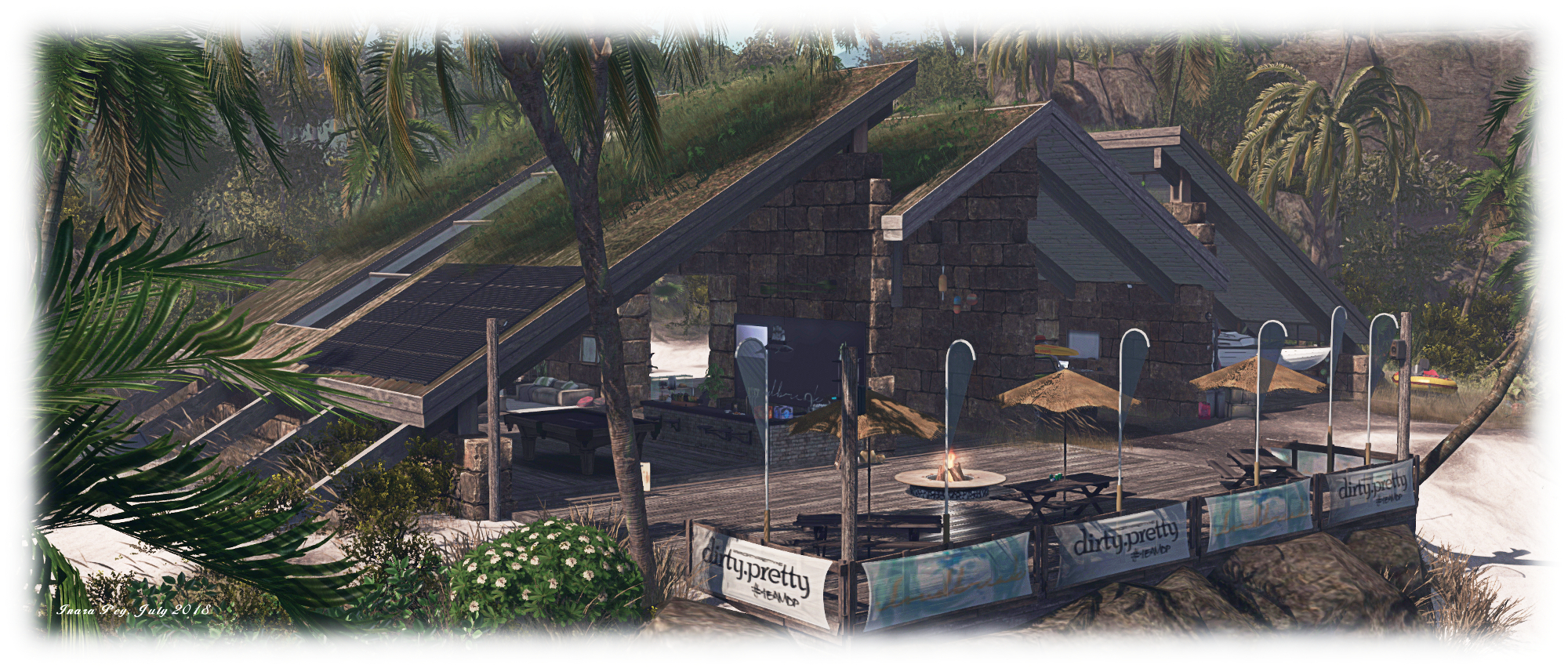
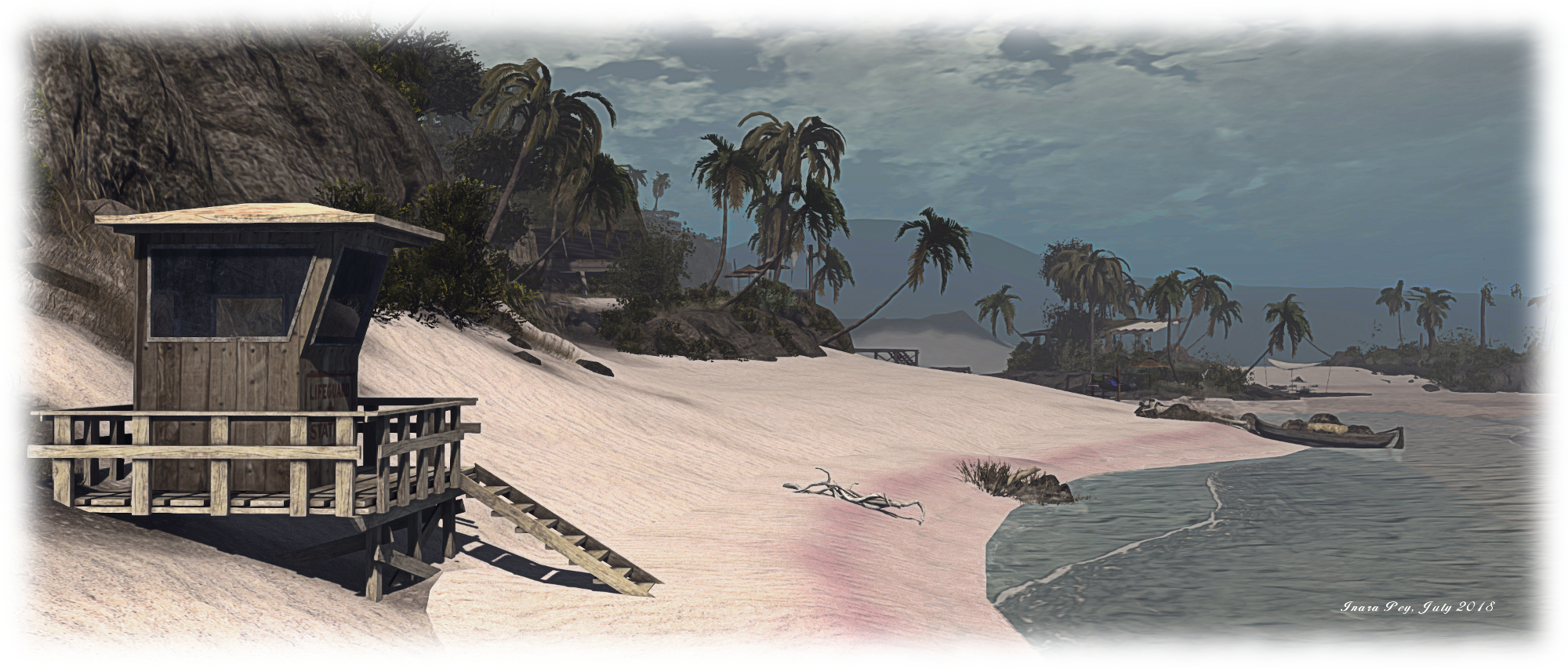
Those wishing to get a closer look at Buddha can do so via raised wooden walkways that reach out over the sea from the beach to his pinnacled seat. These go by way of an off-shore music venue on a sandbar to eventually reach the moorings clustered at the foot of Buddha’s island. The beach itself is broad, the golden sand tingled naturally with hints of pink along the high tide mark. There are rezzers to be found along the sands for those wishing to have a go at surfing (which can be fun), but for me, the most impressive aspect of the beach is the club house area which has clearly been kitbashed by Leaf from assorted sources, the parts brought together to create something genuinely unique  and perfectly suited to the environment.
Cloudbreak; Inara Pey, July 2018, on FlickrCloudbreak

Beautifully conceived and executed, Cloudbreak is a genuine gem of a setting. Stunning in vista, clever in layout, captivating to the eye and the camera (photos are welcome at the dirty.pretty Flickr group). Rezzing rights are available to those who need it by joining the local group. Note that a percentage of the fee paid to join goes towards supporting the Whale and Dolphin Conservation (WDC) – an organisation of which I’ve long been a supporter – and dirty.pretty’s adopted Orca, Holly.

With thanks to Shakespeare for the pointer.

Space update special: the lake on Mars

An artist’s impression of Mars Express probing Mars using its MARSIS instrument superimposed on a radar cross-section of the southern polar layered deposits. The continuous white line at the top of the radar results above marks the beginning of the South Polar Layered Deposit; a layered accumulation of water ice and dust. The blue spots are areas of very high reflectivity and thought to be water. Credit D. Coero Borga/ESA / INAF

Whether or not liquid water exists on Mars has long been a source of study with regards to the Red Planet. There are many signs that the surface of Mars was once affected by free-flowing liquid – most likely water – in the planet’s ancient past. Curiosity, NASA’s Mars Science Laboratory rover, has confirmed the crater it has been exploring was home to several lakes during the early part of Mars’ history. What’s not clear is whether and how much of the remnants of that water still survives in liquid form today under the planet’s surface. Now a group of European scientists believe they have found direct evidence a sub-surface lake of liquid water on Mars.

The news comes via a paper published on Wednesday, July 25th in the Journal Science by a team of researchers involved in analysing the data from the European Space Agency’s Mars Express orbiter – something of a “forgotten mission” around Mars, given the volume of US missions on and orbiting the planet.

Mars Express arrived at Mars on December 25th, 2003. Since then, it has been quietly working away, observing Mars, gathering data about the planet’s atmosphere, surface and sub-surface, using a range of instruments including the Mars Advanced Radar for Subsurface and Ionosphere Sounding (MARSIS) package capable of “seeing” what lies under the surface of the planet. It is data from MARSIS which points to the presence of the subsurface lake.

An artist’s impression of Mars Express over Mars. The long booms (40m in length) extending from the vehicle are the deployed radar emitters for MARSIS. Credit: ESA

The story actually begins in 2007, when data from a MARSIS survey of a region near the Martian south pole revealed very strong differences in the radar returns (“echoes”) of two subsurface layers. On Earth, such a strong differentiation in returns typically tends to be the result of one of the layers being subsurface water. Analysis of the data from MARSIS initially suggested the “bright” return from the region on Mars might be caused by a layer of carbon dioxide ice. However, as further data was gathered on the region, researchers noticed something odd: the measurements of the layer kept changing over relatively short periods of time, rather than remaining relatively constant as might be expected from a body of subsurface ice.

Investigations of the apparent fluctuations in different radar returns of the same area revealed something unexpected: such was the volume of data point being collected by MARSIS, the software aboard Mars Express to initially process the returns was effectively averaging things out – giving the impression whatever the radar was encountering beneath the surface of Mars was somehow fluctuating: present in quantity during one pass, all but gone a few passes later, only to suddenly return in volume.

A composite image showing the south pole of Mars (r) and the region where the MARSIS radar reflections have been found (l). Credit: ESA

With their understanding of what was happening with the MARSIS processing, researchers were able to work out a means of compensating for it, and began a campaign of gathering data from the region, which ran for three years between mid-2012 mid mid-2015. It is the Earth-based analysis of this data over the last couple of years that has led to the conclusion that not only had MARSIS discovered something under the surface of Mars, but that it is very likely liquid water sitting under a covering of relatively cleat ice.

It is unclear if the body, some 20 km (12 mi) across and at least 2 metres deep and lying some 1.6 km (1 mile) beneath the surface, is actually an ice-covered body of water, or if it is an aquifer created by water filling interconnected pores in Martian rock beneath the ice.

However, given the extremely low temperatures on Mars, any water under the surface of the planet would require high concentrations of salt held in suspension within it, because salt helps reduce the temperature at which water freezes (a 20% solution lowers the freezing point of water to -16oC (-2oF), for example).  The data gathered by MARSIS is consistent with the liquid containing high concentrations of salts.

The discovery also has possible repercussions for the idea of Martian life.

For Life to get started, it needs three things: liquid water, an energy source such as minerals leeching into the water, and a biological seed. As noted at the top of this article, the evidence for water once having existed on Mars is strong. What’s more, NASA’s Curiosity rover has already found evidence for the second requirement – an energy source in the form of leeching minerals – was present at the time the planet had liquid water on its surface. So, if the third element – the biological seed – was available, then it is possible that microbial life may have started on Mars. Thus, there is the tantalising question of whether those Martian microbes might have followed the water into places like the south polar lake. However, we’re still a very, very long way from answering this particular question.

From what I think we have learned about this sub-glacial lake, the most likely analogue for this environment is the sub-glacial lake that was recently discovered in Canada… in which the lake itself is in contact with a deposit of salt, and so it is very, very salty. There are micro-organisms that are capable of surviving well below zero even without being in contact with water, and there are micro-organisms that can use the salt, presumably the salt in the water on Mars… for their metabolism.

– Roberto Orosei, MARSIS instrument co-investigator, and co-author of the lake study

Continue reading “Space update special: the lake on Mars”

Firestorm 5.1.7: back up to speed

On Tuesday, July 24th, 2018, the Firestorm team announced the release of Firestorm 5.1.7.55786. Coming somewhat later than had been hoped, it incorporates some significant updates from recent Lab viewer releases, together with updates from, and contributed to, the Firestorm team, plus the inevitable bag of bug fixes as well.

In keeping with my usual approach to Firestorm releases, what follows is an overview of the release, highlighting some of the more significant changes  I feel will be of most interest to users.

Table of Contents


Please use the table of contents on the right to jump to any specific topic of interest. Full details of all changes, and contributor credits can be found in the official release notes.

The Usual “Before We Begin” Bit

As per my usual preamble:

  • There is no need to perform a clean install with this release if you do not wish to.
  • Do, however, make sure you back-up all your settings safely so you can restore them after installing 5.1.7.

Core Updates

  • Firestorm 5.1.7 has parity with all version of Linden Lab’s viewer, up to version 5.1.6, with additional cherry picked fixes from upstream of that release.
  • KDU updated to version 7.10.4 (7.A.4) – Kakadu release notes.
  • Firestorm 5.1.7 has been updated to Restrained Love API: RLV v3.2.1 / RLVa v2.2.0.55786 – see the RLVa 2.2 Release Notes for details.

Major Lab Derived Updates

This is a summary of the main updates derived from Linden lab’s core viewer code.

  • 64-bit Project Alex Ivy: rebuilds the viewer using 64-bit address space, utilising Linden Lab’s Alex Ivy code base. This should improve viewer stability, particularly for those with more than 4 Gb of memory, and possibly also improve performance.
    • As the 64-bit Alex Ivy code uses Linden Lab’s Havoc sub-libraries that are specific to Second Life, this means that the 64-bit versions of Firestorm for Windows and OSX now have both Second Life and OpenSim flavours, the latter allowing for continued support of OpenSim users.
    • The 64-bit Linux build remains with the Firestorm team’s own 64-bit code.
  • Media Updates – Project Dullahan: a series of updates, fixes, improvements and security patches for the Chromium Embedded Framework (CEF), that is the basis for the viewer’s built-in web browser.
    • The option to not accept cookies has been removed due to complexities of not doing so in the in-viewer browser. For a more controlled cookie experience, an external full-featured browser may be better.
    • Also includes updates to VLC, that provides support for video media playback.
  • Rendering Improvements – Project love Me Render: this is a large collection of rendering improvement from LL. See the Love Me Render release notes for details.
  • Vivox Update and Voice Fixes: a number of updates / improvements:
    • Adds support for a higher quality voice using SLVoice version 4.9.
    • Fixes the apparent position of the speaker in nearby voice.
    • Improves retry behaviour when there are problems connecting or during temporary connection problems.
    • Logs more detailed information to the Lab for quantifying connection issues.
    • Improves security of the communication between the viewer and SLVoice.
    • Note that with these changes:
      • Local teleports will cause a short (a few seconds) voice interruption because the viewer now detaches from voice a little earlier in the teleport sequence.
      • With some SLVoice changes, the SLVoice executable can be copied into another viewer – that will not work with this update. There are changes to the connection between the viewer and SLVoice that are required. Talking to any viewer version should work.
    • Unrelated to voice, improves the validation of TLS certificates (security improvement).

Additional Lab-Derived Updates

This update also includes:

  • Avatar Physics improvements / safety checks: this fixes the problem with boob movement freezing & boobs getting stuck at odd angles (BUG-202903 / FIRE-22135)
  • Sculpties no longer rendered until fully loaded (or fail to load): this should remove the blobs and spheres see in-world as sculpties load.
  • Viewer frame rate fix (BUG-6943): viewer FPS should no longer drop when facing away from certain objects.
  • Inventory directory (BUG-214575 / FIRE-22281): the inventory directory should no longer be deleted while keeping the Delete key.
  • Report Abuse (BUG-202904 / FIRE-22152): double-clicking the Report Abuse option will no longer crash the viewer.
  • Materials update: normal and specular maps are no longer downloaded if ALM is off.

See the Firestorm Change Log for a full list of Lab and Firestorm fixes.

Firestorm Updates and Additions

User Interface: New Features and Updates

Menu Updates
  • Avatar:
    • A new Favorite Wearables option for accessing the Favorite Wearables panel (see below).
    • A new Show / Hide User Interface option (also ALT-Shift-U). Use the keyboard shortcut to show the UI when hidden, and note that chiclets and script dialogues remain visible with the UI hidden. CTRL+ALT+F1 will still hide / show the UI as well.
  • World:
    • Set Home To Here relocated to be with the other place-related options.
    • Teleport Here has an added separator between it and the menu options below it.
World menu: Set Home to Here has been relocated, and Teleport Home has an additional separator below it to help avoid incorrect clicks when using it.
  • Help: new item: Firestorm Events Calendar – opens the Firestorm Google Calendar of event, including all Firestorm classes.
Preferences Updates
  • Firestorm:
    • Uploads: new button to reset custom uploads folders to their viewer defaults.
    • Build 1: it is now possible to switch the Script Editor font type and adjust the font size. All pre-processed output also obeys the chosen font.
It is now possible to set the font style (drop-down arrowed left) and font style / size (drop-down arrowed right) for the Script Editor
  • Move & View: new options to manage viewer-side region crossings add to the Movement sub-tab. See Experimental Region Crossing Code, below.
  • User Interface:
    • 2D Overlay: new option to make the statistics bar ignore focus requests when closing other floaters with CTRL+W. When enabled, the statistics bar will never receive focus when another window is closed. Actions such as changing graph layout for items are still possible when enabled.
New Toolbar Buttons
  • Beacons: opening the Beacons floater panel.
  • Wearable Favorites: see Favorite Wearables Panel, below.
Panels and Floaters
  • Appearance Panel:
    • Wearing Tab: the Wearing tab now lists the rendering complexity of each worn in-world object. This can be accessed via the Avatar menu > Appearance (or CTRL-O) and then open the Wearing tab.
    • Outfits Tab:
      • Double-click will add/remove.
      • Wearing tab – double-click will remove for “Wearables” and “Temporary attachments”.
  • Inspect Panel:
    • A new “Options” button has been added to the Inspect panel allowing you to select which columns are displayed.
    • New object complexity count added to the information display on the left of the panel.

Favorite Wearables

The Favorite Wearables panel can be used to list frequently used items (e.g. HUDs, attachments) in a floater so they can be quickly attached or removed as needed. This can help with performance, as you can conveniently detach attachments you’re not using and remove their simulator script overhead, or take off HUDs you’re not using, to remove their texture memory use, then quickly re-attach them when needed without having to locate them in Inventory.

The panel has its own toolbar button for quick access., or can be opened via the Avatar menu > Favorite Wearables.

To add items to the panel:

  • Open the panel and your inventory.
  • Drag the items you want to display in the panel from inventory into the panel window. Note this will create a link to the original item in the #Wearable Favorites folder in inventory.
  • To remove an item from the panel, right-click on the item to highlight it and then click the Trash icon at the top of the panel. This will remove the item from the panel’s list, delete the link in the #Wearable Favorites, but will not delete the item from your inventory.

To attach an item listed in the panel, simply right-click on it to display a menu comprising the familiar Add, Wear, Attach to and Attach to HUD (for HUDs) options. This menu also allows you to view the object’s profile, or use Show Original to open your Inventory and highlight the original version.

The Favorite Wearables panel can be accessed via the Avatar menu or a new Toolbar button. It can be used to list HUDs and other frequently used attachments which can be added / removed via a menu.

Right-clicking on an attached item (shown in a different colour in the panel) will display a menu with options to edit the attachment (opens the Build panel), detach it, open its profile or locate the original in inventory.

In addition, the panel includes a search bar that will cause the panel to only display items which fully or partially match the text typed into it, and a drop-down list of sort options.

Continue reading “Firestorm 5.1.7: back up to speed”

2018 SL UG updates #30/1: the Lindens are away!

In the Wild; Inara Pey, June 2018, on FlickrIn the Wildblog post

The short version of this post is:

“There are no project updates for this week”.

The Lab’s Second Life developer and product team, et al, all are on an off-site to discuss further plans for the platform (which we’ll gradually get to hear about in due course in the coming months … hopefully). Unofficially, this is now known as the Linden Summer of Love Palooza Extravaganza Fête Conference thingy – just so you know 😀 .

Server Deployments

None planned. Main channel regions should have been restarted on Tuesday, July 24th, in accordance with the 14-day restart policy. The BlueSteel and LeTigre RCs should in theory be restarted on Wednesday, July 25th for the same reason.

SL Viewer

On Friday, July 20th, Linden Lab issued the BugSplat RC viewer, 5.1.7.518003.

This viewer is functionally identical to the current release viewer. However, it includes now crash reporting capabilities based on the Lab using BugSplat, a commercial service, rather than their own crash reporting mechanism derived from Google Breakpad.

The aim of this work is to allow the Lab to focus on actual viewer development and support, rather than having to pour time into maintaining and updating the crashing reporting software and workflow associated with it.

Other than this update, the viewer pipelines from the Lab remain as:

  • Current Release version 5.1.6.516459 and dated June 15th, promoted June 21st – formerly the Pálinka Maintenance Release Candidate – No Change
  • Release channel cohorts:
    • Quinquina Maintenance RC viewer updated to version 5.1.7.517594, on July 12th.
  • Project viewers:
  • Linux Spur viewer, version 5.0.9.329906, dated November 17th, 2017 and promoted to release status 29th November, 2017 – offered pending a Linux version of the Alex Ivy viewer code.
  • Obsolete platform viewer, version 3.7.28.300847, May 8th, 2015 – provided for users on Windows XP and OS X versions below 10.7. This viewer will remain available for as long as reasonable, but will not be updated with new features or bug fixes.

The Smithsonian American Art Museum in Sansar

No Spectators: The Art of Burning Man – Truth is Beauty, by Marco Cochrane

Monday, July 23rd saw the launch of the latest joint venture Sansar experience developed by Linden Lab’s Sansar Studios and Intel, who this time are working with The Smithsonian American Art Museum (SAAM) to present No Spectators: The Art of Burning Man, an intriguing experience that helps demonstrate the potential of VR in bringing art and culture from the physical world to those not readily in a position to visit them first-hand.

No Spectators: The Art of Burning Man is also the title of a physical world exhibition at SAAM’s Renwick Gallery in Washington DC, that runs through until January 21st, 2019 and which serves as the inspiration for the Sansar experience.

As the name implies, the exhibition is a celebration of art from Burning Man, the annual experiment in community and art, influenced by ten main principles, held in the Black Rock Desert of north-west Nevada (and which will be very familiar to many Second Life users). The Sansar experience offers a faithful reproduction of the exhibition in a space modelled directly on the interior of the Renwick Gallery itself.

No Spectators: The Art of Burning Man – Tin Pan Dragon by Duane Flatmo

The physical world exhibition is a collaboration between SAAM, through its Lloyd Herman Curator of Craft, Nora Atkinson, and the Burning Man Project, the non-profit organisation responsible for producing the annual Burning Man event in Black Rock City, and takes its name from a saying common among those who attend the Playa the area in which Burning Man is held.

“‘No Spectators’ is a long-standing saying on Playa. You are encouraged to fully participate. It’s all about being there, being fully present, and not just observing. Two of the ten principles of Burning Man are radical participation and radical inclusivity, meaning that there are no outsiders. Everyone is part of the experience.”

– Nora Atkinson, Lloyd Herman Curator of Craft, Smithsonian American Art Museum

Nora Atkinson has also been instrumental in bringing the exhibition to Sansar. The Smithsonian has a mission to reach a billion people globally with its art, and VR is one of the means the museum has identified as allowing them to achieve that goal – although the idea to use Sansar as a medium originated with Intel.

No Spectators: The Art of Burning Man – Paper Arch by Michael Garlington and Natalia Bertotti, with the version at the Renwick inset

Over the course of the last year, the technology giant has been building a relationship with Linden Lab and Sansar. In January 2018 for example, Intel’s entire Consumer Electronics Show (CES) booth was reproduced within Sansar, together with a walk-through model of the Intel 8th generation CPU core. Nor was that all, Intel introduced the Sansar Ready Player One experience, Aech’s Garage (and reviewed here) to the world through CES, featuring it and Sansar in a keynote address at CES given by Intel’s CEO, Brian Krzanich.

Nor has that been all, Sansar later went on tour (so to speak) with Intel, turning up at places like the 2018 Sundance Film Festival, where Sansar has again be on demonstration under the hashtag of #FutureofStorytelling, which has been strongly associated with VR.

Intel has also worked in the past the the Smithsonian, producing Beyond the Walls, a room-sized VR experience, developed for the HTC Vive system. It reproduced a garden that American writer Henry Adams, created, featuring a sculpture by Augustus Saint-Gaudens, in memory of his late wife, Marian Hooper “Clover” Adams. That experience was so successful, Intel sought to work with the Smithsonian again, and the Renwick exhibition and Sansar came across as a perfect match.

We had an idea that VR would be a compelling medium to take people to places they haven’t gone to, or will never go to, and produce really meaningful experiences.

– Raj Puran, Intel’s Director of Business Development

No Spectators: The Art of Burning Man – Evotrope by Richard Wilks with Michael Conn and Victor Rodarte. The archway to the left is the teleport to the Playa experience

Within Sansar, No Spectators: The Art of Burning Man is home to reproductions of some of the iconic pieces from the Renwick’s physical world exhibition, including the towering Truth is Beauty, by Marco Cochrane, and the beautifully intricate Paper Arch by Michael Garlington and Natalia Bertotti. The latter has been especially reproduced by the artists for the Smithsonian exhibition, given the original was actually burned at Burning Man.

The startling thing with all of the pieces on display is the level of detail within them. Within VR / first person, it is akin to getting right up close and personal with the “real thing” on a 1:1 scale that is truly unlike many other art environments. Get right in close to Truth is Beauty, for example, and the extraordinary intricacy of the original’s design is revealed.

Currently, the Sansar team, working with the Smithsonian and Intel, have reproduced the ground floor exhibition spaces at the Renwick – the first floor halls are part of a project to be unveiled soon. Intel have also produced a video (below) which intriguingly shows a holographic approach to displaying some of the art: an open space where avatars can select and rez additional works. I’m uncertain if this is meant to be part of the actual Sansar experience, the pieces seen in the video are actually displayed in the “Playa” – an “outdoor” space reached by passing through an arch (and experience teleporter) at the back of the ground-floor exhibition halls – perhaps it’ll appear in the future.

As noted above, No Spectators: The Art of Burning Man is part of an extensive project between Intel and the Smithsonian to digitise more of the museum’s 157 million objects and present them through the virtual medium as transformative and engaging educational / cultural experiences – although it’s not at this time clear how extensive Sansar’s role will be within this broader project.

As a part of the work, Intel has indicated that Beyond the Walls will be re-released in 2018, featuring the art of Saint-Gaudens, together with that of sculptor Hiram Powers, painter Frederic Edwin Church and contemporary media artist Alex Prager.

The Playa is an outdoor exhibit annexed to No Spectators: The Art of Burning Man. This is a little more of a disappointment, coming over as a haphazard display without any real context for the Burning Man Playa. Given the Renwick’s own exhibition spills over into outside spaces, it would perhaps have been nice to see this experience reflect that. But perhaps there is more to come here as well; or perhaps it is simply a holding space for art to be added to the next phase of the No Spectators experience …

As someone who has a passion for real and virtual art, I can honestly say I’m looking forward to seeing how experiences like this ground within Sansar as the capabilities of the platform continue to be built out and allow for more imaginative ways by which visitors to such exhibits can interact with, and learn about, the art they present.

With Sansar, we hope not only to make the museum experience more accessible, but to also empower people to curate experiences of their own and share their unique perspectives with the world. We’re thrilled to be supporting this transformation of art and education, and we’re excited to find forward-thinking partners in Intel and the Smithsonian.

– Jason Gholston, Head of Sansar Studios

Experience URL and Related Links


2018 viewer release summaries, week #29

Logos representative only and should not be seen as an endorsement / preference / recommendation

Updates for the week ending Sunday, July 22nd

This summary is generally published on every Monday, and is a list of SL viewer / client releases (official and TPV) made during the previous week. When reading it, please note:

  • It is based on my Current Viewer Releases Page, a list of all Second Life viewers and clients that are in popular use (and of which I am aware), and which are recognised as adhering to the TPV Policy. This page includes comprehensive links to download pages, blog notes, release notes, etc., as well as links to any / all reviews of specific viewers / clients made within this blog.
  • By its nature, this summary presented here will always be in arrears, please refer to the Current Viewer Release Page for more up-to-date information.
  • Note that test viewers, preview / beta viewers / nightly builds are not recorded in these summaries.

Official LL Viewers

  • Current Release version 5.1.6.516459 and dated June 15th, promoted June 21st – formerly the Pálinka Maintenance Release Candidate – No Change
  • Release channel cohorts (please see my notes on manually installing RC viewer versions if you wish to install any release candidate(s) yourself):
    • The BugSplat RC viewer, version 5.1.7.518003, released July 20th, 2018. This viewer is functionally identical to the current release viewer, but uses BugSplat for crash reporting, rather than the Lab’s own Breakpad based crash reporting tools.
  • Project viewers:
    • No updates.

LL Viewer Resources

Third-party Viewers

V5-style

  • No updates.

V1-style

  • No updates.

Mobile / Other Clients

Additional TPV Resources

Related Links