Lumiya 2.4.7: bake, float, layer and find your place

lumiya-logoLumiya, the mobile client for Android devices saw two rapid-fire updates on June 11th. First came version 2.4.6, offering a lot of new and improved functionality, which was followed by 2.4.7 with a round of bug fixes which demonstrated again that no matter how hard you try to stomp on the little sods before a release, some of them will still be there to blow raspberries at you after a release…

Given the rapid-fire nature of the updates, I’ll be reviewing them all under the banner of the 2.4.7 release.

The Fixes

The under-the-hood fixes to Lumiya with this release comprise:

  • Minor inconsistencies with avatar shape rendering correctly
  • Fixed terrain rendering in regions with default terrain textures
  • Fixed a crash on clearing cache while connected
  • Updates for server-side baking compatibility.

Multi-wear / Multi-attach

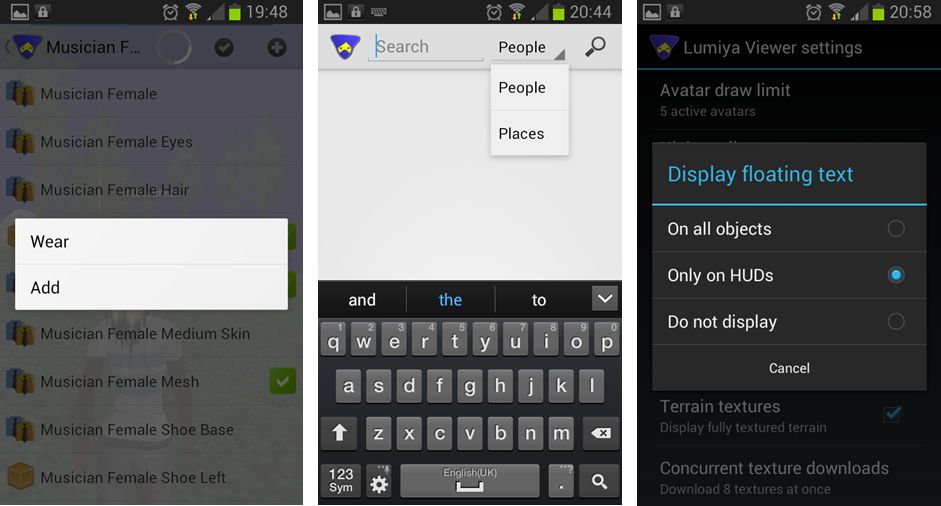
Lumiya now supports multi-wear for clothing at attachments.This is enabled via an ADD option appearing in the pop-up menu when selecting items from inventory or outfits to be worn / attached.

Currently, the order in which items on the same clothing layer are displayed is a little random (so if you wear shirt layer item 1 first and then shirt layer item 2, the second item might appear to be worn over the first, but the next time you add them in the same order, the second might appear to be worn under the first). There is also no ability to re-order items once worn, as is possible with a viewer.

At the moment, system clothing in Lumiya all utilises the same icon in inventory & outfits (a shirt icon), regardless of the layer on which it is worn. Alina does plan to improve this in time, however her attention is on other functionality right now.
aaa
Lumiya 2.4.7: (L) – The new ADD option for multi-wear, allowing additional clothing items to be worn on an occupied layer / attachments to be worn on an occupied point, a-la most viewers, and accessible from both inventory and outfits; (c) – the new Places search option, which can be selected from within Search; (r) – the three options available from within Lumiya’s settings for displaying hover text in-world

Search Places

Lumiya’s Search option has been expanded to incorporate places and well as people. You can toggle between the two on entering search (e.g. by selecting it from the menu displayed when tapping the Menu button on your device) by tapping on the displayed option (People is the default) and selecting the required option from the drop-down.

Emotes and Hover Text

Lumiya now supports emotes in chat (e.g. /me smiles) and will also now display hover text above objects. By default, this is only on for hover text associated with worn HUDs. This is to prevent smaller screens being over-run with lots of on-screen hover text (because you’re roaming through a breedables store, for example). However, it can be enabled for in-world objects (or disabled altogether) by tapping the Menu button on your device and then going to Settings and scrolling down to 3D View and tapping Display floating text. This will display a pop-up menu with three options: On all objects, Only on HUDs, and Do not display – tap the radio button for the desired option.

Feedback

All told, another nice little package of updates to Lumiya which again further increase its capabilities and which enhance it as a worthwhile alternative to a full-blown viewer for those who need to access SL while on the go and away from their computers.  All of the additional functions are nice-to-haves, and the server-side baking / appearance updates ensure that Lumiya remains SSB/A-ready, once the latter starts to go live across the grid. There is something of a delay in changing / updating outfits as a result of SSB/A, so if you do try Lumiya for the first time, please bear this in mind and remember the app is doing an incredible amount of work in order to bring you both a mobile client and a functional in-world, real-time view of the world.

Kudos to Alina once again!

Related Links

SL projects update 24 (3): New object return LSL capabilities

Update June 12th, 22:40 BST/14:40 SLT: The BlueSteel  / LeTigre deployment which includes these capabilities has been rolled back due to an issue whereby objects cannot be rezzed in BlueSteel / LeTigre parcels which disallow object entry (even if Create Objects is enabled) – BUG-2850. Both regions are now running the week 24 Magnum deployment.

In week 23, Kelly Linden announced new LSL capabilities for the scripted return of objects within a region / parcel.  In making the announcement, he indicated the capabilities would be available “some time in the future”, a comment which appears to have been a little overly cautious, as the new functionality received its first outing on the Main channel in the RC deployments to BlueSteel and Le Tigre on Wednesday June 12th.

The new object return functions are llReturnObjectsByOwner and llReturnObjectsByID, and are designed to be used to enable the automated return of specified linksets to their owners.

The object containing scripts using the functions can either be placed in the land, or worn as an attachment but will only work on land held by the object owner.

The primary aim of these functions is to make for easier clearing of private sandboxes and rental parcels in cases where previous users / tenants may have left objects behind on leaving (thus removing the onus on the land owner to locate and manually return items).  They are not intended as anti-griefing tools, nor are they a “replacement” for the parcel / region auto-return functions.

The Functions

The functions are defined within the BlueSteel and LeTigre release notes as follows:

Additional Notes and Q&A On Capabilities / Limitations

There are also some additional notes which go with the new functions:

  • There are no cases where one of these new LSL calls would return an object that you could not manually return yourself
  • The functions will only work on objects in the same region/parcel as the object containing the script using them. Objects which are returned are coalesced in the recipient’s inventory, rather than being returned as individual objects
  • The functions work if and only if the user would have permission to return the object via the viewer, and it does not handle encroachment
  • To prevent severely damaging accidents the mass returns by owner (llReturnObjectsByOwner) will not work for your own items, items owned by an estate owner or manager or items that are owned by the group the land is ‘set’ to
  • llReturnObjectsByID will not return objects owned by the parcel owner
  • In order to work on group-owned land the object containing the script using the functions must be deeded to the group by the group owner
  • The return capabilities are throttled to a maximum hourly quota based on a parcel’s Land Capacity (under About Land > Object). So, if your Land Capacity is 500, then using these LSL functions you can return up to 500 linksets per hour
    • The throttle is there primarily to prevent a silent war between a rezzer and returner that could impact the back-end servers
    • Even with the throttling, it is anticipated that the functions should be able to return everything on your land within a region in one go, but not necessarily more than once an hour for large-scale returns.

Continue reading “SL projects update 24 (3): New object return LSL capabilities”

SL projects update week 24 (2): server news

Update June 12th, 22:40 BST/14:40 SLT: The BlueSteel  / LeTigre deployment which includes these capabilities has been rolled back due to an issue whereby objects cannot be rezzed in BlueSteel / LeTigre parcels which disallow object entry (even if Create Objects is enabled) BUG-2850. Both regions are now running the week 24 Magnum deployment.

Server Deploys for Week 24

As always, please refer to the week’s forum deployment thread for news, updates and feedback.

Second Life Server (Main) Channel

On Tuesday June 11th, the SLS channel received getting the server maintenance project that was on BlueSteel and LeTigre in week 23. This is intended to fix a simulator crash mode, and address a disconnection issue whereby multiple avatars would be disconnected from a simulator simultaneously, giving the impression the region had crashed when it had in fact not done so, and which also impacted LSL HTTP-in URLs.

Following the deployment, there was a report that the disconnection issue fix had not fully addressed the problem of LSL HTTP-in URLs being dropped, which was also raised at the Simulator User Group meeting on Tuesday June 11th. The matter has been acknowledged by Kelly and Maestro Linden, who are currently awaiting further information on the problem, although Simon Linden also commented, “I realize a bug Kelly and I were talking about earlier today is that issue, so someone is on it.”

Simulator UG meeting (stock)

BlueSteel and LeTigre Release Candidate Channels

On Wednesday June 12th BlueSteel and LeTigre should receive a new server maintenance project to fix a number of crash modes, addresses an issue with neighbouring region visibility, and adds new LSL pathfinding capabilities and object return capabilities:

  • The new pathfinding property CHARACTER_STAY_WITHIN_PARCEL, which I described in week 19. can be used with llCreateCharacter() and llUpdateCharacter(), and is intended to help with keeping characters within parcel boundaries
  • The new object return functions I reported on in week 23, namely llReturnObjectsByOwner and llReturnObjectsByID, are intended to provide an automated means of returning objects to their owners. For ease of reference, I’ve provided a more in-depth look at the capabilities in a separate report. Kelly Linden has also includes some guidelines on the functions in the deployment discussion thread.

Magnum Release Candidate Channel

On Wednesday June 12th Magnum should receive an update to the current interest list changes running on that channel, which addresses two bugs introduced by the project. Providing no further issues are found with these changes, it is likely (but subject to confirmation) that they will be promoted across the grid in week 25.

Commenting on the Magnum update at the Simulator User Group meeting on Tuesday June 11th, Andrew Linden said, “The Magnum channel has two bug fixes. The excessive AvatarAppearance packets [in which the simulator would send many unnecessary AvatarAppearance messages to the viewer], and my final fix for Meeroos; specifically, the problem where it looks like the Meeroo’s animation is busted when you turn around to look at it.”

Going on Andrew’s recent comments, this update is liable to mark the final aspect of server-side interest list work for the moment.

The Magnum deployment also includes a fix for the issue relating to viewing the text of large scripts I reported on in week 23, whereby the text of previously saved “large” scripts cannot be displayed in the script editor for users on slow connections (BUG-2694). This update had originally been targeted at the week 23 deployments, but failed to make the cut then due to some last-minute work being required.

Other News

Group Ban List

Baker Linden
Baker Linden

The group ban list functionality Baker Linden has been working towards in his desire to address JIRA SVC-8127 may soon start to get attention. Commenting at the Simulator User Group meeting on Tuesday June 11th, Baker said:

I am getting closer! I haven’t started work on it directly, but I’m wrapping up the last of the bug fixes related to Mute Lists. I’m writing some new unit tests to test my new functionality … There might be some viewer / other backed server work to do too, but hopefully everything will work so that part will be smooth. But after I finish up this last issue, I’ll be working on group ban stuff. I’ve learned a ton about Django and how to implement it, so I’m hopeful that it’ll be somewhat smooth of an implementation.

Django is a web framework the Lab uses for a number of in-world user-related services, and is the chosen mechanism by which to add the ban list functionality (its use doesn’t mean the group ban function will be web-enabled or anything like that). It is also a tool set unfamiliar to Baker, who only started finding his way around it a few weeks ago.

JSON Wiki Update

New LSL capabilities were recently introduced for the creation and parsing of JSON formatted strings which can used for transferring data between in-world objects and external resources / websites.  The LSL-JSON pages on the Second Life wiki have been evolving over the past few weeks, with the most recent updates occurring on June 10th. If you’re interested in these new capabilities, make sure you take a look at the wiki.

SL10B: Start celebrating with SL10B by Us

bannerSL10B by Us is an intersim event in celebration of Second life’s tenth anniversary. From now until the 30th June, SL10B by Us (SL10BBU) will be featuring DJ-led parties, live music entertainment, art exhibitions, hunts, spoken word events, and more, as well a special charity events for Feed a Smile. as well as a special event in honour of those who have fought cancer and survived.

Organised by Taylor Flanagan and Chloe Seljan of PotPourri Markets, events of SL10BBU are centred on a main stage area and shopping / exhibition area at Boutou, but include lives music and other activities across a number of regions including: The Garden of Absentia, The Lavender Field for Feed a Smile, Felini Couture, The Final Curtain, The Roof, Ce Soir Castle, [http://maps.secondlife.com/secondlife/Wave%20Beach/108/124/23, Live of Africa, Relic, Paris 1900, La Rose Rouge, Pacific’s Club, and My Wish Music Park. In addition, there are a number of exhibitions taking place across several SL galleries and regions as a part of the festivities.

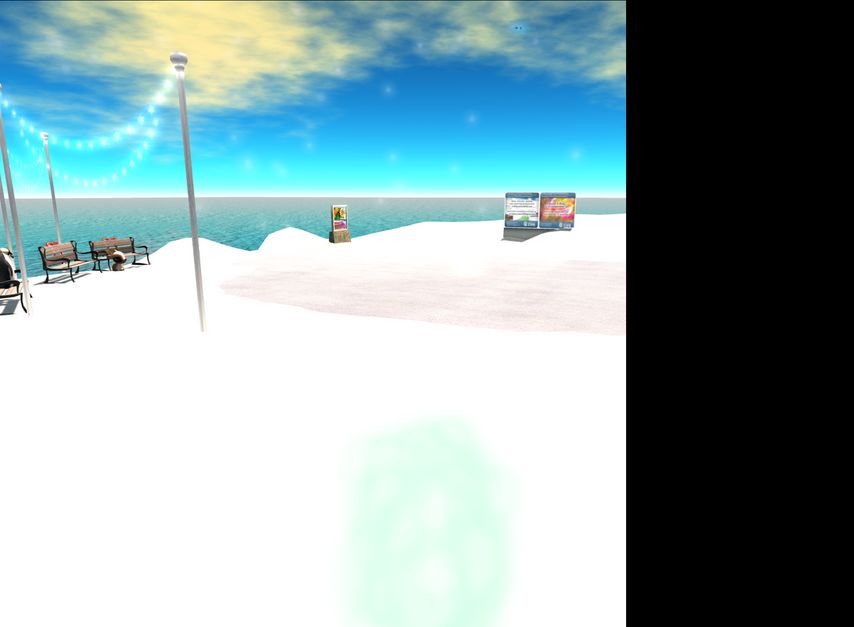
The stage area and dancefloor at the main SL10B by Us region
The stage area and dance floor at the main SL10B by Us region

Events and Activities

A full list of planned events can be found on the SL10BBU website’s event’s page.

Participants in events include noted DJs and live performance artists from across SL, including DJ Bcreative Wilde, DJ Savannah Coronet, Engrama, Greg Ellis, Gina Stella, SaraMarie Philly and Starrfish Ohmai; poets and voice artists such as Russell Eponym, Eluna Baramm and Aeon et Mireille, as well as artists and photographers at a number of gallery events.

Art Exhibitions

A series of art exhibitions will be held during the festivities:

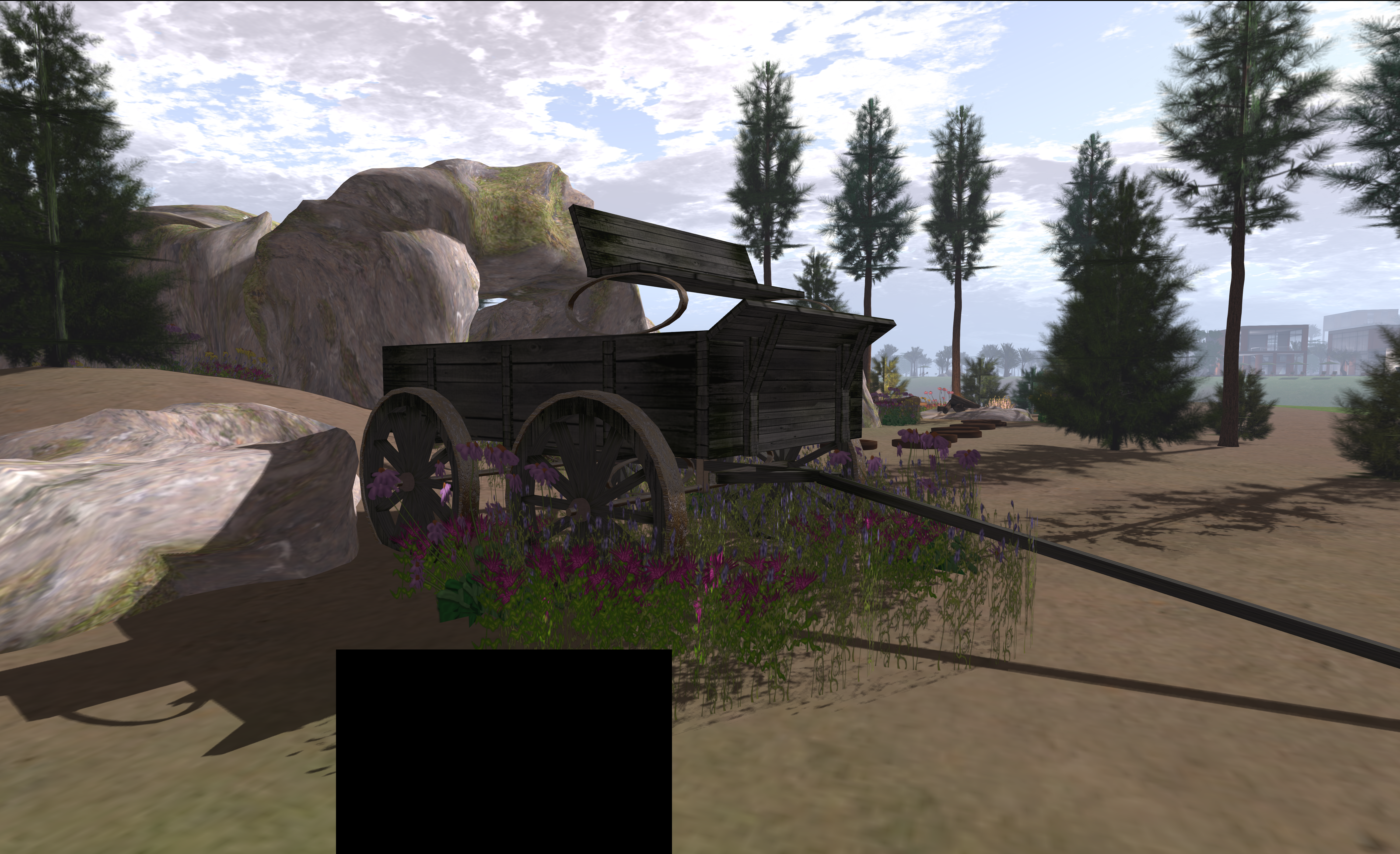
It All Starts With a Smile - one of the regions participating in the SL10B by Us art event throughout June
It All Starts With a Smile – one of the regions participating in the SL10B by Us art event throughout June

Event Hunt

Commencing on June 15th, the SL10BBU hunt will take participants across Second Life in search of flowers designed for the event by Ama  Avro. Each flower will reveal a special gift. Further details on the hunt will be available on the SL10BBU hunt page.

 dio Place

In an interesting link-up SL10BBU is using a dio place as a means of promoting events and to share photos in a gallery format.

Related Links

SL projects update 24 (1): Viewer news – materials, SSB/A, deformer, snapshots

Update: In further tests of the FIRE-9097 “fix” at lower resolutions (e.g. 2650 pixels across), I found it can re-introduce the tiling artefacts in snapshots.

General Viewer News

Materials Processing

The release of an update to the materials beta viewer on Wednesday June 5th (3.6.0.276961) was followed at the weekend by the arrival of a further beta version – 3.6.0.277049 – with accompanying release notes. Commenting on the rapid-fire releases, Oz linden said at the Content Creation User Group meeting on Monday June 10th, “We’re getting close to the end of its beta cycle (or put another way… report your bugs now).”

Snapshot Issues

We’re all aware of the snapshot tiling issue which plagued SL photographers for a good while, which would leave “tiling” artefacts on images taken at higher resolutions than the user’s monitor resolution when running in deferred mode (now known as Advanced Lighting Model). A fix for this issue (MAINT-628) finally reached the public in late 2012, but brought with it some additional issues. On of the most notable of these was the appearance of black rectangles in very high resolution images.

Very high-resolution "black rectangle" issue common to viewers utilsing the MAIN-628 "tiling" fix (image courtesy of Dil Spitz)
Very high-resolution “black rectangle” issue common to snapshots taken with viewers utilsing the MAIN-628 “tiling” fix (image courtesy of Dil Spitz)

This latter problem most recently caused an additional outcry when the LL “tiling” fix was finally incorporated in Firestorm viewer earlier in 2013, with many users incorrectly blaming the Firestorm team for the problem.

Well, for all and sundry, Firestorm users or otherwise, there is some potentially good news on the horizon.

Firestorm image artefact fix: image at 6000 pixels across, saved as JPG (click to enlarge)

Commenting on the broader issues reported with snapshots duing the Open-source Dev meeting on Monday June 10th, Oz Linden said:

It looks like there are fixes in the MAINT pipeline for those. I don’t know how soon those will be out… I can try to find out if they have a project build ready.

Additionally, there is further news specifically for Firestosm users. While it is somewhat outside the scope of “SL project news”, it is neverthless reporting here.

Nicky Dasmijn has been working on the problem, and has implemented a fix for the issue (see Firestorm JIRA FIRE-9097), which should correct matters for snaps of up to 4096×4096 pixels without any “rectangle” artefacts appearing or with any regression to issues of tiling, and which may work at high resolutions than that for some.

tile-test-6K_001
Firestorm image artefact fix: image at 6000 pixels across, saved as PNG – note rectangle artefact (click to enlarge)

I tried a very rough-and-ready test of the fix. I found that capturing images up to 5,000-5,600 pixels across with the aspect ratio maintained worked OK for me. Anything around 6,000 pixels across saw JPG images save OK, but rectangle artefacts begin to appear when saving in PNG (see both images on the right)

However, as I’ve recently been experiencing other GPU issues, I’ve been unable to ascertain if the rectangles are down to an issue with the code or simply a matter of my GPU running out of resources when processing PNG images above 5600 pixels across.

The fix is currently in a recent Firestorm pre-release, and will hopefully make the cut for the next formal release. It is currently unclear whether the code has been / will be contributed to LL, and if so, whether they will adopt it or opt to go with their own forthcoming updates (as indicated by Oz in his statement above) or opt to combine it with their own fixes (depending on the nature & scope of the latter).

Future “STORM Project Viewer” Release

There are a number of code contributions which have come via the Snowstorm route which have been queued awaiting a suitable release. These cover a range of additions to the viewer, and example of which is STORM-68 (As a Builder, I want that ability to set default permissions on creation of objects, clothing, scripts, notecards, etc.).

Commenting on STORM contributions in general, and in light of the forthcoming changes to the viewer release process, Oz said, “I’m trying to get all the storm issues merged up so that I can be ready to put out a project viewer as soon as the new viewer version manager is deployed.” Whether STORM-68 (which is apparently seen as “largely good to go”, although it may also require a server-side change), or the fixes for snapshot issues mentioned above will be among them remains to be seen. However, a “STORM” project viewer could well be adding even more features to the SL viewer in the near future.

Continue reading “SL projects update 24 (1): Viewer news – materials, SSB/A, deformer, snapshots”

Lab offers more celebratory items to mark SL10B

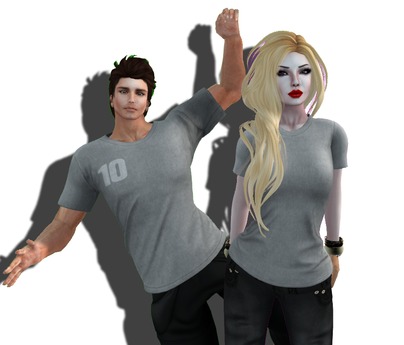
SL10BComing on top of the limited-time offer of the SL10B bear avatar launched last week, the Lab has offered-up more freebies for folk to celebrate SL10B, comprising:

The blog post also reiterates the SL10B Destination Guide category. Anyone organising an event to celebrate SL’s tenth anniversary can submit details of their activity for consideration for inclusion in the special DG category.

Sl10B mesh t-shirts from LL

The post also includes a reminder of the Lab’s SL10B Photo Contest, which could see the lucky winners obtain a homestead region for up to four months.

Read the full update on the SL blog.