A walk through an exquisite path

The exquisite corpse is the theme of a new full sim LEA exhibit called The Path, opening today in Second Life, which features the work of no fewer than eight of SL’s most talented artists.

Surrealists

The term “exquisite corpse” (also referred to as the exquisite cadaver) is a means by which a collection of words or images is assembled, with each collaborator in the piece adding to the composition in turn, either by keeping to a specified rule, or by being allowed to see the end of what the previous person contributed. If you think of it akin to the game of Consequences, in which each player contributes a line of a story then folding it to conceal part of the writing before passing the paper to the next player to continue, you’ll have the general idea.

As a form of art, the process was developed as a game by some of the leading Surrealist artists of the early 20th Century, including André Breton, Jacques Prévert, Marcel Duchamp, Yves Tanguy and Pierre Reverdy.

For The Path, the contributors of the piece are (in the order their work appears in the installation): Bryn Oh, Colin Fizgig, Marcus Inkpen, Desdemona Enfield / Douglas Story, Maya Paris, Claudia222 Jewell, Scottius Polke and Rose Borchovski. Bryn Oh explains how the order was decided upon:

[The] Eight artists were invited to stand upon one of eight different coloured boxes I had set up.  Once all had chosen a box to stand on, a chart was rezzed which listed the order of colours which would dictate the sequence of artists to compose scenes for the narrative. So if red was first on the chart, then the artist standing on the red cube would begin the narrative.  If blue were next then the artist on the blue cube would continue the story.”

It’s an intriguing approach to building a collaborative piece of art – and one I’ve been itching to journey through since first learning about it while interviewing Claudia222 Jewell in September.

The Landmark / SLurl for The Path delivers you to a darkened room together with a request for the region to control your Windlight settings – for the best visual impact, you should allow it to do so.

To your left are eight plinths introducing the eight artists who participated in The Path – clicking on these will give you a short biographical notecard and (in some case) a Landmark where you can see more of their work. There are also two large stone-like tablets introducing you to the concept of The Path and which give you some advice on how to enjoy things – such as making sure you have sound available, as the installation is an aural, as well as visual, experience.

Getting A Head
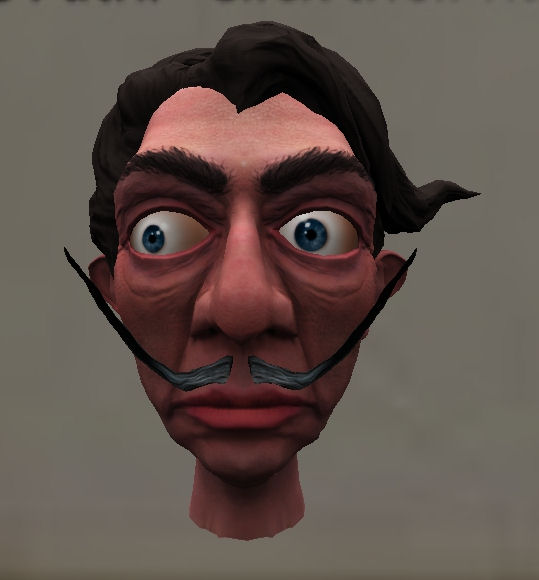
It’s all in his head

A head, resembling a young Salvador Dali, watches you from the bottom of one of these tablets – clicking on it will carry you to the start of The Path proper, and Bryn Oh’s work. Note, as well, that the head is your main clue as to how to proceed through the rest of the work.

Taking the teleport delivers you to a white room. A strange engine-like thrumming fills the air, together with soft piano music. On the floor lies a single, plaintive butterfly, while before you lies a black wall…a hole…beckoning you through.

Walking through the “hole” leads to another white room wherein the music and the thrumming are joined by a lonely wind and the sound of water drip-drip-dripping…another hole beckons. Passing through this brings you to a third room….

The lab – and the start of a journey

It’s a room of curios and oddities, partially flooded – hence the dripping previously heard, planks providing walkways over the water. This is the inventor’s lab. There is much to see here – and one or two things to touch; find them and you will be treated to  a side-story that accompanies the installation, told through YouTube – and which you might witness for yourself in part, should you find yourself in the field beyond the laboratory.
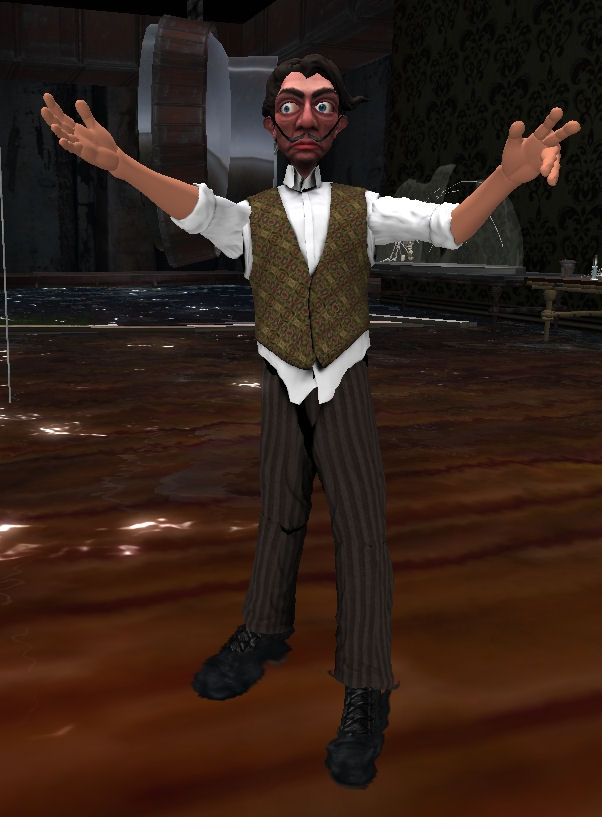
The inventor. Guide and … protagonist?

As you explore the lab, the inventor himself will materialise. You might recognise him – it was his head you clicked when commencing your journey, and thus you have a further clue as to how you must proceed. As he appears, a narrative beings, telling you about the inventor, his flooded lab and the portal he slipped through one day. Take it as your invitation to follow him.

Beyond the laboratory lies a misty, flooded field, water lapping around the trunks of trees. Here you can find the conclusion of Cerulean, the curio-accessed tale told via YouTube. Be warned, however, that if you step out into the field, you will not be able to return to the laboratory; instead you must find another way of continuing your journey along The Path. The only clue I’ll give you is not to wander too far from the walls of the laboratory itself…

Curiouser and Curiouser

With the inventor as your guide you will arrive at the second part of the story, created by Colin Fizgig. This is a hole-y place, with windows looking out on different scenes, different places – with some looking inward at you from the other side. As the narration resumes, it is through one of these windows  – these holes – that the inventor flew, and you must follow him as he dives towards one…
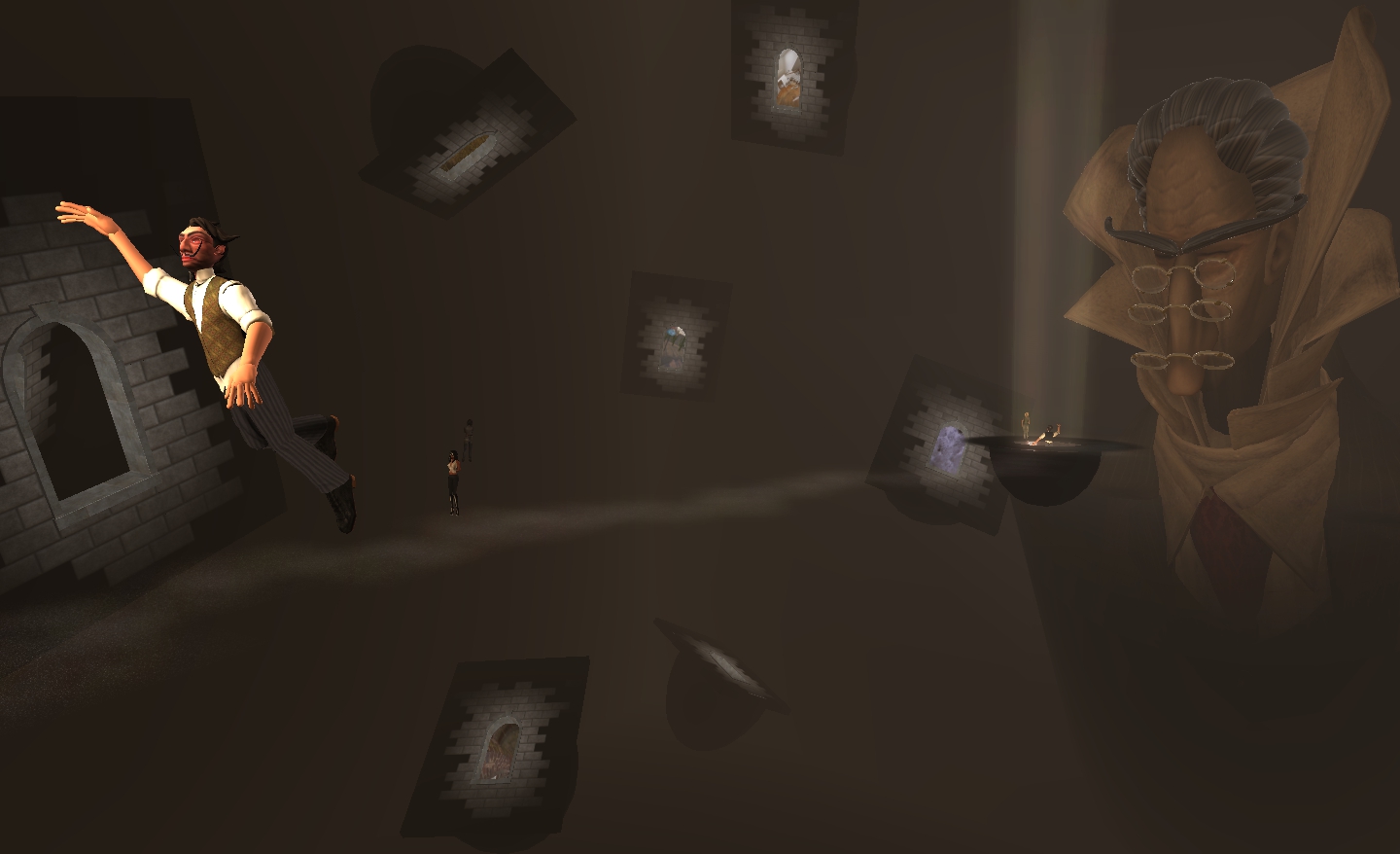
Windows onto worlds – which one is yours?

Marcus Inkpen provides the third part of the installation. Here stands the Overseer and his stout companion, conversing at the junction of several strange, door-lined hallways. Do you take one – and if so, which one? And what’s that about a key being in your pocket? Does it mean something… or…?
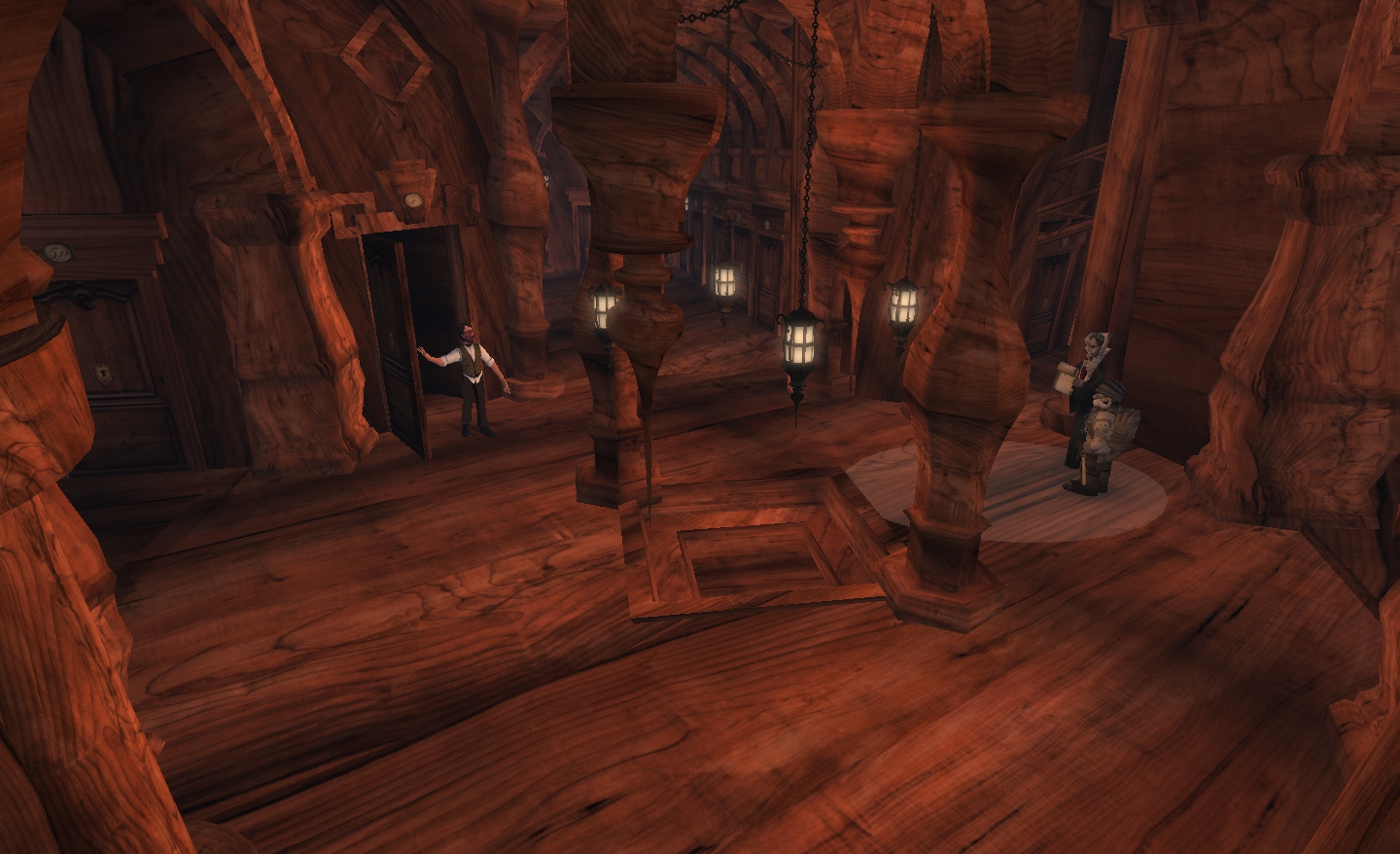
Your doorway awaits

Tonal sounds here give the place a brooding air, and if you wander the hallways, you’ll hear stranger sounds of life from the other sides of the many doors. But which door do you take…and what lies beyond?

Follow the key – carefully

Find the door, and you’ll discover the contribution from Desdemona Enfield and Douglas Story. It starts in a white room, just like the start of The Path itself. Here stand the Overseer and his companion once more, together with an apparently simple and innocent suggestion that you follow the key. But as with so many things, appearances can be deceptive, and following the key may lead to things not quite so simple and direct.

Maya Paris provides an altogether different landscape – are those the shadows of ladders, or the shadows cast by some bizarre web? Is something lurking in the apparent calmness of this place? Climb the ladder and find out; although I hope your eyesight is in good order – and not just for finding the inventor!
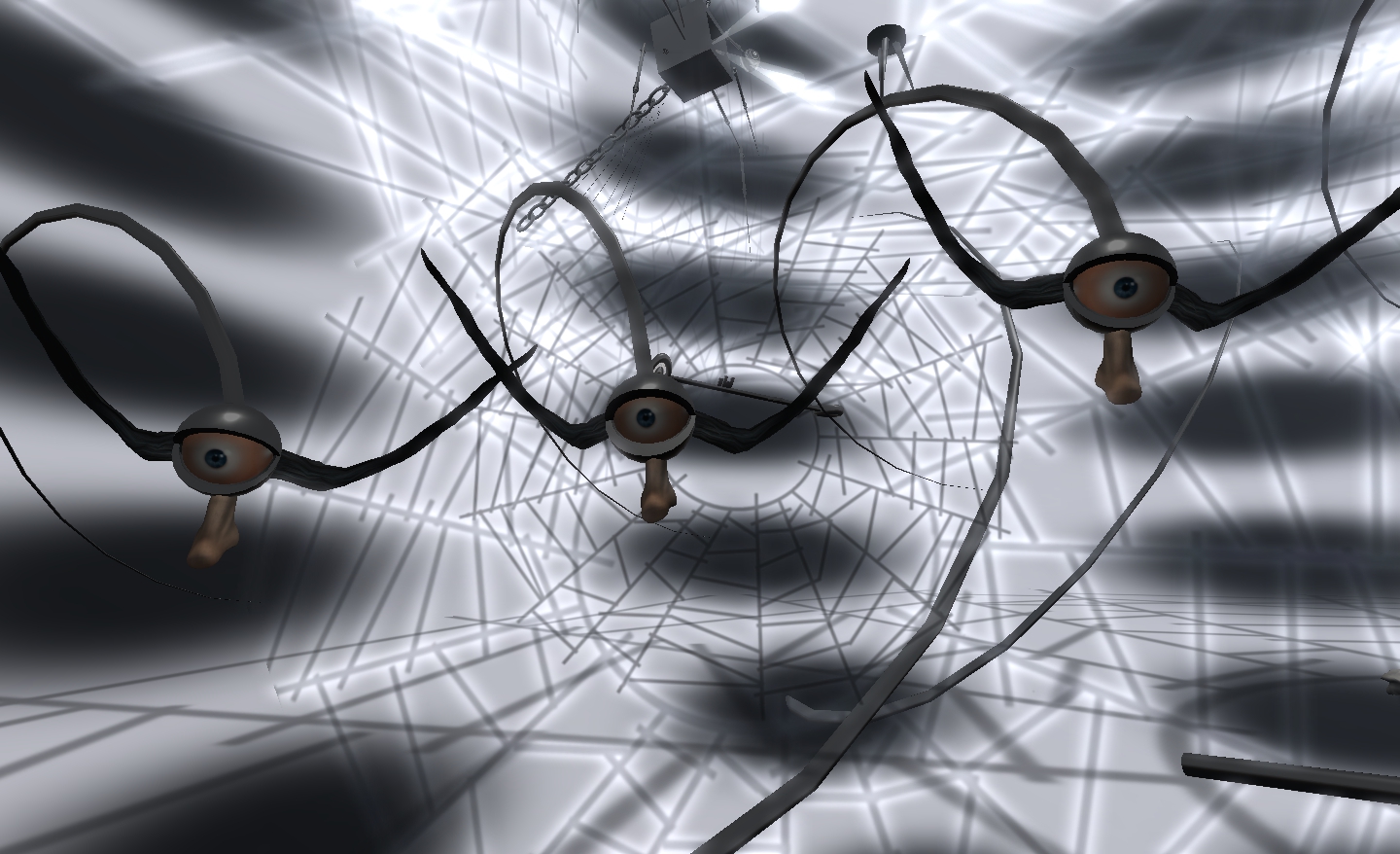
The eyes have it in Maya Paris’ piece

Feast

It is moving on to the sixth part of the installation that I confess to becoming a tad biased. This is because the sixth element features the vivid and beautiful imagination of one of my favourite artists in Second Life – that of Claudia222 Jewell.
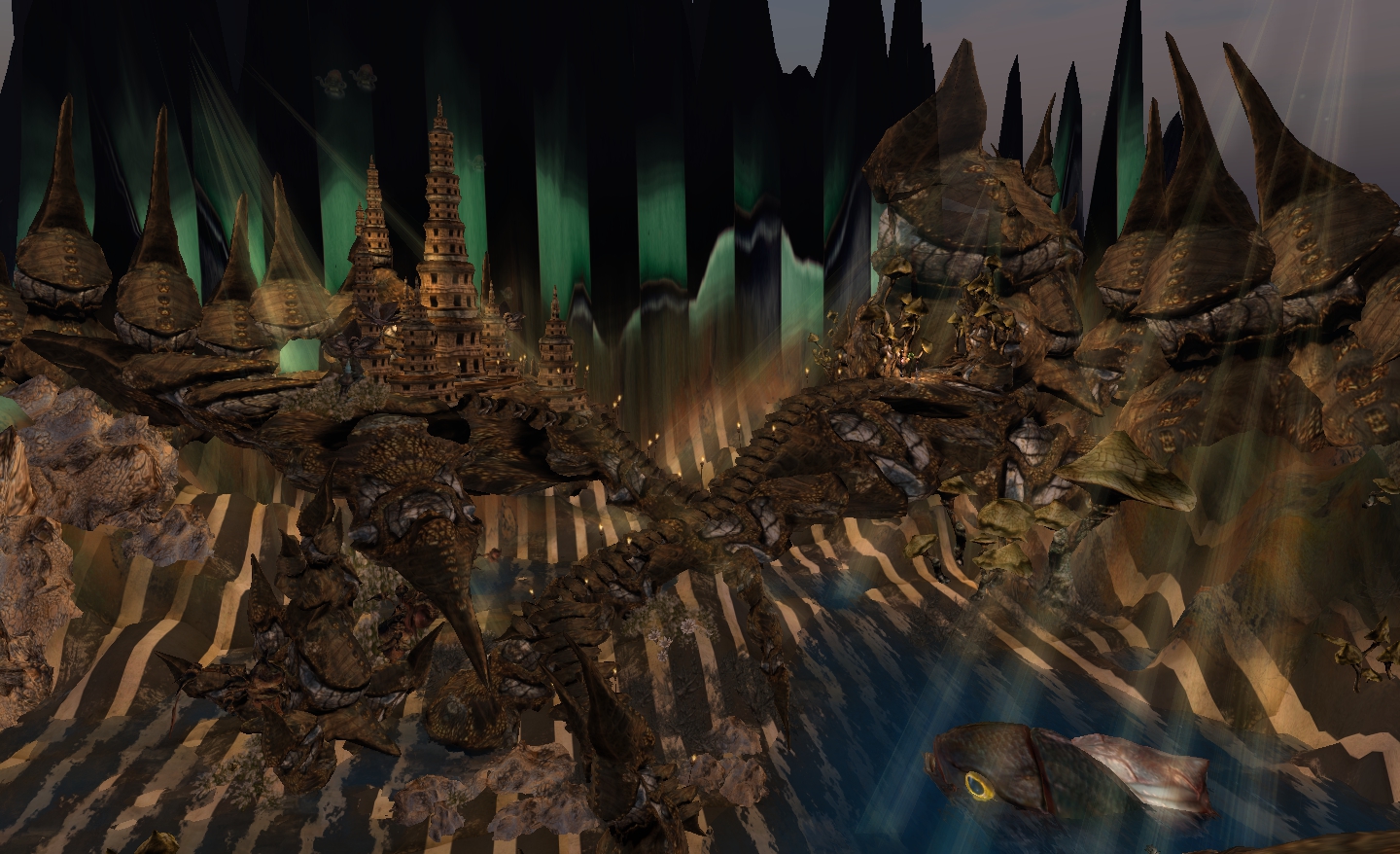
Claudia222 Jewell on The Path – amazing

This is truly a visual feast and (as always with Claudia) a tour de force of what can be achieved in Second Life. Her City of Lost Souls is amazing in its complexity and beauty. Without detracting at all from the other works in The Path, one cannot help but feel this is another of her pieces that should be preserved and displayed for everyone to enjoy.
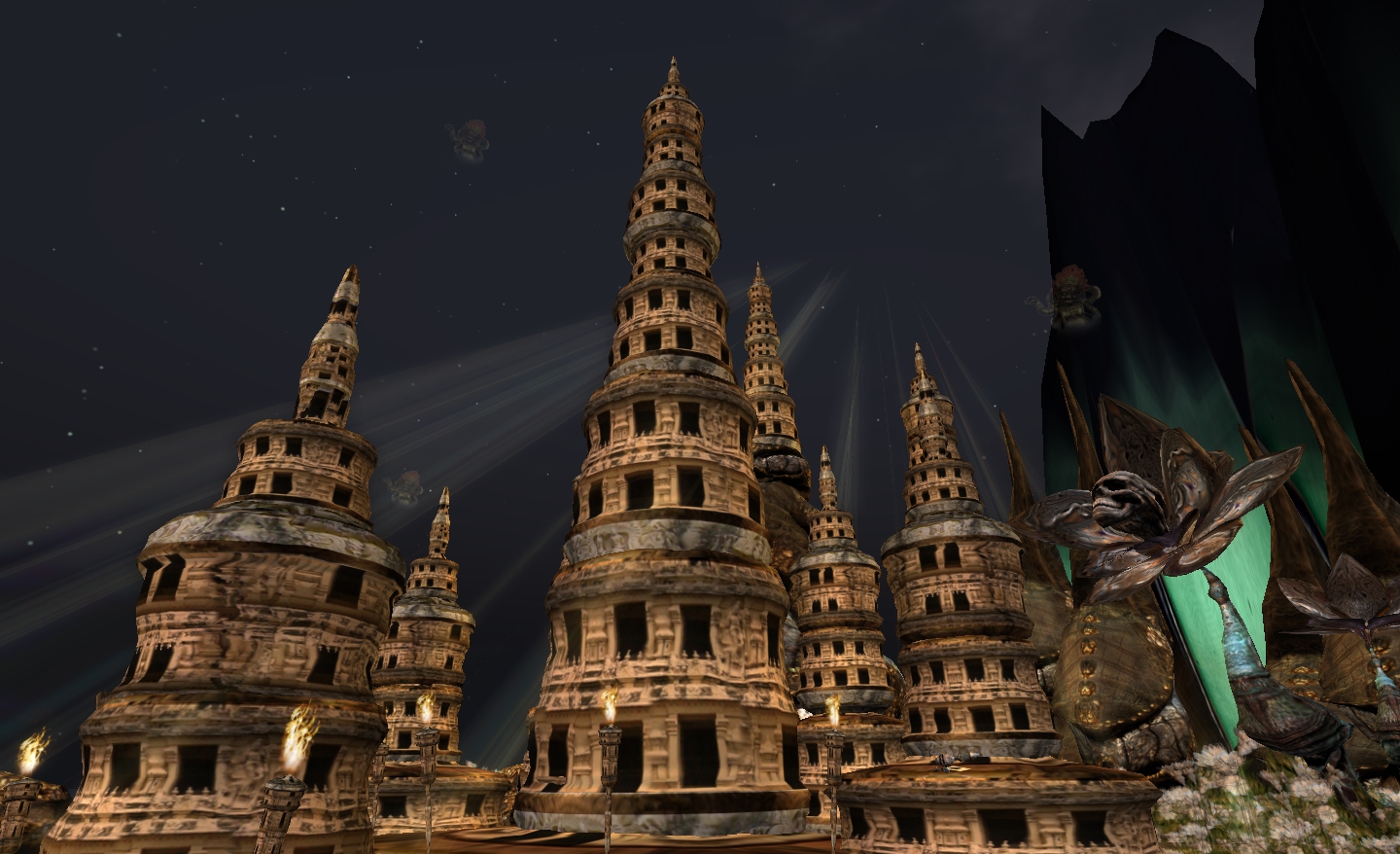
City of Lost Souls – will you be lost in Claudia’s contribution?

If I have one complaint here, it is simply this: Claudia’s work is too enticing. I wandered it for over 40 minutes drinking-in the detail and unwilling to leave. Perhaps that is why her city is inhabited by lost souls – many more may have visited and been unwilling to leave…

But leave one must – and this requires finding a head once more – but not necessarily the head of the inventor; although finding the right one will lead you to him.

Scottius Polke returns to the theme of the laboratory with his contribution to The Path, and on a grand scale. Here you must keep an eye out for the direction you should take, negotiating giant rulers, coiled pipes and other obstacles. This actually needs some care – the route you must take climbing some of the items is very narrow, and lag here and there can easily have you stepping off into thin air if you press a key for too long – as I found out.  And while you climb, be aware your every move is being watched from above, as the inventor himself gazes down upon you; but it is not his big head that will help you out of here.
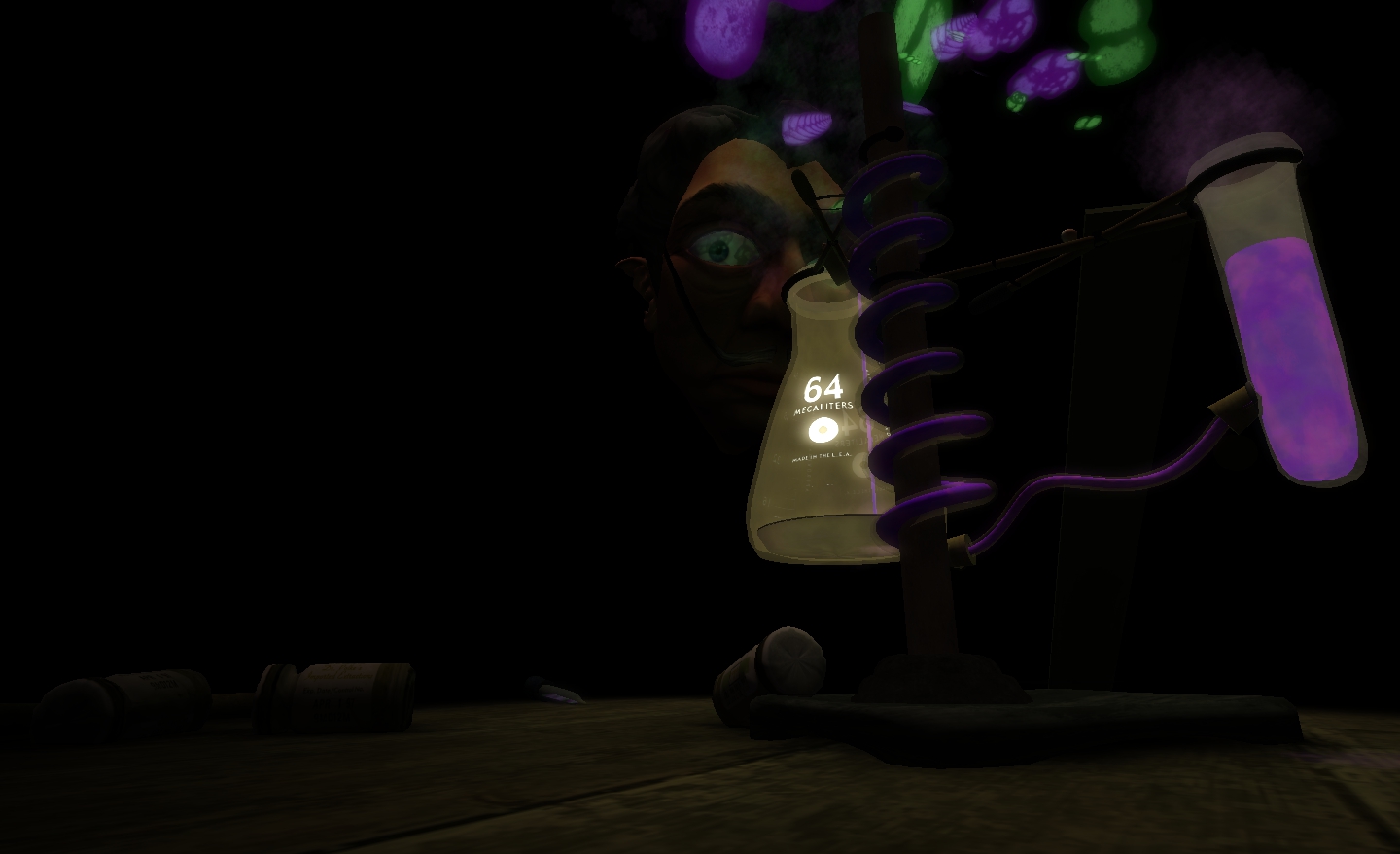
It’s a big world

The final part of The Path is by Rose Borchovski, and you might say it is an eye-opener. It’s also slightly unsettling for ways not easy to discern; it’s not the eyes that stare and follow you; or those heaped pyramid-like, eternally watching. It is more the child’s voice whispering forlornly and the strange circle of beds, each one an echo of the places you have seen and visited while journeying The Path, the occupants (or parts of them in some cases) pinned to them like items in a collection. Be careful with the beds in particular; you might find yourself going on an unexpected trip into the past….
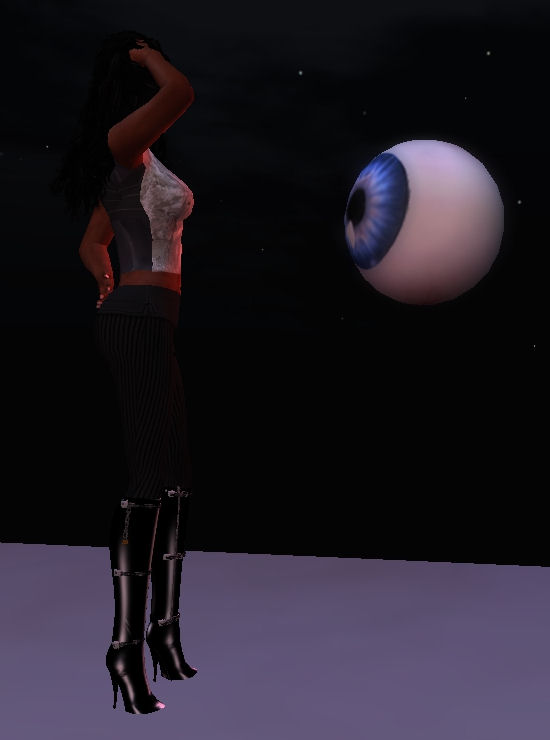
Rose Borchovski gives me an admirer

Overall, The Path is an amazing piece – one that requires a good deal of time to experience fully. Each element of the installation has been carefully considered, and the themes linking them are clear, een when the verbal narrative stops. Each of the sections of the installation is distinctive in both style and approach, while all come together to form a story that can be followed as you roam. Kudos to all those who participated in the installation, and to Bryn Oh for conceiving the idea.

You need to give the exhibit a fair amount of time; even with my joyful distractions in Claudia222 Jewell’s part of the installation, I still spent the better part of four hours roaming, poking, listening, prodding and generally losing myself (once quite literally) in walking The Path. But it was four hours I feel were well-spent. So why not take a walk along it for yourself?

The Path officially opens today for a 3-month period. My thanks to Bryn Oh for the preview opportunity.

Firestorm – an update on updates

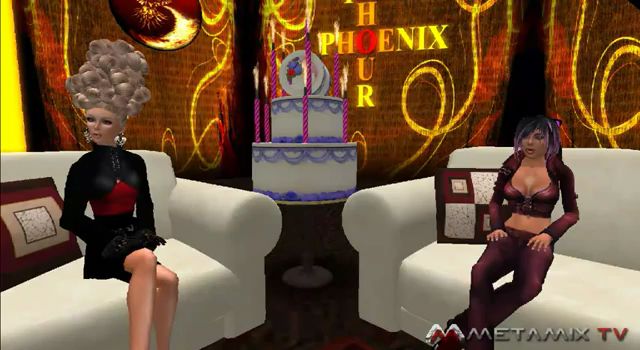
firestorm-logoOn the 4th October, the Phoenix Hour was on-air and had a sort-of celebration for it’s first birthday, having first aired in 2010, and moved home in the interim. A belated happy birthday from me to Phalen, Jess and all the team who work on the show.

Support Groups

Jessica kicked-off the meat of the show with a warning about “unofficial” in-world Support Groups for Phoenix/Firestorm.There are a number of such Groups operating in-world, some of which have proven to be problematic for Phoenix and Firestorm users who have joined them in the mistaken belief that they are a part of the Phoenix / Firestorm team. In order to help people avoid similar issues in the future, Jessica reiterated that “official” support teams will always have either herself (Jessica Lyon) or Ed Merryman as a Founder and / or in the Ownership. As such, when looking to gain “official” support, users should only join these Groups.

Phalen Fairchild (l) and Jessica Lyon filming The Phoenix Hour

Firestorm Update

V1 Functionality

Firestorm has surpassed Linden Lab’s Viewer 2(/3) usage hours, which demonstrates the Viewer has a very strong uptake. However, adoption among existing Phoenix users remains an issue of concern. To overcome this, the team will be carrying out further work on the Phoenix mode log-in option for Firestorm:

  • The toolbar at the bottom of the screen will receive further work, possibly to include text rather than icons in the buttons to help make it look more like Phoenix
  • Phoenix / V1 chat bar behaviour is to be included in the mode:
    • V1 Auto-hiding of the chat bar will be included (Preferences option), so that when ENTER is hit, the chat bar will slide off to the left of the screen (rather than behind the toolbar buttons, as with V1 behaviour); pressing ENTER again will display the chat bat once more
    • Similarly, pressing ESC will hide the chat bar and allow the WASD keys to be used for avatar movement, a-la V1 behaviour. Pressing Enter will display the chat bar once more for text entry
    • A major source of complaint from V1 users coming into Firestorm has been the use of chiclets in the V2 code. The team are looking into an option for users to replace the chiclets with V1 style dialogue boxes if they wish. Firestorm does currently display script menus in the top right and also V1-style notices appearing in the lower right-hand corner – although they do not currently stay open – and the team are looking to enhance this

A further issue with adoption from V1 has been identified with the menu bar – which is clearly very different in V3 Viewers from V1.To assist people in transitioning to the new menu system, the team have started looking at ways in which the V1 style menus can temporarily displayed in Firestorm for a period of around 30 seconds at a time.

The idea behind this is not to replace the V3 menu system, but to help people orient themselves with the new menus – the capability can be used to quickly find & use options under the V1 menu system (such as uploading an image) – once an option has been used, the menu bar will revert to V3 style. In this way, people can find much-used options without frustration, while learning the new menu system at their own pace. While details are yet to be finalised, the capability will most likely be enabled through a button on Firestorm’s menu bar.

As Jessica stated in the show, the Team are trying to provide means by which V1 users find it easier to orient themselves to using Firestorm without impacting the team’s ability to keep pace with V3 developments coming out of Linden Lab. To achieve this the team must balance changes within the Viewer’s functionality with the ability to merge such changes with the code base coming out of the Lab.

Jessica also indicated that not all of the above changes will be implemented in the next Firestorm release, although the chat bar changes will be there (and gave the impression things like hiding the chat bar may be common to all three of the Viewer’s log-in modes).

General Updates

Away from V1 adoption issues, Jessica reported that:

  • Spell check is finished and will be in the next Firestorm release, there are just a couple of bugs to iron out
  • Mouselook has been updated (notably for combat users) to include:
    • The ability to see beacons in Mouselook
    • Mouselook zoom – press and hold the right mouse button and use the mouse scroll wheel to zoom in / out
    • The ability to display local chat and IM history
  • The current “chat echo” behaviour that sees anything typed into the chat bar being repeated in the Local Chat window (if open) and vice-versa, has been fixed, allowing different comments to be typed into each of the chat entry bars
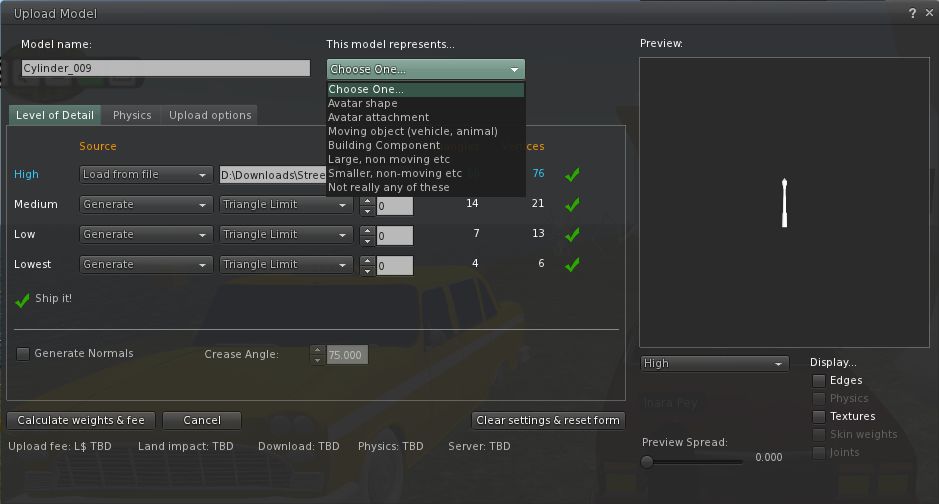
  • Nicky Dasmijn has been working on the mesh uploader, and it looks very much as if this will be in the next release of Firestorm – there was some doubt as to whether it would be finished in time for the next release when Jessica last mentioned it in The Phoenix Hour
Mesh uploads coming to Firestorm (image from Viewer 3 for representative purposes)
  • Similarly, the inventory “jump” issue has been fixed by Kitty Barnett and will also be in the next Firestorm release
  • Notecard find & replace will be included, together with a number of fixes to the text editor, including, it would appear, the cursor placement issue
  • Radar is to made available as a floater in its own right, rather than as a part of the Nearby People Sidebar tab / floater – work has just started on this, so it may not be in the next release
  • Anti-spam controls are to be included in Firestorm – but it is unclear if these will be in the next release or not
  • There are a number of AO bug fixes, although at the time of the show (4th October), the issue of the AO turning itself off when you log-in was still unresolved

Code Contributions

Jessica raised the issue that Phoenix / Firestorm is in some ways viewed as the “giant” in Viewer development and as being somehow untouchable – which is far from the case. While the team does have an extensive support network for users, the development side is actually quite small (thirteen developers in total, only some of whom are able to commit large amounts of time to the project).

Therefore, rather than being large and untouchable, the team actually welcomes contributions from other developers that can be incorporated into the Viewer. Such contributions don’t have to by major new features or bug fixes, as Jessica stated:

“You may think that you’re not worthy, or you’re not good enough – but you are. Trust me. Even the littlest, smallest contributions you can provide are sometimes really big impact things Even just a typo that you find in the interface … and you can fix that easily and submit it to us … The thing is, I can put Aaron on a typo, and he’s going to spend 15-20 minutes on that typo; but that 15 minutes of Aaron’s time can be spent on really complicated things, and I’d rather keep him on the more [high] impact stuff, the complicated things that only he can do, than to put him onto something small. But if you can supply us [with] a patch, we can right-click, commit, give you credit for it and suddenly it’s fixed and it hasn’t taken us any time at all.”

Jessica then went on to outline the contributions that have come from a number of people – and other Viewers – that have helped to improve Firestorm, culminating in a further statement that Firestorm would not be where it is today without the efforts of a lot of contributors outside of the core team, “So if you have something in your Viewer that  improves your experience, I bet you it’s going to improve someone else’s. Send us a patch”.

Patches can be submitted via the Phoenix JIRA – you will require an account. There is also a mailing list available for developers and compilers to join. Note that this is not for asking questions on using the Viewer or for making suggestions for future features, etc – all of these should be handled through the usual support channels. The mailing list is purely for those actively engaged in Firestorm development, or who to assist in developing the Viewer (so it could be used to confirm whether or not someone is already working on fixing a particular bug or not, for example). Full credit for all patches / code used are given.

New Classes for Firestorm

There are new classes for Firestorm covering subjects such as troubleshooting, creating and using Contact Sets. Notification on these classes are provided through the  Phoenix / Firestorm Support Groups.

When Will the Release be Made?

There are a number of things still to be sorted as core issues prior to the next release of Firestorm.

  • As previously indicated, there are a number of issues inherited from Linden Lab within the code, and for which the team are still awaiting fixes from the Lab
  • Jessica would personally like to see the issues of settings reverting and the Viewer locking up as “not responding” periodically for some to be fixed prior to the next release

As such, there is still not given date for the next release – too much depends upon Linden Lab in many respects.

A further issue for the team are the recently announced changes to the Viewer UI that are to be forthcoming from Linden Lab.  At the time the show was recorded, little was known as to when these changes would start to be implemented by Linden Lab (or, in fact, what they would be), and Jessica was of the opinion that the team would likely release Firestorm prior to merging it with any UI updates coming out of LL.

However, given that some of these are now apparently due by the end of October (merging the Basic & Advanced modes, click-to-walk functionality, etc.), as indicated by Rodvik Linden speaking over on the SLU Forums, plans for Firestorm may have again been changed. As such, there is liable to be a further update on the release status for Firestorm at the next Phoenix Hour to take this particular matter into account, once more is known on LL’s plans.

Jessica was also unable to commit to supplying a date for the release of Phoenix with Mesh support. This has dependencies other than mesh (such as a complete update of the RLV system), which the team would like to see completed priority to making a further Phoenix release.

Finally, both Firestorm and Phoenix are also waiting on LL fixing the mesh-related OpenGL  issues and graphics issues that are currently being investigated by Runitai Linden.

The next Phoenix Hour is schedules for 14:00 SLT on Tuesday 18th October.

MACHINIMUWA IV: Art of the Artists offers L$300K prize pool

The University of Western Australia in partnership with AviewTV, Cutting Edge Concerts, Open This End and the Summerland Estates announced MachinimUWA IV : Art of the Artists – a machinima competition offering a prize pool totalling L$300,000.

Submissions are open through to the 10th November, and the competition lists an impressive and distinguished list of judges:

  • Professor Ted Snell (RL) – Director, Cultural Precinct, The University of Western Australia
  • Rhett Linden (SL) – Vice President, Experience Design, Linden Labs
  • Jay  Jay Jegathesan (RL) / Jayjay Zifanwe (SL) – Manager School of Physics/ Lead of UWA Virtual World Projects
  • Yesikita Coppola (SL) – Official Machinimatographer for UWA 2011
  • FreeWee Ling (SL) – Curator, UWA 3D Open Art Challenge
  • Pia Klaar (SL) – Machinimatographer and Winner of MachinimUWA III Viewer Event
  • LaPiscean Liberty (SL) – CEO AviewTV and UWA Virtual World Technical Media Advisor
  • Persia Bravin (SL) – Journalist, SL Media Producer and TV host
  • Mal Burns (SL), Metaverse News Aggregator and Broadcaster
  • Editorial Clarity (SL) – Metaverse Journalist and Senior Writer, BOSL Blog & BOSL Magazine
  • Rowan Derryth (SL) – Art & Design Historian; Writer for Prim Perfect Publications
  • Dousa Dragonash (SL) – COO Metaverse Television
  • Dr. Phylis Johnson (RL) – Media Professor, Southern Illinois University & author
  • Thirza Ember (SL) – Art Blog Writer
  • Phaylen Fairchild (SL) – Award Winning Writer, Director, Comedian
  • Flimsey Freenote – CEO of Metamix TV (Mixed Reality Television)
  • Cristina García-Lasuén (RL) / Aino Baar (SL) International Curator, Art Writer, Founder & Owner of Open This End group
  • Nazz Lane (SL) – Journalist and Author
  • Chestnut Rau (SL) – Journalist
  • Suzy Yue (SL) – Artistic Director, Running Lady Studios

The Challenge

The challenge for those participating in MACHINIMUWA IV is to, “Create a machinima that features some (or one) of the artworks submitted to the UWA 3D Open Art Challenge. You can choose to film as many (or as few) as you like, and you may submit any number of entries. There is no enforced time limit, however a recommended time limit would be between 3 – 6 minutes”. As to theme, the judges simply state, “Create something that will take our breath away”.

Completed videos can be uploaded anywhere, although the competition hints at a preference for either YouTube or Vimeo, with the link and details passed to Jayjay Zifanwe & LaPiscean Liberty prior to the closing date. Artworks appearing in the machinima should be acknowledged. Entries will be displayed on the UWA Second Life blog.

For full details on the competition, including details of the art series and location, filming the works either in situ or elsewhere, please refer to the MACHINIMUWA IV: Art of the Artists post on the UWA SL blog.

With thanks to Jayjay Zifanwe for the information & UWA for the use of the competition graphic

National eXtension Virtual Conference simulcast in SL

October 17-19 will see the US-based National eXtension Initiative host a Virtual Conference on-line and in Second Life.

The conference is billed as being for, “Anyone working to reach and interact with the public will be interested in this active and reactive virtual conference designed to build your knowledge skill set about the changing world of information today and for the future”.

It will be streamed live over the web (note that this website will remain static until the conference commences), and will also be broadcast in-world in Second Life at the NeVC’s open-air auditorium (SLurl).

The conference offers a relaxed pace to suit the working environment – those wishing to participate don’t have to spend the entire day glued to a live stream or in-world – and offers the opportunity for those best-suited to the time zone (East Coast USA) to share the eent with work colleagues.

Schedule of Speakers

All times SLT.

Monday 17th October

Tuesday 18th October

  • 08:00 – Robin Good: online entrepreneur and publisher of www.MasterNewMedia.org, an online magazine covering the effective use of new media technologies for business and communication, Robin has seen his work mentioned in over 100 books and his writing followed by nearly 10 million people worldwide in 2010. He introduced the concept of “news radars” in 2004, and has since expanded on the concept. On top of all this, he current curates multiple new topics at: http://scoop.it/u/RobinGood
  • 11:00 – Paulette Robinson is the Assistant Dean for Teaching and Learning for the Information Resources Management College at the National Defense University and leads the Federal Consortium for Virtual Worlds, which is used by government, industry, and academia interested in virtual world use for confronting and solving common issues.

Wednesday 19th October

Each session will last 45 minutes, and will be followed by a short break, after which there will be some 90 minutes available for interactive Q&A via chat and Twitter. As well as being streamed live, each presentation will be recorded for later re-broadcasting.

Further information can be found on the conference web page (note that all times on the website are EDT, not SLT!), and by following #nevc2011 on Twitter.

With thanks to Rik at NPC, and Terry Meisenbach at The National eXtension Initiative.

Direct Messaging comes to my.secondlife.com

Linden Lab, again with little or notification, have added a new feature to my.secondlife.com – Direct Messaging.

The new feature allows you to send personal messages to your friends via your and their Web Profiles. These messages do not appear on your own Feed or that of the friend you are messaging.

Here’s how it works.

Sending a Direct Message

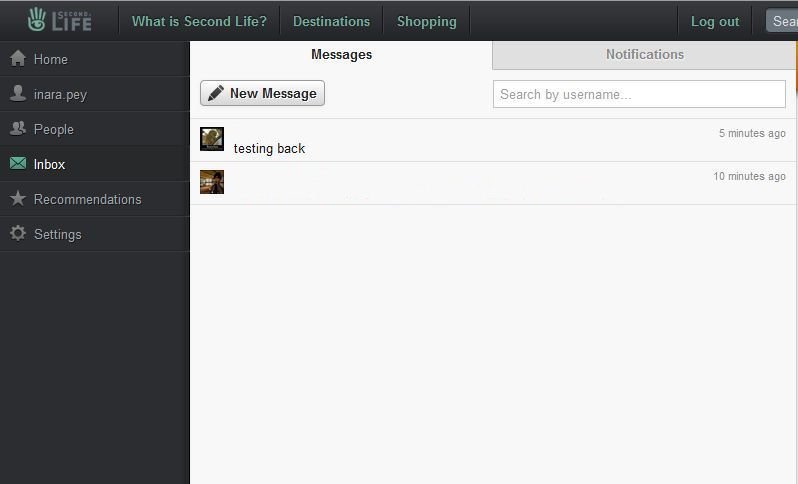
Log-in to your Web Profile at my.secondlife.com and click on your Inbox (/mail) tab and click on the MESSAGES tab at the top of your inbox (if necessary) to display your direct messages.

Web Profiles Messages tab

Now click on the NEW MESSAGE button – this will open a page requesting the name of the person(s) to whom you wish to send a direct message (they must be on your Friends list). Enter the name in the format first.last – or simply click on the desired name from the list that is displayed as you type. Finally, enter the message itself in the box provided and click SEND.

Note that you can also use the People tab on your Web Profile and then scroll through your list of friends, select the person you wish to DM then select Send a Message from the “Pen” button on their Web Profile page. However, the above option is somewhat quicker.

Receiving a Direct Message

Web Profile Inbox notifications

How you receive a DM depends on whether or not you are in-world.

If you are not logged-in to SL at the time a DM is sent, notification is only received by your Web Profile in the form of a numbered icon appearing in the Inbox tab (see right).

Note that this is the same icon that is displayed when receiving other notifications via your Web Profile as well, so it may not always be indicative that you have received a DM.

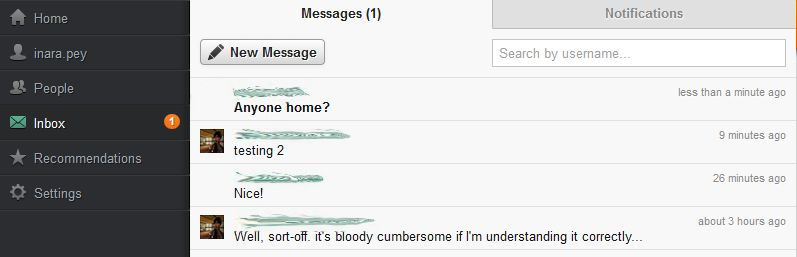
To view any new DMs you have received, click on the Inbox tab to open it. New DMs will be displayed directly on your Messages Tab with the text in bold (see below). Note that if you have received multiple DMs from a single person, only the last DM they have sent will be displayed on the Messages tab.

Incoming DMs – displayed in bold; click on sender’s name to view

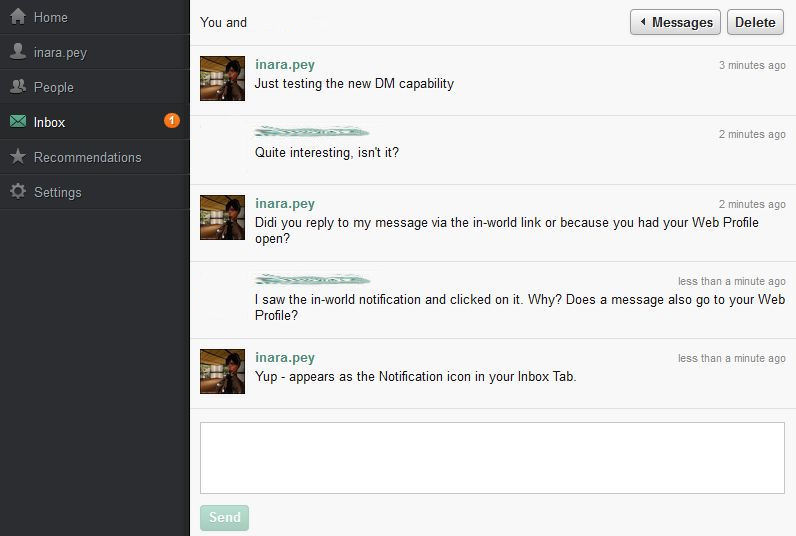
To view and reply to a message, click on the name of the sender. This will open a further page. Note that the DM may be displayed on its own (if it is the first you have received from the sender), or as a part of an ongoing exchange, in which case the entire exchange will be displayed, with the most recent DM at the bottom, together with the option for you to reply (below).

A DM Exchange
  • Tip: If you are exchanging a number of DMs with a friend, click on the page refresh option of your browser each time the Inbox notification appears – this will refresh the message list & display the new incoming message on your screen (clicking the Inbox tab itself will take up back to your Messages tab, requiring you to click on the sender’s name yet again to open the DM exchange and view their most recent comment).

In-world notification

DM in-world pop-up notification

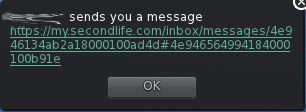
If you are in-world when a DM is sent to you, an additional notification will be displayed in your Viewer (see right).

In-world, notifications appear as a pop-up with a link to the message itself. Clicking on the link will open your Web Profile in either your Viewer’s browser or your default web browser (depending on your Preferences) and display the message and reply option as shown above.

Notes:

  • When viewing a Direct Message from in-world, you may have to additionally log-in to your Web Profile – once you have done so, the message page will automatically be displayed
  • Some V1.x Viewers garble the incoming notification, for example: “xxxx  sends you a messagehttps://my.secondlife.com/inbox/messages/4e948648ab2a18000100d6” – note the lack of any space between “messages” and the url. This causes the link to fail when clicked. If this happens, delete the extraneous “message” in front of the “https” in the browser’s address bar.

The Delete Button

The Direct Message option includes a button to delete exchanges. This is useful for removing old conversations, but should be used with care.

If you delete an ongoing exchange, the other side is not informed of this by default. They will only find out you have left the conversation when they:

  • Either refresh the page, which will display a message that  informing them you have left the conversation
  • Or they return to their Messages tab, where they will see your name now has a strike-through, indicating you have deleted the exchange.

Similarly, if the other side of your exchange deletes it, you will not be informed until you either refresh your page, or return to the Messages tab.

Note that in either case, messages can still be sent by the party who has not deleted the conversation. However, the messages will not be delivered or any notifications given.

Once a conversation has been deleted, the NEW MESSAGE button on the Message Tab must be used to start a new exchange.

Useful Addition

While this feature doesn’t (yet?) allow for direct DM-IM-DM exchanges to take place, it nevertheless adds another layer of communications options to SL users, and could prove especially useful in enabling conversations between friends when one or other cannot easily get in-world while avoiding the lag created by e-mail. It will be interesting to see if further enhancements are added along the way.

LEA announce 20-sim deal with LL

The Linden Endowment of the Arts (LEA) have announced they have secured 20 sims from Linden Lab to promote the arts in Second Life.

The LEA Land Grant will make the sims available to the LEA for a 12 month period. These sims will be used as follows:

  • Two sims will be allocated via a Land Rush
  • Four sims will be reserved for exhibitions curated from LEA sandbox builds
  • Fourteen sims to be allocated on the basis of an application process, which closes on November 1st 2011.

The fourteen sims to be allocated on the basis of an application process will be made available to successful applicants for periods of five months before being transferred to the next set of awardees. Details on how the Land Rush and 4 “sandbox promotion” sims are to be allocated and for how long, have yet to be mad public by the LEA.

Separate

This deal, it would appear, is entirely separate from Mark Kingdon’s announcement, made in 2009, that some 70 sims would be made available within Second Life as a part of an effort to support the arts. At that time, given the amount of private effort – with absolutely no subsidy from Linden Lab  – that goes into supporting art and creativity in Second Life, Mark Kingdon’s announcement caused a fair amount of concern as to what such a grant would do to such privately funded efforts in support of the arts.

At risk: privately funded art support?

While this announcement from the LEA is smaller, it is likely that it will give rise to similar concerns, particularly given the superb work performed by the likes of Art Screamers in their promotion of sim-sized installations such as Through the Lens of Dreams, and other exhibits which are met entirely out of the sim owners’ own pockets.

Weakens?

Which is not to say the LEA do not provide stunning installations themselves – again as witnessed by Rebeca Bashly’s brilliant and immersive Inferno equally demonstrates. Even so, arrangements such as this – as well-meaning as they might be – do create an imbalance in the SL art community, which is still very much a limited pool of talent. If that talent is fully engaged in LEA efforts, then there is a risk that those who privately fund art activities may well be faced with no other option that to consider shutting down. This in turn potentially weakens art in SL on two fronts:

  • It reduces the number of venues available in which those not selected for such grants can display their work and talent
  • It runs the risk of what constitutes “art” for wider consumption within Second Life being defined by a small, closed group within SL – again leading to potentially fractious accusations of the infamous “feted inner circle” variety rumbling across the community.

The flip side to this is that it might be said that many aspiring artists within Second Life might be presented with a chance to gain an audience through their participation in the Grant. A chance that might otherwise elude them if they had to rely on other means of promotion.

For those wishing to participate in the LEA Land Grant, the application requirements are available on their website via the link above. All applicants must be familiar with, and agree to abide by, the SL Terms of Service, Community Standards and the LEA Code of Conduct in order to participate in the programme.