Facebook recently implemented changes to the API which Linden Lab (among others) use to allow snapshots to be uploaded to Facebook from the viewer via the SL Share capability.
In response to this, as as I noted in my TPV Developer Meeting report on April 11th, the Lab made changes to SL Share itself to comply with Facebook’s update. These don’t involve and functional changes to SL Share or the way you go about uploading snaps, etc, to Facebook, and it had been hoped that the whole process of changing from the “old” to the “new” API would be completely transparent to SL users.
Unfortunately, Facebook seem to be lagging behind in actually migrating applications using the API to the updated version, and as a result have indicated that some of the applications (like SL Share) might encounter some disruptions as the switch-over occurs.
Because of this, Linden Lab have issued a warning to those using SL Share for Facebook uploads that there might be temporary problems with the service. The notice, which came in the form of a technology blog post, reads in part:
This means that when using SLShare (updating status, photo uploads, and check-ins from the Viewer) you may experience some temporary problems. Please be assured that we are aware of this and any issues you encounter should be resolved once the migration period is complete.
Thank you for your patience!
Note that potential problems might occur with any viewer using the SL Share capability to upload to Facebook, and not just the official viewer. So if you are using a TPV with the capability, please keep this in mind.
The SL Share to Facebook allows you to upload images, provide status updates, etc., directly to your Facebook account – and has proven very popular among the large numbers of SL users who are willing to connect their SL and Facebook accounts
For those unfamiliar with the Facebook upload capability, it can be accessed either via a dedicated menu / toolbar option in those viewers supporting it, or via the unified snapshot floater (again, in those viewers supporting it). It allows those with a Facebook account to send updates on where they are in SL and what they’re doing, upload snapshots, complete with pre-processing filters. There’s also a Friends tab in the Facebook floater, but this hasn’t been defined in the Lab’s Knowledge Base article on the capability, as I don’t use Facebook, I’ve not been able to confirm it’s use. I assume its a method of connecting to other SL friends you have who also use Facebook.
“agent_limit”- get the maximum number of avatars normally allowed on the region (teleport home, and login to last location, are allowed to exceed this).
“estate_name”- returns the name of the estate (e,g, “mainland”, “Linden Homes”, “My Happy Estate”, etc. )
“region_cpu_ratio”- returns the number of regions per CPU for this region type (i.e. “1” or “4”)
“region_product_name” – returns the type of region this is: “Estate / Full Region”, “Mainland / Homestead”, “Estate / Openspace”, “Estate / Full Region – Skill Gaming” etc.
“region_product_sku” – returns the region’s product number as a string
“region_start_time” – returns the time the region was last (re)started, in llGetUnixTime format
“simulator_hostname” – returns the simhost running this region. Same as llGetSimulatorHostname but without the script delay.
Commenting on the llGetEnv() updates at the simulator User Group meeting on Tuesday, April 28th, Simon Linden, who made the updates, said, “these are all pretty simple ones … I went for the easy pickings. Basically, information we already sent to the viewer, or was readily available, and thus not a privacy issue.”
He continued, “There was one [further option] for the max number of agents that was in the original list but that one got skipped … not part of a sinister plot but I overloooked it. want to do some other things with that limit sometime soon as well 🙂 … I’d like to see how the region and viewer performs with bigger numbers. Things go bad with many AVs for a variety of reasons … the server has more updates to send to more people, all wearing more scripts and AOs and HUDS [and] the viewer gets overwhelmed with too many complex avatars and too many textures in the download and graphics pipeline.”
SL Viewer
The Avatar Layer Limits RC viewer updated to version 3.7.29.301305 on April 28th, bringing it to code parity with the current release viewer. This RC allows users to wear up to 60 wearable layers (jackets, shirts, tattoo, alpha, etc.) in any combination – so you can wear 60 tattoo layers with it an nothing else, if you want – rather than being restricted to wearing a maximum of 5 of each type of layer.
Other Items
Online / Offline Indicators
People are noticing that the group chat list (the list of group members in the Group panel), is now much slower to update as people’s status changes (i.e. whether they are on-line or off-line). This is intentional, and comes as a result of the recent improvements made to group chat.
In particular, and as I reported in these pages as work on group chat commenced in 2014, the volume of people logging-in to and out of SL can generate a huge amount of updates for the group chat service (given your status has to be sent to every group of which you’re a member, and to over member of that group who is online to update the group list in their viewer with your new status), meant that more time was being consumed by the group chat servers in handling these update messages than in handling actual messages. The fix for this problem means there is a natural delay in group list updates, as they are now processed differently to reduce the impact they have on message handling.
However, some people have started noticing that some group chat lists with 20+ members seem to take a very long time to update – times of 5-10 minutes have been mentioned, and this is causing some confusion when seeking things like assistance from group owners / moderators (as they can appear to be logged-in long after they have logged-off). It’s also bee reported that at times the list seems to get stuck with no updates until the group chat itself is closed and re-opened, although this appears to be somewhat intermittent.
During the Third-Party Developer (TPVD) meeting on Friday, April 24th, Oz Linden put out a request for assistance from members of the SL Linux community in order to ensure that the Linux version of the SL viewer continues to be developed.
His comments came as a part of a discussion on media work within the viewer in general, and can be heard in the video of the meeting provided by Chakat Northspring, starting at the 9:10 mark.
For ease for reference, I’ve extracted the comments into an audio file (with a little clean-up to remove repetition), which is embedded below, any timestamps in this article refer to this audio.
Essentially, given the “extremely low” number of users running the Linux flavour of the viewer, and because the Lab wishes to focus on some “really cool things” for Second Life (no details on what these are), a decision has been made to remove Linux from any major focus of the Lab’s attention. Therefore, the Lab is looking to the TPV and open-source community to help ensure the Linux version of the viewer is maintained and moves forward. In making the request, Oz said in part [00:38]:
I just don’t have the time to put people on doing a lot of Linux work. I just don’t. So, if there’s going to be a working Linux viewer, the Linux user community is going to need to pitch-in and help get it done, because frankly, if it doesn’t work, I can’t afford to fix it.
I have not been getting Linux contributions. What I get is occasional complaints that this or that thing doesn’t work in Linux … and the ethos there is that the community is what makes it work, and what I’m saying to the Second Life Linux community is, if you want it to work, you’re going to have to help.
The Lab will integrate and provide build services for Linux, and publish the results, but the Lab is no longer going to pursue development of the viewer on Linux, which means that if things are not working in the Linux flavour of the viewer, and there is no inwards support to fix them, then they’re unlikely to be fixed.
This shouldn’t be taken as a sign that the Lab is trying to “kill off” Linux support; it is a matter of focusing resources to serve the community as a whole. In this respect Oz added [01:55]:
And I hope that having said this, I will get a bunch of people step-up and start doing things and give me a lot of integration work to do. That’s my fondest hope. So next time you hear someone complaining about things not working on Linux, tell them i invited them to help.
On April 23rd, 2015, the Lab updated the de facto official viewer to version 3.7.28.300918, formerly the Tools update Release Candidate viewer.
As regular readers of this blog know from my regular SL project updates, this release is primarily focuses on a change to the tools used to build the viewer (to Visual Studio 2013, Xcode 6.1, and some other tools improvements).
Two important aspects of this update are that:
The Windows version of this viewer will not install on Windows XP systems, regardless of the Service Packs also installed (previous versions of the release viewer would install on Windows XP system which had Service Pack 3 installed)
The Mac version of the viewer will not install on any version of OS X below 10.7.
Note that this is not a deliberate attempt to block XP users or those on older versions of OS X from Second Life; it is purely the result of the Lab using up-to-date tools for building the viewer (and which will yield positive benefits elsewhere. for example, during its time as an RC viewer, the new build version has had a crash rate some 2% lower than than of the official viewer built using the “old” tool chain. There have, however, been some reported issues of Linux users experiencing problems using this version of the viewer.
A further benefit of the tools project is that it offers the Lab and TPVs the opportunity to work with a more common set of viewer building tools due to the removal of some licensing issues. It is therefore more than likely that at least some TPVs will move over to using the new tool chain as well.
This viewer also introduces the updated log-in options at the top of the viewer’s splash screen. The three button approach seen by most users has been replaced with a log-in area with a single button (note that users logging-in to SL for the first time or after a clean install will still see the “first time user” log-in splash screen).
LL viewer log-in updates: as they first appeared after an initial log-in following the 2014 revisions to the log-in / splash screen (top); and as the log-in options are displayed in the updated release viewer (bottom) – click for full size, if required.
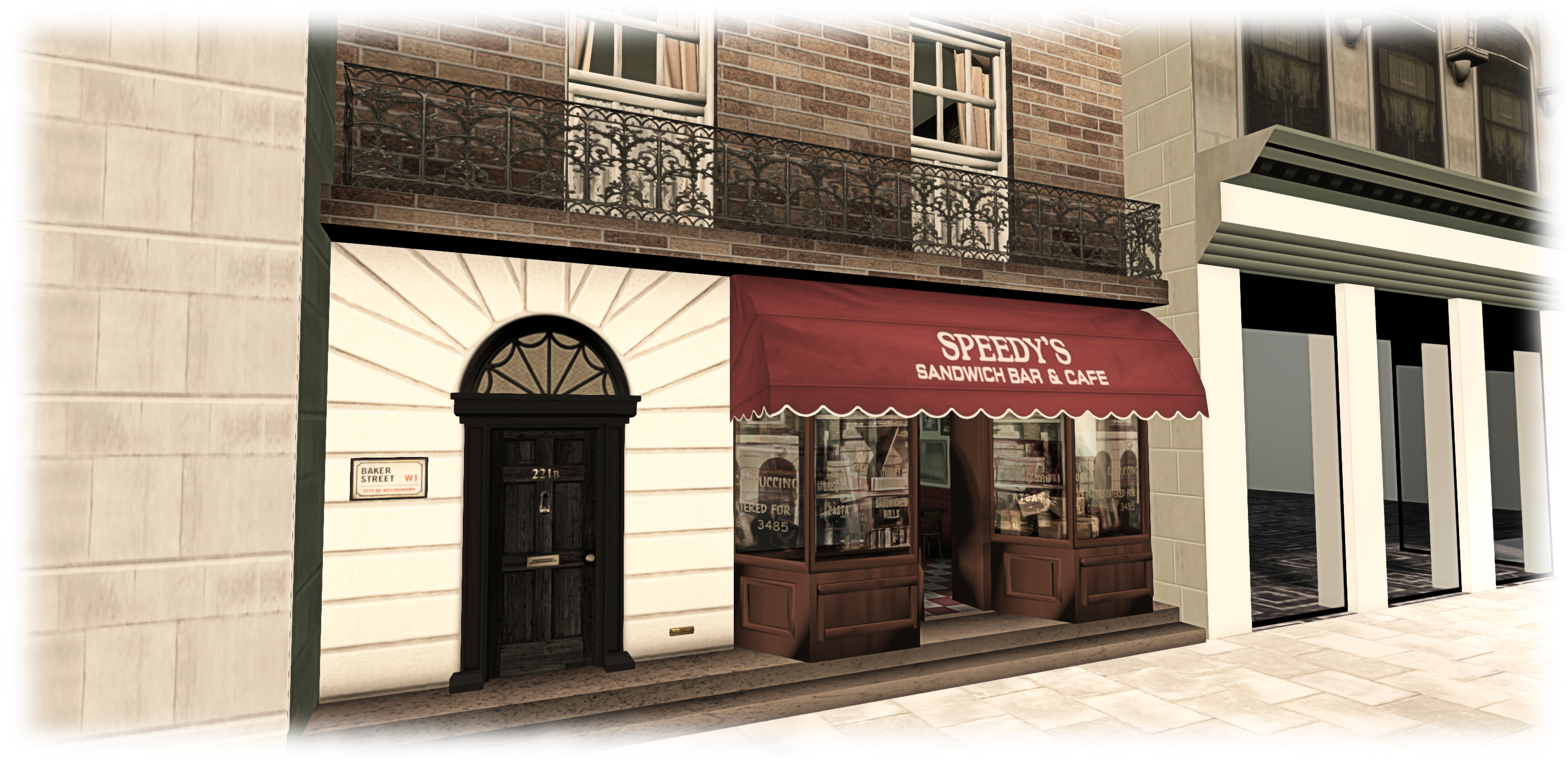
221B Baker Street, circa 2012-2015, as seen in the BBC’s series Sherlock – and in Second Life – blog post
Server Deployments, Week 17
As always, please refer to the server deployment thread for the latest updates.
On Tuesday, April 20th, the Main (SLS) channel received the server maintenance package deployed to all three RC channel in week #16, which comprises internal server logging changes and new flags for llGetObjectDetails()
OBJECT_BODY_SHAPE_TYPE – returned list entry is a float between 0.0 and 1.0. Anything > 0.5 is male, otherwise female; -1.0 if the avatar is not found
OBJECT_HOVER_HEIGHT – returned list entry is a float, -1.0 if the avatar is not found.
There will be no deployment or restart on the three RC channels on Wednesday, April 22nd.
This means there will be no Main channel roll in week #18, but there should be a new RC update, although this is still being worked on.
SL Viewer
The Avatar Layer Limits RC viewer updated to version 3.7.28.301019 on April 20th. This viewer allows users to wear up to 60 wearable layers (jackets, shirts, tattoo, alpha, etc.) in any combination and any number per layer up to the overall maximum of 60, rather than each individual layer being limited to a maximum of 5 items.
The Tools Update RC viewer has been performing very well since the last update (April 15th), and there has been something of a debate in the Lab as to whether or not to promote it to the de facto release viewer. While there is no hard-and-fast rule about when an RC is promoted to release status, very often the Lab prefers to leave two weeks between releases unless something is urgently required. Sticking to this would mean the viewer won’t be promoted until week #18 (week commencing Monday, 27th April); however we’re still early in the week, and things might change.
Viewer Managed Marketplace Beta
The Viewer-Managed Marketplace (VMM) officially started an open beta test on the main grid, which is scheduled to last for about a month for details see:
Avatar Complexity is the term the Lab has settled upon for the upcoming functionality which provides greater control to user to define how other avatars are rendered in their world-view.
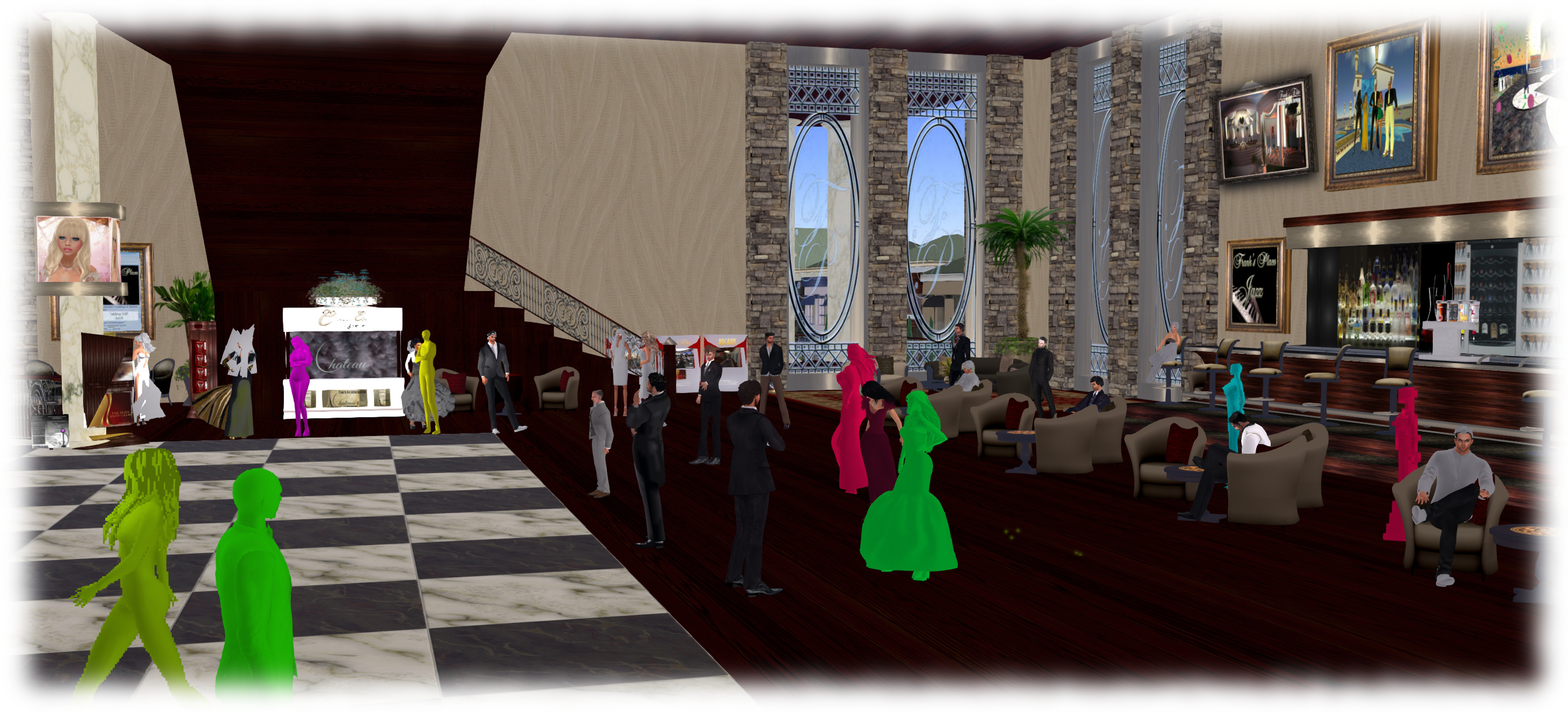
The idea is that as avatars can often be the single biggest impact on the viewer in terms of rendering, particularly in crowded places, so Avatar Complexity will present a means by which avatars which require a load of render processing by your GPU can be rendered as a solid colour instead, which should help with performance on lower specification systems. Due to their solid colours, avatars rendered in this way have already been dubbed Jelly Babies or Rainbow People.
At the Open-source Developer’s meeting on Monday, April 20th, Oz Linden explained that “Avatar Complexity” has been chosen for the name of the capability to distinguish it from avatar imposter rendering, which will remain in the viewer alongside Avatar Complexity when it arrives. The difference between the two can be summarised as:
Avatar impostor rendering is a simplified and less frequent rendering of avatars further away from you, while those close to you remain fully rendered
Avatar Complexity renders any avatar exceeding the value set within your viewer as a single, solid colour, regardless of the avatar’s distance from you.
Avatar complexity is intended to help those who may hit performance issues as a result of their GPU struggling to render complex (hight render cost) avatars, by rendering such avatars as solid colours.
Oz further indicated that Avatar Complexity will be managed via the Advanced panel in Preferences > Graphics, and will initially be enabled / disabled in the official viewer based on your GPU’s benchmark (the value use to determine the viewer’s default graphics settings when first installed). Some TPVs may opt to leave the capability disabled by default (once the code is available for inclusion in TPVs), and allow users determine whether they wish to use it or not.
Currently, work at the Lab is focusing on a couple of aspects of the functionality:
Toning down the colours used by the viewer when rendering avatars in this way – as the functionality can currently be tested via two debug settings within the viewer, there have already been strong criticisms of that “Jelly Baby” rendering on account of the brightness of the colours
Server support is being added to pass on the counts of avatars that are and are not rendering to those using Avatar Complexity.
It is also probable that before the capability appears in a project viewer, it will also be set to display notifications when you change your own complexity, and when the number of avatars not rendering you changes.
If you wish to experiment with the settings are they are at the moment, go to Advanced > Debug Settings and type-in RenderAutoMute. Select RENDERAUTOMUTEFUNCTIONS and set it to 7, then experiment with values under RENDERAUTOMUTERENDERWEIGHTLIMIT (start with 100,000, and increase or decrease it to alter the number of avatars around you rendered as solid colours (lower values = more avatars rendered as colours).
As always, please refer to the server deployment thread in the forums for the latest information and updates.
On Tuesday, April 14th the Main (SLS) channel was updated with the server maintenance package previously deployed to all three RC channels. This comprises a crash fix, minor CDN configuration updates and an internal server configuration update.
OBJECT_BODY_SHAPE_TYPE – returned list entry is a float between 0.0 and 1.0. Anything > 0.5 is male, otherwise female; -1.0 if the avatar is not found
OBJECT_HOVER_HEIGHT – returned list entry is a float, -1.0 if the avatar is not found.
SL Viewer Updates
The Maintenance RC viewer, version 3.7.27.300636 was promoted to the de facto release viewer on April 13th. The viewer contains multiple fixes and improvements, as detailed in the release notes.
This release also includes the fix for the URI parsing error, which was originally issued in the HeatWave RC viewer (formally version 3.7.27.300424, which has been withdrawn from the release channel as a result.
Webkit Replacement, Flash and Quicktime
As I’ve reported on a number of occasions, Webkit is a third-party library which has been used within the viewer for a number of media-related tasks (powering the built-in web browser, displaying profiles, and is used with MOAP and many in-world TVs). However, it has been something of a problem for the Lab, with out-of-date libraries and other issues.
Because of this, there is a project under-way in the Lab to replace webkit with the Chrome Embedded Framework (CEF). Work on this within the Lab has been progressing, and they now have CEF working with the windows version of the viewer, and are now focusing on getting it working on the Mac version. There are no plans to release a test or project viewer with CEF support until it is running on both platforms (it is thought that Linux will be able to use the Mac version).
Avatar Complexity (RenderAutoMute Functions)
The new rendering controls will allow users to set a level above which avatars will be rendered as a solid colour “jelly baby”
In week #47. 2014, I reported on how the Lab is working to give greater control to users over how other avatars are rendered in their own view.
Avatars can frequently have very high render costs associated with them which, even in modestly populated areas, can have a detrimental impact on viewer performance on lower specification hardware.
The idea with the new, still-to-be-released functionality is that users will be able to define a render weight for their viewer when drawing avatars. Any avatar that exceeds this limit will be rendered as a solid colour “imposter”, regardless as to how near / far they are from a person’s viewpoint. Thus, the rendering load is reduced, improving overall performance. Because of the solid colour aspect of the avatars when rendered in this way, they were somewhat quickly dubbed “Jelly Babies” after the sweets of that name. note they are only rendered like this in your own view, it doesn’t affect how others see them.
This work has been going on for some time, now, and is approaching maturity. Commenting on it at the Open-source Developer’s meeting on Monday, April 12th, Oz Linden indicated that things are currently waiting server side updates. Included in the functionality is a means by which someone can see the number of other people who are rendering their avatar as a “jelly baby”.
The capability can actually be experimented with at the moment, although it is a case of trial and error until the new UI controls are added to the viewer. Should you wish to try, go to Advanced > Debug Settings and type-in RenderAutoMute. This will list a series of options, of which RENDERAUTOMUTEFUNCTIONS and RENDERAUTOMUTERENDERWEIGHTLIMIT are the two you need:
RENDERAUTOMUTEFUNCTIONS is essentially the “on / off” option for enabling the other options, and must be set to 7 in order for any of them to work
RENDERAUTOMUTERENDERWEIGHTLIMIT is the function that determines how avatars are rendered. Try starting with a value of around 100,000 and experimenting from there.
Group Chat
BUG-9020 reports issues with people being unable to see anything typed in certain group chats they belong to – either their own messages, or anything typed by anyone else. The problem appears to possibly be more widespread than the report indicates – if you are experiencing a problem, please consider adding the details to the report: the specific groups, etc., and specific issues. The Lab is currently looking into this and checking through the additional logging / diagnostic tools they’ve added to the group chat services to see if anything is showing-up as causing the problem.
Other Items
In-viewer Translation Tool Fix
As noted in my week #12 update, the built-in viewer translation tools are now pretty much broken (Google and Bing). Nalates Urriah filed a bug report on the Bing situation recently (see: BUG-8794 “The Bing API used by the viewer is depreciated [sic]”).
Commenting on the situation at the Open-source Developer’s meeting on Monday, April 13th, Cinder Roxley indicated that the Alchemy TPV team are working to get the viewer translation tool working again, although there is currently no ETA on this. The fix is liable to appear in the Alchemy viewer, but the code will be contributed to Linden Lab.
Forum Log-in Issue
As noted in BUG-8953, there is currently an issue with signing-in to the the SL forums, and staying logged-in. the problems are broadly two-fold. In short, people are finding they are being randomly logged-out of the forums for no apparent reason, or are being redirected to the top-level community page when logging-in, rather than being redirected back to the page in the forums they had displayed prior to the log-in request being displayed (e.g. when replying to a post).
 Facebook recently implemented changes to the API which Linden Lab (among others) use to allow snapshots to be uploaded to Facebook from the viewer via the SL Share capability.




 Inara Pey: Living in a Modemworld