SL project updates 2015 week 4/1: Avatar Hover Height

Coming soon: Avatar Hover Height provides a means of adjusting your avatar's graphical height above the ground / floor / objects, as seen by yourself and others  -see below for dtails
Coming soon: Avatar Hover Height provides a means of adjusting your avatar’s graphical height above the ground / floor / objects, as seen by yourself and others -see below for details

Server Deployments – Week 4

Due to Monday, January 19th being Martin Luther King day in the USA and holiday for many, the scheduled deployments for the week have been put back by one day.

There will be no Main (SLS) channel deployment for the week, as the server maintenance package deployed to the RC channels in week 3 has resulted in the snapshots-to-email functionality in the snapshot floater failing (see BUG-8223).

On Thursday, January 22nd, and as a result of this issue, the LeTigre and Magnum RC channels will receive a further server maintenance package which includes a fix for BUG-8223.

BlueSteel will also receive the same update, but with additional support for the new avatar height adjustment capability, as noted below.

Avatar Hover Height

Prior to the arrival of server-side appearance (SSA), many TPVs included a capability commonly referred to as “z-axis height adjustment”. Simply put, this allowed the height of an avatar to be adjusted up or down, relative to the ground or to an object they were sitting on, which allowed for a wide range of adjustments to be made (such as when sitting or kneeling on the ground, to prevent the appearance of hovering over it or to more finely tune the avatar’s pose on the ground, or to re-adjust an avatar’s height relative to the ground when using things like dancing posballs, etc, and so on).

This capability was lost when SSA was deployed, and as a result SUN-38 was raised, requesting a means by which greater freedom for avatar height adjustment could be given to users. While the Lab did respond to this request through the introduction of the  “Hover” slider in the Edit Appearance floater, it only met a very narrow subset of use cases for adjusting an avatar’s height, and even then would only work with Modify shapes.

In June 2014, a formal proposal was put to the Lab more fully explaining why a height offset capability is required, and offering suggestions on how it might be achieved. As a result of this, Vir Linden has been working to provide such a capability, which is now officially called Avatar Hover Height (AHH), preliminary details of which, together with notes on testing it, can be found on the wiki.

This is now available for testing on Aditi using the new AHH project viewer. In addition, and as noted above, the server-side support will undergo initial deployment to the BlueSteel RC of the main grid on Thursday, January 22nd.

Within the viewer, AHH adds a new option called – wait for it – Avatar Hover Height to the right-click Avatar context menu in the viewer. Clicking on this displays the Set Avatar Height slider / spinner which can be used to adjust an avatar’s height by up to +/- 2 metres from the nominal default height.

Note that this is purely a graphical change – there is no associated change the avatar’s height in terms of platform physics. The slider allows for quite rapid adjustments to be made, while the spinner supports finer manual adjustments of up to 3 decimal places.

The slider allows your avatar's graphical height to be adjusted by +/- 2 metres from its nominal default
The slider allows your avatar’s graphical height to be adjusted by +/- 2 metres from its nominal default

Once adjustments have been finalised, they are sent to the simulator, and then back to all viewers connected to the simulator, allowing your adjusted height to be consistently seen by everyone around you (or that will be the case once the capability is fully deployed; during the roll-out, there will be a couple of caveats, as discussed further down in this article).

The slider works regardless of whether you’re using a No Modify shape, and allows adjusts to seated poses as well as standing poses, and works with poseballs (thus allowing couples dances to be correctly adjusted to prevent one or other partner either floating over the dance floor or being buried up to their ankles in it).

Avatar Hover Height will allow you to fine-tune your apparent seated position relative to an object or to the ground when dancing with a partner, allow you to kneel / lie / sit on the ground correctly, and so on - thus meeting the majority of use cases the Hover slider in Edit Appearance fails to address.
Avatar Hover Height will allow you to fine-tune your apparent seated position relative to an object or to the ground when dancing with a partner, allow you to kneel / lie / sit on the ground correctly, and so on – thus meeting the majority of use cases the Hover slider in Edit Appearance fails to address.

As noted above, the capability can be tested on Aditi right now. You’ll need the project viewer (when available), or you can download the latest version of the viewer from the link given above. You’ll also need to be be on regions which have the necessary server-side support for Avatar Hover Height. These are any region on the DRTSIM-274 channel, and nominally Hover1 and Hover2. Please read the notes on testing (again linked-to above).

Note on Initial Deployment

As AHH requires both viewer and server-side support, a couple of things do need to be noted while it is being tested / deployed:

  • Until such time as server-side support for AHH is fully deployed, any adjustment you make to you avatar’s height using it will only be effective while you are on regions with the necessary server-side support. If you move to a region without the  support, your avatar with revert to its nominal default height above the ground / objects, and the AHH options will be greyed-out in your viewer. However, any setting you have made using AHH will be automatically re-applied when you re-enter a region with server-side AHH support
  • Until such time as the viewer-side code is incorporated into all viewers, any adjustments you make to your avatar’s height using AHH will only be visible to you and other people using viewers with the AHH code. anyone on a region supporting AHH who is using a viewer without the necessary AHH code will continue to see your avatar at its nominal default height.
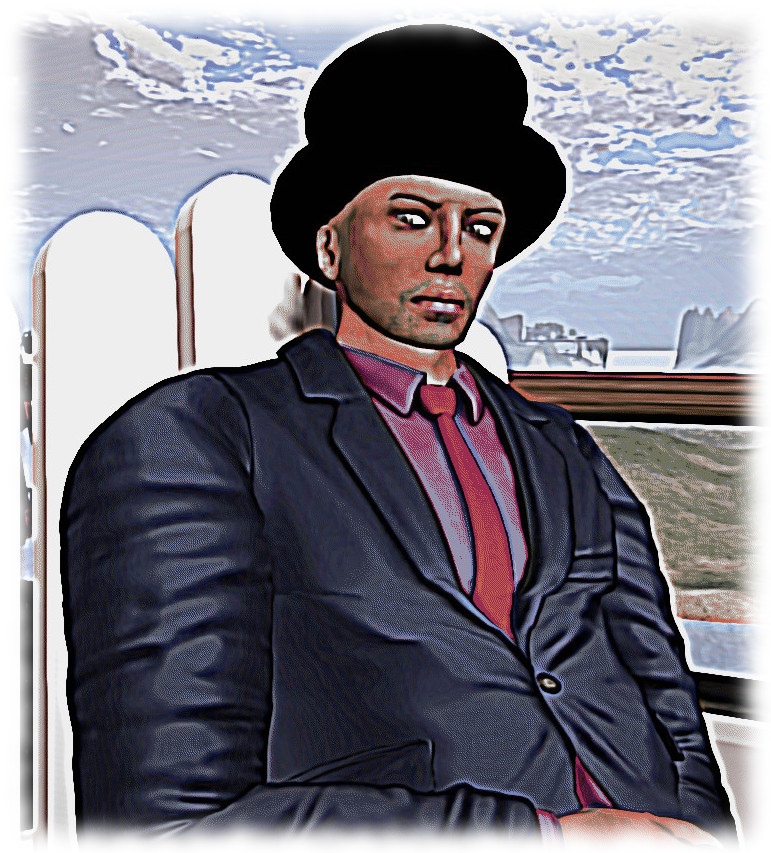
Do keep in mind that until the AHH code is fully deployed across the grid, it will only work on regions with the server-side support. similarly, the function will only be available with viewers updated to provide AHH, and will only be seen by others using viewers with AHH support. Anyone using a viewer will not see your AHH adjustments , even if you're on a region supporting the capability Istead, they'll see you at your nominal default height (as shown in the image on the right, taken with Firestorm, at the same time the image on the left was captured using the AHH viewer)
Do keep in mind that until the AHH code is fully deployed across the grid, it will only work on regions with the server-side support. Similarly, adjustments made using it will only be visible to others using viewers with AHH support; those using viewers that do not support AHH will continue to see your avatar at its nominal default height, as shown in the image on the right, taken with Firestorm which shows my CTA standing on the ground, rather than hovering over it, as seen in the AHH viewer.

From the rapid testing I’m managed to do with AHH, it appears to work for the majority of cases where some fine tuning of avatar height is required, and offers a suitable level of granularity in adjustment through the spinner (although a suspect most people will perhaps finder the slider adequate for their needs. It will therefore be interesting to see how detailed testing progresses.

Assuming no major issues are found, it would seem likely this update will be one targeted for fairly rapid deployment, at least on the server-side, although the viewer code may take longer to filter through and to be picked-up by TPVs, depending upon what else is in the pipeline.
SL project updates 2015 week 3: server, viewer, misc

SoHo New York; Inara Pey, January 2015, on FlickrSoHo New York (Flickr) – blog post

Server Deployments – Week 3

There was no Main (SLS) channel deployment on Tuesday, January 13th. As indicated in my last update, Wednesday, January 14th should see a new server maintenance package deployed to all three RCs.  This comprises:

  • A fix for BUG-8002 “Experience Tools] Allowed & Blocked experiences are lost with parcel subdivision”.
  • Crash mode fixes
  • Code clean-up around region crossing.

The region crossing improvements are for avatars only (not vehicles), and were described by Simon Linden, speaking at the Server Beta User Group meeting on Thursday, January 8th as, “all internal and pretty minor, so please don’t get hopes up for performance improvements,” and being about “clean-up and small polishing.”

Upcoming Deployments

Avatar Attribute Testing Fix

Oz Linden Linden chaired the Simulator User Group meeting, Simon being away on a skiing vacation

Note: no time frame has been set for the following, so it may not appear for another few weeks.

The Lab expects to have a server-side update running soon which, while perhaps not directly noticeable to users, should make it easier for testing new avatar attributes as they are being developed by the Lab.

In summary, the current approach means that when a new avatar attribute is being tested, the attribute must be understood by each region the avatar visited; if the avatar passes through a simulator that could not identify the attribute (e.g. the attribute is only supported on a server RC channel and the avatar testing it crosses into a simulator region running on the Main channel), the value assigned to the attribute is lost, and cannot not be easily recovered (simply crossing back into the simulator region with the necessary support, for example, would not restore the attribute value).

The new update will fix this issue and will thus make it easier to test new avatar features. Potentially, one of the first of these that will benefit will be the new avatar height offset capability.

SL Viewer

The HTTP Pipelining viewer, version: 3.7.24.297623, was updated to the de facto release viewer on Tuesday,  January 13th.  This viewer provides reduced pipelined texture and mesh fetching time-out so that stalled connections fail quickly allowing earlier retry, with the time-out value changed from 150 seconds to 60 seconds.

Mesh Import Project Viewer

Chairing the Simulator User Group meeting on Tuesday, January 13th,  Oz Linden indicated that a project viewer is in the works which contains “a bunch of fixes” for mesh imports to SL. Details on precisely what issues are addressed weren’t given, but those interested might want to keep an eye on the Alternate Viewers wiki page, and I’ll of course have updates and information here as and when the viewer appears.

Webkit Replacement

Webkit is a third-party library used within the viewer for a number of tasks. For example,  it powers the built-in web browser, and is used to display profiles (unless you’re using a viewer supporting legacy profiles). It is also used with like Media on a Prim (MOAP) and many in-world televisions. However, it has been something of a problem for the Lab,  with out-of-date libraries and other issues.

During 2014, Monty Linden carried out work to improve things, but the aim has always been to replace it with the Chrome Embedded Framework (CEF).  However, this project got sidelined in the push to implement a new tool chain for viewer building, and implement a new autobuild process. This work is now very near to completion for both the Mac and Windows versions of the viewer (Linux is lagging behind, unfortunately), and the hope is that attention will again be focusing on the CEF work in the near future.

Z-offset Height Adjustment

The new "z-offset" adjustment means you'll be able to "fine tune" your avatar's height when sitting, standing, etc., in addition to general adjustments made using the hover capability
The new “z-offset” adjustment, once available, means you’ll be able to “fine tune” your avatar’s height when sitting, standing, etc., in addition to general adjustments made using the Avatar Appearance hover capability

This is intended to provide a means of on-the-fly adjustments to be made to an avatars height above the ground / objects and which can be used whether the avatar is standing or sitting, without the need to use the current Appearance hover slider. It will work in a manner similar to the old z-offset height adjustment found in some TPVs, and will likely comprise a slider access through the avatar right-click context menu.

As I’ve previously reported, Vir Linden has been working on this for a while, as a result of a direct proposal from TPV developers setting out the problem of avatar height adjustment introduced by the deployment of server-side baking and the avatar appearance “hover” parameter (which the new capability is designed to compliment, rather than replace).  The indication are that a project viewer with the new capability will be appearing “very shortly”.

SL project updates 2015 week 2: server, viewer, experience keys, group chat

The Chamber Library
The Chamber Libraryblog post

Server Deployments – Week 2

There were no server deployments to either the Main (SLS) or RC channels for the week.

Upcoming Deployments

There is likely to be a server-side RC deployment in week 3 (week commencing Monday, January 12th). Details on what it will contain have yet to be finalised, however, during the Server Beta User Group (SBUG) meeting on Thursday, January 8th, Maestro Linden indicated it would contain miscellaneous fixes an improvements which will likely include:

  • A fix for BUG-8002
  • Removal support for legacy viewer-side avatar baking
  • Region crossing improvements.
Simon Linden - tidying-up avatar region crossings
Simon Linden – tidying-up avatar region crossings

The region crossing improvements are for avatars only (not vehicles), and are described by Simon Linden as, “all internal and pretty minor, so please don’t get hopes up for performance improvements,” and being about “clean-up and small polishing.”

A number of regions on Aditi are running the updates  – DRTSIM-273 – (Ahern, Bonifacio, Morris and Rizal), and a group test was carried out during the SBUG meeting with people walking / flying and TP’ing between these regions and between them and other regions without the updates as a further check that the changes wouldn’t result in any failures / breakage. “I’m most worried about some data subtly changing or getting lost between crossings, Simon added in this regard, following the test. “but I haven’t seen anything like that.”

Details on the updates related to legacy avatar baking will be posted with the package release notes, when available.

SL Viewer

On Monday, January 5th, the HTTP pipelining RC viewer was updated to version 3.7.24.297623, bringing it up to par with the current release viewer, and therefore matching the Experience Keys RC viewer which slipped out just before Christmas.

Experience Keys / Tools

“It’s really quite close,” Oz Linden said of the Experience Keys / Tools project at the SBUG meeting. “We’re upgrading and testing some back end infrastructure to support it; when that’s ready, we’re good to go.”

As indicated in my original overview of Experience Keys / Tools, the tools come with a number of safeguards to reduce the risk of them being used for mischief. In addition, and as a further discouragement, those wishing to use the tools to build experiences will be required to pay a fee. This has now been set by the Lab, but is not at this time being made public. Expect to hear more about it when the tools are formally released.

In the meantime, you can read more on the project in these pages using the Experience Keys tag, and those wishing to try-out beta Experiences can do so via the Seamless Experiences section of the Destination Guide. You do not need to have the Experience Keys project viewer in order to do so – although it does provide you with access to more information about any Experience you try – see my project viewer overview for details (do keep in mind that both this and the project overview linked-to above are now several months old, and certain details may have changed in the interim; I’ll have a further article on Experiences when they are launched).

Group Chat

Simon Linden is continuing to work on group chat. No major news at this time, other than he’s been carrying out further digging into why some servers seem to get “stuck” every two weeks or so and require a restart. Further data was gathered during the region crossing tests mentioned above.

Other Items

Alpha Map Support for Mesh

I first reported on this matter, which forms feature request BUG-8100 – in week 52. Since then, the idea has received a lot more feedback and further thought. However, following initial triage, the JIRA was closed by Kyle Linden on Wednesday, January 7th, with the standard, “We’ve reviewed your request and determined that it is not something we can tackle at this time.”