Second Life project updates 26/1: server, avatar rendering

The DECADES event  - Saturday, June 27th, 2015 only - details here
The Decades event – Saturday, June 27th, 2015 only – details here

Server Deployments

  • There was no scheduled deployment to the Main (SLS) channel on Tuesday, June 23rd
  • On Wednesday, June 24th, all three  RC channels were updated with the same new server maintenance project, which included a fix for BUG-197, “Cannot See My Chat Only In My Region / Region Bad Performance” (not open to public viewing) and internal simulator fixes. As pointed out in the comments, this deploy was actually rolled back; I had forgotten to re-check the deployment page between originally drafting the first part of this article and publishing it.

The chat issue is a problem whereby a user can’t see any of their local chat on a region or parcel, and nor can anyone else due to a scripted object which is spamming chat so badly, the chat throttle kicks in, blocking their chat. However, no message would be provided to inform the user this was the case; with the change deployed on Tuesday, the user will now get a message about the chat throttle being hit, but unfortunately, the system will not identify the spammy object (so it might be removed, if you own it / the the rights to return it).

Avatar Complexity and Avatar Rendering in Busy Regions

Avatar Rendering in Busy Regions

During the Simulator User Group meeting on Tuesday, June 23rd, Simon Linden hinted that as well as the upcoming Avatar Complexity feature for which I recently gave a rapid overview, there are other options the Lab might consider in order to lighten the rendering load created by avatars:

We may experiment with a similar setting for crowds … setting a limit on the number of avatars we do any attempt at rendering.   In other words, if you were at a region with 75 people in view, and it was set for a limit of 64, you’d only get 64.  The remaining ones just wouldn’t be there in any form, similar to turning off avatars with ctrl-alt-shift-4.

He then went on:

That’s just an experimental idea now. To really make it better in a crowd, we’d probably want the server interest list to know and then it wouldn’t send you those updates.

As we’ve seen, the Interest list isn’t the easiest thing to play around with, so it’ll be interesting to see which, if either, of these ideas might be pursued.

Avatar Complexity

In terms of Avatar Complexity, questions have already been asked if the upper limit is adequate. With the test viewer, the Avatar Complexity slider runs from a value of 19,999 (which pretty much that no other avatars will render in your world view) means pretty much no other avatars will render in your field-of-view) through to 300K, above which sits “No Limit”, which means any avatar will render.

However, the suggestion has been made that the upper limit should perhaps be increased to allow for those who want to render particularly complex avatars used by friends. Responding to this, Oz Linden said, “It wouldn’t be hard to make the range somewhat wider, but at some point the control becomes too hard to use because each pixel is too big a jump.”

One issue that the new Avatar Complexity capability will not prevent (although, strictly speaking, it’s not designed to) is that it will not prevent worn mesh crashers impacting the viewer, because while the avatar is not actually rendered, the data on what is being worn still gets loaded into memory, and it is this that is used to crash things. Commenting on this, Simon linden said, “That sounds like something that should be looked at … if we can avoid loading that data, it would help everything.” Commenting on this, Oz Linden added:

There are a number of available optimisations; among them, using the complexity information from others to just pre-emptively not even fetch the appearance info for an avatar.

So again, it will be interesting to see what might come to pass in the future, should the Lab take this work up as well.

Early looks: Avatar Complexity and Graphics Presets

secondlifeTwo new options which will be appearing in the official viewer in the near future, and which have been mentioned in this blog a number of times over the past few months are Avatar Complexity and the ability to create, save and restore graphics presets. Both are intended to provide options by which users can better tune the viewer and its settings to suit their needs and circumstances.

I’ve had the opportunity to look at both in a development viewer from the Lab, and what follows is an overview of how things may appear when both capabilities are released for general use. However, please keep in mind that things are sill very much a work-in-progress at the moment and aspects of either / both may well change between now and any functionality appearing in any public version of the viewer.

Avatar Complexity

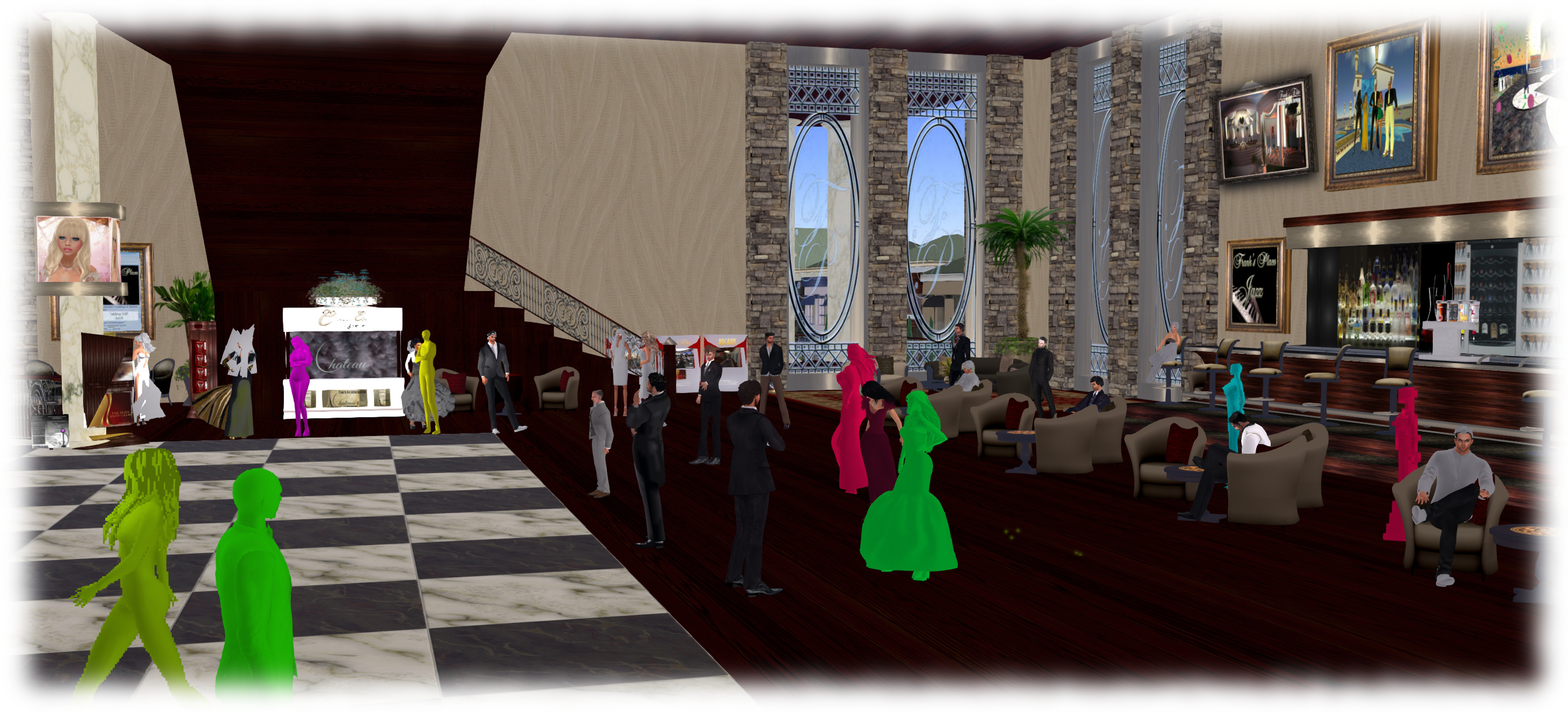
As avatars can often be the single biggest impact on the viewer in terms of rendering, particularly in crowded places, so  Avatar Complexity adds a new slider to the viewer which can be used to set a level above which avatars requiring a lot of processing will appear as a solid colour – the most popular term used to describe them being Jelly Babies after the sweet (candy) of the same name – greatly reducing the load placed on a system compared to having to render them in detail, so improving performance.

Avatar complexity is intended to help those who may hit performance issues as a result of their GPU struggling to render complex (hight render cost) avatars, by rendering such avatars as solid colours.

The intent with the capability is to allow people to adjust the setting according to circumstance, so that when in a crowded area with lots of avatars, the setting can be dialled down and more of those avatars which are harder to render become solid colours, while in quieter areas, the setting and can dialled back up, allowing more avatars to be seen in full detail.

Avatar Complexity is intended to sit alongside the avatar imposters functionality (Max # of non-impostors in the official viewer), allowing both to be used as required to produce more optimal performance in crowded or busy places.

By default, Avatar Complexity is set to No Limit, meaning all avatars in your field of view will fully render. As the slider is moved, it will list a render weight value, which is a revision of the RenderAutoMute function within the viewer previously used to help calculate the more familiar Avatar Draw /  Render Weight. The latter, viewed via Advanced > Performance Tools, has also been renamed to Show Avatar Complexity Information for consistency, with the displayed information updated.

The Avatar Complexity slider in Preferences > Graphics > Advanced Graphics Preferences (l) and the new format of information displayed when Advanced > Performance Tools > Show Avatar Complexity Information is enabled (r)
The Avatar Complexity slider in Preferences > Graphics > Advanced Graphics Preferences (l) and the new format of information displayed when Advanced > Performance Tools > Show Avatar Complexity Information is enabled (r) – click for full size

Graphics Presets

The initial work on Graphics Presets was undertaken by open source contributor Jonathan Yap (see STORM-2082) to provide a means by which users can save and restore different sets of graphics settings within the viewer. The idea being that users can then switch between different presets according to circumstance to help with viewer performance.

So, for example, one preset might have all the performance hitting items – shadows, projectors, etc., – turned on / up for times when the overall quality and depth of detail in a scene is important (such as when taking photos). Another might have these more taxing capabilities turned down / off to ease the processing load on a computer during more general activities. A third might be established for “in door” uses, with things like draw distance and the level of detail for external items (the sky, trees, terrain, reflections, etc.) all turned down, again easing the processing load.

Like Avatar Complexity, Graphics Presets is still undergoing development internally with the Lab, and so what is presented here may be subject to change.

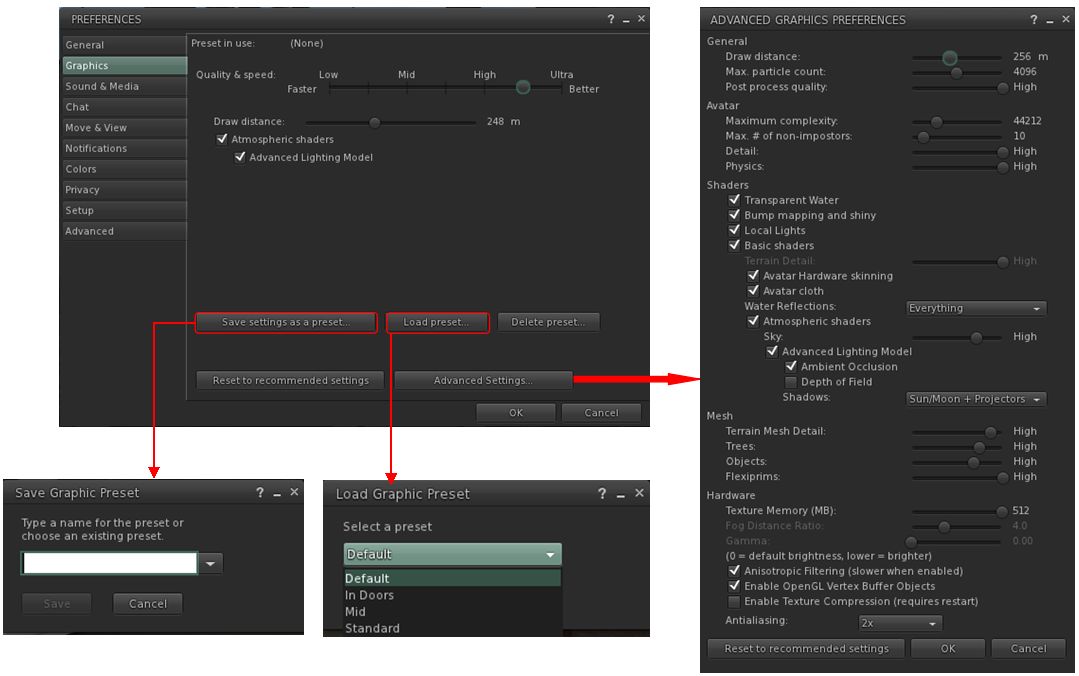
Perhaps the most significant change this brings to the viewer is the introduction of a new Advance Graphics Preferences floater (shown below right). This is designed to display all of the options than a user can set and save within a graphics preset without having to either scroll through options (an earlier iteration of the design did use a scroll bar, but they didn’t meet with favourable reactions during testing), or having to switch between different sub tabs.

The new graphics profile options - the Advanced Graphics floater (as it is at present), and the options for saving / restoring profiles from within Preferences.
The new graphics presets options – the Advanced Graphics floater (as it is at present), and the options for saving / restoring profiles from within Preferences – click for full size

Continue reading “Early looks: Avatar Complexity and Graphics Presets”

Second Life project updates 22/1; server, viewer, avatar rendering

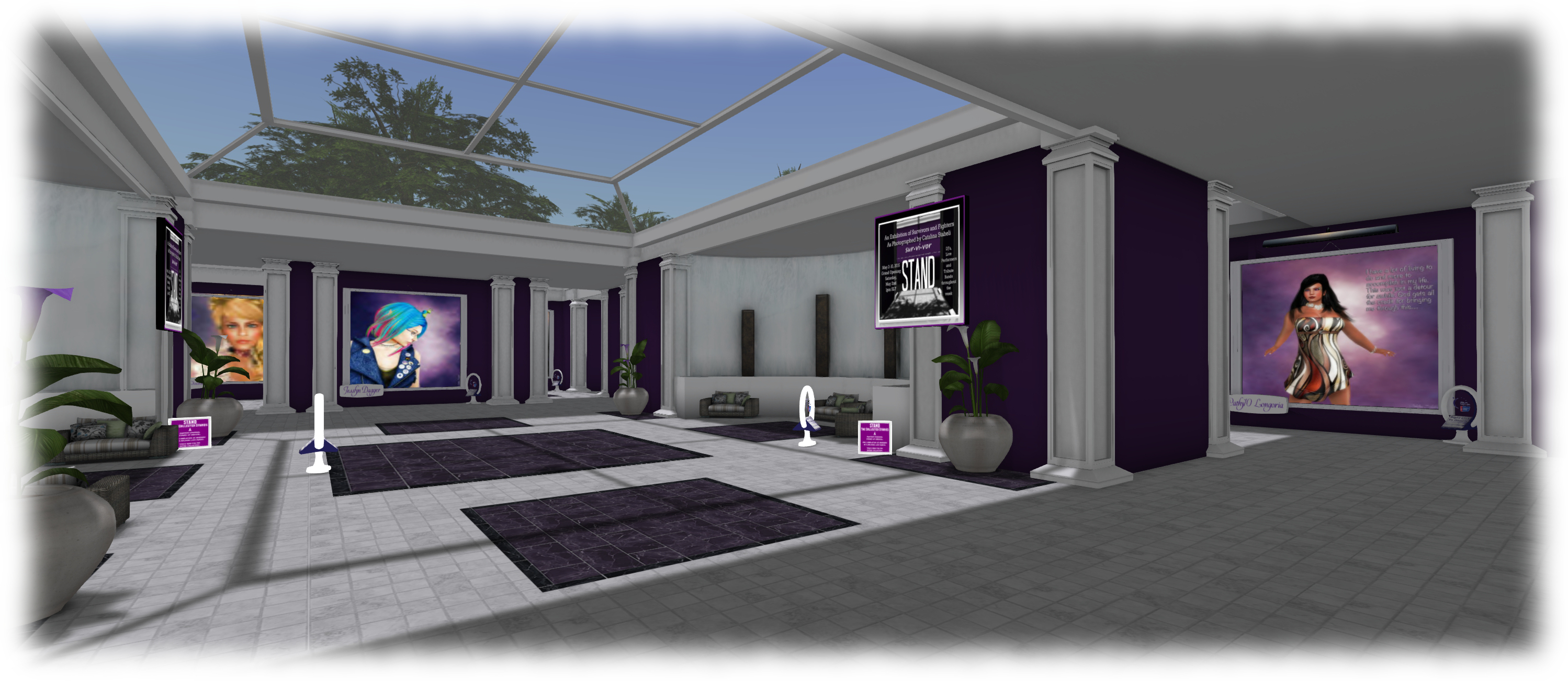
Stand: Relay D'Alliez
Stand, Relay D’Alliez – Relay for Life Exhibit – blog post

Server Deployments, Week 22

Update, May 28th: a back-end issue with the RC deployment has meant that all three RC channels have been rolled-back to the their previous release, leaving the grid as a whole on the same server release.

As always, please refer to the server deployment thread for the latest updates / news.

There was no deployment to the Main (SLS) channel on Tuesday, May 26th, due to there having been no RC deployment in week #21.

On Wednesday, May 27th, all thee RCs should receive a new server maintenance package, comprising:

  • A change logic on accessing group member lists for large groups
  • Internal server logging changes.

SL Viewer

Due to Monday being Memorial Day in the United States, the Lab was closed for normal office business, and there was no meeting to discuss potential RC viewer promotions. However, the most recent update to the Attachment Fixes RC viewer (Project Big Bird, currently version 3.7.29.301943) is showing a must reduced crash rate compared to the previous release (and which prevented it from being promoted to the de facto release viewer).

The crash rate is still slightly high than for the current release viewer, but speaking at the Simulator User Group meeting on Tuesday, May 26th, Oz Linden described it as “probably not a statistically significant difference”. Whether this means the viewer will be promoted to release status later in the week or not, remains to be seen.

Increasing the Number of Avatars Per Region

Simon Linden: looking at ways an means to make it easier for the simulator and a viewer to better handle large numbers of avatars

“There’s one change that I will follow up on … I added a way so I can adjust the ‘max avatars in a region’ setting.  I’d like to do an experiment soon and see what falls apart if we can get over 100 people into a region,” Simon Linden said at the simulator UG when discussing the upcoming RC deployment.

“This is purely experimental and there are no plans for changing the SL limits,” he went on. “But sometimes regions hit 100 [and] it would be nice if the viewer and simulator handled that better.”

There is already an additional means en route to the viewer by which users can have greater control over how avatars around them in a region are rendered by the viewer, Avatar Complexity, when will draw avatars above a rendering limit set by the user as a solid colour (the so-called “Jelly Baby” avatars).  The will work alongside the existing Avatar Imposters capability already in the viewer.

However, in terms of his experiment, Simon suggested that one way to improve things might be for the viewer to simply not draw everyone within a region; although how this would work, and the criteria used to determine what avatars are drawn and which aren’t, does require careful consideration. Simon suggested the viewer might simply skip drawing those avatars that are furthest away once a threshold number of avatars in the region has been reached. Another (suggest by a meeting attendee) would be for the control to be via the Max Number of Avatars settings within the viewer – so that once exceeded, avatars are again simply not rendered.

As noted, Simon’s work is purely experimental, and primarily aimed at helping the Lab understand what might be done to improve things where there are large gatherings of avatars, and to perhaps try out one or two ideas based on what they learn.

Simon’s Rendering Tricks

As a part of the discussion on avatar rendering, Simon handed out a note card of tips and trick for improving your performance when dealing with complex avatars. While this includes the debugs which will form a part of the new Avatar Complexity functionality, which will be appearing in a a Snowstorm RC viewer soon, as well as suggestions which may already be known, I’m including his suggestions in full here for reference:

From Advanced > Show Debug Settings, set:

  • RenderAutoHideSurfaceAreaLimit   0
  • RenderAutoMuteByteLimit  0
  • RenderAutoMuteFunctions  7
  • RenderAutoMuteLogging  False
  • RenderAutoMuteRenderWeightLimit  350000
  • RenderAutoMuteSurfaceAreaLimit  150

In preferences / graphics, change “Max # of non-imposter avatars” to something like 8. Also try ctrl-alt-shift-4 to hide avatars, or ctrl-alt-shift-2 for alphas.

Note the two debugs shown in green are those related directly to Avatar Complexity and drawing avatars as “Jelly Babies”. Note that RenderAutoMuteFunctions must be set to 7 in order for this to work. Also note that the RenderAutoMuteRenderWeightLimit of 350,000 is purely an advisory starting point. The Lab estimate that this will reduce the very top 3% of very rendering-intensive avatars as solid colours. You may find you have to set the value somewhat lower in certain environments  – such as night clubs and dance venues – in order for it to be effective. I’ve personally found that 150-200K tends to be required in very busy ballrooms, etc.

SL project updates week 20/2: TPV Developer meeting, VMM

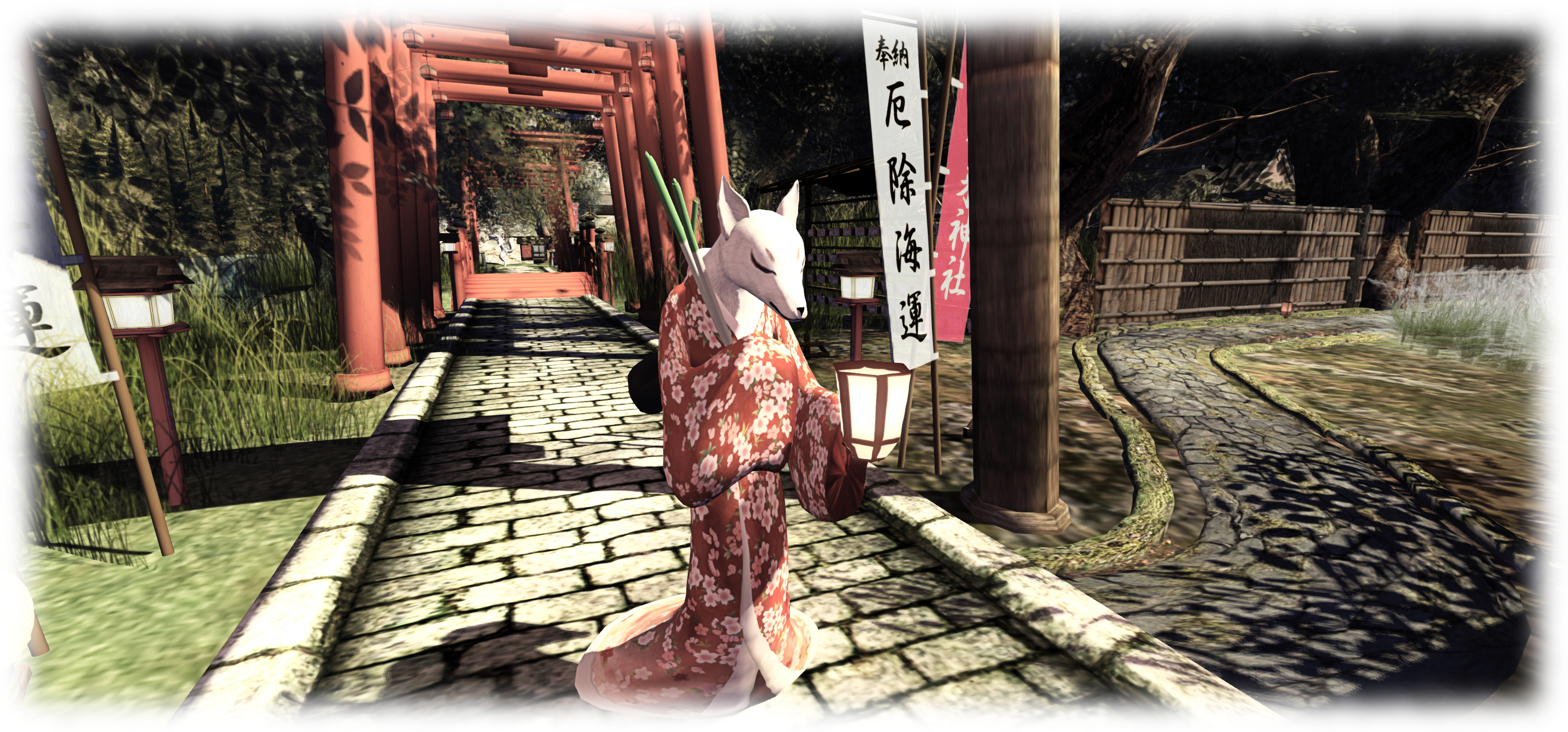
Miyagi; Inara Pey, May 2015, on Flickr Miyagi (General), May 2015 (Flickr) – blog post

The following notes are primarily taken from the TPV Developer (TPVD) meeting held on Friday, May 15th, and from the Server Beta meeting held on Thursday, May 14th. A video of the TPVD meeting is included below, with any time stamps in the following text referring to it. My thanks as always to North for the recording and providing it for embedding,

Server Deployments, Week 20 – Recap

As always, please refer to the server deployment thread for the latest updates / news.

There was no Main (SLS) channel deployment on Tuesday, May 11th. On Wednesday, May 12th, the three RC channels were all updated with a new server maintenance package, comprising internal server logging changes, back-end system bug fixes, reply-to email changed in postcard sends (see below for more).

Group Chat

The Server Beta User Group meeting on Thursday, May 14th, saw a test of a group chat update it is hoped will fix the issue of some people not seeing all or some chat when the group chat window is open (see BUG-9130). The test appeared to yield positive results, with Simon reporting no unusual event logging. The problem here is that the instances of the problem seem to be so rare, it’s hard to guarantee a small sampling of testers will catch any problems which might still exist.

SL Viewer

[00:15] It has been a quiet week on the viewer front. As noted in part 1 of this week’s report, the attachment viewer (Project big Bird) reached RC status, other than that there has been not additional movement with either the current selection of RC and project viewers.

A further update to the mesh importer project viewer (currently at version 3.7.28.300878) is with LL’s QA team and should be released relatively soon. Updates are also being made to the Viewer-Managed Marketplace project viewer (which is likely to go to RC status once through LL’s QA process) and the Oculus Rift project viewer.

Snapshots to E-mail

[02:22] Commenting at the TPV Developer meeting, Oz Linden gave a little more information on the “reply-to email changed in postcard sends” update deployed to the RCs, indicating this was indeed a fix aimed at preventing snapshot to e-mail being tagged as spam by ISPs and a/v software due to the way they handle the “from” field (see my TPV Developer meeting report for week #17), which had caused the Lab to consider removing the snapshot to e-mail capability.

“Instead,” Oz told the meeting, “we found we could get around that by sending the e-mail differently … So the way it’s changed now is that instead of sending the ‘from’ address as the sender’s address, we send the ‘reply-to’ address; and the ‘from’ address is ‘no-reply@secondlife.com’ … so that ducks the problem of us looking like spammers who are forging invalid addresses.”

This should hopefully negate any need to remove the snapshot to e-mail capability, and retain compatibility with sending snapshots to the likes of Snapzilla and the SLU forums.

Unified Snapshot Floater

[04:40] NiranV Dean, who submitted the unified snapshot floater to LL (and which has most recently been integrated into Firestorm among the TPVs) asked if there had been any feedback on it. Both Oz and Grumpity Linden indicated that overall, feedback has been positive, although some have complained at the amount of screen real estate it takes up with the preview panel open. As this allows the snapshot preview to match the aspect ratio of the user’s screen, there’s not a lot that can be done about it – and the preview window can always be closed / the panel minimised when initially setting-up shots.

The unified snapshot floater - further work is being carried out by TPV devs for contribution to LL, including the possible full integration of the Facebook, Flickr and Twitter upload options
The unified snapshot floater – further work is being carried out by TPV devs for contribution to LL, including the possible full integration of the Facebook, Flickr and Twitter upload options

Niran is proposing a further set of updates (one of which, a fix for auto snapshot, is in the works at the Lab), including possibly making the preview screen detachable from the main floater.  Cinder Roxley also indicated she is working on fully integrating the Facebook, Twitter and Flickr options into the main snapshot floater (they currently retain their own floaters due to the authentication workflow required for each. This work will be contributed to the Lab for consideration / integration when complete.

Viewer-Managed Marketplace (VMM)

[08:09] Over the last two weeks, as a part of the on-going beta of VMM, around 15-20 volunteers have had their stores migrated by the Lab from Direct Delivery to VMM. Brooke linden reports that the exercise has uncovered “pretty much minor issues” which the Lab can address. A further batch of volunteer migrations is planned to help further test the robustness of the process in the next week or so.

As noted above, the VMM viewer is now heading for an RC release once it has cleared LL’s QA testing. However,  the time frame on when this might happen is a little vague; it might be in the next week or so, or it might be longer.

Avatar Complexity

[17:34]  The next Snowstorm contributions viewer is progressing internally at the Lab. This is the viewer which includes the new Avatar Complexity (aka “Jelly Babies” or “rainbow avatars”) functionality which allows users to define a level of complexity (a weighting number) which will render any avatar exceeding that value as a solid colour, rather than a full avatar. The aim of this is to help reduce the rendering load placed on people’s computers, particularly in very busy locations. The value is adjustable, as so can of course be varied to suit your current needs.

Avatar complexity is intended to help those who may hit performance issues as a result of their GPU struggling to render complex (hight render cost) avatars, by rendering such avatars as solid colours.

A slight hiccup has occurred in that in making some changes to the code, Oz accidentally broke the code such that instead of rendering as a solid colour, avatars exceeding the limit are currently rendering as transparent, and this is yet to be fixed. Code has been added to the viewer to report how many people around you are rendering your avatar as a solid colour (should your avatar be complex enough to be rendered thus), but this has yet to be made visible through the viewer UI, and simulator support for this is now in place on the RC channels and will be rolled to the Main channel in the coming week.

Mac Updates

[19:36] Cinder Roxley has a set of contributions for using the viewer with Mac Retina displays ready to go to the Lab, and it seems likely these will flow into a further Snowstorm contributions viewer in development alongside the one containing the Avatar Complexity updates.

A question was also asked whether there were plans to update the Mac viewer to use a newer OpenGL core profile. The Lab is not working on this, as their rendering team believe there is little or no benefit to be gained from it. However, they would accept any contributions offered for consideration (subject to a “long, terrible QA process”). However, a good part of this would require working through some eight years of OpenGL code.

SL project updates week 17/1: server, viewer, Avatar Complexity

221B Baker Street; Inara Pey, April 2015, on Flickr 221B Baker Street, circa 2012-2015, as seen in the BBC’s series Sherlock – and in Second Lifeblog post

Server Deployments, Week 17

As always, please refer to the server deployment thread for the latest updates.

  • On Tuesday, April 20th, the Main (SLS) channel received the server maintenance package deployed to all three RC channel in week #16, which comprises internal server logging changes and new flags for llGetObjectDetails()
    • OBJECT_BODY_SHAPE_TYPE – returned list entry is a float between 0.0 and 1.0. Anything > 0.5 is male, otherwise female; -1.0 if the avatar is not found
    • OBJECT_HOVER_HEIGHT – returned list entry is a float, -1.0 if the avatar is not found.
  • There will be no deployment or restart on the three RC channels on Wednesday, April 22nd.

This means there will be no Main channel roll in week #18, but there should be a new RC update, although this is still being worked on.

SL Viewer

The Avatar Layer Limits RC viewer updated to version 3.7.28.301019 on April 20th. This viewer allows users to wear up to 60 wearable layers (jackets, shirts, tattoo, alpha, etc.) in any combination and any number per layer up to the overall maximum of 60, rather than each individual layer being limited to a maximum of 5 items.

The Tools Update RC viewer has been performing very well since the last update (April 15th), and there has been something of a debate in the Lab as to whether or not to promote it to the de facto release viewer. While there is no hard-and-fast rule about when an RC is promoted to release status, very often the Lab prefers to leave two weeks between releases unless something is urgently required. Sticking to this would mean the viewer won’t be promoted until week #18 (week commencing Monday, 27th April); however we’re still early in the week, and things might change.

Viewer Managed Marketplace Beta

The Viewer-Managed Marketplace (VMM) officially started an open beta test on the main grid, which is scheduled to last for about a month for details see:

Avatar Complexity

Avatar Complexity is the term the Lab has settled upon for the upcoming functionality which provides greater control to user to define how other avatars are rendered in their world-view.

The idea is that as avatars can often be the single biggest impact on the viewer in terms of rendering, particularly in crowded places, so  Avatar Complexity will present a means by which avatars which require a load of render processing by your GPU can be rendered as a solid colour instead, which should help with performance on lower specification systems. Due to their solid colours, avatars rendered in this way have already been dubbed Jelly Babies or Rainbow People.

At the Open-source Developer’s meeting on Monday, April 20th, Oz Linden explained that “Avatar Complexity” has been chosen for the name of the capability to distinguish it from avatar imposter rendering, which will remain in the viewer alongside Avatar Complexity when it arrives. The difference between the two can be summarised as:

  • Avatar impostor rendering is a simplified and less frequent rendering of avatars further away from you, while those close to you remain fully rendered
  • Avatar Complexity renders any avatar exceeding the value set within your viewer as a single, solid colour, regardless of the avatar’s distance from you.
Avatar complexity is intended to help those who may hit performance issues as a result of their GPU struggling to render complex (hight render cost) avatars, by rendering such avatars as solid colours.

Oz further indicated that Avatar Complexity will be managed via the Advanced panel in Preferences > Graphics, and will initially be enabled / disabled in the official viewer based on your GPU’s benchmark (the value use to determine the viewer’s default graphics settings when first installed). Some TPVs may opt to leave the capability disabled by default (once the code is available for inclusion in TPVs), and allow users determine whether they wish to use it or not.

Currently, work at the Lab is focusing on a couple of aspects of the functionality:

  • Toning down the colours used by the viewer when rendering avatars in this way – as the functionality can currently be tested via two debug settings within the viewer, there have already been strong criticisms of that “Jelly Baby” rendering on account of the brightness of the colours
  • Server support is being added to pass on the counts of avatars that are and are not rendering to those using Avatar Complexity.

It is also probable that before the capability appears in a project viewer, it will also be set to  display notifications when you change your own complexity, and when the number of avatars not rendering you changes.

If you wish to experiment with the settings are they are at the moment, go to Advanced > Debug Settings and type-in RenderAutoMute. Select RENDERAUTOMUTEFUNCTIONS and set it to 7, then experiment with values under RENDERAUTOMUTERENDERWEIGHTLIMIT (start with 100,000, and increase or decrease it to alter the number of avatars around you rendered as solid colours (lower values = more avatars rendered as colours).

SL project updates week 16/1: server, viewer updates, misc

The City Skyline - Remnants of Earth
The city – Remnants of Earthblog post

Server Deployments Week 16

As always, please refer to the server deployment thread in the forums for the latest information and updates.

On Tuesday, April 14th the Main (SLS) channel was updated with the server maintenance package previously deployed to all three RC channels. This comprises a crash fix, minor CDN configuration updates and an internal server configuration update.

On Wednesday, April 15th, all three RC channels should receive a new server maintenance package, which comprises internal server logging changes and new flags for llGetObjectDetails()

  • OBJECT_BODY_SHAPE_TYPE – returned list entry is a float between 0.0 and 1.0. Anything > 0.5 is male, otherwise female; -1.0 if the avatar is not found
  • OBJECT_HOVER_HEIGHT – returned list entry is a float, -1.0 if the avatar is not found.

SL Viewer Updates

The Maintenance RC viewer, version 3.7.27.300636 was promoted to the de facto release viewer on April 13th. The viewer contains multiple fixes and improvements, as detailed in the release notes.

This release also includes the fix for the URI parsing error, which was originally issued in the HeatWave RC viewer (formally version 3.7.27.300424, which has been withdrawn from the release channel as a result.

Webkit Replacement, Flash and Quicktime

As I’ve reported on a number of occasions, Webkit is a third-party library which has been used within the viewer for a number of media-related tasks (powering the built-in web browser, displaying profiles, and is used with MOAP  and many in-world TVs). However, it has been something of a problem for the Lab,  with out-of-date libraries and other issues.

Because of this, there is a project under-way in the Lab to replace webkit with the Chrome Embedded Framework (CEF). Work on this within the Lab has been progressing, and they now have CEF working with the windows version of the viewer, and are now focusing on getting it working on the Mac version.  There are no plans to release a test or project viewer with CEF support until it is running on both platforms (it is thought that Linux will be able to use the Mac version).

Avatar Complexity (RenderAutoMute Functions)

The new rendering controls will allow users to set a level above which avatars will be rendered as a solid colour
The new rendering controls will allow users to set a level above which avatars will be rendered as a solid colour “jelly baby”

In week #47. 2014, I reported on how the Lab is working to give greater control to users over how other avatars are rendered in their own view.

Avatars can frequently have very high render costs associated with them which, even in modestly populated areas, can have a detrimental impact on viewer performance on lower specification hardware.

The idea with the new, still-to-be-released functionality is that users will be able to define a render weight for their viewer when drawing avatars. Any avatar that exceeds this limit will be rendered as a solid colour “imposter”, regardless as to how near / far they are from a person’s viewpoint.  Thus, the rendering load is reduced, improving overall performance.  Because of the solid colour aspect of the avatars when rendered in this way, they were somewhat quickly dubbed “Jelly Babies” after the sweets of that name. note they are only rendered like this in your own view, it doesn’t affect how others see them.

This work has been going on for some time, now, and is approaching maturity. Commenting on it at the Open-source Developer’s meeting on Monday, April 12th, Oz Linden indicated that things are currently waiting server side updates. Included in the functionality is a means by which someone can see the number of other people who are rendering their avatar as a “jelly baby”.

The capability can actually be experimented with at the moment, although it is a case of trial and error until the new UI controls are added to the viewer. Should you wish to try, go to Advanced > Debug Settings and type-in RenderAutoMute. This will list a series of options, of which RENDERAUTOMUTEFUNCTIONS and RENDERAUTOMUTERENDERWEIGHTLIMIT are the two you need:

  • RENDERAUTOMUTEFUNCTIONS is essentially the “on / off” option for enabling the other options, and must be set to 7 in order for any of them to work
  • RENDERAUTOMUTERENDERWEIGHTLIMIT is the function that determines how avatars are rendered. Try starting with a value of around 100,000 and experimenting from there.

Group Chat

BUG-9020 reports issues with people being unable to see anything typed in certain group chats they belong to – either their own messages, or anything typed by anyone else. The problem appears to possibly be more widespread than the report indicates – if you are experiencing a problem, please consider adding the details to the report: the specific groups, etc., and specific issues. The Lab is currently looking into this and checking through the additional logging / diagnostic tools they’ve added to the group chat services to see if anything is showing-up as causing the problem.

Other Items

In-viewer Translation Tool Fix

As noted in my week #12 update, the built-in viewer translation tools are now pretty much broken (Google and Bing). Nalates Urriah filed a bug report on the Bing situation recently (see: BUG-8794 “The Bing API used by the viewer is depreciated [sic]”).

Commenting on the situation at the Open-source Developer’s meeting on Monday, April 13th, Cinder Roxley indicated that the Alchemy TPV team are working to get the viewer translation tool working again, although there is currently no ETA on this. The fix is liable to appear in the Alchemy viewer, but the code will be contributed to Linden Lab.

Forum Log-in Issue

As noted in BUG-8953, there is currently an issue with signing-in to the the SL forums, and staying logged-in. the problems are broadly two-fold. In short, people are finding they are being randomly logged-out of the forums for no apparent reason, or are being redirected to the top-level community page when logging-in, rather than being redirected back to the page in the forums they had displayed prior to the log-in request being displayed (e.g. when replying to a post).