On Monday November 18th, Firestorm will commence blocking older versions of the viewer from accessing Second Life.
This is a move that has been coming for some time, and has been announced on a number of occasions through the Firestorm blog, through Firestorm user meetings and Q&A sessions, and which has been repeated through various blogs, including mine.
As it is, there are a good number of users still running versions of Firestorm that pre-date the introduction of Server-side Appearance (“avatar baking”) and some which even pre-date mesh rendering. Not only does running such versions lessen the user experience and increase the workload Firestorm support volunteers have in trying to assist people on older versions of the viewer.
Nor are the Firestorm team doing this entirely off their own backs. For obvious reasons, the Lab would like to see more users benefiting from the broad range of improvements which have already been rolled-out to SL (and those still being deployed in terms of further viewer-side updates), including SSA, interest list updates, improvements to the rendering pipe, improvements to viewer / server communications, and so on, all of which should improve the user experience, even for those on older hardware.
Given that Firestorm does have the lion’s user of active users, just under 65,000 of whom are still logging-in to Second Life on versions of the viewer pre-dating the more recent SL updates such as SSA, the easiest way to encourage them to update is to block older versions of the viewer.
Many Firestorm users are still on versions pre-dating SSB and mesh rendering
This being the case, once the block comes into force, it means only users on Firestorm 4.4.0 through to the current version(s) will be able to access Second Life. As such, from November 18th, the following versions of Firestorm will be blocked from Second Life (numbers of people still using each version given in brackets):
4.3.1.31155 (40,451)
4.2.2.29837 (14,120)
4.2.1.29803 (60)
4.1.1.28744 (3334)
4.0.1.27000 Beta (4585)
3.3.0.24882 maintenance release (606)
3.3.0.24880 hotfix release (571)
3.2.2.24336 (881)
3.2.1.24179 (166)
For those who feel they may be unable to run later versions of Firestorm, the recommendation is to give a later version a go and to contact Firestorm support teams for assistance or try the Firestorm troubleshooting wiki pages, as issues encountered may be fixable. For those who have genuine issues in trying to run later versions of Firestorm, Linden Lab’s Third-party Viewer Directory offers a list of self-certified alternative viewers you might want to try.
For further information, please refer to the Firestorm blog announcement.
Please note: I cannot address technical questions relating to Firestorm through this blog. Please contact the Firestorm support groups if you have specific technical questions.
The long-awaiting “Project Interesting” viewer has finally made it to release candidate status with the arrival of version 3.6.11.283895 of the viewer on Thursday November 14th.
This viewer represents the last stage in the current work on improving interest list functionality, the code which controls how the data relating to your in-world view is handled by both the server and the viewer. This includes what is sent to the viewer, what is retained by the viewer for reuse and things like the order in which objects are rendered when you log-in to SL or teleport (so that the “interesting” objects which are closer to you or which are particularly large should render first, for example).
The vast majority of the interest list work has already been delivered, and everyone should already be enjoying the broader benefits. However, the final phase of the current batch of work has been focused on both server and viewer changes, and the latter have been somewhat delayed due to a number of bugs, some of which were the result of the need to further tweak things server-side which in turn adversely affected the viewer’s behaviour, while others were bugs which appeared to have been dealt with, only to return in a later build.
The “project interesting” viewer updates should further improve scene loading for users through improved caching of region and object data, better use of memory, etc.
The core changes within this viewer relate to what can be cached locally. This should allow the viewer to store more information on objects and regions than is currently the case, enabling it to re-use object / region data without having to rely on the server to re-send the information, improving rendering times when you are exploring a region / teleporting back to a region previously visited.
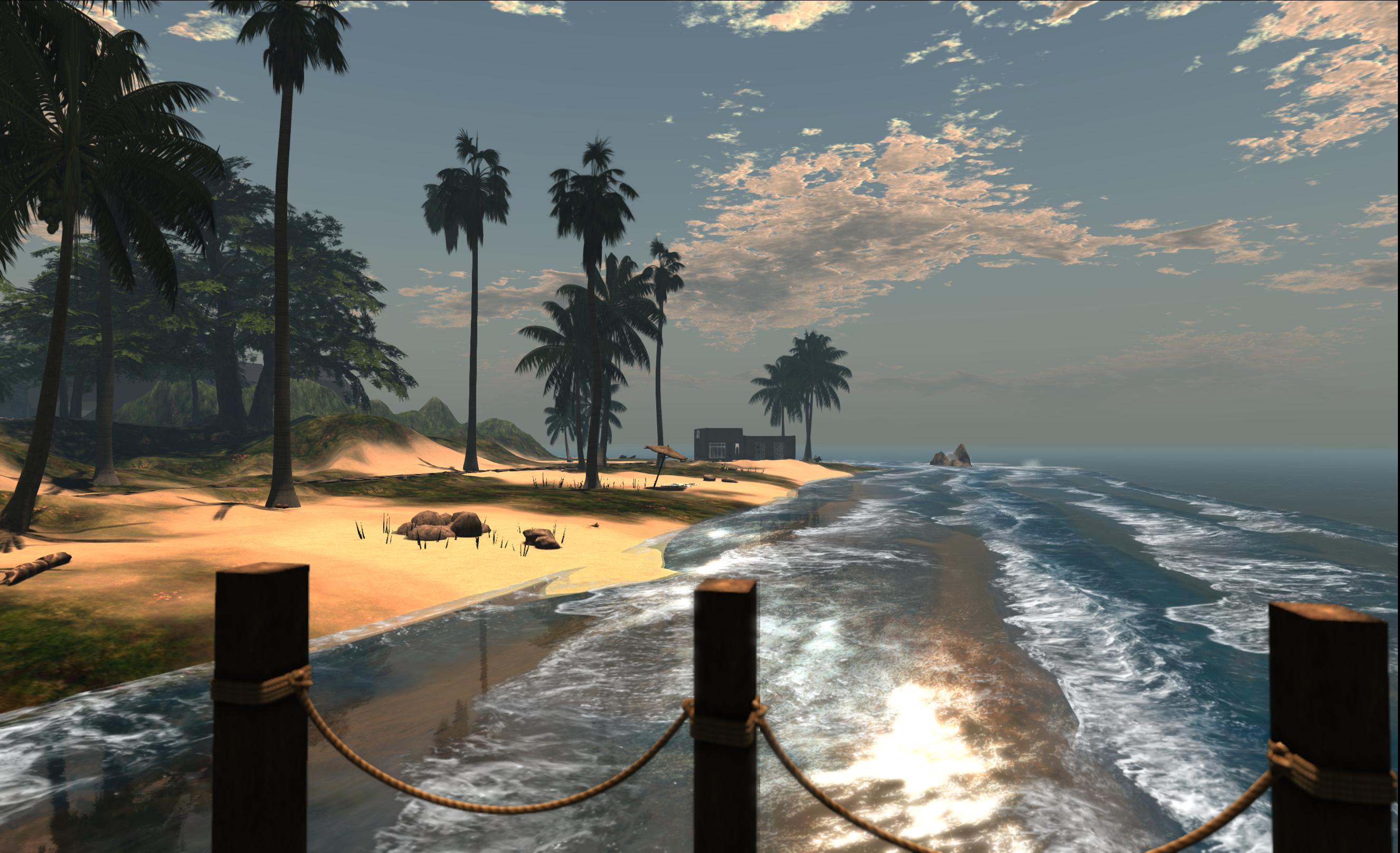
One of the bugs which delayed the arrival of the “project interesting” viewermeant that some objects would not render (as is the case with the house in this image). Unlike the recent “missing prims” issue, no bounding box, etc., was loaded by the viewer, so right-clicking where the house should be would not resolve the issue – a relog was required (image courtesy of Whirly Fizzle)
There are other improvements to further assist with scene loading as well. For example, when teleporting into a region never before visited, the viewer can now tell the simulator that it has no data for the region cached, and the simulator can in turn simply get on with prioritising the data and downloading to the viewer, rather than it having to repeatedly ask the viewer if it needs the data, as is currently the case. The result of this is that “several seconds” can be shaved from scene loading times for uncached regions. Also, the viewer will no longer load objects from cache into memory if they are completely by scene geometry, thus reducing unnecessary memory use.
The viewer is currently a release candidate, which means it will be downloaded and installed for some users who have indicated a willingness to participate in the release candidate programme through their viewer Preferences (Set-up > Willing to update to release candidates). Those who wish to manually install the viewer can read the release notes and download it from the link below.
The Lab issued a blog post to accompany the viewer release (which I initially missed), which includes a video demonstrating the changes, narrated by Torley Linden.
As regular readers here will know from my weekly SL project reports, Linden Lab is (among other things) working on the final clean-up of the Server-side Appearance (SSA) code. A large part of this work is directly linked to inventory handling, and is being referred to as the Advanced Inventory Service version 3 updates (AIS v3).
The primary aims aim of these updates is to address a series of inventory issues outstanding from the implementation of SSA, and to aggregate some operations that are currently multiple things into a smaller set of more powerful APIs. As noted in my last update covering AIS, the viewer-side code has reached a point where the Lab is both keen to progress with further testing. This being the case, the Lab has asked TPVs if they could incorporate the updates into experimental versions of their viewers so that they might assist with the testing.
Integrating the AIS v3 code isn’t as straightforward for those viewers which support both OpenSim and SL as it is for those that are focused solely on SL, as the AIS updates have been combined with a removal of the old client-side baking code from the viewer, as this is no longer required by the Lab. So in order to ensure avatar baking continues to work when users log-in to an OpenSim environment, those TPVs supporting both environments with a single viewer are having to ensure the client-side code is not lost when incorporating the new SSA / AIS updates.
On November 6th, Nicky Perian reported that Kokua has now done this, and has a test viewer for Windows available in the former version 3.6.9.30799, which is available in both 32-bit and 64.bit flavours.This viewer both includes the AIS updates and retains the client-side avatar baking code.
As the AIS code is still under development, it is not recommended that either version of this test viewer is used as the primary viewer for logging into Second Life. The primary reasons for making the viewer available are to:
Allow SL users to test inventory transactions, including changing avatar body parts and body part parameters (for example, eye colors) using the dedicated test regions which have been established on the SL Beta test grid Aditi (sunshinesls, sunshinesls1, sunshinetest, sunshinetest1)
Allow OpenSim users to also test inventory transactions and avatar baking on an OpenSim, and check for any unexpected changes to expected behaviour when compared to the latest release viewer.
Tuesday November 5th saw the release of Black Dragon 2.3.7 Maintenance 2, the second release for the viewer in as many weeks, the previous being (wait for it) 2.3.6 Maintenance 1. Since it’s been another two months since I last looked at Black Dragon, which is still officially in its Alpha phase of development, I decided the arrival of 2.3.7 was as good a reason as any to take another peek at what Niran has been up to.
And it is actually rather a lot, with each of the iterations of Black Dragon appearing since 2.3.1 both building on the basic LL v3.x look and feel while adding-in both more TPV features and Niran’s own unique take on the viewer’s appearance and layout.
Version 2.3.2 saw the inclusion of a host of CHUI, NORSPEC (materials), Cocoa updates, bug fixes and maintenance updates from Linden Lab, together with the return of Tofu Buzzard’s screen space reflections and a lot of general clean-up
Version 2.3.3 was to include further LL code updates and fixes, some updates to Niran’s Machinima Sidebar, and further rendering / graphics tweaks
Version 2.3.5 saw the re-introduction of RLVa, complete with a dedicated Preferences tab.
As noted above, both release 2.3.6 and 2.3.7 are classified as “maintenance” releases, planned by Niran to further enhance the work started in version 2.3.4, which introduced the first phase of overhauling the Preferences floater. Given this, what follows is intended to be an overview of the most recent updates to Black Dragon, with a particular focus on the Preferences work, rather than an in-depth review.
Preferences
With Niran’s Viewer, Niran opted to go for a fairly radical overhaul of the Preferences options, presenting them as an overlay, rather than within a floating panel. It was a novel approach, and one which, while making better use of screen space, could also be disconcerting to users coming to it the first time, particularly when trying to find settings, etc. In the re-working of Black Dragon, he’s gone for something less radical and potentially less unsettling to users familiar with the “traditional” approach to the Preferences floater, but which still offers an interesting take on how Preferences can be presented.
The first noticeable change is that Niran has used headings to split the various Preferences tabs into definable sections. The result is a layout which tends to be more logically ordered and which the eye tends to follow more easily.
The RLVa Preferences panel introduced in version 2.3.5 of Black Dragon and showing the use of section headings to help logically arrange the tab’s content
The other obvious change is that rather than using additional sub-tabs within a given section of Preferences, Niran has opted to use a slider on the right of the given tab, allowing users to scroll up and down through options in order to display them. It’s an interesting approach to take, and one that is certainly as valid as the use of sub-tabs; however, having to scroll through an extensive list of options such as with the Display tab perhaps isn’t quite as efficient as being able to see tabbed headings at-a-glance in order to switch between them.
There are other touches as well which set Black Dragon apart in terms of Preferences presentation. Within the Display tab (Graphics), for example, Niran opts to use drop-down option lists rather than sliders for various settings. This is again a carry-over from Niran’s Viewer, and whether one likes it or not is liable to be a matter of personal taste. To me, being able to set the rendering quality for something like in-world objects to a value between Low and Ultra feels more intuitively user-friendly than adjusting a slider to an arbitrary point somewhere between 1 and 4, or 0 and 1, or 16 through 120.
The Display (Graphics) tab in Black Dragon’s Preferences. Note the use of the slider (far right) rather than sub-tabs, the use of drop-down lists in place of sliders and the [default] option for quickly resetting those sliders which are still usedContinue reading “Black Dragon viewer: progressing nicely”→
The long-awaited Firestorm update has arrived in the form of Firestorm 4.5.1.38838. And for windows, it comes in both 32-bit and 64-bit flavours. If you’ve read my recent interview with members of the Firestorm team, or the transcript of the Firestorm Q & A held on October 26th, you’ll know both versions essentially have the same functionality, although there are some slight differences, which I’ll come to anon.
As far as the 32-bit release is concerned, however, there are a few of up-front notes to be read:
It is a beta release, not a “final” release. What does this mean? Essentially that it is coming out with both new functionality and with a fair few bugs, some of which may well continue to irritate while others people should be able to live with
The reason it is not a “final” release is that there is a lot more coming down the pipe from Linden Lab – additional SSA + inventory work, further viewer-side interest list updates, new HTTP updates, group ban functionality, and so on. However, none of this has been officially released by LL, and so while it has been hoped to bring to users in a 4.5.1 release, the Firestorm team have (wisely) opted to draw a line under what they have and clear the decks for the next round of code integration and updates (which will also hopefully resolve a number of the more irritating bugs to be found in the viewer – any viewer – where things like inventory, interest list work, etc., is concerned)
Although the release is “beta” it is fully supported by the Firestorm support volunteers.
These releases see Firestorm reach parity with the Linden Lab 3.6.7 code base, and all fixes up to that release. What follows here is not intended as an in-depth review of Firestorm 4.5.1.38838, but rather an overview of what is likely to be the more popular features and updates and a look at some aspects of the Windows 64-bit version. This being the case, please also check the release notes / change log for a full list of updates and all attributions thereof.
Download and Installation – 32 bit
It is strongly recommended that users perform a clean install of the new release. For Windows users, this means ensuring you remove the Firestorm folders found in C:\Users\[username]\AppData – under the Local and Roaming folders respectively, as well as uninstalling the program. Do make sure you use the settings back-up option (Preferences > Backup) to back-up your settings prior to uninstalling your current version of Firestorm and deleting these two additional folders.
The 32-bit installer weighs-in at just over 44MB in size, which is pretty much par for the course for Firestorm, and (for me) installation was smooth and didn’t trigger any AVG Pro alerts.
Once started, I noted this release appears to follow the menu bar colour scheme introduced by the Lab alongside of their updated viewer release process. Rather than being the default Firestorm colour, the menu bar is tinged a deep purple, indicating it is a beta release.
CHUI Updates
As Firestorm already had a communications interface which does much of what Linden Lab’s Communications Hub User Interface (CHUI) does, Firestorm does not implement CHUI in its entirety, although some features have been added. These include:
Block tab added to the people panel
Support for showing/hiding timestamp and names, replacing own name with (You)
Added expandable chat entry fields (Firestorm specific improvements made by Cinder Roxley)
A new menu item, Comm > Conversation Log (see below)
Access to Conversation Log and Chat History from the People floater
Sounds for teleport and inventory offers.
Conversation Log
The conversation log allows you to review saved logs of past conversations from within the viewer. As noted above, options can be accessed via the Comm menu or via the People floater.
The Firestorm 4.5.1 Conversation Log floater
Using Comm > Conversation Log opens a floater listing all available conversation logs. Right-clicking on any name in the list will display a series of options: IM, view profile, offer teleport (if the person is online), etc.
Open Chat Transcript will open up the conversation history with that person in a viewer floater, or if you prefer, Open Chat Transcript Externally will display the conversation history with that person in an external application such as Windows Notepad. These options are also available from the gear cog button at the top right of the floater, while the button next to it allows you to sort the order in which logs are displayed and access the Nearby Chat history.
When using the People floater, right-clicking on an individual’s name will display an option to view your chat history (if available) with them within the viewer. If there is not available history, the option will not be displayed.
Export / Back-up and Import
Firestorm becomes the latest in a number of TPVs to include the capability for users to back-up or export their own creations to their hard drive. Version 4.5.1 provides two file formats for this:
.OXP format for backing-up your own creations – which can include prims, textures, sounds, animations and note cards
.DAE format (Collada) for exporting objects as mesh.
Both options will export objects and their textures (the .DAE export code is from Singularity), and both are fully compliant with the Second Life permissions system, meaning:
Objects must belong to you, and all parts made by you or export will fail.
All textures on the object must be in your inventory, and be made by you. This includes sculpt maps
If you are not the creator of any element in an object, it will be replaced by the default when saving to your hard disk (so any prims you did not create will be replaced by a default cube, for example)
Any items contained inside the object (e.g. scripts, notecards, etc) must also be made by you
Back-up cannot be used to save mesh objects or objects containing mesh parts.
Back-up (l) to .OXP format and export to Collada .DAE (r) from Firestorm. Note that as I am attempting to back-up / export an object which uses textures I did not create, Exportable Textures is set to 0 – on saving the file, the three textures in the object will be replaced with the default plywood texture
Objects which have been backed-up should be imported using the Import Linkset option via the Avatar / Build > Upload menu. Objects exported as Collada .DAE files can be uploaded using the mesh importer.
To initiate a back-up or export, right-click on the object in question in-world and select Save As > Backup or Save As > Collada as required (if you’re using the pie menu: right-click and More > More > Save As and select the required option). The required dialogue floater is displayed – please then follow the Instructions on the Firestorm wiki.
When importing a back-up, it’s worth noting the following:
Importing a backed-up object
If you back-up a textured object to your hard-drive, note that as long as you have the textures in your inventory, you do not have to re-upload them when importing the object once more. Therefore, you can leave Upload unchecked and avoid paying to re-upload the textures. Once the object has been uploaded, the texture will be applied from your inventory
If the object contains textures, sounds or animations which have been completely flushed from your inventory since the object was backed-up, you will either need to check the Upload box on the importer and pay to re-upload them as a part of the import, or import them separately
You can opt to restore the imported object to the same region co-ordinates as recorded when it was backed-up (use with care) and opt not to have the object re-attach itself to you if it was originally attached when backed-up.
Materials Processing
Full materials processing support (diffuse, normal and specular maps) are included with this release. See my article on materials processing if you’re not already familiar with it. Or if you prefer, simply watch the video.
Movelock
Movelock is designed to provide a means of “replacing” avatar phantom (which no longer works as a result of other changes within LL’s viewer code) as a means of deterring people from trying to push your avatar around (such as when you’re afk, or simply because they are being an 18-karat wombat).
It uses LSL through the Firestorm bridge in order to try to “lock” your avatar wherever it stands (although you can still move around yourself with Movelock is enabled – it comes into play when others try to bump you around).
Movelock can be activated via Avatar > Movement > Movelock or by CTRL-ALT-P, or through the Movelock toolbar button. Once enabled, your avatar can still be pushed by other avatars and objects, but will return to its prior position when the pushing ceases. North, who coded the feature, produced a video on her early work with Movelock, demonstrating it in action.
Again, this isn’t the same functionality as avatar phantom, but will hopefully act as a deterrent to those who insist on shoving others around.
New Particle Capabilities Support
This release of Firestorm includes the “new” particle system capabilities, comprising:
Arton Rotaru has produced a video demonstrating the ribbon particle effect to create tyre tracks left by a vehicle.
Particle Griefing Alleviation
Note that these new particle capabilities include the ability to right-click on a particle stream / any rendered particles and mute their associated emitter, effectively blocking them. This can greatly simplify dealing with unwanted particle effects, such as during a particle griefing attack be eliminating the need to find the actual emitters and muting them. Also, as part of a general anti-griefing measure, particles will automaitcally cease rendering if FPS drops below 4 (both of these are Linden Lab improvements).
On Saturday October 26th 2013, the Firestorm team hosted another informal question-and-answer session. While the meeting was recorded, the Firestorm team are aware that many of their users have hearing difficulties, and / or prefer to read text. It is because of this that this transcript has been provided.
When reading it, please remember:
This is not a word-for-word transcript of the entire meeting. While all quotes given are as they are spoken in the video, to assist in readability and maintain the flow of conversation, not all asides, jokes, interruptions, etc., have been included in the text presented here
If there are any sizeable gaps in comments from a speaker which resulted from asides, questions to other etc,, these are indicated by the use of “…”
Timestamps are provided as guidance should anyone wish to hear the comments in full from any speaker on the video
Questions /comments were made in chat while speakers were talking. This inevitably meant that replies to questions would lag well behind when they were originally asked. To provide context between questions and answers, questions in the transcript are given (in italics) at the point at which each is addressed by a member of the Firestorm team, either in voice or via chat.
Please note: This transcript is provided for informational purposes only. As such, questions on technical issues relating to Firestorm and / or project-specific questions cannot be answered here unless one of the Firestorm team drops by.
The TL;DR Summary
The numbers in braces are timestamps which refer to the section of this transcript where more details can be read, and to the section of the video recording where the relevant comments can be heard.
The upcoming release will be a public beta. It will have a number of known bugs, some of which will be annoying [0:01:42-0:02:28]
There is a lot more coming from the Lab, so it is important the Firestorm team get a beta version out, so they can prepare for bug fixing and integrating the new code LL will be pushing out (and which is currently pending release by the Lab) including:
SSA updates (AISv3)
Group ban list
Interest list
HTTP updates
It will be a beta release, but it will be fully supported [0:05:10-0:05:33]
The Firestorm team have been accused of “holding things back”, they are not. There are valid reasons for any apparent delays (such as the amount of work some code merges have required and code for newer projects has yet to appear from the Lab [0:05:33-0:07:43]
A full release is unlikely before February 2014 [0:07:43]
The beta will be accompanied by a Windows 64-bit version of the viewer [0:11:01-0:13:41]
Why feedback for the 64-bit version is being requested, what kind of feedback is sought, why feedback should be delayed for a week or more following the release, the placebo effect [0:11:37; 0:14:30-0:16:09; 0:32:52-0:34:13; 1:01:04-1:04:08]
64-bit versus 32-bit: what to expect and what the differences are [0:16:09-0:18:22]
Linux 64-bit [0:28:50-0:29:34]
Why it is unlikely any viewer will have multi-screen support (tear-off panels and menus which can be moved outside the viewer window & between monitors) in the near future [30:09-32:52; 34:13-34:41]
Mac 64-bit [0:36:09-0:41:49]
The issues in building 64-bit versions of Firestorm [0:41:49-0:44:47]
Mac Maverick support [46:05-48:08]
Both Windows 32-bit and 64-bit can co-exist on the same PC [49:47; 57:29]
64-bit and lack of Havok support [58:29]
A discussion on Firestorm on mobile devices & LL’s coming beta with OnLive [50:39-54-15]
Why clean installs are really, really necessary at times [1:14:47-1:18:39; 1:24:58-1:25:47; 1:32:50-1:35:24]
Important notes on the 64-bit installer / installation [1:19:20-1:21:29]
Why Firestorm should only ever be downloaded from the Firestorm website [1:22:14]
OTR is coming, but not a priority [1:23:48-1:23:54]
 On Monday November 18th, Firestorm will commence blocking older versions of the viewer from accessing Second Life.




![The Display (Graphics) tab in Black Dragon's Preferences. Note the use of the slider (far right) rather than sub-tabs, the use of drop-down lists in place of sliders and the [default] option for quickly resetting those sliders which are still used](https://modemworld.me/wp-content/uploads/2013/11/prefs-2.jpg)


