Important note: The SL Go service is to be shut down on April 30th, 2015. For more information, please read this report.
Draxtor has been working on a promo video for SL Go on the iPad. It’s a fun piece.
Inara Pey: Living in a Modemworld
Second Life, virtual worlds and virtual realities
Important note: The SL Go service is to be shut down on April 30th, 2015. For more information, please read this report.
Draxtor has been working on a promo video for SL Go on the iPad. It’s a fun piece.
On November 5th, Latif Khalifa posted a notice to the Radegast blog that he is ending development of the Radegast viewer, and ceasing work on other virtual worlds open-source projects in which he has been engaged. Citing health reasons, Latif stated:
It saddens me to have to inform you that I won’t be able to continue work on Radegast or my other opensource projects. My health has been deteriorating over the past few years to this point where my use of computers is down to just a few minutes daily. Not being able to work for several years bring its own set of problems.
This isn’t necessarily the complete end for Radegast – as Latif notes, the code is open-source, and as such will remain available should anyone wish to continue with its development.
Radegast is a lightweight virtual worlds client that offers considerable flexibility of use for users, including the ability to render in-world scenes in 3D, thus enabling avatar movement and interactions. Almost all of the core capabilities found in a the full viewer are available within Radegast, including inventory management, the ability to change outfits, chat, IM, teleport, undertake group management activities, manipulate objects and their contents, script, use voice (local chat) listening to music streams, use avatar gestures, and more.
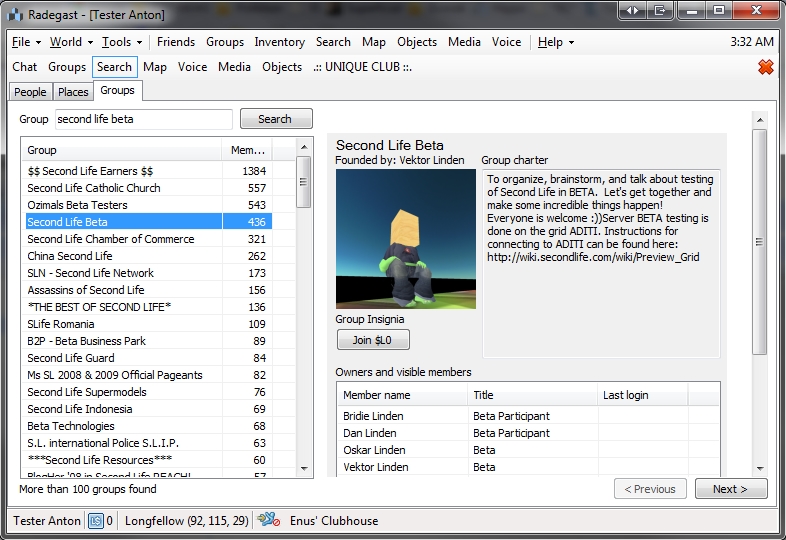
Radegast has particularly seen considerable use with visually impaired users, offering speech recognition for controlling UI and entering text in chat and text-to-speech for reading out loud incoming messages, and a special accessibility guide has been written in support of this.
As Latif has kept the client up-to-date with all major SL and OpenSim changes to date (including mesh rendering, server-side appearance for SL, etc.), there is no danger of it suddenly ceasing to work in the immediate future for those who do use it on a regular basis; so there is no need to immediately abandon it, even if the option to continue developing it isn’t taken up by another developer.

Latif himself has been a towering force within the open-source community, working on a number of viewer projects, including Singularity and, most recently, Replex, and he has been heavily committed to the support of the OpenSim community as well as working to improve the user experience in Second Life. He is the founder of the Advanced Worlds SL group in support of the creation, design and development of technologies for virtual worlds, and the promotion of open standards and open-source software.
While there has been no similar notice on the Replex blog, that Latif has indicated a withdrawal from his open-source projects suggests that work on this viewer may also be suspended unless someone else is steeping into the breach. However, I am still awaiting confirmation on this.
There is little doubt that his presence, if he is forced completely away from virtual worlds, will be very much missed – as the comments following the announcement on the Radegast blog demonstrate. In the meantime, my personal message to Latif – someone I’ve been privileged to call a friend for a good while now, and who has always been a huge amount of fun, even when we’ve bumped heads on occasion(!) – is simply this: look after yourself, and am hoping things improve in the future.
 On October 24th, Oculus VR released the latest software version for their SDK. Among the many updates came support for Unity Free developers (Unity versions 4.5.5 and up), and experimental support for Linux.
As a result of the release, Strachan Ofarrel (aka Dave Rowe in the physical world), has updated the Windows Alpha version of his CtrlAltStudio. The new release, version 1.2.2.41214 Alpha 4, issued on november 2nd, 2014, provides SDK 0.4.3, a number of additional Rift display options and some more general updates:

All of the Rift display options are enabled by default in the viewer, and no restart is required when disabling / enabling them, allowing for rapid-fire experimentation. In addition, and in relation to them, Strachan provides the following advice in the release notes and blog post accompanying the release:
The “Timewarp waits” option shouldn’t really be made visible to the user, but in my testing I found that it seemed to help to be able to turn it off if rendering at significantly less than the frame rate the DK2 is set at. The variability of the frame-to-frame timing in Second Life may well be why.
The optimum settings depend on what frame rate you’re achieving and your personal preferences and sensitivities to different display behaviour: if you’re achieving the ideal of 75Hz including while turning your head then the default of all options enabled is best; otherwise you will probably want to try disabling one or more, consider configuring your Rift display to 60Hz, and possibly try enabling triple buffering in your display driver.
As with the previous ALpha releases with DK2 support, this version will install into its own directory, allowing it to be used alongside the release version (although it will obviously over-write Alpha 1 or ALpha 2, if installed). Also note that with this release:
 Important note: The SL Go service is to be shut down on April 30th, 2015. For more information, please read this report.
As I (among others) reported on Tuesday, October 14th, OnLive released a version of their SL Go service for the iPad.
At the time of the release, there was an unexpected rotation issue which meant that the screen orientation was locked in one horizontal orientation – if you flipped the iPad around, the screen would appear upside down, although the input areas might actually flip with the screen but still be displayed as if they were upside down.
This was a particular nuisance for people using a bluetooth keyboard or docking station with their iPad, as it meant the viewer would be displayed upside down when docked with either.
On Friday, October 24th, Dennis Harper from OnLive dropped me a note to inform me that this rotation issue has now been corrected, The app should update for those who already have it, and the fix is now a part of all downloads obtained via the Apple iTunes store.
Important note: The SL Go service is to be shut down on April 30th, 2015. For more information, please read this report.
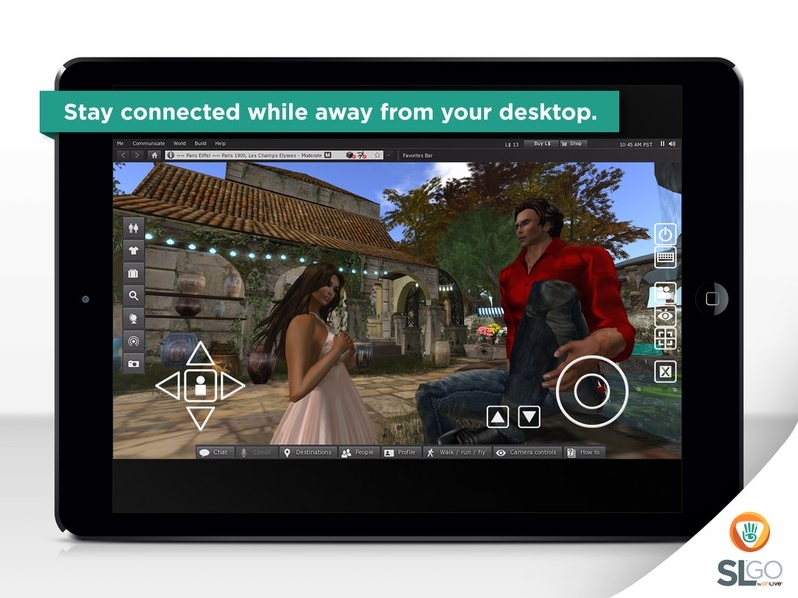
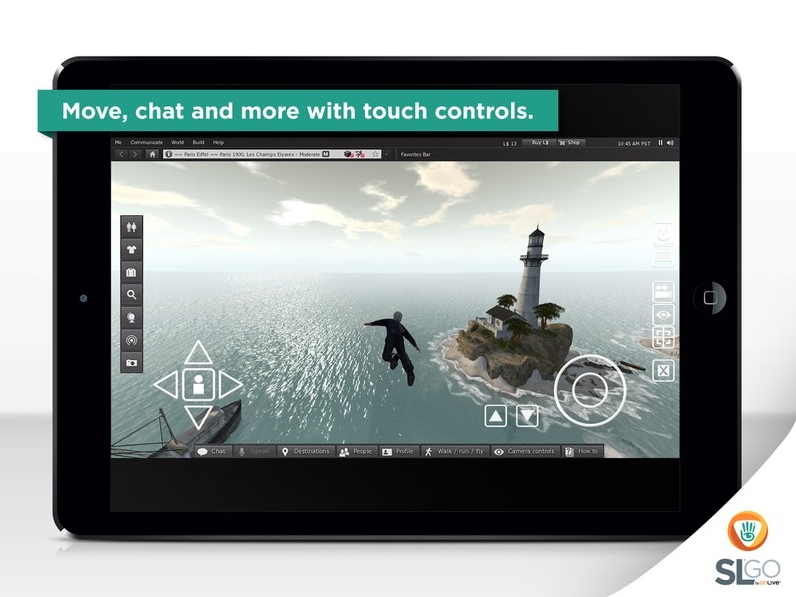
On Tuesday, October 14th, 2014 OnLive, the company behind the revolutionary SL Go service which streams the SL viewer and SL content directly to the user’s computer or hand-held device, announced the product is now available for iOS on the iPad.
Until now, the application has only been available for the Android mobile device platform, although OnLive have been working towards a release for iOS for some time. Now, the application’s arrival for the iPad brings with it the ability for iPad users to access Second Life with the full graphical richness of the SL viewer when on the move.
The press release announcing the launch reads in part:
OnLive, the leader in cloud gaming, today announced the release of SL® Go for iOS, a mobile viewer for Linden Lab’s Second Life® virtual world that extends the player’s Second Life experience to iPad® tablets for the first time. The touch-enabled app builds on SL® Go for Android™, which launched in spring of this year.
SL Go empowers Second Life residents to experience Second Life in full 3D and in real-time on any iPad running iOS 7 or greater, without the need for an expensive desktop computer. New and existing users can simply sign in over Wi-Fi or 4G LTE to enjoy a high-fidelity Second Life experience with amazing graphics quality, full shaders, shadows and full motion capability. Streamed from OnLive’s powerful cloud-based servers, which have been clocked at speeds as high as 200 FPS set to Ultra with Maximum Render Distance, each secure Second Life session enables users to rez quickly into their favorite sims to connect with in-world friends,participate in events, engage in combat games, and enjoy immersion in Second Life at a level never before possible on iPad tablets.
SL Go offers access to the full Second Life Viewer interface, including edit menus, inventory, preference settings and chat management, adding intuitive touch controls. All user customizations are saved from session to session, even if played on a completely different device or platform.Design a beautiful scene using SL Go on your Mac or PC, and then show it off to friends on iPad. Your world transfers seamlessly, making it mind-blowingly easy to stay connected with in-world events.
“Ever since we launched SL Go for Android™, the Second Life community has been clamoring for iOS compatibility,” said Rick Sanchez, VP of Product and Marketing at OnLive. “Now, residents can keep Second Life at their fingertips whether they’re at work, home, out with friends or traveling for the holidays. And with the iPad’s stunning Retina display, the Second Life world is beautifully rendered with breathtaking 3D graphics.”
Drax has produced a video to mark the iPad launch as well.
OnLive is the originator of fast-twitch cloud gaming, innovating the delivery of real-time interactive experiences over any network. With ground-breaking video compression technology, OnLive instantly delivers full-featured, media-rich applications anytime and anywhere, across a range of devices. The OnLive Game Service gives gamers the freedom to play their games on PCs, Macs, tablets, and HDTVs. OnLive Go brings the benefits of cloud gaming to MMOs, virtual worlds and other graphics-rich interactive applications. Having pioneered powerful cloud solutions for the most technologically challenging segment, fast-twitch AAA games, OnLive has hundreds of patents that cover its innovations. The company is headquartered in Mountain View, California. More information is available at www.onlive.com and www.onlive.co.uk.
 Following the release of Singularity 1.8.6 on Thursday September 4th, Replex, the viewer led by Latif Khalifa and based on Singularity, updated on Saturday September 6th to version 1.0.0.6229, the first full release of the viewer.
I reviewed an alpha version of Replex in June, when it slightly preempted the (then) upcoming Singularity release. This release keeps pace with the Singularity 1.8.6 release, offering the same capabilities. Replex-specific updates comprise:
Replex is available in Windows and Linux 32-bit and 64-bit version, and a Mac version and is compatible with OS X 10.6 and newer, Intel CPUs. Note that the download page contain additional notes relating to the Linux version of the viewer.
I’ve not had the opportunity to take Replex for a thorough test drive, but the Alpha version was stable and nicely packaged, and I see no changes on that front with this release.
 Inara Pey: Living in a Modemworld