As always, please refer to the server release thread for updates and the latest news.
There was no deployment or restart for the Main (SLS) channel on Tuesday, October 24th, leaving it on package #17.10.06.509394.
On Wednesday, October 25th, the RC channels should be updated with a sideways roll to server maintenance package, #17.10.06.509394, comprising internal fixes, cuerrently deployed to the Main (SLS) channel.
SL Viewer
On Tuesday, October 24th, the current Maintenance RC viewer updated to version 5.0.9.329650. All other viewers in the current pipelines remain as per the end of week #42:
Current Release version 5.0.8.329115, dated September 22, promoted October 13 – formerly the “Moonshine” Maintenance RC.
Release channel cohorts:
Wolfpack RC viewer,version 5.0.9.329478, dated October 20 – this viewer is functionally identical to the release viewer, but includes additional back-end logging “to help catch some squirrelly issues”.
Alex Ivy 64-bit viewer, version 5.1.0.508209, dated September 5.
Voice RC viewer, version 5.0.8.329552, dated September 1.
Obsolete platform viewer version 3.7.28.300847, dated May 8, 2015 – provided for users on Windows XP and OS X versions below 10.7.
Exploits Update: No Copy Items
One area of concern / upset for content creators has been the use of server exploits to generate copies of No-Copy items. These have been frequently used to fold the Market with illicit copies of gacha items. The Lab has been aware of this, and some of the recent server-side updates (which are now grid-wide on Agni) have been to address these problems, as Simon Linden explained, relaying Mazidox Linden’s comments made at the Server Beta Group meeting on Thursday, 19th October:
Some of our recent internal fixes included changes to our back-end systems which will no longer allow certain exploits used for duplicating no-copy content, and make it easier for us identify when anyone uses similar techniques in the future. We haven’t solved all the problems outright, but we’re making good strides.
Simon went on to add, “There is more work to be done, and we want to do it.”
Obviously, the Lab is always interested in learning about potential exploits within the platform. Anyone identifying such an exploit – such as a means to deliberately crash a simulator – is asked to file a SEC (non public) JIRA detailing the exploit. There is a new region on Aditi (the beta grid), called Crash Me, which can be used to test / demonstrate ways the simulator might be crashed.
If a creator notices that there are endless amounts of their items on marketplace, and they suspect their items have been exploited, and JIRA Bug report should be raised.
The Content Creation User Group Meeting, Thursday, 13:00 SLT
The following notes are taken from the Content Creation User Group meeting, held on Thursday, October 19th, 2017 at 13:00 SLT at the the Hippotropolis Camp Fire Circle. The meeting is chaired by Vir Linden, and agenda notes, etc, are usually available on the Content Creation User Group wiki page.
Medhue Simoni live steamed the meeting to You Tube, and his video – in two parts – part 1 and part 2. These have been embedded as a playlist at the end of this article, as should play one to the next. Time stamps to the recordings are included below, and clicking on any of them will launch each video in a separate browser tab at the assigned point. However as these notes present the meeting in terms of topics discussed, rather than a chronological breakdown of the meeting, so some time stamps may appear to be out of sequence.
Animesh (Animated Mesh)
“I like the name ‘animated objects’ because I think it’s unambiguous, but it takes a long time to type!” – Vir Linden joking about the name “Animesh”.
Project Summary
The goal of this project is to provide a means of animating rigged mesh objects using the avatar skeleton, in whole or in part, to provide things like independently moveable pets / creatures, and animated scenery features via scripted animation. It involves both viewer and server-side changes.
In short, an Animesh object:
Can be any rigged / skinned mesh which and contains the necessary animations and controlling scripts in its own inventory (Contents tab of the Build floater) required for it to animate itself.
Can be a single mesh object or a linkset of objects (link them first, then set them to Animated Mesh via the Build floater > Features).
Has been flagged as and Animesh object in the project viewer, and so has an avatar skeleton associated with it.
Uses three new LSL methods to run or stop animations, or check which animations are currently running:
At this point in time, this is not about adding fully functional, avatar-like non-player characters (NPCs) to Second Life. So Animesh objects will not (initially) have an avatar shape associated with them, make use of the viewer’s inventory floater or the server-side avatar locomotion graph for walking, etc., and so will not use an AO, and will not use the avatar baking service. Such capabilities may be added as a future phase of the project.
[video 1: 8:29-9:15] Vir re-iterated that the purpose of the testing is to uncover bugs, check the workflow logic, gather performance data, etc., and encouraged creators to try to push the capability by doing as many different things as possible to ensure this pass of Animesh results in a “good” release.
People have been using the test items provided on Aditi, and early reactions to to the capabilities have been positive. JIRA issues and requests have been filed, and Whirly Fizzle has created a JIRA filter for Animesh to make listing all current reports and requests filed for Animesh.
Some Noted Issues
[Video 1: 10:32-13:15] Animated mesh height placement: One issue with Animesh noted in the meeting is determining where on / above the ground an Animesh objects should be placed, with people noting that when enabling the Animated Mesh option in the viewer, an Animesh creature / avatar can sink into the ground somewhat – as can some Animesh objects which should appear to be attached to an avatar, such as at the hand attachment point.
This appears to be an issue within the baking service which will likely require an update. In addition, Vir is hoping that testing will reveal more about height offset positioning so that the workflow for calculating where Animesh objects appear to be can be further refined to avoid discrepancies.
[Video 1: 16:29-18:18] Animation Playback Speeding Up at Greater Distances: This is a known issue wherein animations appear to “speed up” the further away you cam from the object / avatar being animated (the same thing also happens when avatars are impostered). This isn’t an Animesh issue, but a product of how animation updates are handled and his been known about for some time (and was subject to some investigations and tweaking with things like the Interest list several years ago), and is particularly noticeable with large numbers of avatars dancing.
A non-public JIRA has been specifically filed against the problem for Animesh, as it is felt the problem could be far more visible in regions where Animesh creatures, etc., are used. Vir’s hope is that the Lab can re-examine the issue with a view to reducing the issue’s visibility.
[Video 1: 19:22-19:40] Viewer crashing on unchecking the Animated Mesh option: this is a known issue, but one not seen as occurring frequently enough to be considered a blocker to issuing the test viewer. It is being looked at.
Other Points of Animesh Discussions
[Video 1: 13:17-15:11] Animesh: Purpose Built, or Just Conversion? Should Animesh just be a case of being able to convert any rezzable rigged mesh to Animesh (as is the case) or should mesh intended to be Animesh be specifically designed with that end use in mind. In the case of the former, conversion lowers the barrier to entry with Animesh, but might lead to inefficient models being converted, possibly leading to performance issues. The latter is likely to be used by some content creators wishing to optimise their content for Second Life, but potentially limits the scope of Animesh.
[Video 1: 15:12-16:23] “Unrigging Meshes” on conversion to Animesh: It is noted that converting a rigged mesh to Animesh and not animating it causes the rigging applied to the mesh to be ignored, effectively “converting” it to an unrigged mesh. So modifiable items brought from a creator which are not supplied with an unrigged version might, be “converted” in this way.
[Video 1: 20:19-21:43] Mesh attach / detach limitations: By default, we generally attach / detach objects directly from inventory; also by default, mesh attachments cannot be dropped in-world. However, this means that the only way to currently “pick up” and “put down” an Animesh pet which can roam in-world / be held, is via inventory, which doesn’t make a lot of visual sense. Vir agrees this should probably be looked at and amended, if possible.
[Video 1: 22:30-23:12 and 23:40-25:20] 90-degree rotation of visual mesh versus bounding box / physics: The question was asked if this is a side effect of the +x alignment (see my previous CCUG update for a discussion on avatar alignment). In short, yes, but there is a lot going on in defining, rigging, attachment mesh, it’s not clear precisely what is going on, and further investigations are required.
[Video 2: 0:00-0:30] Attaching a prim object to an Animesh object causes the prim to become invisible: (partially messing from the videos): the reason this happens is unclear, but it is regarded as a bug.
[Video 2: 0:48-2:15] Is there a script function for attaching a mesh to an existing Animesh object: yes, but is permissions based.
[Video 2: 3:05-7:45] Facial animation / pathfinding issue? Medhue Simoni reports that adding pathfinding to an Animesh object which does not have facial animations running can make the object’s face “explode”. This requires further investigation to pin down – but might indicate Animesh may need a “reset” option similar to the Reset Skeleton option for avatars (also covering alignment / bound box issues).
[Video 2: 7:58-9:45] Animesh and avatar shapes: as noted in the project summary above, Animesh currently does not recognise avatar shapes (but this may be added in a future iteration of the project, once baking service support, etc., is available. This means all joint in a skeleton are in their default position unless affected by a script / animation & there is no ability for shape editing.
[Video 2: 10:29-13:44 and 15:08-16:00] Sitting on Animesh objects & pathfinding: sitting an avatar on an Animesh object should be possible, but if the mPelvis bone of the Animesh is moving, this may result in odd avatar movements, as noted in past Animesh updates. For an Animesh creature using Pathfinding, a sit target will likely need to be explicitly scripted.
[Video 2: 14:04-14:29] Interacting with Animesh by clicking on it: there is a known issue still being looked at, where right-clicking on an animated Animesh works, left-clicking doesn’t.
[Video 2: 16:16-20:00] Using a prim as the root of an Animesh object: Animesh currently requires the root object in the linkset is rigged mesh (and – as noted above, re: attaching prims to an Animesh item) is not very happy if any other parts of the linkset are not rigged mesh. A request has been made to allow the root of Animesh items to be a prim, in order to ease problems of orientation / bounding box scaling.Vir’s view on this is that work still needs to be done to ensure a better placement and orientation of the skeleton in order to better overcome issues of orientation, etc.
[Video 2: 16:46-17:40 and 22:50-23:20] Handling joint conflicts: conflicts with multiples meshes in an Animesh attempting to manipulate a joint at the same time are essentially handled the same way as for avatars where multiple attachments may try to manipulate the same joint: an arbitrary decision on which position is used is made by the system based on asset UUID.
[Video 2 20:24- 21:40] Why is there an alignment issue? The core issue with orientation is that, until now, attachments have been based on the avatar skeleton already being in-world, which causes an attachment to be correctly positioned and oriented to it. With Animesh, the opposite is true, it is the object that is already in-world, and the skeleton is then being associated with it. Wherever the skeleton goes and faces will become the visual location / orientation for the object, and its finding a way to most accurately position the skeleton with respect to the object that is the problem.
[Video 2: 24:40-25:13] Do linked Animesh objects each have a skeleton? No. Animesh linksets only use a single skeleton. So link three Animesh items together, and they’ll have a single skeleton.
Animesh In-World Groups
Two unofficial in-world groups for Animesh have been created:
A set of environmental enhancements, including the ability to define the environment (sky, sun, moon, clouds) at the parcel level; a new environment asset type that can be stored in inventory and traded through the Marketplace / exchanged with others; scripted, experience-based environment functions, an extended day cycle and extended environmental parameters. This work involves both a viewer updates (with a project viewer coming soon) and server-side updates.
Current Status
[Video 2: 25:47-26:38] Rider has converted the day settings in the new format and is about to start working on making environment setting into inventory objects. Once he’s completed this work, his focus will be on producing a project viewer for people to use in testing the available EEP capabilities. This will be “soon”, but may not include the scripted elements of the project.
Bakes on Mesh
Extending the current avatar baking service to allow wearable textures (skins, tattoos, clothing) to be applied directly to mesh bodies as well as system avatars. This involves server-side changes, including updating the baking service to support 1024×1024 textures, and may in time lead to a reduction in the complexity of mesh avatar bodies and heads. The project is in two phases:
The current work to update the baking service to support 1024×1024 textures.
An intended follow-on project to actually support baking textures onto avatar mesh surfaces (and potentially other mesh objects as well). This has yet to fully defined in terms of implementation and when it might be slotted into SL development time frames.
This work does not include normal or specular map support, as these are not part of the existing baking service.
Current Progress
[Video 2: 27:57-28:32] An updated baking service server is going to be set-up on one of the Lab’s internal development grids for load testing.
[Video 2: 28:44-29:33] People are looking towards the bakes on mesh project; Vir re-stated that it is a major project in total, and currently the only aspect being tackled is getting the baking service to comfortably support 1024×0124 textures. Where the rest of the work required to support baking on to mesh bodies and items, etc., lies on the Second Life development roadmap and time frames is still TBD.
Content Creation User Group Meetings Moving to Aditi
[Video 1: 6:44-7:33] To assist with Animesh discussions and testing (the latter of which is currently only be possible on the Aditi, also known as the beta grid or preview grid), CCUG meeting will, for the foreseeable future, be moving to that grid and the Animesh 4 region on Aiditi. Details of the meeting location will be made through the CCUG wiki page.
However, if you have not previously logged-in to Aditi, you will need to file a support ticket to request access, and do so at least 24 hours in advance of the meeting. For further information on Aditi, including how to log-in, please refer to the Aditi wiki page.
As always, please refer to the server release thread for updates and the latest news.
On Tuesday, October 17th, the Main (SLS) received the server maintenance package, 17#17.10.06.509394, previously deployed to the Magnum RC channel, comprising “internal fixes”
On Wednesday, October 18th, the RC channels should be updated with a new server maintenance package, #17.10.13.509701, also comprising internal fixes.
Neither of these updates should have user-visible changes.
SL Viewer
The former Maintenance RC viewer, version 5.0.8.329115, was promoted to de facto release status on Friday October 13th., and a new Maintenance RC viewer, version 5.0.9.329464 was released. Otherwise, the SL viewer pipeline remains unchanged from week #41:
Release channel cohorts:
Voice RC viewer, version 5.0.8.329552, dated September 1.
Wolfpack RC viewer,version 5.0.8.329128, dated September 22 – this viewer is functionally identical to the release viewer, but includes additional back-end logging “to help catch some squirrelly issues”.
Alex Ivy 64-bit viewer, version 5.1.0.508209, dated September 5.
Obsolete platform viewer version 3.7.28.300847, dated May 8th, 2015 – provided for users on Windows XP and OS X versions below 10.7.
Pathfinding Bug (?)
Pathfinding hasn’t been particularly successful since its introduction. However, with work progressing on animated mesh (Animesh – see my Content Creation User Group updates), there has been renewed interest in using Pathfinding alongside of Animesh. However, it has recently been noted that any call to llCreateCharacter on a Full region causes 8-12% performance loss (Homestead regions do not appear to be affected), regardless of whether the region is actively using Pathfinding or not, and / or whatever else is in the script – see BUG-41385.
This appears to be a recent issue, but it is not clear how widespread it might be, as the issue has thus far only been reported in one estate. However, when it does occur, one character in a region seems to be enough to cause the hit, additional characters don’t cause any significant increase in the loss of performance.
Commenting on the issue at the Simulator User Group, Simon Linden said:
Pathfinding is a big chunk of complex code (that we didn’t write) so I’m sure there’s some significant change between having nothing to do and processing one character. I’ve spent a few days looking into this … Believe me, I’d like to fix it … I’ve tried and couldn’t fix it so far.
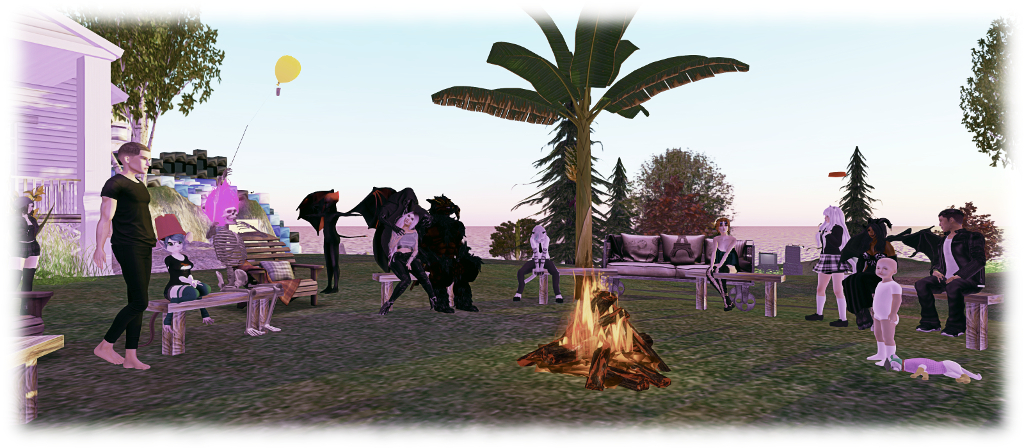
People gather for the Content Creation User Group meeting, October 12th, 2017
The following notes are taken from the Content Creation User Group meeting, held on Thursday, October 12th, 2017 at 13:00 SLT at the the Hippotropolis Camp Fire Circle. The meeting is chaired by Vir Linden, and agenda notes, etc, are usually available on the Content Creation User Group wiki page.
Medhue Simoni live steamed the meeting to You Tube, and his video is embedded at the end of this article, with key points of discussion noted below. Time stamps to the recording are included below, and clicking on any of them will launch the video in a separate browser tab at the assigned point. However as these notes present the meeting in terms of topics discussed, rather than a chronological breakdown of the meeting, so some time stamps may appear to be out of sequence.
Animesh (Animated Mesh)
“I like the name ‘animated objects’ because I think it’s unambiguous, but it takes a long time to type!” – Vir Linden joking about the name “Animesh”.
Project Summary
The goal of this project is to provide a means of animating rigged mesh objects using the avatar skeleton, in whole or in part, to provide things like independently moveable pets / creatures, and animated scenery features via scripted animation. It involves both viewer and server-side changes.
In short, an Animesh object:
Can be any object (generally rigged / skinned mesh) which and contains the necessary animations and controlling scripts in its own inventory (Contents tab of the Build floater) required for it to animate itself.
Can be a single mesh object or a linkset of objects (link them first, then set them to Animated Mesh via the Build floater > Features).
Has been flagged as and Animesh object in the project viewer, and so has an avatar skeleton associated with it.
Can use many existing animations.
However Animated objects will not (initially):
Have an avatar shape associated with them
Make use of an avatar-like inventory (although individual parts can contain their own inventory such as animations and scripts)
Make use of the server-side locomotion graph for walking, etc., and so will not use an AO
Use the avatar baking service
Will not support its own attachments in the initial release.
These are considered options for follow-on work, possibly starting with the notion of a body shape (to help with more fully-formed NPCs).
Viewer Progress
[1:11-3:40] We are now “very close” to seeing a project viewer, test content and test regions appearing. The viewer has been passed by LL’s QA team, the initial test content is being developed (and will be added to, although people can obviously also test their own content) and a total of five regions will be set-up on Aditi (the beta grid) for the purposes of test very soon. Four of these will be arranged in square and be rated Moderate (allowing for comprehensive content testing, including how Animesh is managed on region crossings), the fifth will be separate and rated Adult.
The main hold-up for now is documentation: release notes, wiki documentation, FAQ, etc. When all is ready, there will be a blog post on the project, and the viewer itself will be appearing on the Alternate Viewer wiki page – so those interested in testing Animesh should keep their eyes on both the official blogs and the viewer wiki page.
Root Positioning
[4:20-7:20] The most recent work with Animesh has remained focused on aligning the root joint of a skeleton associated with an Animesh to the position of the Animesh object in-world. The problem here is that the skeleton / avatars in SL are oriented along the X-axis; however, some tools (Avastar?) align along the Y-axis.
This means that when applying skeleton (X-axis orientation) with an in-world mesh objects with a Y-axis orientation to make it Animesh, the latter can jump and rotate. Vir had been looking to make changes in the skeleton’s orientation to handle mesh with a Y-axis orientation this. However, it turns out doing so could cause unwanted behavioural changes for scripts handling attachment rotation and positioning. To avoid this, the skeleton orientation will remaining X-axis oriented. Vir hopes that the upcoming testing will allow the settings for linking skeleton to mesh can be further refined to make the conversion from static mesh to Animesh as smooth as possible.
Animesh and Vehicles / Testing vs Release
[9:20-13:20] A view is expressed that Animesh is being “rushed” without sufficient thought being given to its application in vehicle design. This in part perhaps stems from confusion about public testing of Animesh and a release in Animesh. For example, while Bento had an initial “closed” period of develop to lay the ground work, it was followed by a broad and lengthy public period of testing, consultation and enhancement.
As such, the arrival of the project viewer doesn’t mark a move towards “releasing” Animesh – but rather allows more widespread testing of the capability, including its potential use in vehicles and elsewhere. Testing is the point at which the Lab can more fully look to creators for feedback, requests for improvement – and even fleshed-out feature requests etc., which might be considered for folding-in to the current work or for follow-on work once the initial Animesh release has been made.
Quick Questions
Land Impact:
[15:54-16:29] Overall land impact constraints of Animesh are still TBD (testing will help determine what might be required). However, Vir points out that in terms of individual LI applied to Animesh objects it will initially be focused on a per skeleton basis, not on a per mesh basis (so a linkset of several rigged meshes converted to Animesh will be seen as single object with an LI, not a group of mesh objects, each with an LI).
[37:35-38:34] Couldn’t the Animesh constraint be purely land impact based? possibly, but then attachments would be excluded – as they are with avatars, and the most costly element in terms of performance are avatars; by only using LI as a constraint, then Animesh could become as impactful as avatars with multiple high render cost attachments.
[16:46-17:18] Is Animesh prim objects with an AO? No. Animesh is rigged mesh objects containing scripted animations within them, associated with an avatar skeleton.
[17:22-17:57] If an Animesh has linked skeletons, do animations play across all of them? No – Animesh does not involve linking skeletons. It can comprise multiple rigged mesh objects which are linked to an individual skeleton, which can have animations applied to it.
[18:09-18:30] will the attached mesh also count against the tri count? Yes. There will be a limit, most likely set to 20K when testing starts, but subject to review as testing proceeds.
[26:02-27:35] Short description of how Animesh will work, as covered in some of the bullet points in the project description, above. Includes some discussion of using Animesh with pathfinding.
[30:00-30:35] Is animation movement capped (in terms of moving an individual bone): yes, it is capped at 5 metres, as it always has been for avatars.
[30:41-32:55] Physical properties discussion: Animesh objects will operate like avatars: they well not have physical collisions as a result of animation (e.g. a moving arm on an Animesh will not collide with a passing avatar, for example). However, Animesh objects will have physical properties (based on mesh physics shape), and so can fall, etc.
[47:35-48:08] Will Animesh alter the land impact for existing objects in-world? No. Animesh is a new object property, only applicable to objects intentionally set as Animesh. As such, it will not affect pre-existing content in-world unless said content is converted to Animesh (if it can be).
[48:48-49:58] Will Animesh behave at altitude? There is an issue which sees mesh rigged with software skinning deforms at altitude (starting around 1,000m and getting worse from there). Animesh might suffer the same, but it hasn’t been tested.
[52:47-56:10] The eyes have it – a discussion on automating eye movements on Animesh in a similar manner to avatars. Vir see this more as building-out the NPC-style capabilities with Animesh, which is very much a follow-up to the current project.
[58:18-59:20] Can Animesh work with other mesh? It should; the complex part is liable to be keeping the object’s actual position in sync with its rendered position based on the animations playing, particularly as there won’t be a “sit” equivalent. Vir hopes this is something that will be poked at in testing.
Side notes on Animesh Constraints:
[44:08-45:21] As Vir has previously indicated, all of the constraints in the viewer – when it appears – are for testing purposes, and to provide a means by which things can be tested. For a catch-up on constraints and testing, please refer to my previous CCUG update.
[20:21-20:45] Also, to help with constraints and information, Vir has been updating the viewer’s avatar complexity panel to provide information on triangles, which will also work for Animesh objects.
[22:45-29:08] A feature request has also been submitted for an alternative method of handling land impact and incorporating Animesh – see BUG-139203. This has been left open for comment. However, it is something the Lab is interested in taking a look at.
Voice RC viewer, version 5.0.8.329250, dated September 29.
Maintenance RC viewer, version 5.0.8.329115, dated September 22nd.
Wolfpack RC viewer,version 5.0.8.329128, dated September 22nd – this viewer is functionally identical to the release viewer, but includes additional back-end logging “to help catch some squirrelly issues”
Alex Ivy 64-bit viewer, version 5.1.0.508209, dated September 1st
Obsolete platform viewer version 3.7.28.300847, dated May 8th, 2015 – provided for users on Windows XP and OS X versions below 10.7.
Touch, Camming, Experiences, Avatars and Feedback
Note: the following is not indicative that the Lab is considering behavioural changes in Second Life at this time. The topics were simply raised with a view to generating discussion and feedback.
There are a lot of things we can do in a region which might not always be in the spirit of what is intended by the region owner, particularly if the region is designed for a specific purpose, such as an experience or game. We can, for example, cam ahead, seek out secrets, identify traps or hazards and find ways to avoid them. We can also reach across a region to touch things when perhaps it would be better if we could only do so up close.
There are various ways to limit some of this – scripts can be used to limit touch, as can RLV, for example. But for things like experiences and games, it might be better if the region owner had the option to perhaps enforce limits on how far away from their avatars people can cam or touch.
However, this has to be balanced against those situations where camera and “long-distance” touch can be essential. Shopping at a crowded event, for example can be made much less of a fight against crowds and lag by using Area Search, the camera, and far touch to obtain specific items (even flycamming and far touch can make shopping a lot easier in any situation). Ergo, there’s a risk that imposing limits on either could have a more detrimental effect on people’s willingness to shop in popular locations.
Given that crowds themselves are a problem, would it be worthwhile limiting the number of avatars seen within a region in some way? Perhaps a limit set through the estate controls, or by some method within the viewer such that avatars / imposters beyond a certain radius aren’t rendered / have updates ignored by the Interest List until they come within the specified distance – just like people can move in and out of view in a real crowd.
Again, how something like this might work – should it really be a control at estate level, or would it be better as an option users could tweak (which would get my vote) – would have to be thought through in detail. Particularly given we already do have some control over the rendering, at least, of the avatars around us through various methods (e.g. render friends only, derender selected avatars, CTRL-ALT-SHIFT-4, avatar rendering, etc.); while although each of them might not be perfect, they can give flexibility of control to individual users.
As noted, the Lab aren’t planning any changes specific to any of the above – but by throwing questions out and listening to feedback, concerns, alternative ideas, they are perhaps pulling ideas and thoughts into the melting pot on how SL might be refined and offer better controls and means to improve people’s individual and joint experiences.
The majority of these notes are taken from the TPV Developer meeting held on Friday, October 6th 2017. The video of that meeting is embedded at the end of this update, my thanks as always to North for recording and providing it. time stamps in the text below will open the video in a separate tab for ease for reference to the relevant points of discussion in the meeting.
The meeting was chaired by Rider Linden, who was filling in for Oz, and was somewhat foreshortened.
SL Viewer
There were no updates to the current crop of official viewers during the week, leaving the pipeline as:
Current Release version 5.0.7.328060, dated August 9th, promoted August 23rd – formerly the Maintenance RC
Release channel cohorts:
Voice RC viewer, version 5.0.8.329250 on Friday, September 29th
Maintenance RC viewer, version 5.0.8.329115, dated September 22nd.
Wolfpack RC viewer,version 5.0.8.329128, dated September 22nd – this viewer is functionally identical to the release viewer, but includes additional back-end logging “to help catch some squirrelly issues”
Alex Ivy 64-bit viewer, version 5.1.0.508209, dated September 1st
Obsolete platform viewer version 3.7.28.300847, dated May 8th, 2015 – provided for users on Windows XP and OS X versions below 10.7.
Quick notes:
[4:35-4:52] Work is continuing to fix the texture crashes in the 64-bit Alex Ivy RC.
[5:25-5:40] There is a reference to Voice changes, however, the question is non-specific, and it is unclear if it refers to the current Voice RC (updated at the end of week #39) or to further updates, the question is deferred to Oz (who is directly involved in the Voice project).
E-mail Verification
[2:56-4:00] As noted in part 1 of this week’s report, the Main channel deployment saw an update to IMs-to-e-mail as part of the Lab’s move to only handling verified e-mail addresses.
The sending / forwarding of messages to unverified addresses is not blocked – as yet. However, once a viewer-side changed has been deployed, accounts with unverified emails will no longer be able to request that IMs be forwarded to e-mail; attempts to enable the viewer-side setting will fail, and result in a message advising the account holder to verify their e-mail address.
Potential Interest List Change
[15:52-18:40] (with a lengthy silence)] There is a potential simhost change to the Interest List under discussion at the Lab. This will in essence reduce some of the aggressive culling of updates from objects behind an avatar (particularly useful in the case of light sources, moving objects, etc). If it goes ahead, this update could also benefit the 360-snapshot viewer.
Other Items
Estate Tools Update
[6:07-10:40 (ish) and 13:10-14:20] There is a lengthy on-off exchange, in Voice and text (with some long pauses in both) regarding the Estate Tools updates in the viewer. In short: updates to the estate ban lists (see BUG-8883 and BUG-40676 as examples of requested changes), have resumed. however, as Alexa Linden, who is running this project, was unavailable for the meeting, no detailed update was possible.
Viewer Build Issue
[10:50-12:00] There is “progress” in fixing an incorrect viewer build update involving a change to the Cmake files which results in a forced rebuild of the Windows version of the viewer (the “-z0” issue).
In-world Posing
[20:48-end of meeting] NiranV Dean has been experimenting with a means of in-world posing an avatar through the viewer (e.g. for things like photography), which would be visible to the person posing their avatar (as it would require server-side support to be visible in all viewers). There may be interest from the Lab in accepting as a proposal / contribution, if the details of what is required can be agreed between the Lab and Niran.
There were concerns among those attending the meeting (and raised largely in text) on what Niran is trying to achieve and how it might related to content ripping. If nothing else, the conversation underlines the need for a clearly thought-out proposal outlining the idea, its purpose, how it might be implemented, potential issues which will need to be considered and addressed, etc., rather than requesting people “try” the idea and give feedback.
Date of Next Meeting
The next Third-Party Viewer Developer meeting will not be until Friday, November 3rd, 2017.


 Inara Pey: Living in a Modemworld