December 2025 SL Web User Group

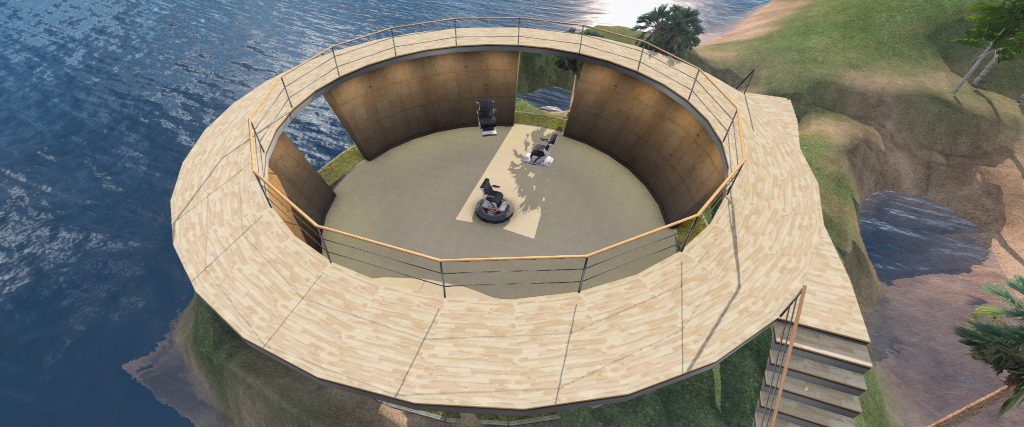
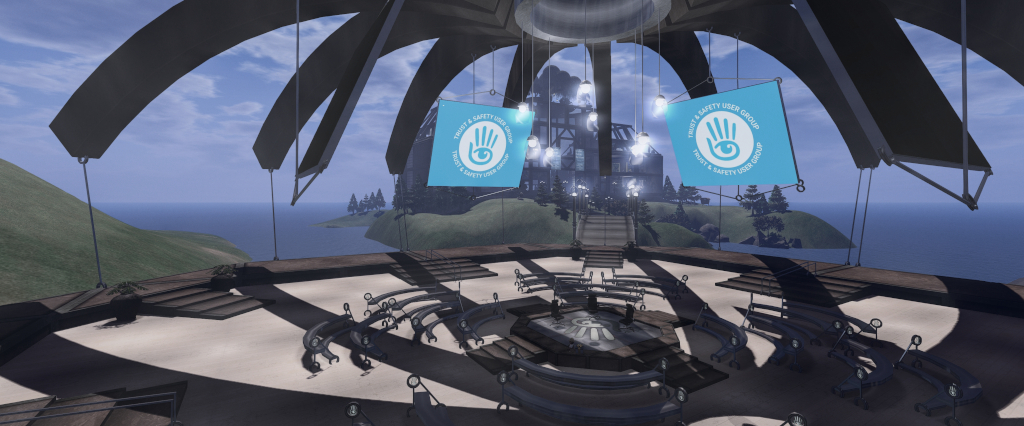
The Web User Group meeting venue, Denby

The following notes cover the key points from the Web User Group (WUG) meeting, held on Wednesday December 3rd, 2025. These notes form a summary of the items discussed and is not intended to be a full transcript. The official video is embedded at the end of this summary.

Meeting Overview

  • The Web User Group exists to provide an opportunity for discussion on Second Life web properties and their related functionalities / features. This includes, but is not limited to: the Marketplace, pages surfaced through the secondlife.com dashboard; the available portals (land, support, etc), and the forums.
  • As a rule, these meetings are conducted:
    • On the first Wednesday of the month and 14:00 SLT.
    • In both Voice and text.
    • At this location.
  • Meetings are open to anyone with a concern / interest in the above topics, and form one of a series of regular / semi-regular User Group meetings conducted by Linden Lab.
  • Dates and times of all current meetings can be found on the Second Life Public Calendar, and descriptions of meetings are defined on the SL wiki.

Updates

  • Upgrades to marketplace PLE retry logic following the issues experienced in October.
  • Testing and evaluating marketplace security options intended to offer grater security for merchants on the MP and users of the MP.
  • Work on account security feature to prompt users to verify their emails to reduce account takeovers.
  • Quality of life update: deployed a bugfix for description character counter.

In Brief

  • The following question was asked by LL: If you could REMOVE a feature from Second Life’s web interface, what would it be (i.e. items viewed as annoying / low-use, not things that might be considered bugs requiring fixing)? Responses included:
    • Removal of the Download Second Life banner on the right of a user’s dashboard (under the Lindens Homes banner), on the grounds that the vast majority of SL users will likely have already downloaded and installed the viewer when accessing their dashboard.
    • The removal / update of the Events section of the dashboard.
  • Requests were made regarding:
    • Providing better traffic information through the DG / Search, etc. For example: ensuring traffic numbers are more immediate rather than possibly referencing the previous 24 hours; perhaps providing more of an average metric (e.g. average number of users of a 24, 48, 72 hours or similar period, etc.), or a mix of both (e.g. users currently within a region + an average over a period of time).
    • Enabling panoramic images taken via the 360º snapshot function to be more widely used within SL web properties (e.g. such as the Destination Guide) and / or to be stored in a manner such that they can be used in the About tab of landmark / place floaters, etc.
    • SL’s web map page to support searches by region name as well as the current options.
    • Clarification on how to get edit rights to the SL Wiki – in short, due to issues of spamming text to the wiki via bots, etc., editing rights must now be requested via e-mail.
    • When better guidelines on the uploading / labelling, etc., of AI-generated content to the Marketplace might be forthcoming. This was said to be still subject to internal decision-making.
  • It was pointed out that login-in tokens may not always be passed to the in-viewer web browser (e.g. someone is using the viewer and receives a link to the Destination Guide, which opens the in-viewer browser, they may still be asked to log-in to the DG website within the browser – despite effectively being logged-in to SL – rather than the in-viewer browser loading the Destination Guide main page).
  • General discussions on (refer to video)
    • Translations within SL properties and the viewer UI, etc. In short:
      • A third-party service (not an AI tool) is used for translations.
      • If those fluent in a given language notice errors in translation, they can report them via the feedback portal.
      • It was noted that translation within SL can be difficult due to the number of “made-up” words / terms which might not readily be recognised as “simple” brand names or specific-to-SL-terms without a more generally translatable term.
    • The date last updated field within Marketplace listings (which currently has a bug so it might not display the correct date, which is being investigated) and for the addition of a Date Uploaded field within listings, so users have both.
    • Marketplace reviews, including giving a clear idea of what the star ranking means (e.g. 1= “I don’t recommend it” through to 4 = “this is good” and 5 = “this is perfect”) in order to try to clarify to merchants and consumers alike what people are indicating when they provide a star rating.

Next Meeting

  • Wednesday, January 7th, 2026.

2025 week #48: SUG meeting summary

Goddess Temple, August 2025 – blog post

The following notes were taken from the Tuesday, November 25th, 2025 Simulator User Group (SUG) meeting. These notes form a summary of the items discussed, and are not intended to be a full transcript. They were taken from the video recording by Pantera, embedded at the end of this summary – my thanks to Pantera for providing it.

Meeting Overview

  • The Simulator User Group (also referred to by its older name of Server User Group) exists to provide an opportunity for discussion about simulator technology, bugs, and feature ideas is held every other Tuesday at 12:00 noon, SLT (holidays, etc., allowing), per the Second Life Public Calendar.
  • The “SUG Leviathan Hour” meetings are held on the Tuesdays which do not have a formal SUG meeting, and are chaired by Leviathan Linden. They are more brainstorming / general discussion sessions.
  • Meetings are held in text in-world, at this location.

Simulator Deployments

  • All simhosts appear to be undergoing restarts this week, with no deployments. This will be due to it being Thanksgiving in the US.
  • One final simulator release for 2025 is in the works.
    • 2025.10 is to be code-named “Jackfruit”, and will comprise crash fixes, optimisations, some internal updates and also work on “some early [WebRTC] Voice moderation features” which will not be exposed to users for the time being.
    • First panned deployment is to the BlueSteel RC channel on Wednesday, December 3rd.
  • The first simulator release for 2026 will be 2026.01 “Kiwi” – details TBA.

SLua Work

  • The SLua beta is now available on the Main grid (Agni). Official information on this is to be blogged either on Wednesday, November 26th, or early in the week after US Thanksgiving.
  • The nine beta test regions are centred on SLua Beta Void (mind the water!).
  • Harold Linden is working on the SL-specific JSON encoding so you can encode and decode vectors and keys, etc., and have them decode as actual keys.
    • This work is implemented within the SLua repository, but has yet to be deployed.
  • The question was asked on when it will be possible to get require from script assets. Rider Linden noted that LL likely doesn’t have plans on the drawing board to include directly from a script asset in inventory, although it could be done with the JSONRPC (plugin makes the request, viewer finds the script, plugin includes it in the pre-processed code) – however, you’d have to have full rights to the script you are including.
  • Official VScode plugin notes:
    • It is not yet available on the VScode marketplace.
    • Issues and PRs for code submissions can be made here, and the plugin downloaded.
  • A general discussion on possible SLua capabilities.

SLua Resources

WebRTC Update

  • Roxie Linden noted that there has been a WebRTC voice server update. This provides HRTF (better spatialization) as well as server crash fixes. It’s still regarded as “beta”, but the WebRTC team is looking for feedback on its usability.
  • WebRTC remains limited to selected Linden-owned regions (on the Preflight RC channel).
  • There have been discussions on expanding the number of Main grid regions supporting WebRTC, but there are no firm plans as to when this might happen.
  • There have also been some internal experiments with voice transcription (captioning).
    • The above led to general requests about text-to-speech and how it “should” work. Roxie made it clear that while the capability has been discussed, no work has thus far been scheduled for it.

In Brief

  • Rider Linden was on call for the past week, so his attention has been split. He has fixed an issue with one of the mail in scripts and keeping on top of the Pull Requests into the VSCode plugin and monitoring the SLua regions on Agni.
  • Leviathan Linden has been carrying out Voice related work, but is now “almost done” with that. He is currently focusing back on simulator crash and performance issues.
  • Monty Linden has been working on an SL Mobile project and will be working on some simulator fixes over the holiday period.
    • He also hopes to find time to write-up all he knows about TP/RC failures and the systems that contribute to them. This is work that will be looked at in the New Year.
  • A general discussion on the use of Discord, including as and official channel for Second Life communications, the pros and cons with the platform, its generally popularity and the requirements for joining various Discord channels (including the SL official).
  • A discussion on SL supporting various chat tools.

Date of Next Meetings

  • Leviathan Linden: Tuesday, December 2nd, 2025.
  • Formal SUG meeting: Tuesday, December 9th, 2025.

† The header images included in these summaries are not intended to represent anything discussed at the meetings; they are simply here to avoid a repeated image of a rooftop of people every week. They are taken from my list of region visits, with a link to the post for those interested.

2025 SL viewer release summaries week #47

Logos representative only and should not be seen as an endorsement / preference / recommendation

Updates from the week through to Sunday, November 23rd, 2025

This summary is generally published every Monday, and is a list of SL viewer / client releases (official and TPV) made during the previous week. When reading it, please note:

  • It is based on my Current Viewer Releases Page, a list of all Second Life viewers and clients that are in popular use (and of which I am aware), and which are recognised as adhering to the TPV Policy.
  • This page includes comprehensive links to download pages, blog notes, release notes, etc., as well as links to any / all reviews of specific viewers / clients made within this blog.
  • By its nature, this summary presented here will always be in arrears, please refer to the Current Viewer Release Page for more up-to-date information.
  • Outside of the Official viewer, and as a rule, alpha / beta / nightly or release candidate viewer builds are not included; although on occasions, exceptions might be made.

Official LL Viewers

LL Viewer Resources

Third-party Viewers

V7-style

  • Black Dragon for Windows –  5.5.0 November 21 – release notes.

V1-style

  • No updates.

Mobile / Other Clients

  • SL Mobile (Beta) version 2025.1067 (A) / 0.1.1067 (iOS) – November 20 – Avatar rendering improvements.

Additional TPV Resources

Related Links

2025 week #47: SL CCUG and Open Source (TPVD) meetings summary

Hippotropolis Campsite: venue for CCUG meetings
The following notes were taken from:

  • My chat log of the Content Creation User Group (CCUG) meeting of Thursday, November 20th, 2025 and my chat log of that meeting
  • Pantera’s video (embedded at the end of this article) and my chat log of the Open-Source Developer meeting held on Friday, November 21st, 2025.
Table of Contents

Please note that this is not a full transcript of either meeting but a summary of key topics.

Meeting Purpose

  • The CCUG meeting is for discussion of work related to content creation in Second Life, including current and upcoming LL projects, and encompasses requests or comments from the community, together with related viewer development work.
    • This meeting is generally held on alternate Thursdays at Hippotropolis and is held in a mix of Voice and text chat.
  • The OSUG meeting is a combining of the former Third Party Viewer Developer meeting and the Open Source Development meetings. It is open discussion of Second Life development, including but not limited to open source contributions, third-party viewer development and policy, and current open source programs.
    • This meeting is generally held twice a month on a Friday, at 13:00 SLT at the Hippotropolis Theatre and is generally text chat only.
  • Dates and times of meetings are recorded in the SL Public Calendar.

Official Viewer Status

General Viewer Updates

  • 2025.08 is to be the last viewer release for 2025. This is likely to be promoted to de facto release status after the US Thanksgiving holiday.
  • At the time of writing, 2025.08:
    • The crash rate is improving.
    • This viewer includes the VHACD convex decomposition library.
    • Mesh content creators are encouraged to try the current beta of the the viewer to make sure physics hulls are working in-world, etc., given that many settings with the library are different to those used by Havok, the longer-term plan being to eliminate Havok sub-libraries from the viewer.
  • The next viewer version will by 2026.01 – details of which will be made available once its likely contents have been initially settled on by the Lab.
    • However, it looks like 2026.01 will include the new code for faster log-in loading of inventory for those with very large inventories, and a dedicated Linux build of the viewer.
    • During the OSUG meeting, Geenz Linden indicated that another project he hopes to start moving forward with in 2026 is the Current Outfit Folder (COF) updates contributed by Kitty Burnett (Catznip), and the current plan is to get this into 2026.01.

You Tube Embedding Issue

  • As a reminder:
    • You Tube recently updated elements of their video embedding code such that non i-frame youtube.com/embed/NNNNN style links will not work within Second Life (whilst youtube.com/watch/NNNNN style links will still function correctly – although this latter format does expose all the You Tube on-screen video controls, etc).
    • This is an issue liable to impact a variety of in-world television and similar systems utilising You Tube.
    • It is very much a You Tube issue, so there is no guarantee they would remain valid / useful for any length of time.
  • For further detail please refer to the official blog post: YouTube Embeds in Second Life: What Happened and How to Keep Your Media Working.
  • Those finding further information on issues arising from this You Tube change should report them via the SL Feedback Portal.

SLua Update

  • Back-end support for SLua is now available in Beta on Agni, the main grid.
  • The SLua beta viewer, available from the official Alternate Viewers page, must be used for writing SLua code, but no specialised viewer to view SLua scripts running in-world.
  • The latest SLua viewer includes the websocket to Visual Studio.

SLua Resources

CCUG Discussion – In Brief

  • glTF animation upload support: this is “on the radar” for development, but is not currently an active project, and needs to be added to the current viewer roadmap.
    • A request to review animation priorities was also requested, and it was suggested this might be something that could possibly be looked at within the current animation support framework.
    • A general discussion on animations and priorities continued through the early part of the meeting, but no-one from the Lab with sufficient up-to-date knowledge of the animation system to provide meaningful input to the discussion.
    • This discussion included the following animation feature requests: user-definable animation priorities and allow starting an animation with a specific priority, together with this proposal for animation network reworking from user Coyote Enthusiast.
  • A request was made for an independent alpha channel (i.e. not linked to Diffuse/Colour channel) and available to both both Blinn-Phong and PBR that could help reduce the number of unique textures required for things like terrain, and without having to atlas huge sheets of layered details. The short answer was that this is unlikely until there is (at the very least) an opportunity to revisit texture streaming at the very least, with Geenz noting:
We’re already on some razor thin memory margins on some of our potato machines – so if we did that we’d need to find a way to make some stuff more scalable in our texture streaming tech. This isn’t a no – we need that for other things. But it’s not a 30/60/90 days thing I’m sorry to say.

Bakes on Mesh (BoM) Layering

  • Better layer ordering has been put to the UI/UX team with not promises as to when it might be worked upon, although there are “other projects” the Lab is planning which would also benefit from this.
  • A feature request for allowing sets / containers for/of BOM layers has been submitted, and is defined by Geenz as “interesting” and “TBD”.
  • The above led to a discussion on BoM improvements (e.g. PBR materials support; blend modes of different layers; etc).
    • In response to this, Geenz noted he would like to get PBR specular support, if only as a migration path from Blinn-Phong (and with the noted, “if you do this expect things to not quite look right if you mix these two”).
  • This discussion involved the potential complexities / straightforward aspects of PBR specular support, providing BoM support to alpha channels, before circling back to the benefits of having better texture streaming in general and prioritising the latter to different texture slots, etc.
  • This discussion touched upon BoM support for Animesh and a request for a universal alpha.

OSUG Discussion – In Brief

  • Signal Linden revealed that Friday, November 21st, 2025 was his last day at Linden Lab after 10 years with the company, rising to the position of Director of Engineering.
    • Signal has been the major driver in overhauling and improving the Lab / third-party/open-source relationship, which is to continue along the path Signal has set for it, improving and refining things where appropriate.
  • Roxie Linden noted that there has been a WebRTC voice server update. This provides HRTF (better spatialization) as well as server crash fixes. It’s still regarded as “beta”, but the WebRTC team is looking for feedback on its usability.
    • Further work on WebRTC is in progress, including spatial moderation.
    • Thought is still being given to replacing Echo Canyon (Vivox Voice testing region) with a WebRTC equivalent, with Roxie Linden indicating this is now a matter of scheduling and implementation.
    • Roxie’s preferred approach would be to have an ‘echo’ option with Preferences which, when used, does a full round trip to the server and back, allowing both device verification on the WebRTC service and network quality. If adopted, this will require both a server update and some viewer UI work.
  • A brief discussion on potentially replacing Chrome Embedded Framework (CEF) in the viewer (e.g. to something like Servo – as this matures). The response was that CEF is unlikely to be replaced in the foreseeable future, which does not mean there will not be fixes, etc., for identified issues.
  • Request for LL to provide SGV support, including for text on prims / test rendering in-world, including the following two requests:
    • SVG Canvas: A way to generate dynamics graphics on prim faces (without MoaP).
    • Add a Text Rendering Method.
    • In response, and specifically in terms of in-world text rendering, Geenz Linden suggested that something like MSDF might be more appropriate for SL, as it allows pre-rasterizing a large collection of fonts into some really tiny textures, and get some pretty sharp text rendering that scales “pretty easily”.
    • This led to a discussion on potential uses of SVG, and the advantages of SVG over MSDF, and vice-versa, and other options for in-world text rendering (and the use-cased thereof – such as notice boards, etc.).
    • Geenz requested tat if there are SVG-specific use-cases before text rendering, these be recorded in a feature request Canny.
  • A request was put forward to have TPV stats (usage per OS, crash rates and crash types) on a more frequent basis once more (they were at one time monthly, then switched to weekly before becoming more sporadic once more). This will be looked into.

Next Meetings

2025 SL viewer release summaries week #46

Logos representative only and should not be seen as an endorsement / preference / recommendation

Updates from the week through to Sunday, November 16th, 2025

This summary is generally published every Monday, and is a list of SL viewer / client releases (official and TPV) made during the previous week. When reading it, please note:

  • It is based on my Current Viewer Releases Page, a list of all Second Life viewers and clients that are in popular use (and of which I am aware), and which are recognised as adhering to the TPV Policy.
  • This page includes comprehensive links to download pages, blog notes, release notes, etc., as well as links to any / all reviews of specific viewers / clients made within this blog.
  • By its nature, this summary presented here will always be in arrears, please refer to the Current Viewer Release Page for more up-to-date information.
  • Outside of the Official viewer, and as a rule, alpha / beta / nightly or release candidate viewer builds are not included; although on occasions, exceptions might be made.

Official LL Viewers

LL Viewer Resources

Third-party Viewers

V7-style

V1-style

  • Cool VL viewer Stable: 1.32.4.10, November 15 – release notes.

Mobile / Other Clients

  • No updates.

Additional TPV Resources

Related Links

Firestorm 7.2.2 release overview

On Tuesday, November 11th 2025 (SLT), Firestorm released version 7.2.2.79439 of their viewer.

The primary aim of this release is to achieve parity with the Lab’s most recent releases and to add further updates to features added to the June 2025 Firestorm 7.1.13 release.

Note that the following is not a complete review of the 7.2.2 release and all the changes made therein; it focuses on the more visible and user-facing updates. Those requiring a list of all changes and updates, including all bug fixes, etc, should refer to the Firestorm 7.2.2 release changelog, which also provides all proper credits for the work.

Table of Contents

General Notes

Installation

  • Only download Firestorm from the Firestorm website. Do not utilise and other third-party site purporting to offer the Firestorm viewer, and remember Firestorm will never ask for log-in credentials in order to download a release version of their viewer.
  • There is no need to perform a clean install with this release if you do not wish to.
  • Do, however, make sure you back-up all your settings safely so you can restore them after installing 7.1.11.

Linden Lab Updates

This release brings Firestorm to full parity with the following recent official viewer releases from Linden Lab:

Viewer 2025.04 – Chat Mentions

Version and release notes:  2025.04 – 7.1.14.15192634334 – May 2025.

  • Chat Mentions: support for chat mentions allowing  for better communication and awareness in local chat.
    • Type @ in any chat then pick a name from those listed, add your message and Say. Your text chat will be preceded by the selected avatar’s name displayed as a clickable link visible to everyone in local chat range, and which will open that person’s Profile.
    • Firestorm options:
      • Set chat mention colours for Font, Residents and Self: Preferences → Colors → Chat Color → Chat Mentions.
      • Set audible tone for chat mentions using your name: Preferences → Sound & Media → UI Sounds 1 → Chat Mentions.
Chat Mention options available in Firestorm. Left: setting the colours in which chat mention links will appear; right: setting a sound to be associated with your chat mentions
  • Outfit Subfolders: the Outfit system folder now officially supports the use of subfolders.
  • Hover Height now supports new +/- 3 metre minimum/maximum values.
  • Build improvements:
    • Texture scale boundaries have been increased to match Firestorm Viewer – Canny BugGitHub Issue.
    • Physics Material Type now updates when selecting linked objects – Canny BugGitHub Issue.
    • Resolved texture “repeats per meter” value being incorrect for non-uniform sized objects – GitHub Issue.
  • Refer to the official release notes for all major updates and fixes.

Viewer 2025.04.01 – Avatar Welcome Pack

Version and release notes: 2025.04.01 – 7.1.15.15596336374 – June 2025.

  • Replacement of the old Avatar Chooser with the Avatar Welcome Pack, accessed via Menu Bar → Avatar → Avatar Welcome Pack.

Viewer 2025.05 – glTF Mesh Imports (.gltf and .glb)

Version and release notes: 2025.05 – 7.2.0.16729091892 – August 2025.

  • Support for glTF mesh imports, together with enhanced frame time metrics.
    • Allows content creators to import models in .gltf and .glb formats in a process to COLLADA uploads, with a few key differences.
    • A unified material upload for the .glb format is not yet supported (due in a future viewer update). To upload .glb models containing material, upload the model without any textures, then upload the materials separately via Upload Build → Upload → Material and then rez the model in-world and apply the materials.
  • Refer to the official release notes for all major updates and fixes .

Viewer 2025.06 – Inventory Favourites

Version and release notes: 2025.06 -7.2.1.17108480561 – August 2025.

  • Adds the Favourites tab to the Inventory floater.
    • Supports the addition of individual items or folders in Inventory to the Favourites tab in the floater.
    • To add an item / folder to the Favourites tab:
      • Right click on the item or folder.
      • Select Add to Favourites in the context / Pie menu.
Inventory Favourites has been included from the official viewer, but doe not replace Firestorm’s own Favourite Wearables functionality
    • To remove an item / folder from the Favourites tab:
      • Locate the item / folder in Favourites or the original in the main Inventory tab.
      • Right-click on it and select Remove From Favourites in the context / Pie menu.
    • Note, this functionality is entirely separate to Firestorm’s Favourite Wearables feature, which remains in place in Firestorm, complete with its own toolbar button option.
  • Additional updates and improvements:
    • Assorted Avatar System fixes.
    • Camera and movement improvements.
    • Chat and Voice chat improvements.
    • UI Fixes.
    • Content Creation and Commerce improvements.
    • Environment improvements and fixes.
    • Mesh Uploader updates.
    • Refer to the official release notes for all the above updates and fixes .

Cherry-Picked Upstream Fixes from the Official Viewer

  • The Voice and WebRTC Reliability changes included in the official 2025,07 – 7.2.2.18475198968 viewer release have been added to Firestorm 7.2.2 at the request of Linden lab.
  • These changes comprise:
    • Improved device detection and recovery when unplugging/replugging microphones.
    • Fixes for several rare WebRTC crash scenarios, together with improved Voice clean-up and logging.
    • In world Voice indicator now properly reappears after tuning.
    • Fixed voice clean-up and device update crash on reinitialization.
  • All remaining updates and changes found within the 2025.07 official viewer release will be included in the next Firestorm release.

Firestorm Updates

New Features for 7.2.2

Disable Connecting to Neighbouring Regions (Navigation and Teleporting)
  • Preferences → Move & View → Movement → Disable connecting to neighbouring regions.
  • Request: FIRE-2325.
  • When enabled:
    • Prevents the viewer from connecting to neighbouring regions (which are ignored by the viewer), and only the current region (login/teleport destination) is connected, effectively isolating it.
    • This may improve performance for users with weaker computers or slower connections, assist multi-region event setups by lowering client overhead and reduce unintended neighbour interactions.
The new Preferences option to disabling the viewer from connecting to neighbouring regions, complete with the tooltip, which should be read to understand the implications
  • Limitations:
    • Region crossings will not function normally, as neighbouring regions are not visible or connected to the viewer.
    • Only direct teleports and logins to regions will work reliably.
    • The sense of world scale and continuity is reduced, and travellers or explorers may find it limiting.
New Imposter / Avatar Imposter Exclusions (Inventory / Avatar Appearance)
  • Preferences → Graphics → Rendering → Exclude Animesh Impostor Avatar.
  • Request: FIRE-35735.
  • When selected, allows a user to keep using the imposter system, but protect Animesh avatars from not animating or from having rendering issues (e.g. missing attachments).
The new Impostors option for protecting Animesh avatars from not animating or from having rendering issues
  • Comprises four options:
    • None: Default, don’t exclude any avatars.
    • User: Exclude only user avatars which have Animesh attached to them.
    • Control: Exclude only control avatars.
    • Both: Exclude both User Animesh avatars and control avatars.
New Snapshot Framing Guides and Settings (Photography / Snapshot Floater)
  • The snapshot frame overlay and composition guides were added to the Snapshot floater with Firestorm 7.1.13.
  • They allow the user to:
    • Overlay their in-world view with a frame mirroring the selected image size selected from the relevant image size drop-down, with the parts of the in-world view outside of the image capture size rendering in monochrome (Show Capture Frame)
    • Optionally display a composition guide overlay as a set of yellow lines within the image frame on their world-view.
    • Use a series of Debug settings to customise the snapshot frame.
  • Firestorm 7.2.2 enhances these frame overlays and guides with additional options, access via a  new # button.
  • When clicked, this button allows the user to:
    • Adjust the thickness and opacity of the frame guides displayed in-world by the viewer without having to use the Debug Settings.
    •  Select from an expanded down-down of guide styles:
      • Rule of Thirds.
      • Golden Ratio: – one of Top Left, Top Right, Bottom Left or Bottom Right .
The Snapshot floater showing the frame overlay option (1) and the yellow composition guide (2) using the Rule of Thirds, added to the floater as a part of the Firestorm 7.1.13 release. Also shown is the new Firestorm 7.2.2 # button (3) which opens the Frame Guide Settings floater, allowing the user to customise the frame guides and select from the composition guide drop-down (defined in the text above)- click for full size, if required

Firestorm Avatar and Animesh Poser

The Firestorm avatar and Animesh poser system was introduced with the release of Firestorm 7.1.13 as a re-write of the Avatar poser system developed by NiranV Dean (and found on the Black Dragon viewer). For assorted reasons, that release of Firestorm did not have any associated overview in this blog, therefore for detailed information on it, please refer to the following links:

Firestorm 7.2.2 introduces a large number of improvements and updates to the Avatar and Animesh Poser, all of which are summarised in the viewer changelog, to which those interested are referred to for details.

Other Notable Improvements / Updates

Note: for bug fixes, etc., please refer to the viewer changelog

Inventory, Appearance & Avatar
  • New option to automatically reset skeleton upon standing up, which is also automatically broadcast to surrounding avatars as well: Preferences → Firestorm → Extras → Reset avatar skeleton after standing up.
  • New Stop button on the link replacement floater (Right click inventory item → Replace Links (FIRE-29394).
  • ‘Delete from outfit’ context menu entry when right clicking on an item in an outfit, in the Appearance window, Outfits tab.
    • This is useful for when you mistakenly added some HUD or anything else you didn’t want in your outfit, and is simpler than going inside the inventory and deleting the links from the outfit folder.
    • Note that only links are deleted, not actual inventory items.
    • Accessed via: Appearance → Outfits tab → Right click item → Delete from outfit.
  • Visual warning about too many saved outfits:
    • If a user has a large number of saved outfits, this can cause the viewer to freeze for a short time when opening the Appearance panel or when searching for saved outfits on slower hardware.
    • Therefore, when the user has over 200 saved outfits, they will now see this warning notification:
      A large number of outfits were detected: [AMOUNT]. This may cause viewer hangs or disconnects. Consider reducing the number of outfits for better performance
Radar, Navigation and Teleporting
  • New Radar option to set the maximum range for results to be obtained (FIRE-35815):
    • World Menu → Radar (or Radar Toolbar button)→ Radar Options drop-down → Limit Results to specific Radius → open range panel at the foot of the floater.
    • Use the slider to set the desired radius, or manually enter the radius.
Firestorm 7.2.2 radar range option and slider / entry field
  • An option to View Chat Transcripts’ added to the Nearby People and Radar right-click context menu.
  • Option to show yellow beacons at region corners to help avoid region boundary disconnects, especially when driving or flying: Top menu → World → Show More → Beacons → Show → Region Corners (FIRE-33085).
  • The maximum zoom on the World Map has been increased to match the official viewer (FIRE-35934).
Communication + Sound and Media
  • Functionality to save and restore open resident-to-resident IMs from the previous session (Group chat sessions are not always ready in time during start-up, making their restoration unreliable): Preferences → Chat → Notices → Restore conversations with residents from previous session.
  • Option to enable / disable auto-completion when typing @ mentions in chat: Preferences → Chat → Typing → Enable automatic @ mentions window while typing in chat bars.
New Chat Preferences to restore resident-to-resident IMs (left) and to enable / disable auto-completion when typing @ mentions (right)
  • Separate conversations opacity options, together with new checkbox to allow the conversation floater to abide by the active opacity when it is focused, so that way it can have its own inactive transparency separate to everything else – FIRE-35804.
    • Preferences → Colours → Miscellaneous → Floating Window Opacity → Conversations.
    • Preferences → Colours → Miscellaneous → Floating Window Opacity → Use Active Opacity value when the conversations window is focused.
  • Sound Explorer:  new buttons in Sound Explorer to mute all attached, rezzed or gesture sounds for a specific avatar
    •  Muted sounds are re-enabled via the Asset Blacklist.
New Sound Explorer checkbox for muting specific sounds from an avatar
  • Asset Blacklist: new Flags column to the Asset Blacklist to denote if the muted sound is one of  Avatar Worn Object Sounds, Avatar Rezzed Objects Sounds or Avatar Gesture Sounds.
  • Media on a prim (MOAP) interaction option can now be set individually (when set, does not require a first click to focus before interaction can begin): Preferences → Sound & Media → Media → Media first-interact.
Firestorm 7.2.2 MOAP first interaction options
Miscellaneous Updates
  • Show On-Screen Console shortcut revised to ALT+SHIFT+`.
  • Area Search improvements:
    • Added functionality to save Area Search flags and options as defaults when the floater is opened: 
      Top Menu → World → Area Search → Filter Tab → Save as Default.
    • Improvements to more reliably send all objects and not just objects in front of the camera.
  • Camera:
    • Added an option to disable the reset buttons in the camera floaters (prevents the centre bullseye of the orbit and move camera controls from resetting the camera): Preferences → User Interface → Interface Windows → Disable camera controls reset buttons
    • Added a TPP preset button to the added to the right of the front, side & rear buttons on both the small and regular camera floaters – FIRE-32595.
  • Added Default buttons for Preference → Move & View → View sliders for ease of resetting to default values – FIRE-32710.
  • Height of Preferences floater increased for improved readability.
  • Graphics: Draw Distance VRAM Optimization changed to be optional:
    • Preferences → Graphics → Rendering → Reduce Draw Distance when VRAM is full or
    • Top Menu → Developer → Rendering → Reduce Draw Distance when VRAM is full.

Feedback

Sorry, no real feedback from me on 7.2.2, my personal situation has been such that I only managed to try the 79438 beta and the 78439 release less then 24 hours before the release of 79439.