Back in November 2014, the Lab held a get-together with residents at Meauxle Bureaux, the official home of the Linden Department of Public Works (LDPW) moles. It proved to be the first of a growing number of social events, which have also included the return of the Lab / residents winter snowball fight.
On tuesday, March 24th, Xiola Linden posted a Twitter message offering a further invitation for residents to get together with Lindens. This will again take place at Meauxle Bureaux, this time on Wednesday, March 25th, between 12:30-13:30 SLT.
The next meet-up with Linden folk will take place on Wednesday, March 25th, between 12:30 and 13:30 SLT at Meauxle Bureaux
So, if you’ve missed previous get-togethers, make a note of the time and place!
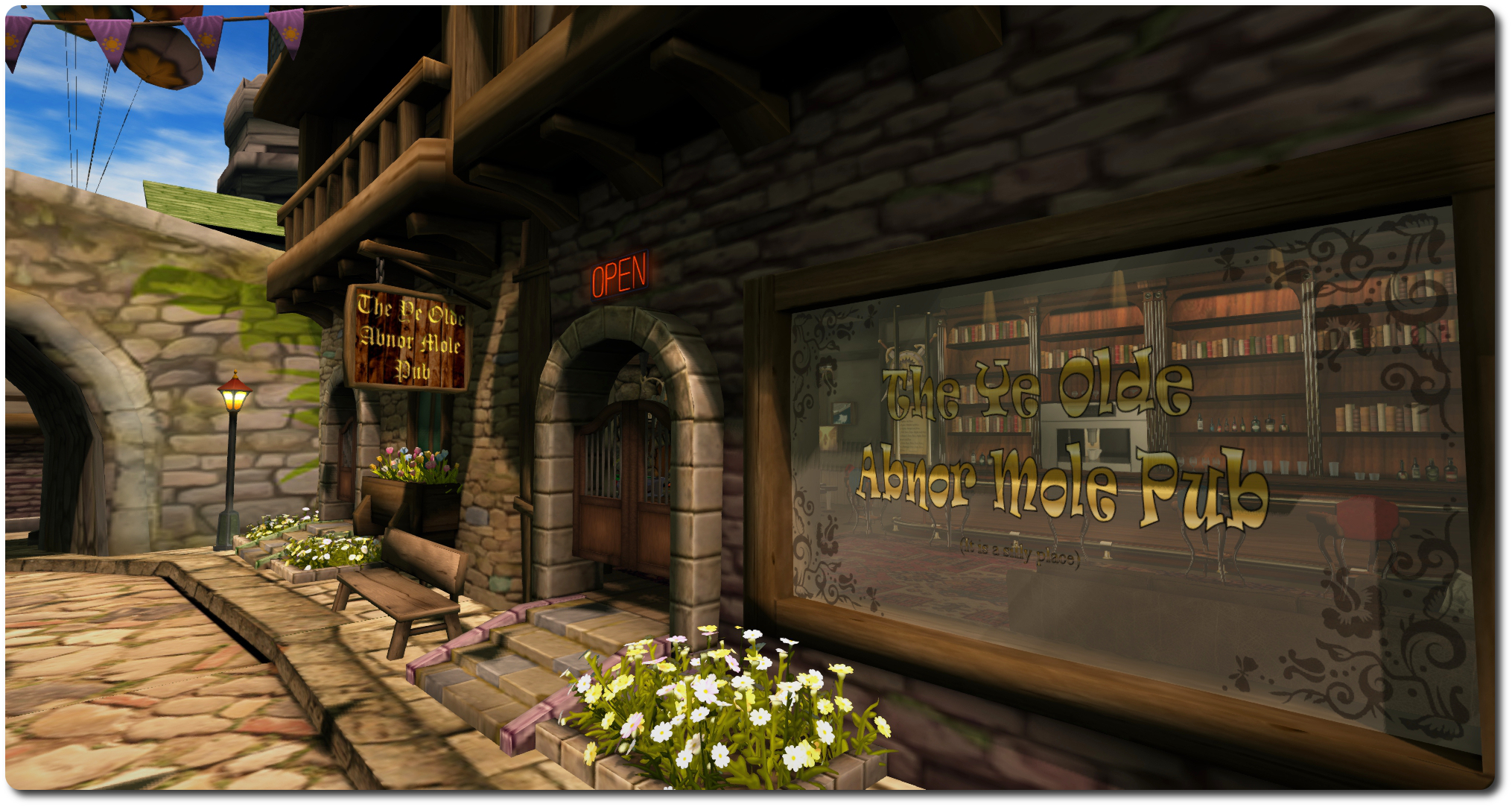
Meauxle Bureaux: Ye Olde Abner Mole Pub could be seeing some heavy custom (Lindens are said to like their rum, rum, rum, rum, rum …!)
On Tuesday, March 24th, the Lab promoted the Avatar Hover Height release candidate viewer to the de facto release viewer, meaning it is now available to everyone receiving official viewer updates / downloading the official viewer directly.
As I reported back towards the start of the year, prior to the arrival of server-side appearance (SSA), many TPVs included a capability commonly referred to as “z-axis height adjustment”. Simply put, this allowed the height of an avatar to be adjusted up or down, relative to the ground or to an object they were sitting on, which allowed for a wide range of adjustments to be made (such as when sitting or kneeling on the ground, to prevent the appearance of hovering over it or to more finely tune the avatar’s pose on the ground, or to re-adjust an avatar’s height relative to the ground when using things like dancing posballs, etc, and so on).
However, with the introduction of SSA, the viewer / server messaging that made this kind of adjustment possible was removed. While the Lab attempted to offer an alternative capability – the Hover slider, available when editing your avatar’s appearance, its effectiveness has always been limited. You can’t for example, use it to adjust your avatar’s height when seated, for example, to prevent any appearance of sitting “inside” a chair or hovering above it; nor can you adjust your position above the ground when using poseballs, etc.
Avatar Hover Height, developed as a direct request of a proposal put to the Lab by members of the Firestorm team, addresses these shortfalls.
It allows “on-the-fly” adjustments to be made to your avatar’s height with the minimum of fuss and without having to use the Edit Appearance Hover slider.
A simple example: by default, my avatar (sized to a height of 5ft 10in, slightly taller than the in-the-flesh me!), appears to be hovering above the ground. With AHH, accessible through the right-click avatar context menu…
It does this by providing a new right-click avatar context menu option called, oddly enough, Avatar Hover Height. Right clicking on this displays a slider. Moving the slider to the right increases your graphical height above the ground, and to the left decreases it (you can also input values via the slider for additional control).
Overall, the slider allows for adjustments of +/- 2 metres relative to the default graphical position of your avatar. Note that this is a graphical (/visual) change – the option does not make any associated change the avatar’s height in terms of platform physics.
I can use the slider or spinner to quickly adjust my height so I am standing “on” the ground . This can also be used for adjusting your apparent height when ground sitting, kneeling, sitting on unscripted furniture, using poseballs, etc.
Avatar Hover Height has been extensively tested while the viewer was both in a project status and was available as a release candidate viewer, and no significant issues or breakages were noted in that time.
Note that this capability does not replace the Edit appearance Hover option – than can still be accessed and used in circumstances where it might be more appropriate to use; rather it present a further, more convenient, means of adjusting your avatar’s height.
Update, April 27th: AMD have now updated their beta drivers to version 15.4.
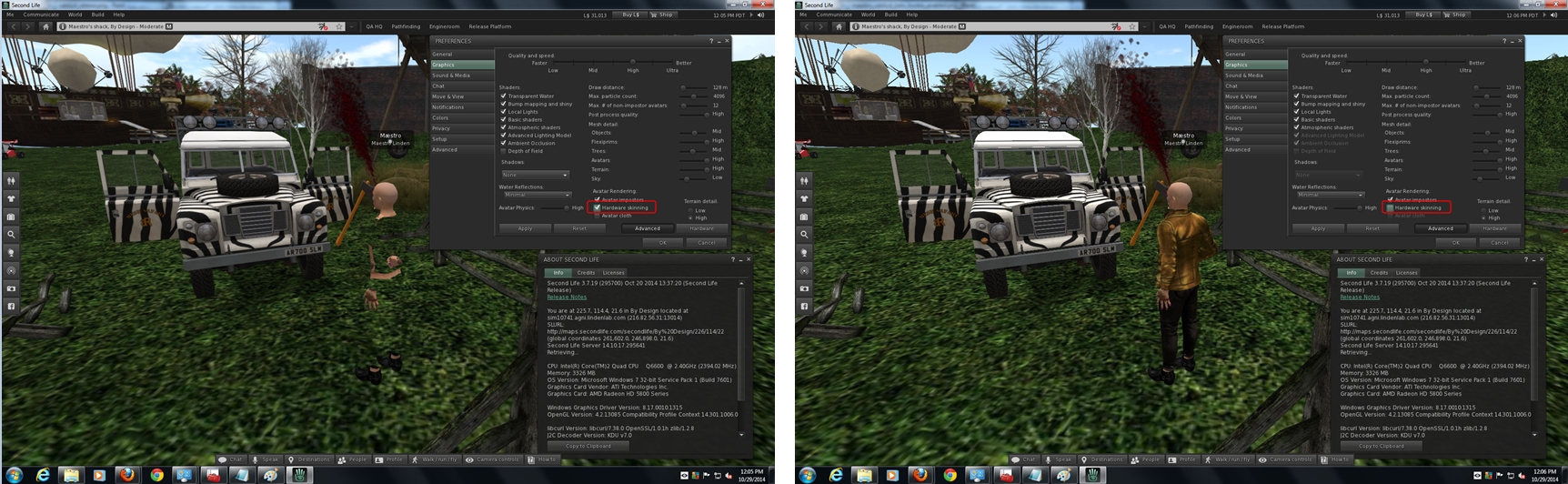
AMD have release a new set of Catalyst™ drivers for windows which, according the release notes, includes a fix intended to resolve the rigged mesh issues which, since the deployment of the 14.9.2 drivers by the company, have caused rigged mesh to be invisible unless hardware skinning is disabled (see BUG-7653 and my report here).
The AMD Catalyst™ drivers (1.4.9.2 onwards) rigged mesh rendering problems as a result of changing openGL support within the drivers (image courtesy of Maestro Linden, click for full-size)
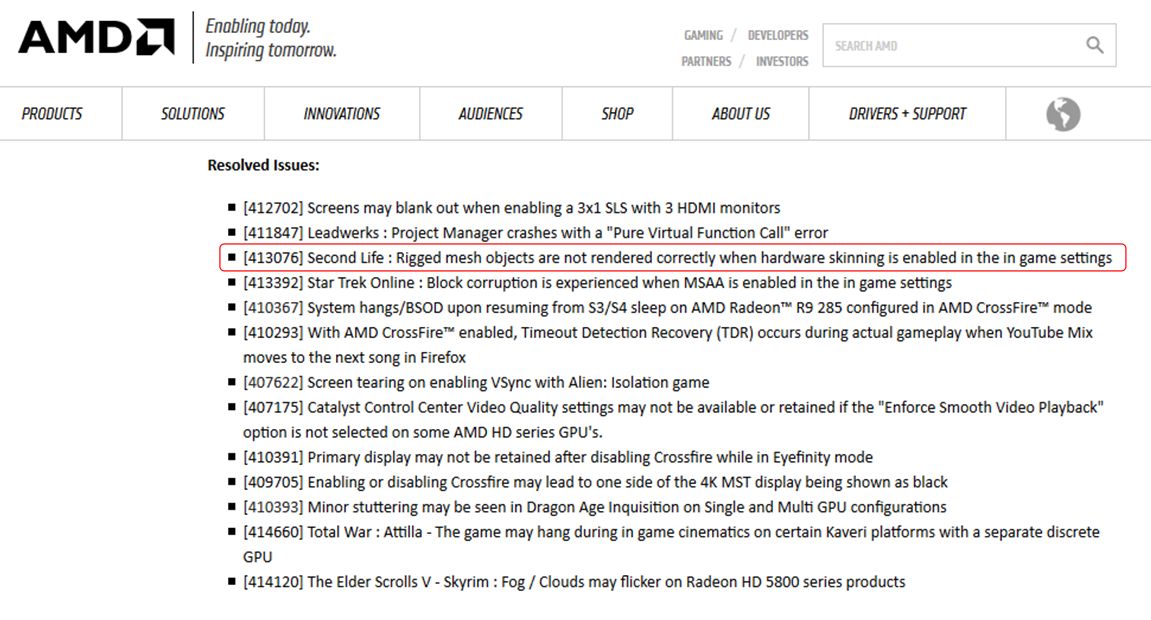
In the release notes accompanying the new drivers, AMD note the following under Resolved Issues:
[413076] Second Life : Rigged mesh objects are not rendered correctly when hardware skinning is enabled in the in game setting
The update was spotted by SL user Liffento Eldritch, who posted the news on the Firestorm Preview Group, prompting Miro Collas of the Firestorm team to poke a few people, and Whirly Fizzle to drop me a line on the update.
The AMD Catalyst™ 15.3 beta drivers offer a fix for the SL mesh rendering issue
As regular readers of these pages know, I’ve followed the situation with the AMD drivers, and have posted on the matter a few times. In turn, as a result of these posts, Yoho Waco wrote-up a workaround for the problem, which appeared in a comment on a blog post here, and which I later reproduced as an article in its own right.
The workaround involves using .DLL files from either the 14.9.1 or 14.2 Catalyst™ drivers, and placing them in the viewer’s installation folder.
If you are one of those who have employed this workaround yourself, please not that you must remove the relevant .DLLs files from your viewer’s installation folder, or the viewer will revert to using them, rather than the drivers for the newer .DLLs.
I’m an Nvidia user, and so cannot test things for myself, so should you give the new beta driver a go, please do drop a note in the comments on whether or not the fix works for you.
Restore To Last Position (RTLP) was a joint server / viewer capability that presented uses with the ability to right-click on an object in inventory and return it to its last recorded in-world position, relative to the region in which the user is standing. However, due to an exploit used be griefers to rez objects on regions where they otherwise had no rezzing rights, the Lab made changes to the simulator code, which also impacted how this capability worked. As a result, the viewer-side code was removed from the official viewer.
Restore to Last Position as found in Firestorm’s inventory context menu
Nevertheless, TPVs have continued to provide RTLP to users. Unfortunately, the the capability has been long been known to cause a range of genuine inventory issues, and since the changes made to the simulator code to prevent griefing, the shortfalls with RTLP have been somewhat exacerbated (such as with No Copy items, which is why some TPVs have blocked the capability from being used with No Copy objects).
However, as I reported In my last SL projects update, as a result of the recent survey the issued in respect of inventory loss issues, the Lab is considering deprecating the last of the server-side messaging which allows RTLP to work.
This has understandably given rise to concern among some TPV teams, simply because they are aware many users do find the capability useful, despite its limitations, and communicated this to Oz Linden at the TPV Developer meeting on Friday, March 13th.
As no final decision on the future of simulator-side messaging for RTLP has been made, Oz suggested to TPVs that they provide reasoned arguments as to how and why it, or a function like it, should continue to be supported by the Lab, which can then be considered when the time comes to determined the future of the current capability.
To this end, the Firestorm team have issued a blog post asking users to offer their own clear, concise explanations as to how they use RTLP and why they find it beneficial. The aim is to take the submitted examples and build them into a reasoned argument that can be presented to the Lab and hopefully encourage them to either reconsider deprecating the RTLP messaging or to provide functionality that might help meet some of the more common use cases supplied to the Lab.
So, if you do have a clear use case for wanting to see RTLP, or some similar type of functionality to continue to be offered, and regardless of whether you are a Firestorm user or not, you should consider helping to build a reasoned argument for retaining RTLP by adding your use case to the comments following the Firestorm post (please do not add them to this post, as I am not directly involved in compiling the information).
This doesn’t men RTLP will be saved, but at least the opportunity to present user feedback to the Lab has been provided; if that feedback is sufficiently constructive and consistent, it may influence future thinking on and around RTLP.
On Friday, March 13th, Hypergrid Business relayed news that Linden Lab has called a halt to the use of Linden Dollars outside of their own platforms. The news itself came from the OpenSim based Avination, which has for several years provided the means to exchange Linden Dollars to their own currency (C$) via the use of an in-world ATM mechanism.
In an announcement, which has also been distributed to their users via e-mail, Avination state: “Due to recent interaction with Linden Labs, we regret having to inform you that the transfer of Linden Dollars to Avination is no longer available, including the payment of your Avination sims via the Avination ATMs.”
The announcement goes on to further read in part:
Following discussions with Linden Labs they have advised that any use of Linden Dollars in payment for currency of ANY other virtual world, or for external services which are not used in SecondLife [sic] is in violation of the TOS …
According to Linden Labs [sic], users of SecondLife [sic] must cash out through LindeX before using real currency to pay for services not rendered within SL.
This move is being linked to matters of potential liability for the Lab. In 2013, the company moved to put greater controls on the re-sale of Linden Dollars through third-party exchanges. At the time, there was a lot of speculation (including my own) as to whether this was in response to FinCEN recommendations or as a more general means of dealing with issues of fraud, etc.
In 2013 the Lab moved to provide greater control over the re-sale of Linden Dollars, including prohibiting third-party exchanges from either buying back L$ amounts from users or providing them with the means to cash-out L$
While the Lab did subsequently allow third-party operations to continue to sell Linden Dollars to users (said L$ having been purchased from the Lab), a prohibition was placed on such operations to either buy L$ amounts from users or cash them out of the platform; a move which allowed the Lab to demonstrate it can effectively monitor and control the outward flow of money from Second Life.
However, it might be said the the use of in-world scripted devices such as “ATMs”, which enable the direct conversion of Linden Dollar values to other virtual currencies which can then be cashed out, potentially gives rise to liability exposure for the Lab, should it be shown that such mechanisms might be used for illegal purposes. Thus, the Lab has made this move to distance itself from such a risk.
In their announcement, Avination also suggest that this move may affect how Second Life users can pay for external services such as audio stream rentals in the future. Whether this is the case or not remains to be seen. Most of these services provide such a payment mechanism through a registered Second Life account, without any supplemental transfer of the value of the payment outside of the platform (the funds can effectively only be cashed-out via the Lab’s LindeX). Thus, there wouldn’t appear to be any issues with services working in this way to continue to do so. However, this is purely speculation on my part, and we’ll have to await official word from the Lab.
Linden Lab has issued a blog post and started a discussion thread in the forums on the subject of educational success stories in Second Life.
In particular, they are keen to hear of success stories within the educational sector and by those who have been using the platform for educational purposes (outside of teaching new residents how to use Second Life, An area in which the Lab already knows there are in-world organisations at work in that area as well).
Are you an educator seeing positive results from using Second Life? We’d love to hear from you! Please join us in this Education Forum thread to share your answers to the following questions:
What educational organization do you represent?
How do you use SL in your educational endeavours?
Most importantly, what positive results have you seen from using SL?
From direct conversations, press coverage, and the like, we’ve heard of a number of organizations seeing positive results using Second Life for education, but we’re always eager to hear more and we hope you’ll add your voice to the thread.
Thanks!
Commenting on the post and requires, Peter Gray, the Lab’s Director of Global Communications told me, “We kicked off this thread because having a current collection of shared success stories is certainly helpful to our PR efforts, helps further our understanding of that community, and can also be a useful resource for people who may be interested in using SL in similar ways. We’ve spoken directly with a number of educators active in SL and certainly keep an eye out for these kinds of stories in the press as well, but we’re always eager to hear more.”
And it is not only educators and educational institutions the Lab wished to hear from, as Peter went on to state, “While we’re particularly interested in success stories from educators affiliated with educational institutions, we’d also be happy to hear from anyone who’s seen positive results using SL in their educational endeavours.”
So, if you do have a story of educational success and Second Life to tell, please be sure to join the conversation.





 Inara Pey: Living in a Modemworld