Prior to the public Creator Beta opening, Linden Lab issued a challenge to those creators who were a part of the Creator Preview and who helped to move Sansar to a point where the Lab felt they could open the platform to a wider audience.
On offer in the competition, which closed on July 24th, were a series of cash prizes to be awarded to creators who, “create an experience with Sansar that takes the tools currently available and pushes them to their limits”, offered across a range of categories: Best Overall; Best Gaming Experience; Best Media Experience; Best use of Physics; Best use of Scripting; Best Visual Design; Best Sound Design; and Best Narrative Design.
On Wednesday, August 16th, Linden Lab announced the winners of the challenge, together with honourable mentions, and I was pleased to see that some of the places I’ve personally enjoyed the most whilst exploring Sansar from a user’s perspective are among those listed, together with some I’ve been planning to write about.
The Best Overall award has been given to Kayle Matzerath’s Garden of Dreams. This is a recreation of the region with the same name in Second Life, and it also gained the Best Gaming Experience award. As one might expect from Kayle, this is an experience rich in vibrant colour, and offers much to explore and discover.
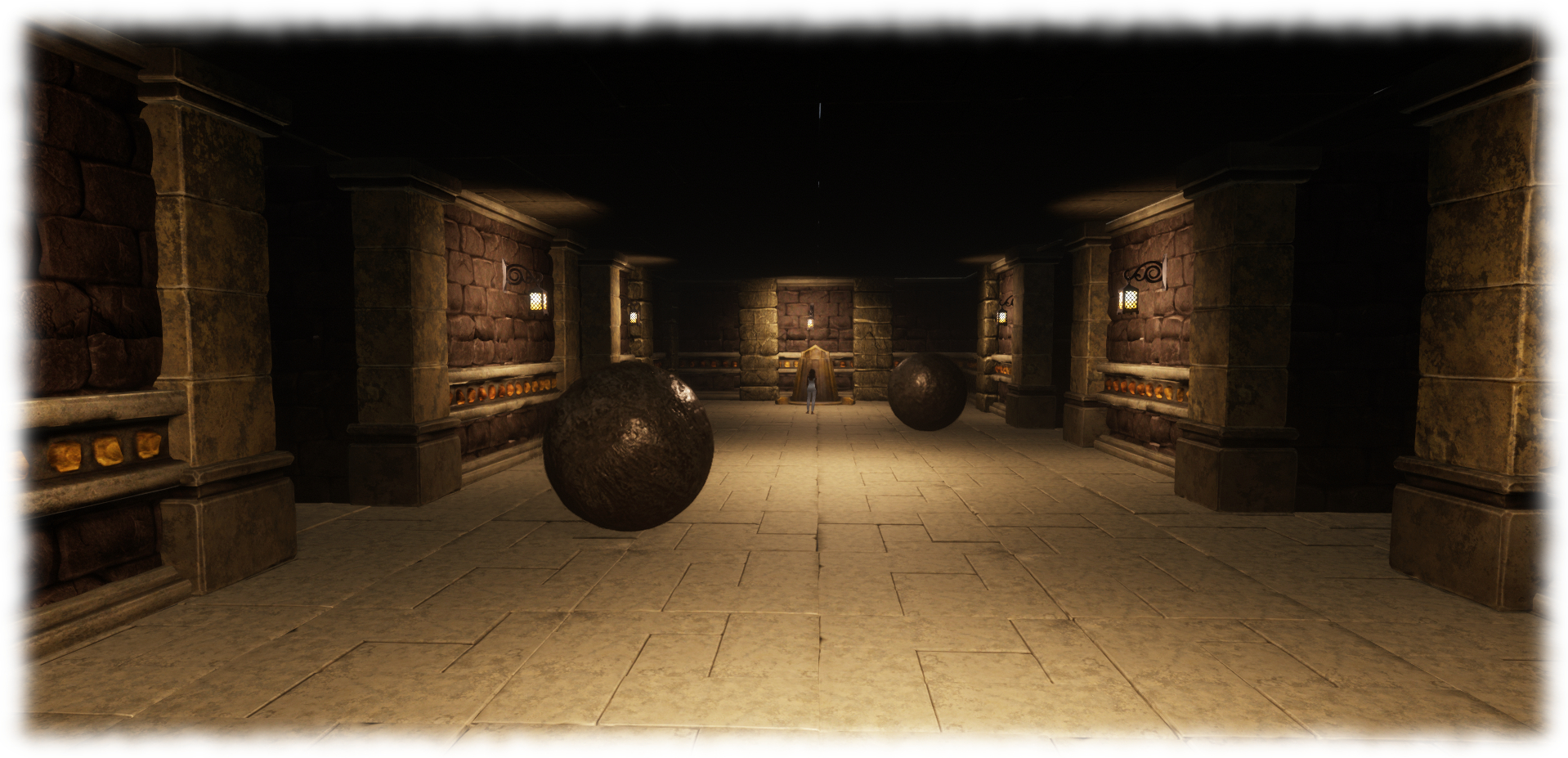
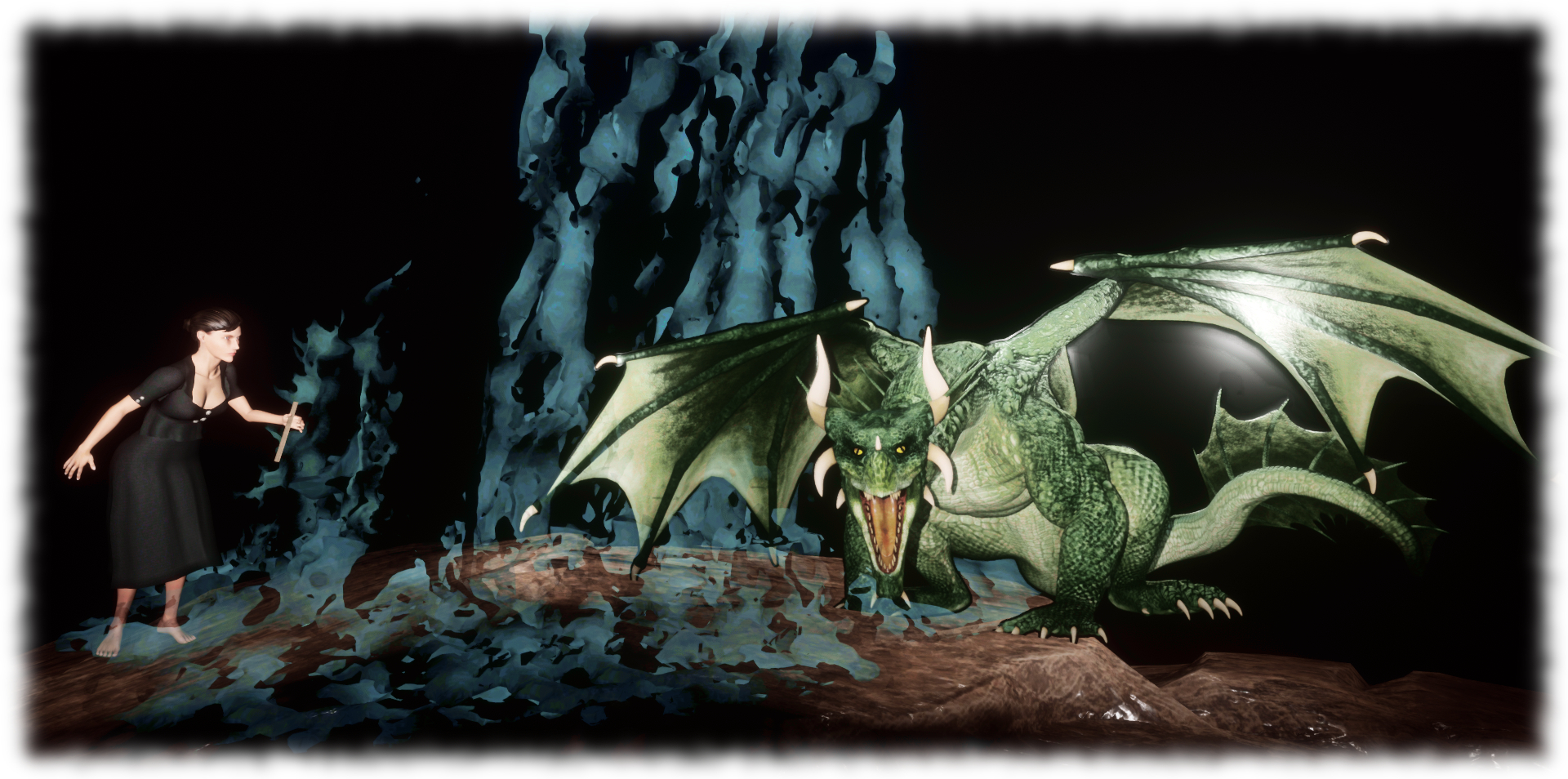
The primary gaming mechanism can be found in the Dungeon of Dis Pear. Given the current status of Sansar’s development, it is somewhat rudimentary when compared to what can be achieved in Second Life, but can be played with or without a VR headset. Reached via one of the teleport platform at the experience landing point, the game comprises of making your way through three levels of challenges to claim a “prize”. None of them are particularly difficult, although the second level may take a minute or two to work out, as even an initial wrong step or two can see you teleported back to the start point even before you appear to have made progress. However, they do demonstrate some of the basic capabilities available in Sansar to good effect (e.g. automatic teleport back to a level’s starting point on being “killed”, a capability familiar to many SL experience users).
Sansar: Garden of Dreams: the Dungeon of Dis Pear – Kayle Matzereth
Other games can also be found near the dance gazebo, but these do require the use of a VR headset and controller, limiting their use somewhat. Garden of Dreams is a pleasant experience, full of Kayle’s motifs SL users will find familiar and sits alongside his recreation of the Village of Breeze as two places I like to visit and just wander.
The award for the Best Sound Design went to another of the experiences I love – Teager’s Secrets of the World Whale. This a beautifully put together environment, complete with the plaintive cries of the whale. It’s also one I also mentioned in my Sansar tips and picks article as worthy of a visit as it also introduces various capabilities in Sansar, including the need to use the personal teleporting option. It remains a featured destination in the Atlas, and will be a place I’ll be returning to soon in my upcoming Exploring Sansar travelogue series – as well Maxwell Graf’s LagNMoor (again a name which may be familiar to long-standing explorers of Second Life, having once been a region Max held alongside of his Rustica), which took the prize for Best Media Experience.
Jasmine’s Through the Waterfall: Enter Another World claimed the prize for the Best Narrative Experience. This is something of an adventure narrative, opening with the line Without dreams, we can never become more than that which we already are… and an invitation to jump down from the desk on which we sit and seek the keys which will take us through the story, a scene – or chapter – at a time, starting with the aftermath of a tragic car crash. It’s not an entirely happy tale, but the use of media, music and sounds to craft a story makes this a worthwhile visit.
With seven prize winners and a further 12 honourable mentions, the competition list makes for a set of interesting visits, some of which people may well find easier to get into than others (Ria and Draxtor’s 114 Harvest remains a place – the only place I’ve yet tried, in fact – which persistently outlasts my patience in terms of load time and has me going elsewhere); but all are well worth a visit in some measure, demonstrating both what can be done in Sansar and – in all fairness – how much further along the road the platform needs to travel. In this latter regard, it’ll be interesting to see how they compare to experiences that are being offered in a few months time, as things continue to develop.
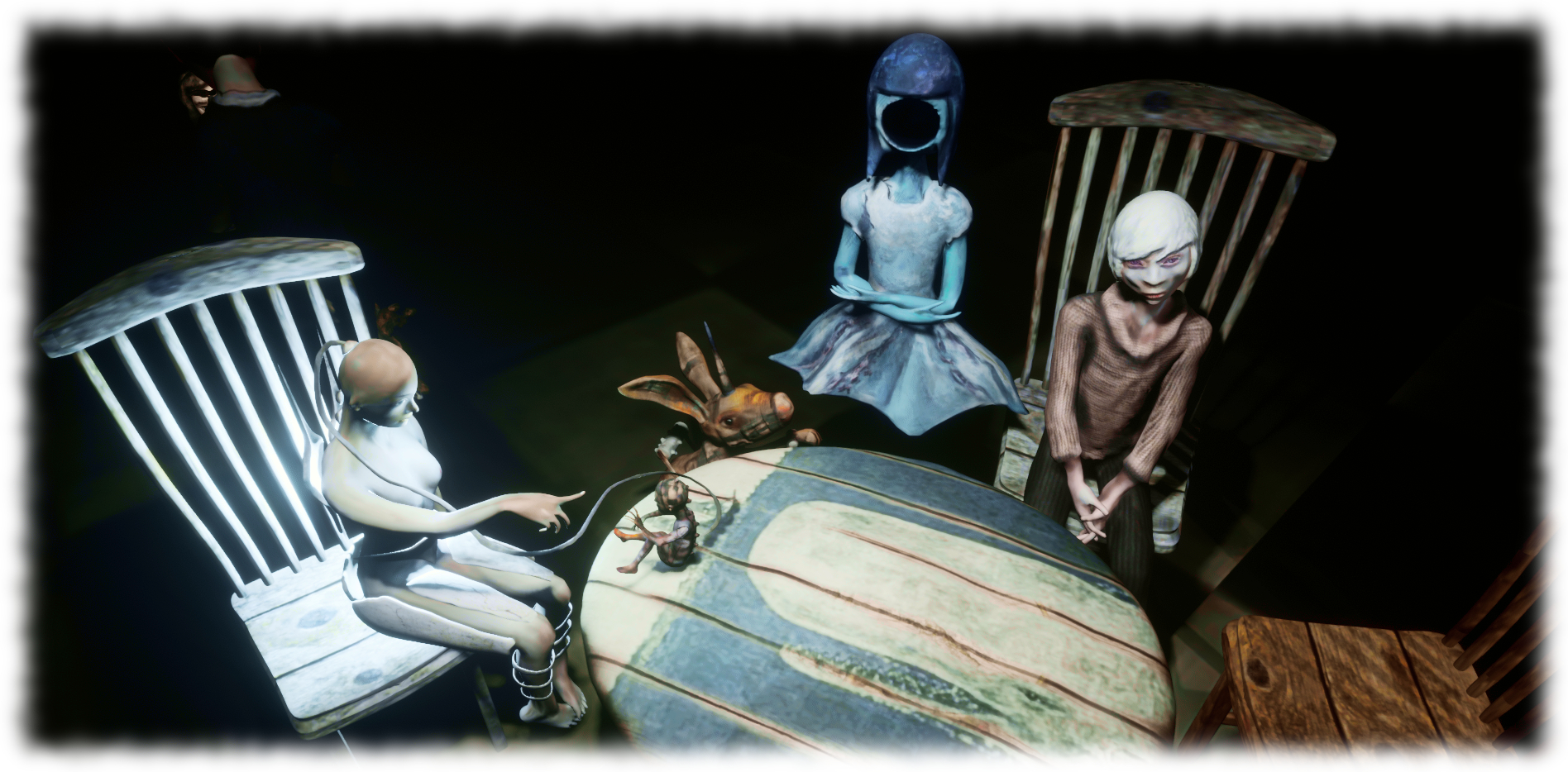
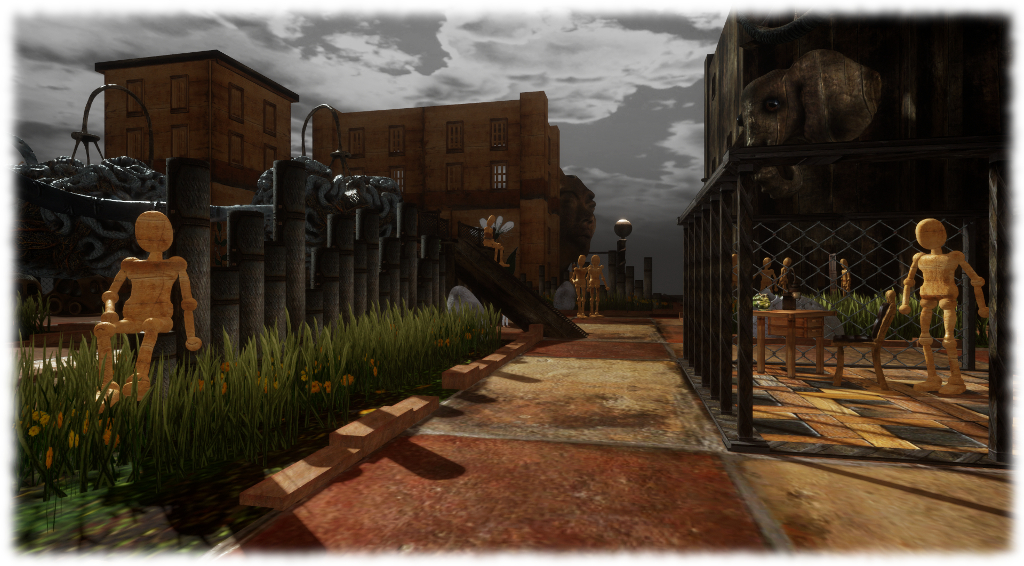
Sansar: An Evening at the Ballet – Bryn Oh, featuring some familiar friends and winner of the Best Visual Design award
To visit any of the experiences mentioned here or in the competition blog post, click on the experience names in the text, or in the image captions.
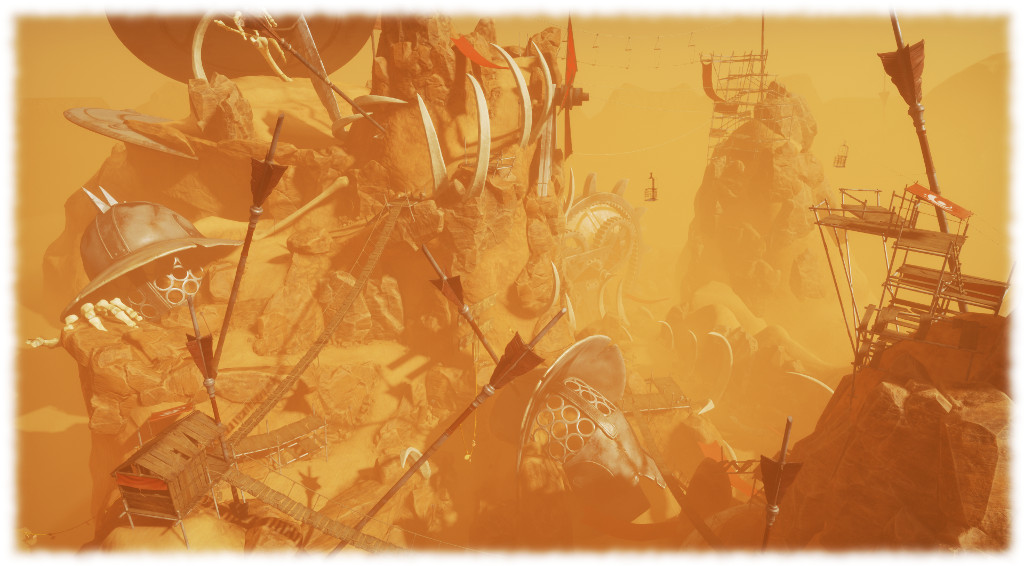
David Hall’s Dwarven Fortress – a sense of scale can be gained by my avatar, in white, standing on the platform towards the lower left, and visible between the columns – click for full size
The sixth Sansar Creator Profile video arrived on Wednesday, August 9th, featuring creator David Hall. A 3D creator “for the past couple of years”, David describes his work as more of a passion than a vocation – although he admits he’s always wanted to be a builder of worlds. As such, he is perhaps representative of the broader audience that Linden Lab would like to attract: those who are perhaps not so much interested in or invested with the wider aspects of virtual worlds and their multiplicity of opportunities and interactions, but rather those who want to be able to sculpt and create the environments they wish to build, and then share them purely with the people the know or believe will share their passion.
David’s featured experience in the video is very much a reflection of this: a vast Dwarven Fortress; which could feature as an artistic statement, an immersive meeting place, or eventually a role-play environment or similar. However it is not his only Sansar experience; David has also created Sunrise, which as the name suggests, captures that first early morning period when birds have started their songs and the sun has just risen above distance hills to cast a soft yellow glow over the world. It’s perhaps not as involved as the Dwarven Fortress, but it is no less immersive, and the sensation of walking through the trees to the look-out point, surround by birdsong is delicious.
Hot air balloons over water – Sunrise by David Hall
The Dwarven Fortress itself is impressive, but again – from an experience consumer perspective – illustrates the issue in opening Sansar’s doors to the general public: there is actually very little to do other than wander around / take photos. While some interaction within experiences is possible (to a greater degree when using VR systems than when operating in Desktop mode), this lack of interactions – whether intentional on the part of the experience creator or as a result of the platform awaiting capabilities – will continue to be a source of negative feedback towards Sansar.
For those curious about content creation with Sansar, and the tools available within the platform for object placement, lighting, atmospherics, etc., the video offers some insights, along with the use of external tools for the physical creation of models – in David’s case, Maya and Substance Painter. He provides a concise thumbnail description of the steps involved in creating a scene, whilst the video footage allows those who have not tried the editing tools within Sansar with a feel for what is currently available.
Working in Sansar’s Edit mode
What I found interesting in this video is David’s sheer passion for his creativity coupled with his ability to turn that passion into almost lyrical comments. In doing so, through this video he both touches on Sansar’s potential as a platform for personal creativity and sharing and on the potential to really spark the imagination in a manner that could become very compelling for many seeking a new creative outlet. The platform is – more so than Second Life and virtual worlds like it – a truly blank 3D canvas without and fixed context of “land”, “water” or “air”, upon which people are almost entirely free to paint their deepest imaginings.
Freed from these larger “world” context, Sansar spaces are, for their creators, potentially far more liberating than any default feeling of a geographical rooting – unless that is what is desired. There is simply no need to consider the context of a wider pre-defined “world environment”. Sansar spaces are simply that – spaces to be filled and utilised howsoever the creator wishes and in any many which bes serves their ultimate intended use.
In the halls of the Dawrven king – David Hall’s Dwarven Fortress in Sansar
Of course, it would be easy to point to the reliance on external tools with which to create; but let’s be honest here. Learning to build well within Second Life, even with prims, is not any easy task – nor is it entirely divorced from requiring tools and skills from outside of the platform (think custom textures here, or materials creation). The skills used in building within SL are acquired and refined over time – which really, other than the broader complexity involved in tools like Maya or Blender, etc., – is no different to sitting down and acquiring the skills to use those tools. So the need to harness something like Blender if you wish to make truly unique content for Sansar isn’t necessarily a huge hurdle for those with the desire and passion to be immersively creative.
At just over two minutes in length, this is one of the slightly longer pieces on Sansar, and it packs a lot into it. We’ve still a long way to go before Sansar is offering the kind of environments, capabilities and activities users are accustomed to in SL and elsewhere. But if David is typical of the creators sinking their teeth into the platform, and providing things are built out at a steady rate going forwards and without devastatingly long lead times, it will be interesting to see where Sansar’s growing capabilities might lead people in the coming months.
Note, October 4th: interaction with objects when using Desktop Mode were introduced with the Sansar Discovery release. Read more about the release in this article.
Updated, September 8th: minor changes to reflect changes made to personal teleporting when in Desktop mode in the September release.
Note: this article covers using the Sansar client in Desktop mode. For information on creating a Sansar account, downloading the client, and creating and avatar, please refer to Sansar: getting started – the basics.
The following is a basic guide to using Sansar when visiting / exploring experiences. As the majority of Second Life users do not have VR headsets and controllers, the focus on using Sansar in Desktop mode. Those using a VR headset and controllers, or who have a game controller, should refer to the following official Sansar help pages:
Some of the following notes have been drawn from my earlier articles on getting start with Sansar and pick and tips, and are included her for completeness
The Atlas
Client
Use the menu to switch Atlas view between displaying all publicly available experiences, those produced by Sansar Studios (Linden Lab and partners), and those you have created.
Use the Create button to start creating an experience (if available), review your existing experiences or change your Sansar subscription.
Use the scroll wheel to scroll down / up through the Atlas when the mouse is hovered over the atlas tiles.
Feature Panel:
Click “<” or “>” to page through featured experiences.
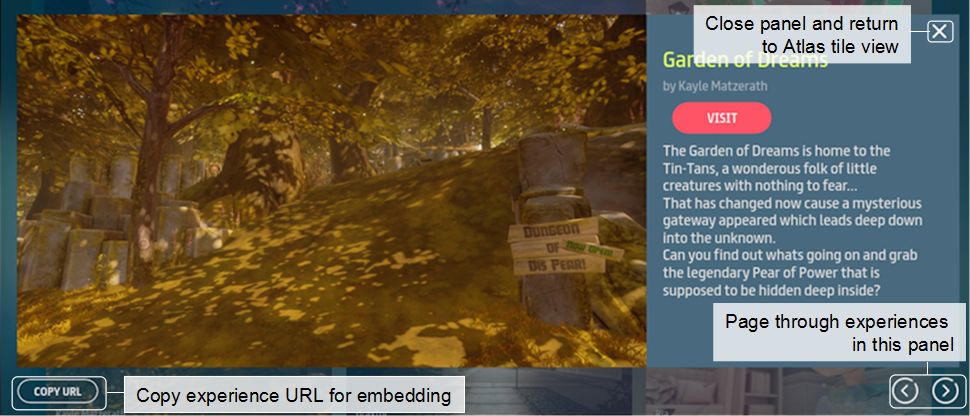
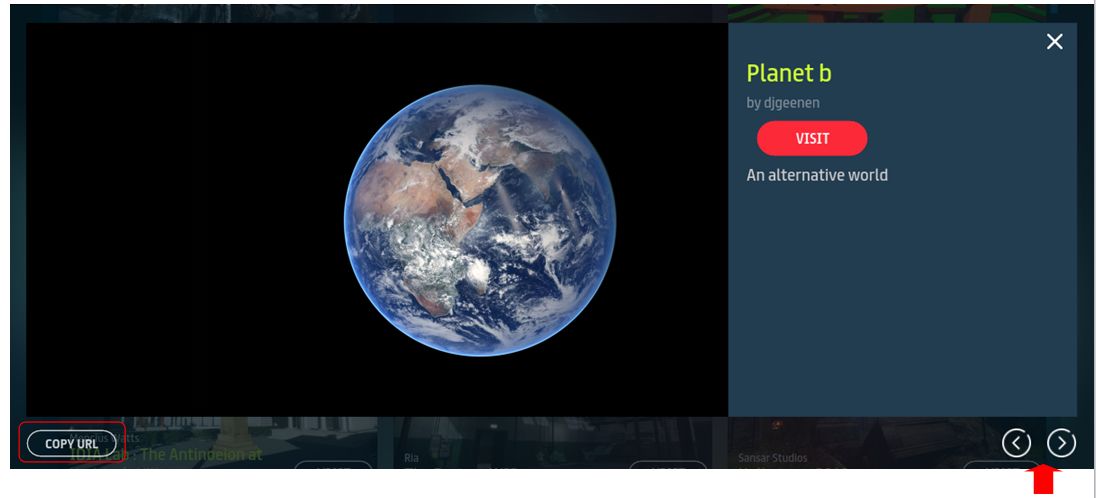
Click the display experience image to open the experience floater (see image below).
Click the Visit button to visit the experience.
Experience tiles:
Click the display experience image to open the experience floater (see image below)
Click the Visit button to visit the experience.
Experience floater:
Click the Copy URL to the currently selected experience to your computer’s clipboard.
Use the “<” and “>” to page forward / backward through available experiences.
Use the X button to close the floater.
Click the Visit button to visit the currently displayed experience.
The experience floater: displayed when clicking the image for any experience listed in the Atlas
Web
Use Search (top right of the Atlas page) to search experiences (e.g. by full / partial name, by full / partial creator name, etc.)
Feature Banner:
Click “<” or “>” to page through featured experiences.
Click the display experience image to open the experience floater (see image below).
Click the Visit button to visit the experience.
Experience tiles:
Click the display experience image to open the experience web page.
Click the Visit button to visit the experience.
Experience Web Page:
Click the creator’s name to list all experiences by the same creator & select any of them to visit it.
Click the Visit button to visit the experience.
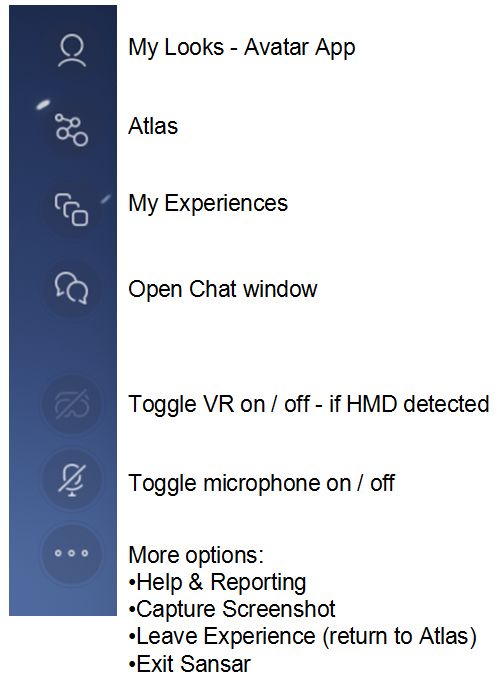
UI Control Icons
Sansar UI buttons
The UI icons in Sansar’s run-time mode are relatively self-explanatory. Hovering the mouse over any of them will display additional hover text.
My Looks: takes you to the Avatar App, where you can change you appearance, swap avatars, create new avatars, add attachments, etc. On exiting the Avatar App, you will be returned to the starting point of the experience you were in.
Atlas: Opens the Atlas, allowing you to select and enter another experience. Closing the Atlas without making a selection returns you to the current experience.
My Experiences: opens a list of the experiences you have created (if any), which you can then jump to. Options to create a new experience (if you are able to) and / or change your subscription are also available.
Chat: opens the Chat window. A green circle displayed against this icon indicates awaiting direct messages / Friend requests.
Headset icon: (only available if a HMD is detected) toggle between Desktop and VR modes (can also be done via F1).
Microphone icon: (only available if a microphone is detected) toggle microphone on / off.
More Icon (…): as per the notes in the image, above right.
Movement – Desktop Mode
Avatar and Camera Movement
Keys / Mouse actions
Actions
F3
Toggle between third-person and 1st person (“Mouselook”) views.
F4
Enter camera “free flight” mode (F3 to return camera to 3rd person view).
W A S D / ↑ ← ↓ →
Move your avatar / camera (free flight mode) forward, left, back and right. Press and hold the right mouse button to smooth your avatar when turning left/right turning.
Press and hold right mouse button & drag mouse around
Orbit camera around avatar when in third-person view and standing still.
Pan and tilt avatar’s field of view in first-person view.
turn avatar smoothly when walking (1st or 3rd person view).
Pan and tilt the camera when in “free flight” mode.
Mouse scroll wheel
3rd person view only: adjust camera position relative to avatar.
E and C
Camera “free flight” mode only: increase / decrease camera vertical elevation.
Numeric Pad “-” & “+”
Camera “free flight” mode only: decrease / increase camera movement speed.
Personal Teleporting
You can increase your movement around experiences using your personal teleport option, which is available in both 1st and 3rd person modes.
Press and hold the SHIFT key display the blue teleport cylinder.
Use the mouse to position the cylinder at the point to which you wish to teleport.
Use the mouse scroll wheel to select the direction you wish to face on arrival (indicated by a blue arrow).
Click the left mouse button to teleport.
Teleporting in 3rd (left) and 1st (right) person views, with instructions on teleporting in Desktop mode. Note the image on the left has been intentionally foreshortened to more clearly show teleport icons
It’s been just over a week since the Sansar Creator Beta opened its doors to the public, allowing anyone who wishes to visit to do so. I’ve been jumping in and out for a while, both as a part of the Creator Preview and during the last week, and have also been following some of the feedback since the doors opened on Monday, July 31st. So, what are my thoughts (whatever worth they might be) on the new platform?
Well, first and foremost – it’s not Second Life.
I’m being neither flippant nor dismissive in saying this. Sansar is a very different beast to Second Life, and is liable to remain so for a good while to come. However, despite all the comment to this effect from the Lab, in blogs like this and elsewhere, there still seems to be a perception that Sansar somehow “is” the “new” / “replacement” Second Life, giving rise, perhaps to certain expectations where Sansar is concerned, as well as fears for SL’s future.
Certainly, and given it is early days for Sansar, which is still being built out with capabilities and features, the time may come when it appeals more to some SL users than SL itself. However, given the Lab intend to continue to develop Second Life for as long as it is a viable product1, it’s equally fair to say that other SL users may find Sansar offers little they don’t already enjoy in Second Life, and thus remain with the lattr as it continues to be enhanced; equally, some may find it attractive to have a foot in both. But overall, it is far too early to be looking at how Sansar is affect SL log-ins or carrying forward fears about SL’s future – particularly given the Lab is looking at a far broader audience for Sansar than the existing SL user base.
One significant area of negative feedback I have witnessed is over the use of the term “beta” in the title of this phase in Sansar’s development, with people decrying it as “not beta software”. However, I’d suggest that doing so is more a case of mistaken context than anything else. “Creator Beta” isn’t a reference to the platform’s software development status (and thus a reason to dismiss it); rather it is indicative that this is the “second phase” of the development work involving creators – the first having been the closed Creator Preview.
Sansar: City Park night lighting experiment, Lex4Art
Personal Feedback as a User
The following feedback is based on what is currently available in Sansar, rather than what is lacking at present.
Atlas: the Atlas is a mixed bag. The title approach to presentation just doesn’t work for me, particularly given positions of items seem to change based on rating (visits?). Hopefully some form of experience categories / classifications will be added over time.
Negatives: finding experiences; lack of search in the version of the Atlas built-in to the client
Positives: URL access from web Atlas to experiences; ability to easily copy & share experience URLs; “slide show preview” option (although this is also now getting cumbersome); ability to see all experiences by a specific creator.
Client Run-time UI: simple, clean, options easy to find and icons reasonably easy to identify. Snapshot capability: basic, but usable, particularly when using the camera in “free flight” or operating in first-person mode.
Movement: the WASD / arrow keys are pretty much standard for games (and should be familiar to all SL users). The personal teleport option (CTRL and Left-click) can be very handy for “rapid” movement around experiences.
Camera: clunky and uneven.
Negatives (Desktop mode): no apparent default “follow avatar” position after orbiting camera (right-click and mouse drag) around avatar centre can initially be confusing when resuming avatar movement; the side-to-side juddering of the camera on small avatar turns left / right using the arrow or A and D keys can be visually unsettling (try pressing and holding the right mouse button and turning by dragging the mouse gently left / right for a smoother experience); “free flight” movement (F4) very basic, with camera movement perhaps a little too fast by default (numeric “-” to slow down / “+” to speed up).
Positives: reasonable integration with the mouse at this point; good first-person representation, making this “Mouselook” approach to movement superior to SL – although it would be nice to look down and see one’s own avatar.
Currently, arm movements made using HMD hand controllers can be disconcerting when seen by others
Avatar: basic, but acceptable. The walk is ungainly, but will hopefully be improved alongside things like the return of running, greater customisation, etc.
One strongly disconcerting element with the avatar right now is watching those who are using HMDs and hand controllers. The latter allow the avatars arms to behave most unnaturally (e.g. passing through the avatar’s body, arms sometimes appearing to detach from shoulders or bending weirdly, etc). Avatars being guided with HMDs / controllers also appear to have a really odd-looking arm “at rest” pose (hands held out in front of them as if carrying an invisible box).
Identification: for those from SL used to seeing avatar tags, this is perhaps the hardest element to get used to in Sansar – it’s simply not possible to readily identify who is who in a large group of people. The reason for the lack of tags is given as “spoiling the VR immersion”. Fair enough; however, right now, the avatars are far, far too generic to allow for easy visual recognition – so much so that people have already resorted to their own means of “tagging” themselves with their names in mesh placed above them or by wearing badges with their names on them.
Chat: text chat works well, as does direct messaging in text (IMs). It’s useful to remember the former can be seen throughout the current instance of the experience – there is no range limit as with SL. Voice chat is similarly unimpeded by range and can, frankly, be a pain right now.
While audio may well be spatial, when operating in groups, overlapping conversations can become confusing – as can quickly identifying just who is talking. People also have an annoying habit of leaving their microphones open when not speaking, leading to extraneous noises spilling “in-world”. While this is not a specific issue for Sansar per se, the controls for muting are currently limited, and the inability to disable voice entirely (so one can focus purely on audio from videos, etc., within an experience) can be irritating.
Interactions: basic, but developing. HMD / controllers currently give far more in the way of interactive abilities (“holding” things, throwing things, etc), but Desktop mode allows some interaction with objects – notably teleport disks, doors and portals.
A lot of SL users have seen the Creator Beta as “premature” on the basis of a lack of expected capabilities. I’d agree that opening the doors to a general audience does feel premature – but not strictly because of any lack of capabilities per se. Rather, given this is intended to be a further step in developing the platform from a creator’s perspective of the platform, why throw the doors wide now? As it is, it has been indicated to the media that the Creator Preview attracted 10,000-12,000 applicants, of which some 2,000 were invited into the platform, so why not simply keep rolling that process forward for another few months?
If nothing else, it would have achieved two potential goals: allow further integration of more of the social tools and abilities which the Lab have indicated are part of the raisond’etre for Sansar, and it would have likely reduced the volume of negative feedback by offering general users more “things to do” when visiting experiences.
A Broader Perspective
All of that said, the Creator Beta undoubtedly gives a glimpse of the potential for the platform to reach into a range of markets, should those markets continue to invest in and grow their use of this new era of VR as a medium. This is an important point to repeat, because Sansar really isn’t about building another virtual world a-la Second Life, nor is it – strictly speaking – about appealing to the wants and needs of Second Life users. The Lab is casting Sansar’s net far wider, as has repeatedly been said throughout the development process, and which was repeated during the Creator Beta launch.
When one visits experiences such as LOOT Interactive’s Apollo Museum, or Sansar Studio’s Villa Ortli or any of the experiences being built by Mencius Watts, aka John Fillwalk from the Institute for Digital Intermedia Arts (IDIA – a division within Ball State’s College of Architecture and Planning that explores the intersection of digital and physical design) the huge potential of Sansar in the realms of architectural design, historical recreation, and education and learning via immersive environments, becomes abundantly clear.
Other emerging experiences equally point the way towards Sansar offering unique opportunities for entertainment and games. Teager’s Secrets of the WorldWhale, for example, offers a glimpse of adventure / explorations type environments which could be built complete with interactions, and Maxwell Graf clearly shows that role-play could be well suited to the platform.
In this, it’s perhaps important to note that the response to Sansar from beyond Second Life has, it’s fair to say, been positive. The press has been good, and (I understand) it has led to an uptick in interest from agencies beyond the SL catchment. What will be interesting to see is how this interest / involvement grows as Sansar continues to be built-out, and just how effective the Lab is working both directly and through partners to enhance Sansar’s visibility among the markets they’d like to reach, the expansion in use of VR within those markets allowing, as time continues forward.
I hope to be able to write more on this in a future article.
On Monday, July 31st, Sansar opened its door to the public Creator Beta, allowing anyone to sign-up for an account and give it a go. Unsurprisingly, people from Second Life have been among the first to take a look, so I opted to start my public coverage of Sansar with a getting started guide and then some suggestions on where to go and how to interact with things inside experiences.
One thing the Lab has always made clear about Sansar is that the July 31st opening was not the release of a polished, finished product. Sansar is going to take time to build-out, with features and capabilities being added on a rolling basis. Given this, what might be the Lab’s views and thoughts on Sansar’s development up to now and looking ahead?
Just ahead of the Creator Beta opening, Bjorn Linden (aka Bjorn Laurin, the Lab’s Vice President of Product) and Widely Linden (head of Product for Sansar), together with Pete Linden (aka Peter Gray, the Lab’s Director of Global Communications) and Xiola Linden (SL Community Team Manager), sat down with Sansar and Second Life users to discuss such things. The following is a synthesis of Bjorn’s and Widely’s comments in the two (of three) sessions I was able to attend.
Why is the Public Beta Called “Creator Beta” Is it for Creators Only?
The beta is open to everyone, but because Sansar is still growing, the Lab’s focus remains on creators – those making both original content for upload and use in Sansar, and those creating experiences using that content (regardless of whether they made it themselves or purchased it through the Sansar Marketplace), to ensure they have the tools they need to build and design. At the same time, the Lab will continue to build Sansar out with other capabilities – avatar customisation, community tools and so on – which will be of benefit to all users, be they creatives or visitors.
Why Sansar Doesn’t Use Established Engines
Well, first of all Sansar is built on a whole new code-base. There is not a single line of code that is the same [as Second Life]. We’ve taken a lot of lessons from Second Life, a lot of the initial planners of Second Life were involved in Sansar; but we’ve rebuilt everything. That’s why its taken time. We decided not to use Unity or Unreal; we decided to build our own platform and create our own destiny.
One of the thing for that is about users. User creation in Unity and Unreal is extremely hard; we’ve seen that. For example, if Unity were to do a big upgrade, or Unreal, all the user creations [in Sansar] would break [and] they cannot fix that. That’s why we wanted to create our own destiny. We built out own platform … its taken a few years, but now I see its been worth it. We have our own platform, we control our own destiny; user creations will look the same after an update. That, for us, has been very important.
Right now, Sansar is very VR headset / controller biased. However, it does also run in a Desktop mode somewhat similar to Second Life (1st and 3rd person movement). The Desktop mode is running a little behind VR mode, capabilities-wise (you cannot really manipulate things in the Sansar runtime environment via the Desktop, for example), so how does the Lab regard the Desktop mode?
When we build things, we have to start at the top and then go down. We start with the VR and all the features, then we’re going to bring those features, as many as we can, into non-VR as well, because we know VR is not going to take over the world tomorrow. But we can’t just make features and then add on VR; we have to make VR first and then bring it down fast. And we’re going to do it fast now, as we have a platform to build on. I want people to be able to pick up things on the Desktop and all that stuff, so it’s coming, we’re working on it very fast.
Bjorn Linden
So I wanted to speak to that. The HMD does allow a whole other level of immersion, and it’s really great and Sansar does it very, very well. But in the work it took us to be able to do it well, we made Desktop really good. Because VR is very technically demanding to do, and the desktop mode was very much the beneficiary of that effort. So what that means in more practical terms is the renderer is very efficient, is very fast. And then means you don’t have to have a crazy expensive gaming PC to run Sansar.
Is it going to run at 60 fps on a three or four year-old laptop or a five-year-old laptop? No. But it will run at least as fast as Second Life does on that same desktop, and look prettier doing it. So Desktop really benefited through our efforts in VR. And people are in desktop, and we know that; that’s why it’s really important, unlike some apps, you can with a single press of a button or an icon, just instantaneously switch back and forth between the modes … you just smoothly transition between desktop and VR modes. And there are times you want to do one, there’s time you want to do the other. So HMDs, if anything, helped to make Sansar even better for Desktop.
Widely Linden
Avatar Development
Currently, the Sansar avatars appear – to Second Life users – to be very basic: limited customisation, fairly generic looks, etc., no ability to add anything other than basic attachments at present (rings, hats, sunglasses, etc.). What is likely to happen with the avatars?
People are very interested in their avatars, and attachments [as enabled when the public beta launched] is a first step. I chose to let everyone do avatar attachments because I spoke to many of you, and you wanted that in Sansar. You can’t put it in the store yet, you can’t sell attachments, but this is just the first step … but it’s working, it’s solid, it’s not crashing.
I’ve been spending a lot of time working with partners, the big corporations that have given us access to technology that no other platforms are using how we are planning to use them. So, for example, if you sell a dress, I do want to have a one size fits all; when you put it on, it should fold and crease just like in real life. We have that working on our servers so we will roll that out all these things … we will reveal more of these things in the next couple of months, actually, how it will look and feel like. And you will get full access to everything … You will have access to all this stuff [like] you have access [to it] in Second Life. Just give it a bit time to make it right! Me and my team, we’re working very hard on it!
Second Life has really self-selected for an audience that is very interested in, and really enjoys playing with, avatars: customising avatars, dressing avatars, really focused on that. This is an area in which – and I’ll just be up-front – Sansar is not at parity with the degree of flexibility in regards to crafting an avatar that you currently have in Second Life. You can customise your avatar in Sansar, it looks pretty nice as you do it, but we still have a way to go there.
Now, that being said, we have some stuff coming on-line here over the next good chunk of time that will I think rapidly set the Sansar avatars apart, and allow creators to achieve some effects that were impossible and are just so painfully difficult or costly to achieve in Second Life that it would be generally frowned upon. And so it’s going to be interesting times ahead in regards to avatars in Sansar.
And I think where they’ll start to really take off is as we work to make them more and more active and emotive; improving the face animations, getting those to be more expressive; getting hands to actually interact with objects and look like they’re actually touching the objects; not just in the right general vicinity, but actually have the fingers in the proper grip to hold objects. That stuff is on its way.
Widely Linden
The Sansar avatars are actually extremely, extremely advanced. I would actually go so far [as to say] they are among the most advanced avatars there is today, on any platform. Just the female avatar in Sansar has over 125 bones in the face, to make it work as we want it, to make it look realistic. That’s more than actually humans have.
I want you to build your own avatars. for now that technology we put in is so new, no-one else is using it, we’ll be able to use it for a long time, to make it look realistic, and that’s part of it. When they talk normally it’s going to look better as well, it’s going to look better, in any language, it doesn’t matter. It may Chinese, could be English, could be Swedish, could be Portuguese, Spanish. It’s going to look good. We’ve spent a lot of time on that, and I’m super excited about these small things that make it immersive, that make us want to spend more time in there.
But this is just the start. I talked about the 125 bones in the face [for comparison, the SL avatar has around 133 bones in total], that’s part of what is so complicated; because if you move one of those bones, it’s going to break everything. So we’re working on a way so we can lock those down, and there’s still going to be a way for you to be able to create like a werewolf, so it look normal when the werewolf talks, or holds, or whatever a werewolf does. And we are working on that, it’s going to happen. Just give us some time. I want you to be able to have talking animals, talking trolls, whatever. It’s going to be there.
The next step for the avatars is you’re going to be able to make them bigger, smaller, fatter, thinner. All that stuff, it’s in the works and it’s very exciting.
So, you’ve heard the new about Sansar opening. You’ve signed up for an account and have your new avatar. Now what? The Atlas has many, many places to visit. Some are more interesting than others. I’ve been hopping around for a while now, and so I thought I’d offer a handful of suggestions and one or two tips which may be useful for you.
Once again, as I’m a non-VR headset user, the Sansar experiences selected here have been chosen on the basis they work without having to use a HMD as well as providing a means to gain familiarity with using keyboard controls.
Tip: The URLs in this article lead directly to the experiences described. You can obtain them directly from the Atlas by clicking on the image of an experience. This will open a separate window. This includes a Copy URL button – which does exactly what it says. There are also two page buttons (< and >), allowing you to page through experiences in the Atlas individually. If you want to see all the experiences by a single creator, click on the creator name in the Atlas or Atlas window.
You can obtain the URL for any experience you wish to re-visit through the Atlas, and use the pop-up window to page through experiences individually
Pasting a URL into a web browser will display its Atlas web page. Clicking on the Visit button on the web page will launch the Sansar client and take you to the experience (if the client is already running, you’ll be asked if you want to visit the selected experience).
Now open to the public, the Apollo Museum is bound to attract me as I love all things space exploration. However, there is another reason for recommending it: it is a good example of some of the interactions that can currently be achieved in Sansar and a demonstration of one method of teleporting.
LOOT Interactive: Apollo 11 Tranquillity Base
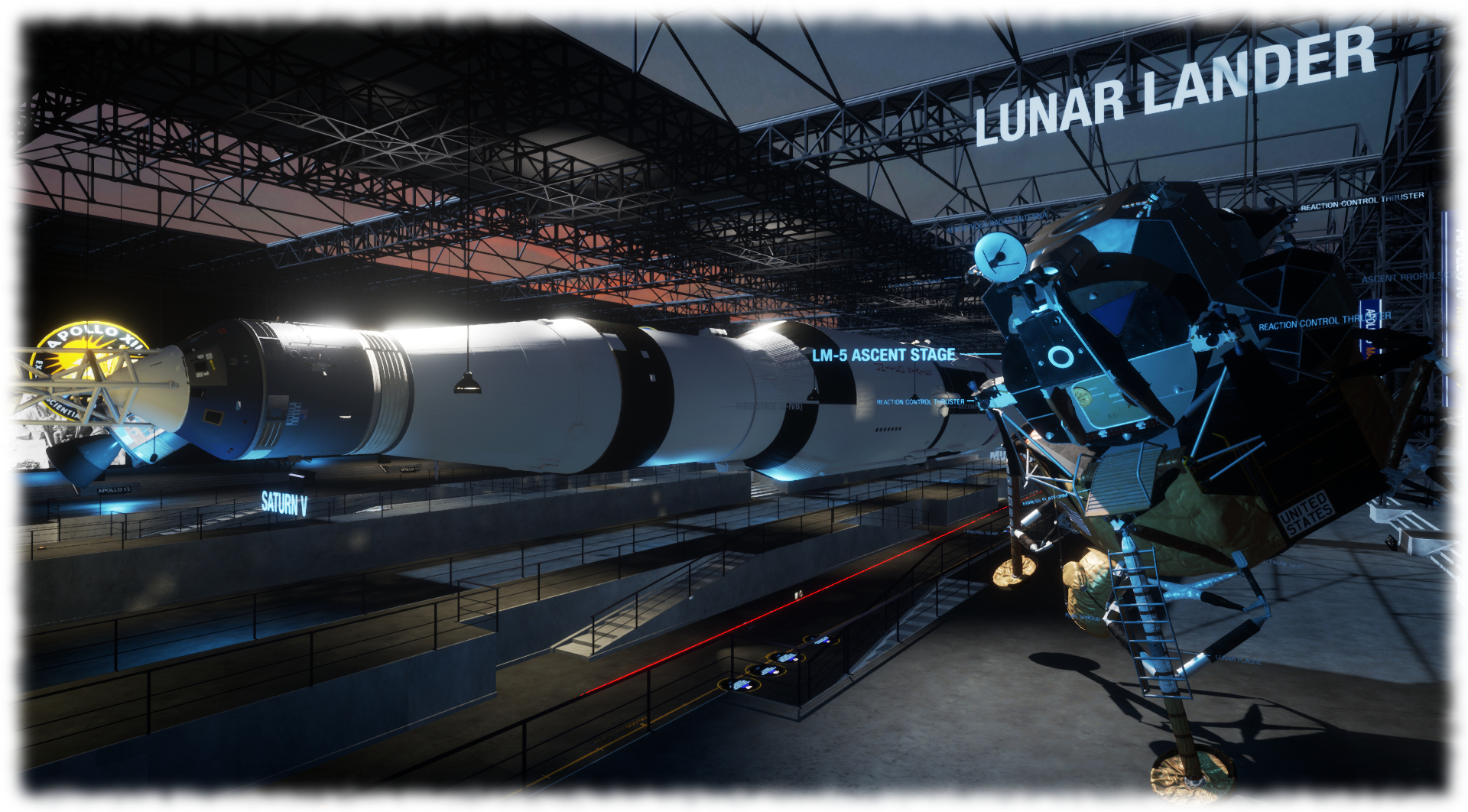
This is one of the more “high-end” experiences, and can take time to load; however the wait is worth it. This is a rich content experience, mixing 3D models, audio, video and information boards to take people on a journey through the major Apollo lunar missions. Centred on the Apollo 11 mission, the experience includes information on the other lunar mission in the programme, models of the Saturn V, Command and Service Module and Lunar Excursion Module and a scaled model depicting Apollo 11’s trip from the Earth to the Moon.
Interactive elements are provided through proximity / standing. For example, spread along the floor of the museum. step on these to hear audio extracts from the Apollo 11 mission. Similarly, audio on the various Apollo missions from 11 onwards can be heard.
LOOT Interactive Apollo Museum
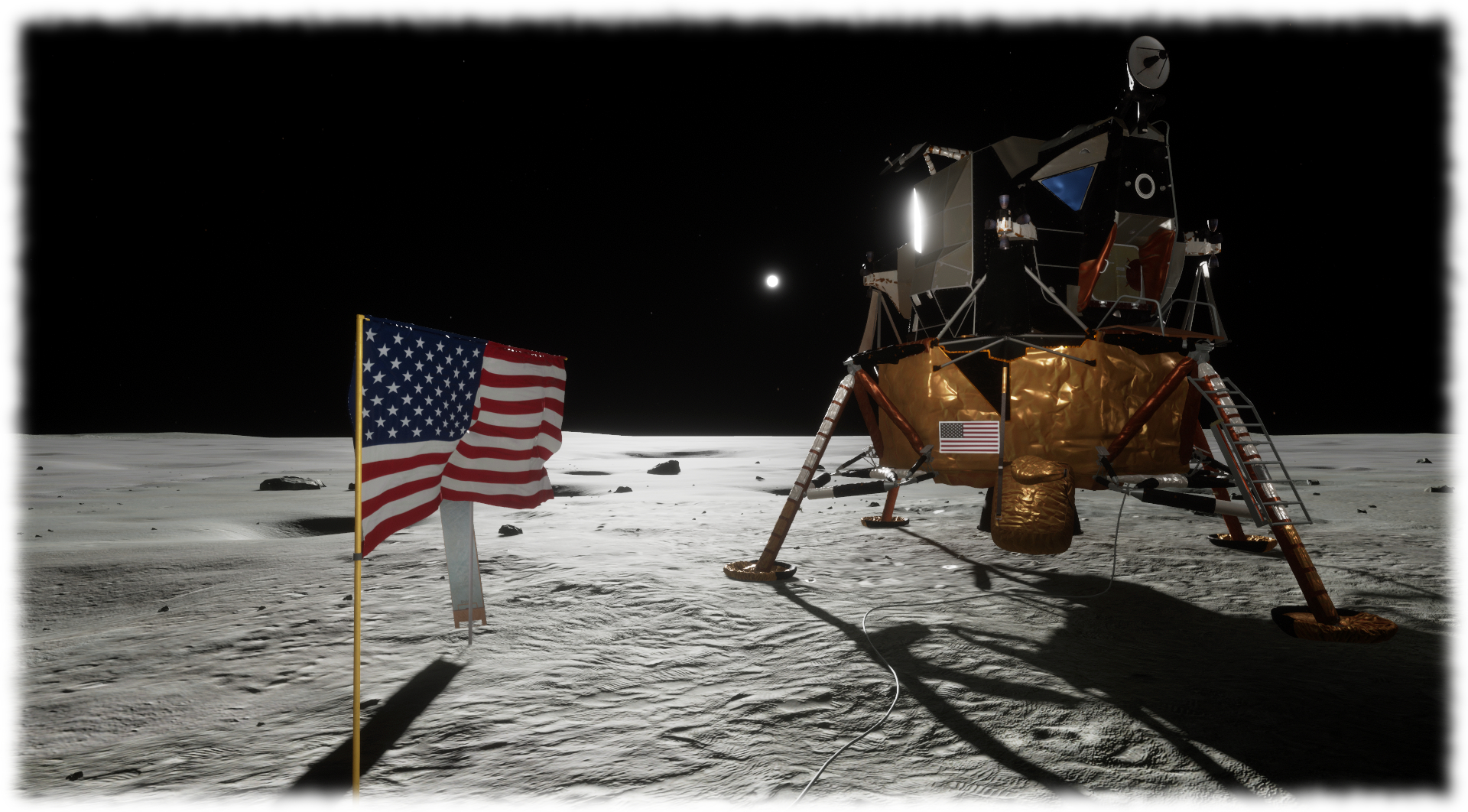
Also on the floor close to the upper end of the Apollo Saturn V rocket is another disk. Step on it and it will teleport you to a recreation of Tranquillity Base and the Apollo 11 Lunar Excursion Module Eagle with floating informational text and a sound scape of recordings from the mission.
Throughout, the experience is very well done, with the lighting on the Surface of the Moon particularly well done – as is the Earth (to scale as seen from the lunar surface) hanging in space at the same position it would have been seen by Armstrong and Aldrin. There are one or two problems with the build – sounds can overlap, and it is clearly intended for HMD use; but it makes for a useful introduction to Sansar (and an informative visit!).
Tip: If you’re not using a HMD and are finding movement difficult in third-person view due to the camera, try using WASD or the arrow keys, together with pressing and holding the right mouse key and sliding your mouse left or right to turn. Combining these allow for a relatively easy means of moving in either 3rd or 1st person view.
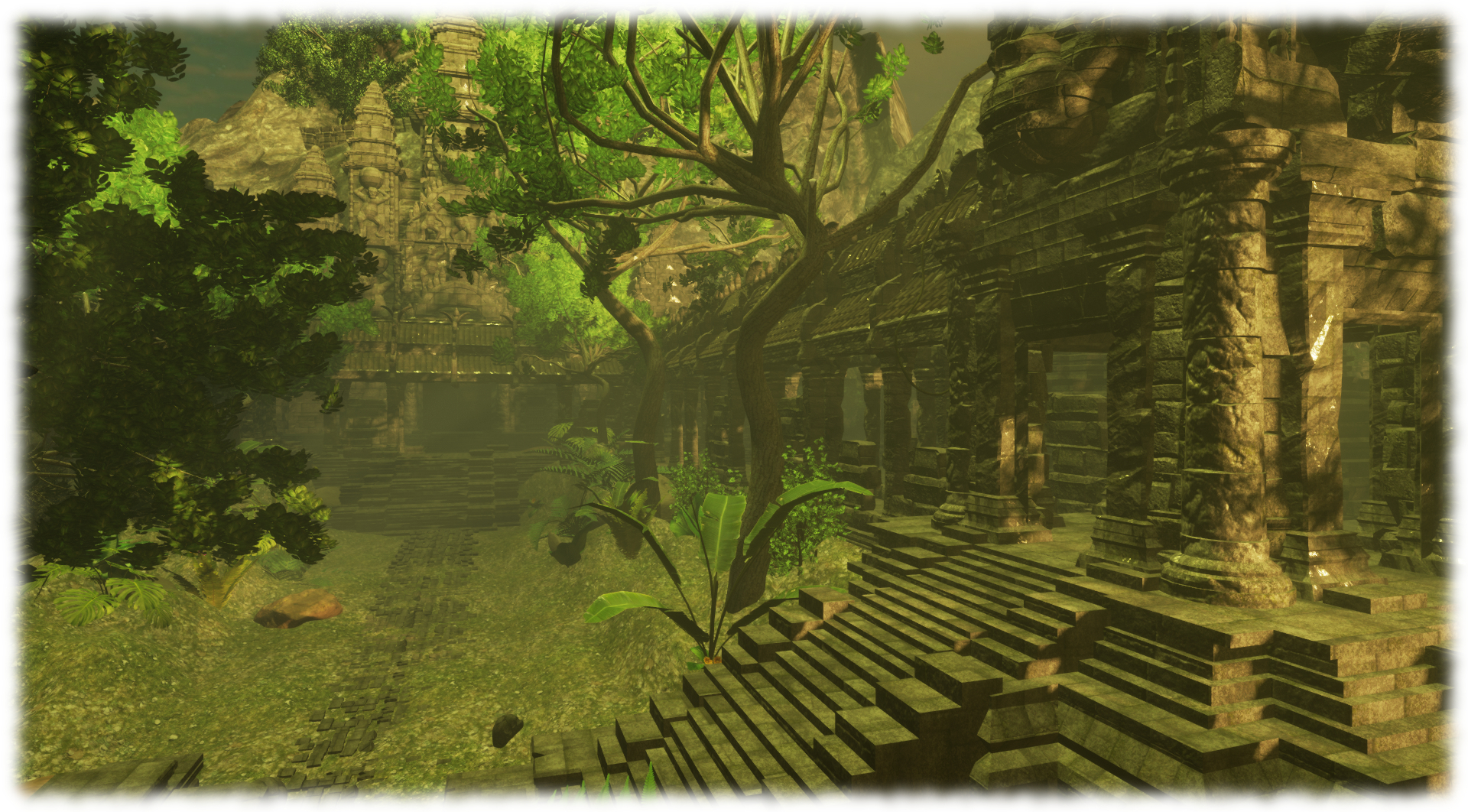
As featured in the Sansar preview #5 video, Unit 9’s Monkey Temple is a good example of an experience using ambient sounds and Sansar’s environmentals to produce a jungle-style setting with a unique temple in three distinct areas, and which includes interactive games. These are best played if you have a HMD and controllers, however, it is possible to “kick” a “ball” around by walking into it.
Unit 9 Monkey Temple
Tip: try free-flying your camera around the temple. Press F4 to release the camera and use WASD or the arrow keys to move forwards / backwards or slide left / right. E will move the camera up and C will move it down. You can also use the right mouse button technique mentioned above to pan the camera. The numeric pad “-” (minus) and “+” (plus) buttons can be used to slow / increase the camera’s movement speed when in free flight. Press F3 to anchor the camera back with your avatar once more (note that pressing F3 twice will drop you into first-person look).





 Inara Pey: Living in a Modemworld