On Monday May 19th, Kitely, the on-demand virtual worlds provider, announced it now supports the Hypergrid, and provides strong content support in doing so.
The ability to teleport between Kitely worlds and other Hypergrid enabled OpenSim grids was actually enabled on Sunday 18th, ahead of the official announcement, and saw a number of Kitely / OpenSim users putting the capability through its paces.
Announcing the move in an extensive blog post, Oren Hurvitz, Kitely co-founder and Vice President of R&D (and who is also an OpenSim core developer), said:
We have an important announcement: Kitely now supports the Hypergrid! Kitely users can visit other grids, and users from other grids can visit Kitely worlds. Kitely is the only OpenSim grid that supports the Hypergrid and also has strong content protections that prevent unauthorized items from leaving the grid.
The blog post itself explains how Kitely users can teleport from Kitely to other grids, how they can – if they wish – enable their Kitely worlds for Hypergrid access, and how other OpenSim users on hypergrid enabled grids can teleport to Kitely worlds.
Kitely users can select whether or not they want their worlds open to Hypergrid connectivity – although those with Metered Worlds need to remember that they will be charged for the time Hypergrid users spend in those worlds if they are opened to Hypergrid access
Considerable length is given to the important matter of content protection and export permissions. This includes information on how items defined as No Export are protected from being physically removed from Kitely worlds either by Kitely users or those visiting from other Hypergrid enabled grids. To ensure content is fully protected, Kitely have also implemented changes to their Export World capability.
Given the in-depth extent of the Kitely announcement, I refer readers to that post for further details.
Overall, a long-waited move by Kitely, and congratulations to the team for achieving this milestone.
They are the souls of avatars lost to us, like echos from other dimensions, it is said, though no one knows for sure.
What we do know is A weakness in the structure of metaverse has opened and they now wander.
So opens the description of Glyph Graves’ Ghosts of the Internet, a fascinating installation which continues the artist’s reflections in virtual space. Fascinating, because it exists both in Second Life at LEA21 and in the Inworldz region of Translation – and those in one can see the “ghosts” of those in the other moving around, and can even converse with them.
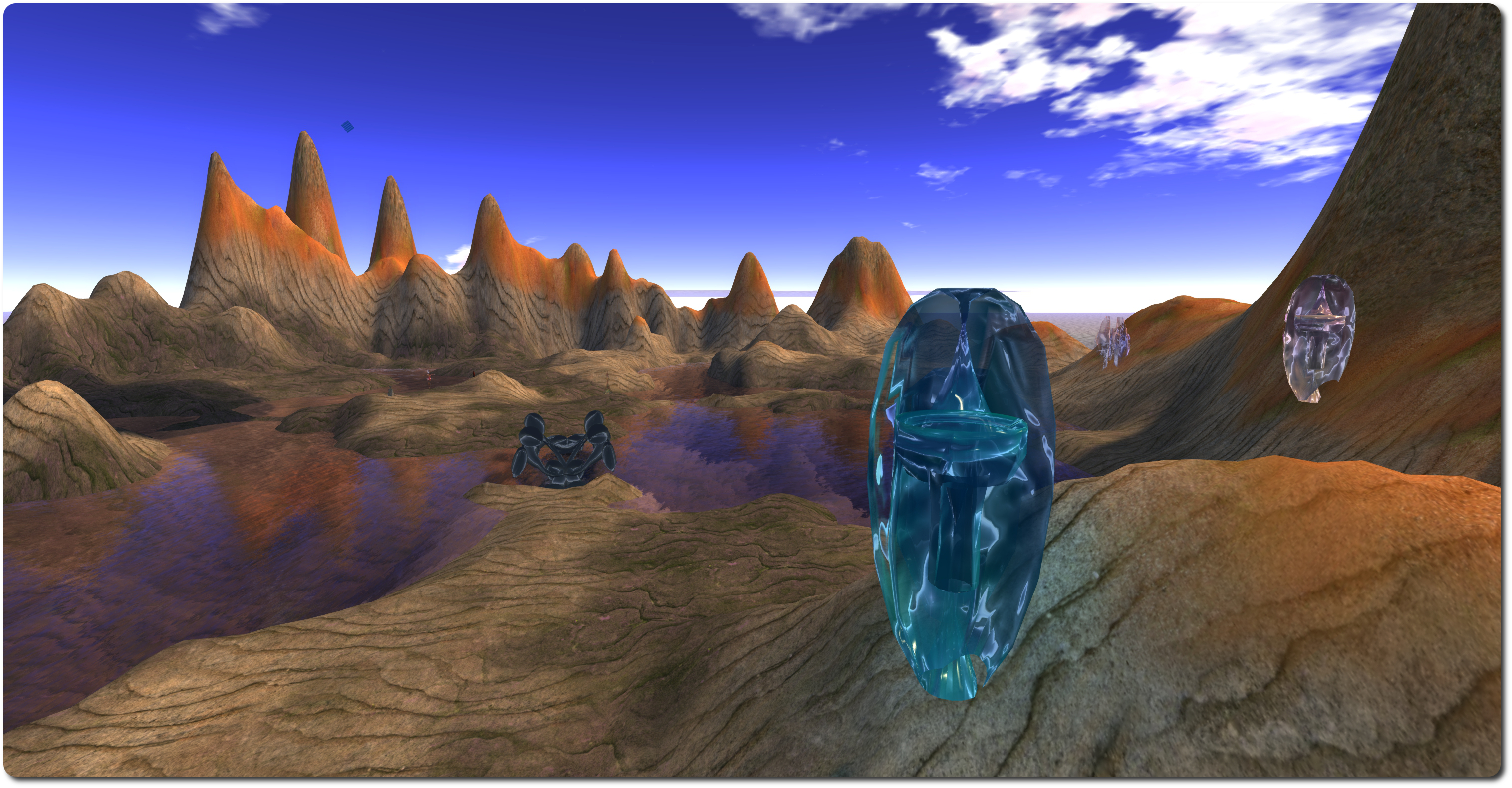
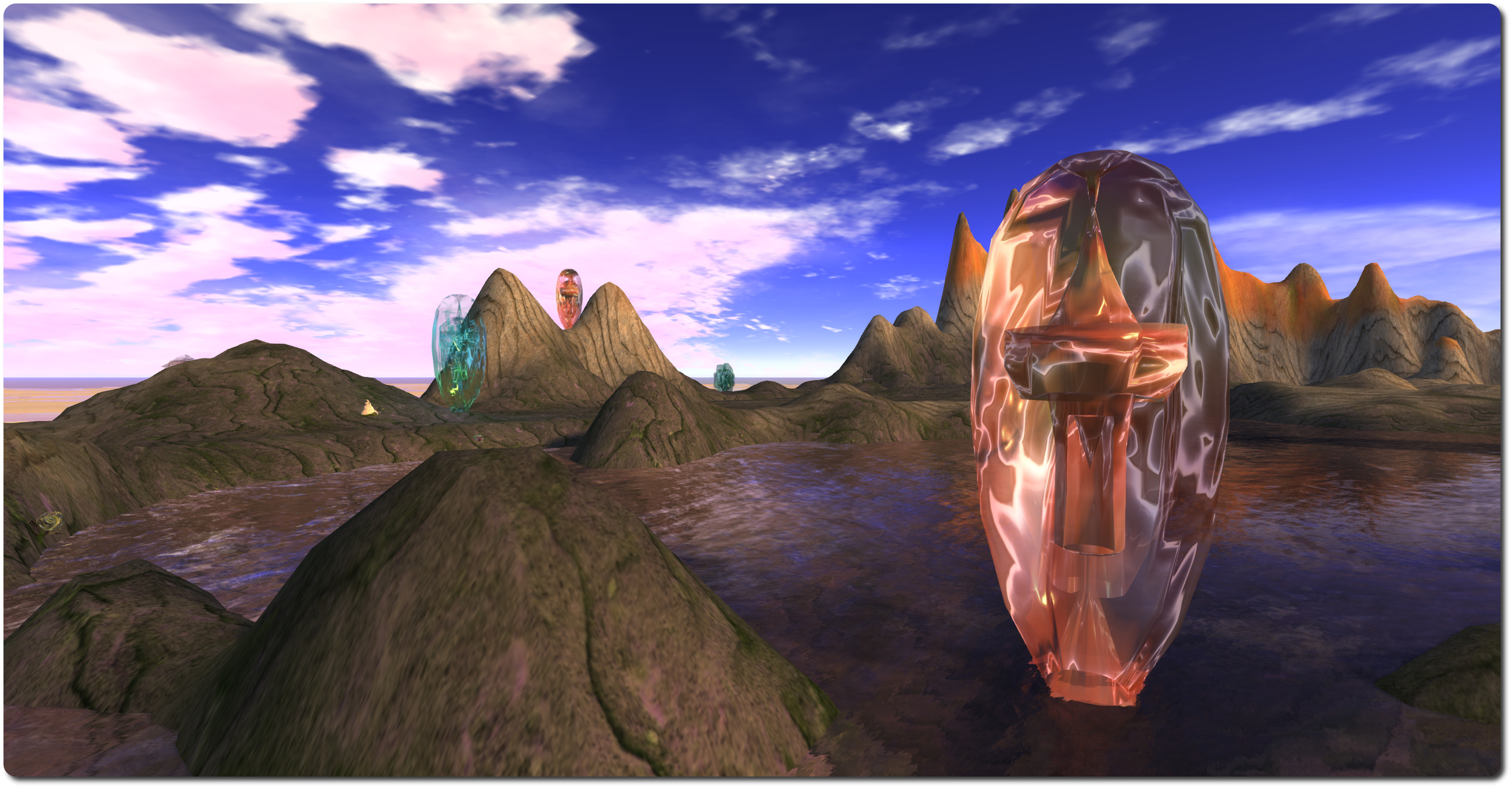
The landing point at each installation provides instructions on how to get started, together with recommended graphics settings (using Firestorm as the example). There’s also a teleport to deliver you to ground level, which is more-or-less identical in both regions (Sasun Steinbeck provided a tool to help copy items between the two environments), comprising barren rock, partially flooded and surrounded by tall hills.
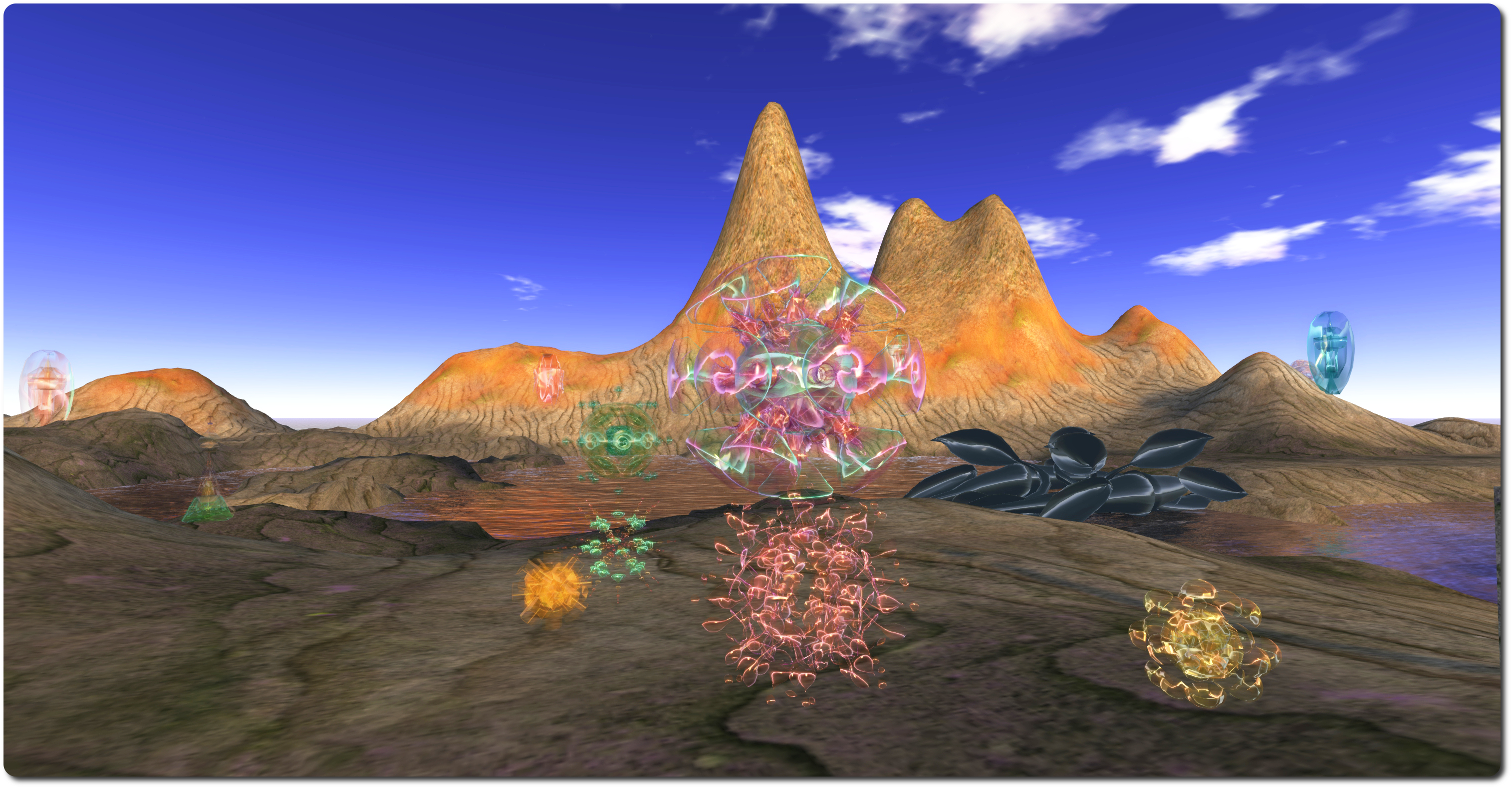
Within either landscape sit a series of semi-transparent otherworldly forms, with shifting colours within, which might be taken as alien crystal growths or exotic sculptures. Some of these are the “bridge” between Second Life and Inworldz, allowing communications between the two to take place. Others, spread around the borders of the landscape are the Pylons of Binding – move beyond them, and contact with “the other side” is no longer possible. Snails also roam each of these realms, and at least one is large enough to slide run over you if you’re not careful, although they are shy: touch one, and it will retreat into its shell for a few seconds.
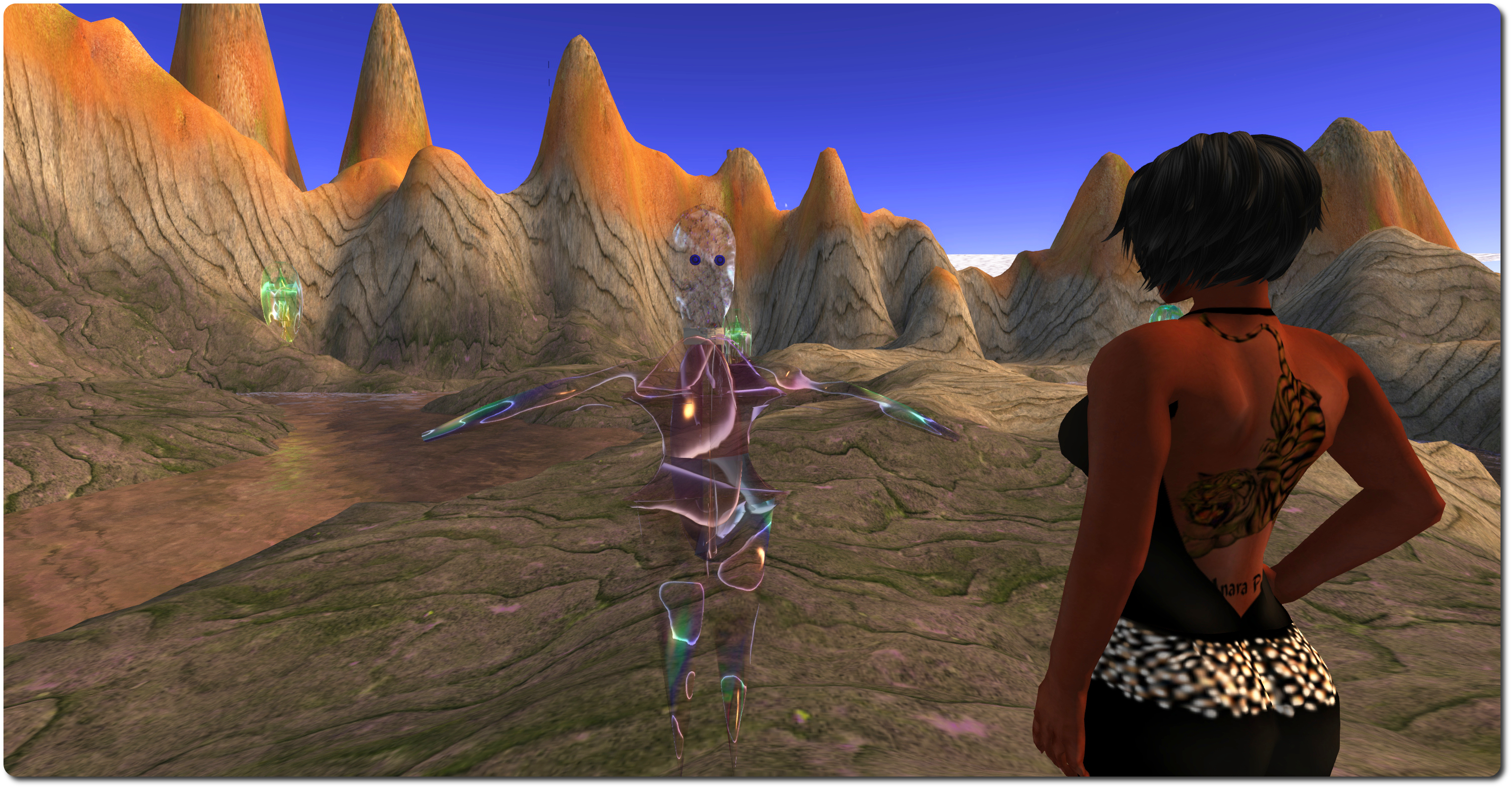
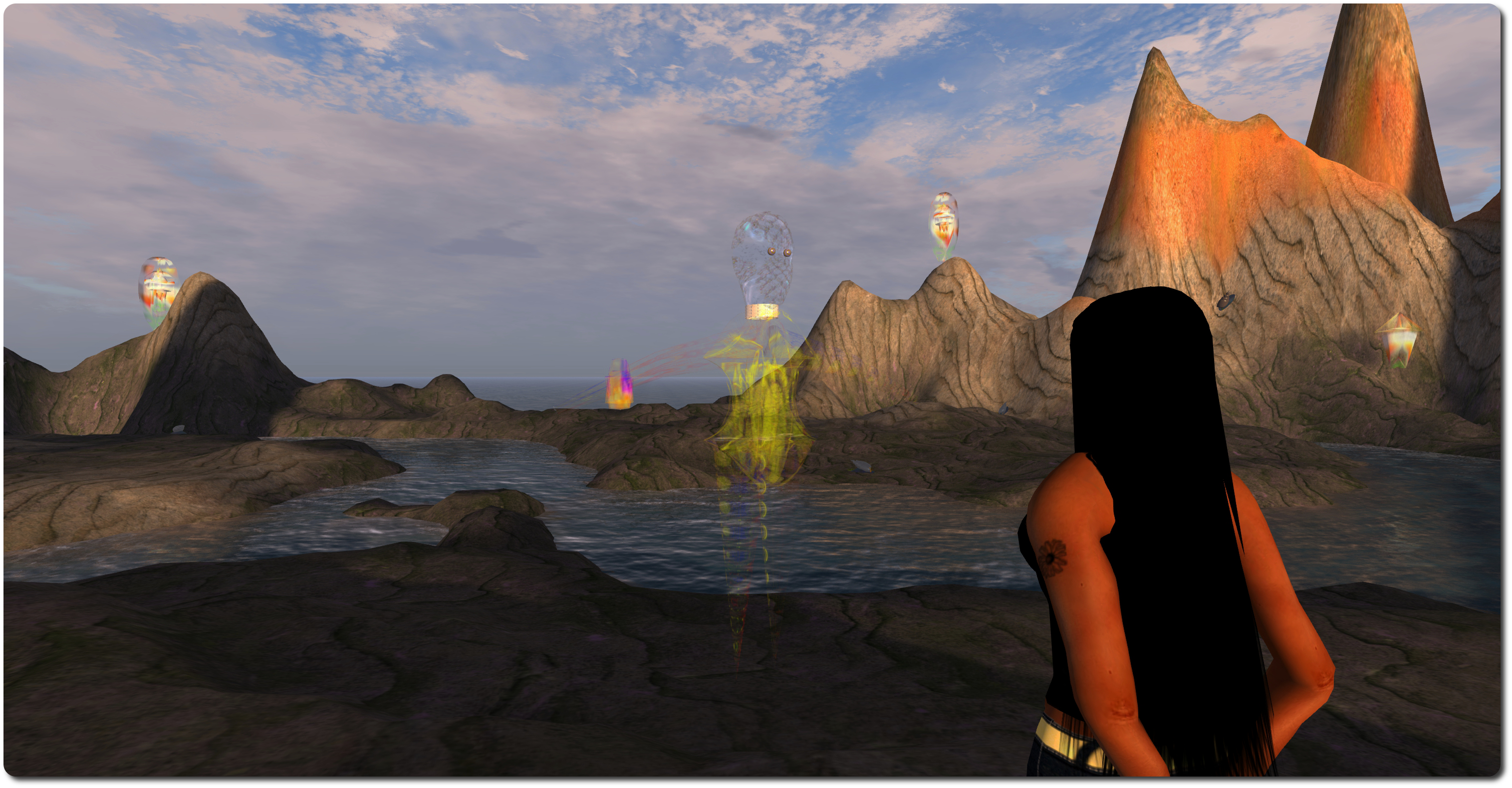
But it is the ghosts which are really the focus here. These appear whenever someone on either side is within the boundaries set by the Pylons of Binding (although if there is no-one in the region on the other grid, no ghosts will be visible). In other words, the ghosts that appear represent avatars visiting the installation on the other grid.
Communications between world is initiated by touching a ghost (which will then become somewhat multi-hued) and then typing into open chat (you may have to wait for the “ghost” to respond to your initial touch first). Only one conversation with a ghost can be established at any given time, so if you touch a ghost already in a conversation, it will not respond to you. It is also not recommended that you touch several ghosts at once to initiate multiple conversations, as “bad things will happen” as a result (and it might get very confusing).
Be aware that whatever you say to the other person is also repeated in open chat at their end of the link, not in IM, and so will be heard by anyone else who is near them. Chat from any other avatars around you, however, is not transmitted. To terminate a conversation, or if you do not which to speak to someone on the other side who touches your “ghost” there, simply touch the appropriate ghost to terminate the connection.
If you have accounts on both Inworldz and Second Life, Ghosts of the Internet brings a whole new level of meaning to the expression “talking to oneself”; nevertheless, it is an easy means of experiencing the installation should there otherwise be on-one else on the other side with whom you can converse. Alternatively, if your focus is solely on Second Life, you can enjoy something of the experience by having a friend hop over to Coppelia, and converse with them from the Ghosts of the Internet installation on LEA21.
As well as being a fascinating technical / artistic piece, Ghosts of the Internet carries with it echoes of the past. Remember the heady days of 2008, when a group of brave explorers set-out to move between dimensions, travelling from Second Life to OpenSim, and the promise therein? It is also – possibly – a hint of a potential future, given Ebbe Altberg’s comments on SL and the metaverse.
Both of these give the installation an added philosophical edge in terms of what might have been and what might yet be. I also found that when talking two myself between the two worlds, prompted thoughts of how the metaverse might be used as an expression or reflection of the multiverse, and our own multiple existences therein …
Update: It appears the video referred to in this article wasn’t for public consumption, as it has been made fully private.
High Fidelity recently started alpha testing elements of their platform, which follows-on from a public call made in January via the High Fidelity website for alpha testers. The Alpha Sign-Up form is still available, and the client and other code is available through High Fidelity’s public code repository for those wanting to give it a go.
For those that do, Chris Collins (not to be confused with AvaCon’s Chris Collins / Feep Tuque!) from High Fidelity has produced a video (no longer open to public viewing) introduction to the High Fidelity client (simply called “Interface” by High Fidelity), which is designed to get people comfortable with using some of the basics, and which provides a useful means of gaining greater insight into the platform. I’m including a link here rather than embedding, as the video is currently unlisted, so I’m not sure how far he wants it shared, although I’ve dropped him a line to obtain an OK. In the meantime, I’ve taken the liberty of including some screen shots with this article.
Chris doesn’t run through the steps required to build the client, but instead takes launching the client (on a Mac system in his case) as his starting-point, which allows the initial “what you can do” screen to be displayed – a quick overview of what can be done with the current alpha release and also – possibly – a useful way in the future of drawing people’s attention to the very basics of using a client.
The “What you can do” pop-up displayed when the Hi-Fi client starts. Could a pop-up like this help provide new users with basic pointers to the UI?
An interesting aspect with High Fidelity is that even with the alpha, many optional hardware devices – such as a Razer Hydra, Leap Motion, Kinect, PrimeSense, Oculus Rift, etc. – appear to be pretty much plug-and-play.
The layout of the client is remarkably similar to that of the SL viewer 3.x UI. At the top is a typical menu bar, while to the left and bottom of the screen are a set of toolbar buttons, all related directly to building, and which can be turned off/on by tapping the Tab key. An interesting aspect of the UI is the inclusion of a picture-in-picture (PiP) frame, which shows you your own avatar, as seen by others. Whether this frame can be repositioned around the UI window isn’t clear from the video, but it does appear to be pretty fixed in place.
High Fidelity’s Interface UI, with picture-in-picture frame showing the user their avatar (click for full size)
Even with a standard webcam, the system will pick-up the user’s facial expressions and translate them to the avatar’s face. As voice is the primary means of communication with High Fidelity (although not the sole means of communication – text is also possible), Voice Over IP (VoIP) is enabled on starting the client, and this is reflected in a sound level bar directly beneath the PiP avatar, which is graduated between blue, green and red, with the latter indicating that perhaps the microphone is being over-driven. There’s also a mute button to mute the sound of your own voice in your own headset / speakers.
The default avatar is a little robot, and the video demonstrates the easy with which this can be changed – although as an alpha, the avatars within High Fidelity, even with their facial expressions, are very basic which compared to the like of a grid-based VW; it’ll be interesting to see how far down the road towards detailed customisation the company will go, and how much further that takes them into the Uncanny Valley should they do so. Altering an avatar is done via menu selection and file name – there are no image previews of the avatars (as yet – something that would likely be better received by users).
There are a number of default avatars supplied with the system, and while changing your appearance is somewhat basic at this point, it’s a simple matter of a couple of menu selections
There is an option to upload avatars of your own – but the format and complexity of such models isn’t explored in the video.
As the video progresses, building using voxels is demonstrated, and more particularly, the coalesced nature of the voxels is demonstrated – as Chris hovers a distance from the default @alpha.highfedility.io location, everything appears as voxel cubes of varying sizes, and doesn’t make for a pleasant-looking world at present. However, as he flies closer, the voxels “break down” into smaller and smaller units and reveal more and more detail. Again, I assume the overall “big voxel blocks” will be somewhat more refined and allow greater detail at a distance in the future, vis-a-vis Philip Rosedale’s discussion of the High Fidelity architecture and use of voxels, at the moment things are terribly blocky even from what seems to be a reasonable distance, and may draw unfavourable comparisions with something like Minecraft.
Anyone familiar with building in Second Life will be instantly familiar with building in High Fidelity; voxels, in shape, are analogous to the default cube prim, and even the way detail “pops-out” at you could be said to be akin to how the shape of sculpties pop-out in an SL-style grid VW, although obviously the underpinning technology is vastly different. There are also options to import / export voxel models, although as with the avatar upload options, there are outside the scope of this initial video.
Friday May 2nd, 2014, marks an important step in Seanchai Library’s virtual development, as it will see the Library’s new venture on Kitely, the on-demand grid, open its gates in a special preview event.
Seanchai Library’s presence on Kitely is extensive, comprising a 4-region Kitely megaregion, which offers a number of different story telling environments, and no fewer than eight individual regions – “worlds” in Kitely parlance – offering their own unique environs for stories and – perhaps – a little more.
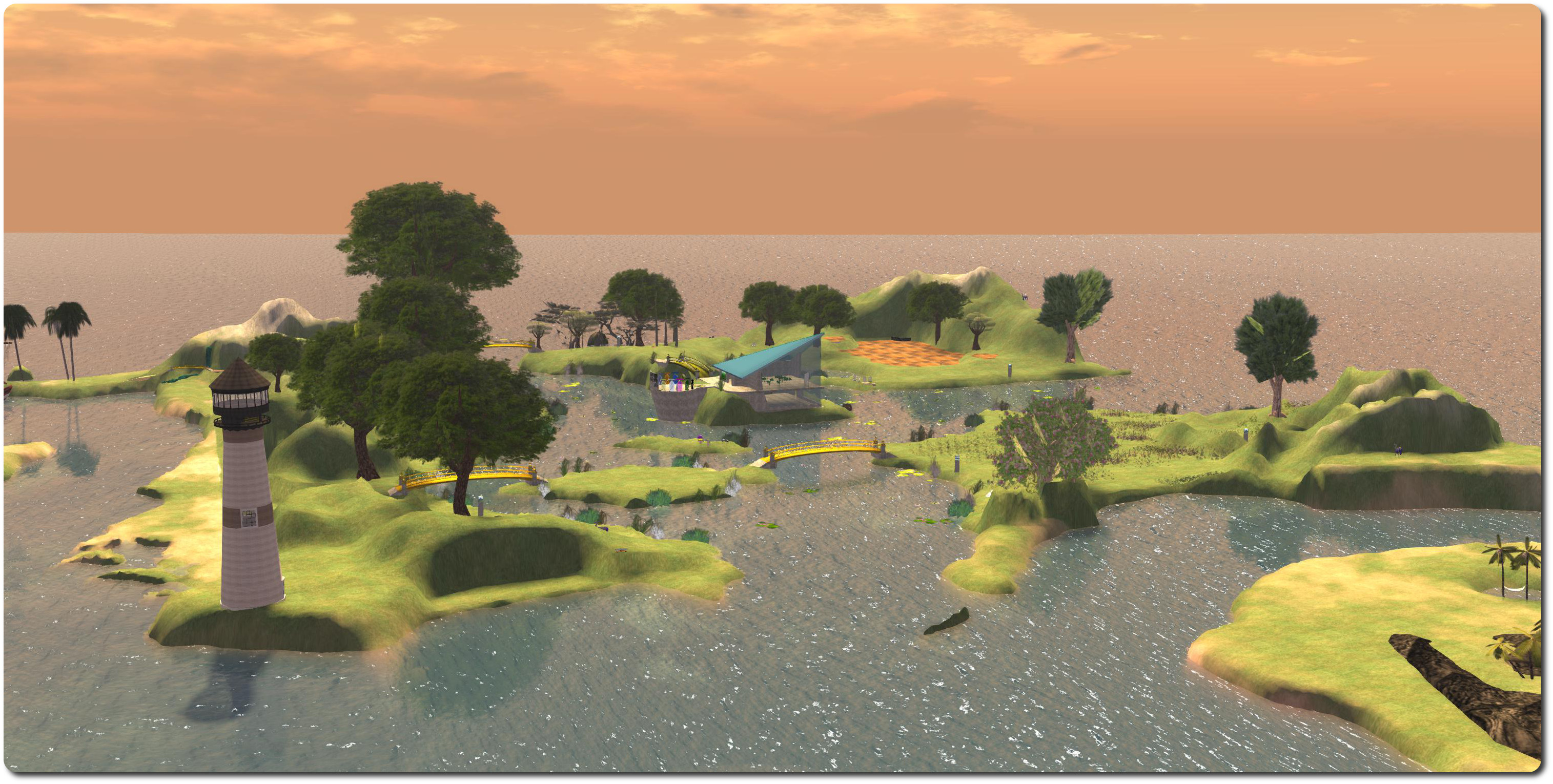
The main 4-region world, Seanchai, forms the hub of the Library’s presence in Kitely, and is home to the main reading room and the teleport hub linking it to the other region “worlds”. It is also divided into a number of individual areas where events can be run simultaneously, including the Campfire Ring, Ghostly Pirate Bay, Undersea Discovery, Volcano Island, Celtic Castle Ruins and more.
The Seanchai Library teleport portals, Kitely
The teleport hub, which also acts as the region’s landing point, features a circle of ten stone portals, one of which is currently inactive and another leads to the Kitely Welcome Centre. Walking up to one of the remaining, labelled, portals will transfer you to the named region. Note that if the region is not already in use, you may see a warning pop-up on your screen. This is because Kitely worlds are “on demand”, and only exist when there are avatars present (the rest of the time they are safely stored). Should you find this is the case, you’ll be automatically teleported to your selected world once it has started – which should only take a few seconds.
The eight individual storytelling worlds are: Beachworld, Celticworld, Octoberworld, Spaceworld, Swampworld, Waterworld, Westworld and Winterworld – and the names pretty much sum up their individual themes!
Each world offers a unique environment for stories and events, and they include freebie areas where visitors and patrons can dress to look the part if they wish. Exploration of the regions is encouraged, and some offer the means to host multiple story telling activities at once.
“The ship rose out of the mist, her sails tattered and torn….” the
To mark the opening of Seanchai Library’s presence in Kitely, the preview event will start at 18:30 SLT (PDT) on Friday May 2nd. This will comprise a guided tour of the estate, and will be followed by ghost stories around the campfire, starting at around 19:00 SLT. This will feature tales from a host of masters of the macabre, including Stephen King, Guy de Maupassant, Ramsey Campbell, and Tony Richards, and by literary greats like Ambrose Bierce, Washington Irving, Sir Water Scott, and J Sheridan Le Fanu.
So does this mean Seanchai Library is leaving Second Life? No. Rather, they are expanding into new areas and new opportunities. So why not hop over to Kitely and join them? It’s pretty easy, even if you’ve never visited another grid.
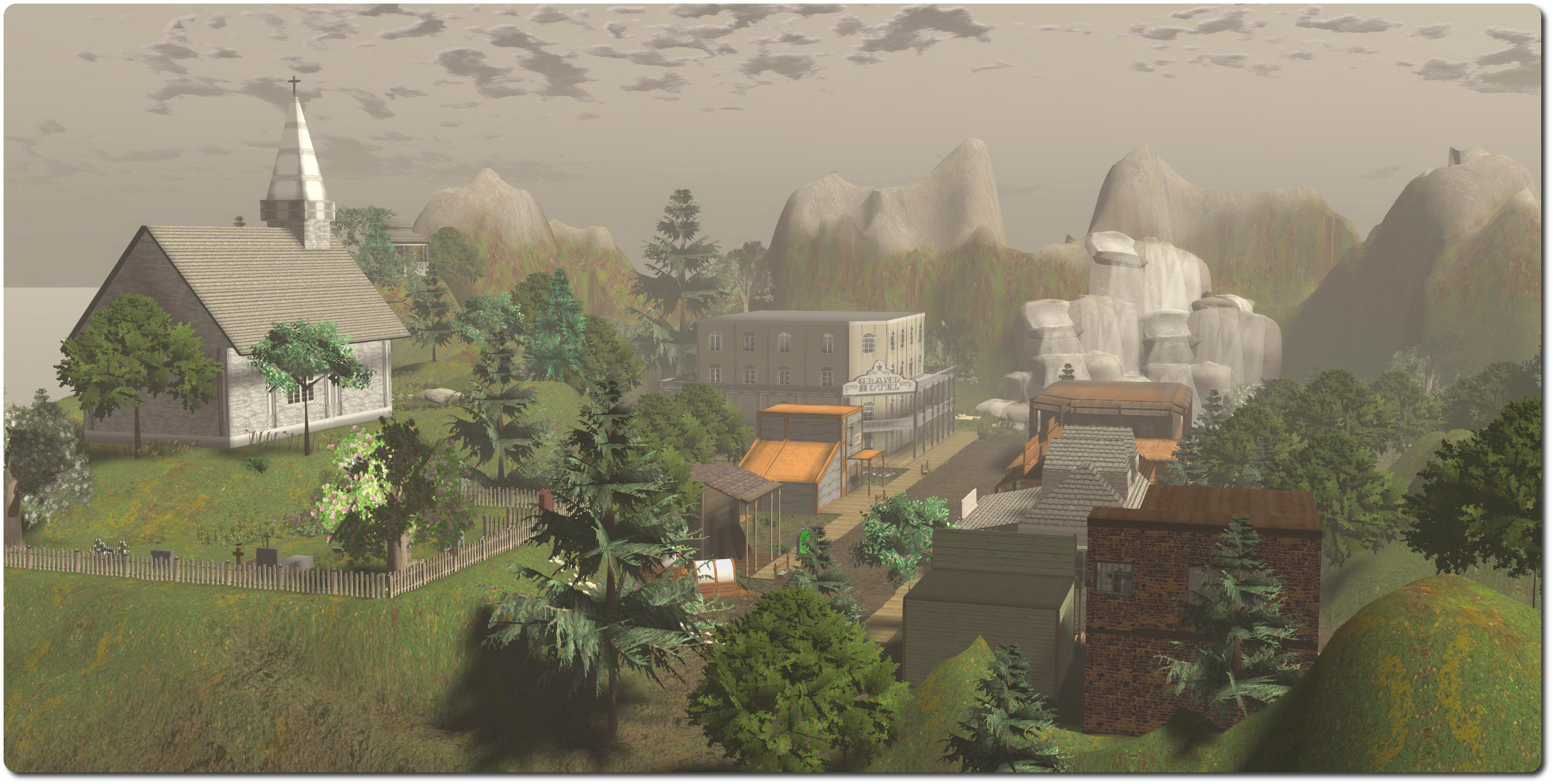
“The town was small, but the hotel big, so I decided to mosey on down, heading for the stables and a chance to give my horse a rest before looking to see if the beds in that hotel were as grand as the place looked from the outside…” Seanchai Westworld, Kitely
Getting Started with Kitely
You can register a free account with Kitely via their website. This will give you access to Kitely, and a free region of your own – please make sure you read Kitely’s notes on membership options and the costs involved in visiting worlds if you intend to either develop your own region or explore more of Kitely.
The Seanchai worlds are all fixed-price, so access to them is open to all. Once you have created your account, you’ll need a viewer capable of accessing OpenSim grids – Kitely recommend Firestorm as their preferred viewer. When you have installed a suitable viewer (if required), you can reach the Seanchai region by:
Either visiting the Seanchai Library page on the Kitely website and clicking the Enter World button
Or starting your viewer, selecting Kitely from the grid manager (if available) and setting the log-in region to Seanchai
Again, note that if the Seanchai region is not already running, you may be initially logged-in to a Kitely teleport station. You should only be there a few seconds before being automatically teleported to Seanchai.
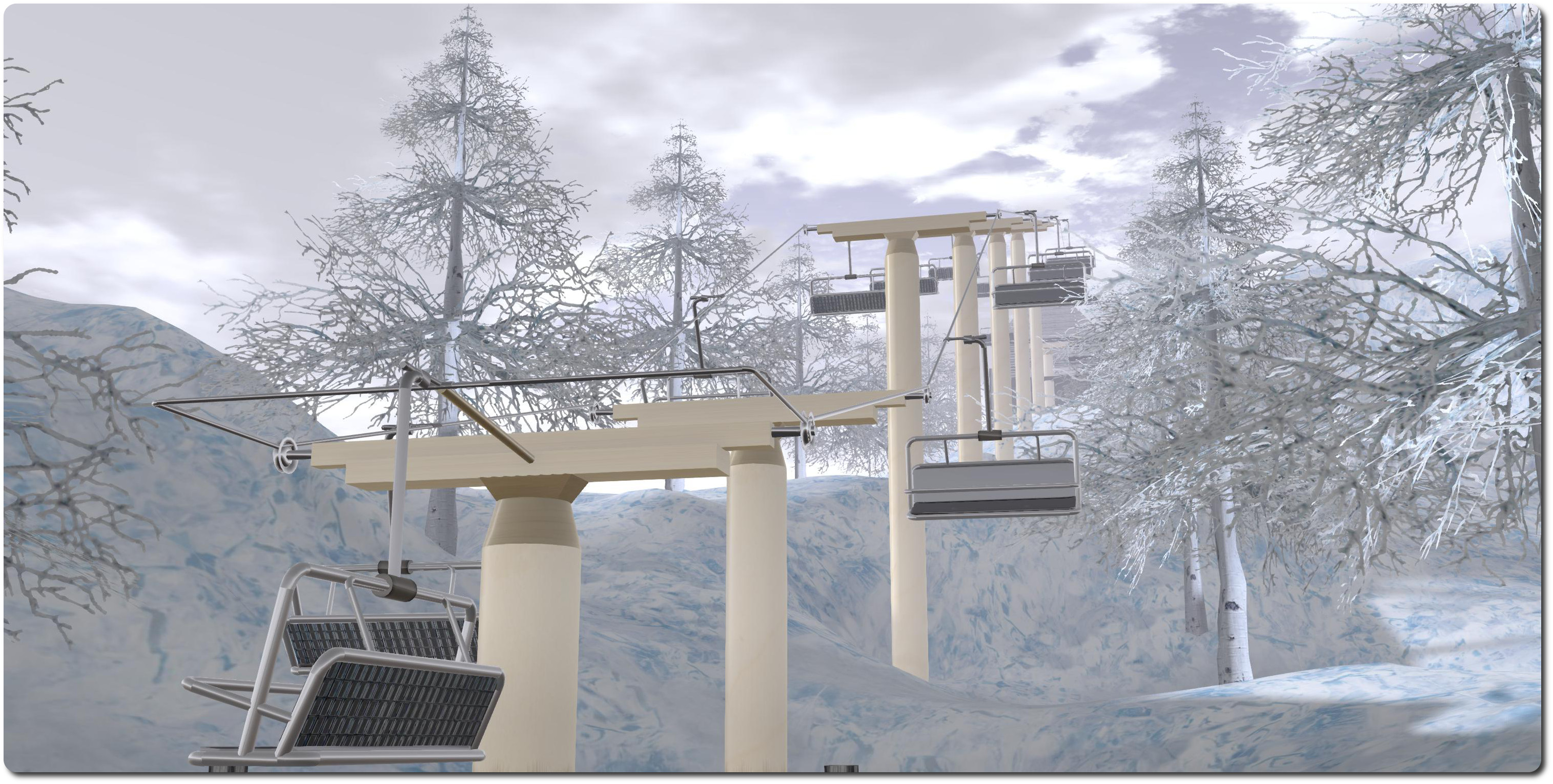
“We took the ski lift up to the peak for a final run down the slopes before retiring to lodge for hot drinks by a blazing fire and a tale or two from out hosts…” Seanchai Winterworld, Kitely
I’ve been trying to keep an eye on High Fidelity of late, particularly since things like the SVVR meet-up in March and VWBPE 2014 in April, both of which featured presentations / talks by Philip Rosedale. However, I missed a recent blog post on the High Fidelity site, so my thanks to Nalates Urriah for giving a heads-up about it.
One of the things that has caused people some consternation with high Fidelity is that while there have been various demonstrations and some talk about it using distributed computing (a-la Seti@Home) as an operating model, more precise information on the architecture for High Fidelity has been lacking.
The official blog post, dated Thursday April 24th, goes some way towards rectifying this, by providing a high-level system diagram for High Fidelity and providing some additional notes on the various aspects of how it is hoped the system will work.
How High Fidelity will work – click for full size (courtesy of High Fidelity)
High Fidelity won’t, as they’ve previously made clear, be providing a virtual word per se. Rather, they are seeking to provide the software and protocols which will allow others to create virtual worlds and connect to one another, and the means for uses to connect to, and move between these worlds as they become available. The idea here is that by providing the means to create fully distributable virtual worlds, harnessing shared computing devices to scale their content and load, thus theoretically making a scalable, global virtual environment with shared resources through which users can travel.
The top section of the diagram denotes those services where High Fidelity hope to generate revenue.
The Nameserver allows virtual world domains to be uniquely identified if the owners wish (think DNS) – so that, as a totally hypothetical example, @secondlife could be registered to allow users to quickly discover and access Second Life. The registration service for virtual worlds is optional, rather than required. This service can also supply authentication mechanisms which can be used to both restrict access to a virtual world or allow users a particular virtual world to securely disclose chosen aspects of their identity.
The Digital Marketplace is fairly self-explanatory, allowing people to buy, sell and transfer digital goods to and from each other, and move these goods among different virtual worlds.
The Currency Server provides the wallet services and other API’s needed to allow people to quickly and easily share their computing devices as well as buy and sell digital goods using a cryptocurrency. Whether the latter will be a recognised cryptocurrency (such as Bitcoin) or something new, remains to be seen.
The Assignment Server, allows people to share their computers with each other to act as servers or as scripted interactive content. It monitors and analyses devices which are made available as servers in order to try to assign them suitable tasks – so that a mobile ‘phone offered as a server might be used to control a scripted agent such as a dog wandering around a virtual world, while a high-end PC might be assigned more intensive tasks. This Assignment Server will also oversee the transfer of cryptocurrency between users, so that those providing their systems to help run a world are compensated by those making use of their computing capabilities to run their world.
High Fidelity 2013 image (via Singularity Hub)
Another core aspect of the system, which has been covered in various commentaries on High Fidelity, is the use of voxels, and more particularly, the voxel server, which stores and serves the content that is found inside the virtual world. Voxels can be nested within one another, or averaged together, allowing for significant levels of detail to be achieved over distances than is otherwise possible. The voxel server allows elements within a world to be distributed across multiple servers, so for example, an apartment block in a cityscape could comprise apartments which are each running on their own server.
The Voxel Server, together with the remaining elements of the software (the Domain Server which sits at the heart of any virtual world using the software and protocols, the Audio Mixer, Avatar Mixer, Interactive Client, etc.), are available under the Apache 2.0 open-source licence, Further information on them can be found in the High Fidelity blog post, and they can be downloaded from High Fidelity by those who wish to play with them.
The post has drawn a fair number of comments and questions, and as Nalates points-out, they make further interesting reading – particularly Philip Rosedale’s replies (or where some questions are concerned, lack of a reply).
In August 2013, I covered the opening of the Kitely Marketplace, having previously reported on its development in January 2013 when it was first announce, and again in May 2013, when it opened to merchants.
In developing the Marketplace, the Kitely team of Ilan Tochner and Oren Horvitz always had the goal of making it possible for merchants to not only sell into Kitely itself, but also into other hypergrid-enabled grids, using a special Export permission flag which can be set by merchants. At the start of March 2014, they took a major step towards this with the opening of the Market Hypergrid Delivery Beta Test.
On March 21st, Kitely announced that the Kitely Market Hypergrid Delivery is now open to all.
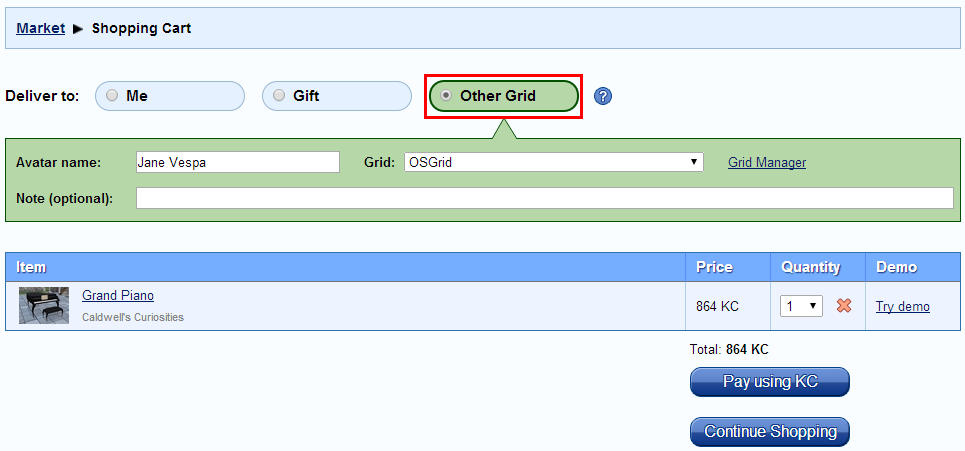
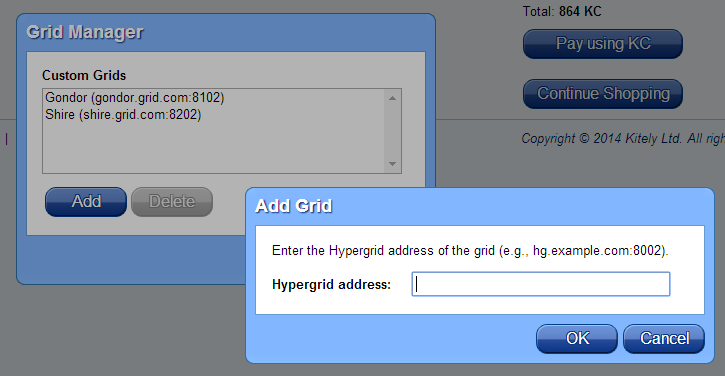
The blog post provides guidelines and instructions on using Kitely Market to purchase goods from the Kitely Market for delivery to hypergrid-enabled destinations, and I don’t propose to repeat things here. By default, the Market offers delivery to the top five (by use) hypergrid capable grids of Craft, GermanGrid, Littlefield, Metropolis, and OSgrid, and more are promised should they prove popular among purchasers. I also understand that delivery to other grids supporting hyerpgrid can be manually configured using the Market’s built-in Grid Manager – all that is needed is the grid’s loginURI.
Customers browsing the Kitely Market can now opt to have goods delivered to other hypergrid-enabled destinations – providing the creator has set the Export permissions flag (thus preventing goods from moving between grids against the creator’s wishes) – image courtesy of Kitely Market, click for full size
Items specifically set for delivery to other grids by their creator can be located using the Export option on the Permissions search filter (lower left corner of the each Market page).
Alongside of the hypergrid delivery capability, Kitely have enhanced their merchant tools to assist with the new capability, as the blog post explains:
We’ve made it easy for merchants to test that their products work correctly in other grids. It has always been possible to use the “Test delivery” link in the Edit Product page in order to deliver the product to the merchant’s avatar in Kitely. This feature has now been extended to deliver to other grids as well. The way this works is that you go to the Shopping Cart page, and select a grid and an avatar. You don’t actually have to buy anything; just enter that information. Then return to the Edit Product page, and click “Test delivery”. The product will be delivered to the “foreign” avatar that was selected in the Shopping Cart instead of to your Kitely avatar.
Another feature for merchants is that in the Sales History, merchants can see which grid each sale was delivered to, because foreign avatars appear along with their grid: e.g., “Jane Vespa @ OSGrid”.
Also, sales reports themselves can now be downloaded as a CSV file, providing improved historical context for merchants as they track sales long-term.
Additional hypergrid-enabled grids can be added via the Market’s Grid Manager
Implementing hypergrid delivery in the Kitely Market is innovative and interesting. Many creators in walled garden grids avoid OpenSim out of fear of content ripping – not that content ripping isn’t a problem in walled garden grids, either. Some OpenSim grids (like Kitely) proactively take steps to reduce the risk inherent in “easy” content ripping (such as by limiting OAR exports to those items created by the exporter themselves). Even so, the fear is there, so it will be interesting to see how many take advantage of the opportunity to sell into multiple environments from a single point. Certainly, the option has been seen as attractive enough to well-known SL creator Lilith Heart of Heart Botanicals fame, who has already opened a store on Kitely Market.
It will also be interesting to see how this new capability within Kitely Market affects the overall OpenSim economy. On the positive side, it means that merchants wishing to extend their reach into new markets (grids) can do so from a single, powerful point, and Kitely’s own pricing structure makes it fairly competitive for them to do so, including the use of the free access Kitely Merchant Sandbox, if required. Through it, merchants can reach multiple channels and also have a good degree of control over where and how their products are used (with some obvious caveats). For those used to only dealing with one market – such as SL – this could open the door to building channels to markets outside of the walled garden environments, such as those grids with a specific focus / purpose, such as education or business.
The downside to this is the it might make it that much harder for smaller grids to attract content creators directly, and thus users – who tend to look for the content first. Grids may well also lose out on opportunities to lease virtual land to merchants, as they’ll potentially have little need for in-world stores. However, it’s fair to say that Kitely Market could actually help grids attract users: if it is seen that a grid actively embraces the Kitely Market and its growing numbers of merchants, then the could leverage that fact in attracting new users, as the lack of visible in-world merchants is negated by the ability for merchants to reach the grid via the Kitely Market, particularly if said grids also take steps to ring-fence what can be exported via the likes of OAR files.
New Logo and OpenSim Core Group Invitation
Oren Hurvitz
Alongside the Hypergrid Delivery launch, Kitely unveiled their new logo (seen in thumbnail at the top left of this article), and have included a few notes on making it easier for people to get started on Kitely included the blog post.
And in a modest footnote to the piece, Oren Hurvitz, Kitely’s co-founder, reveals that he has been invited to join the OpenSim Core Group of developers. The invitation is in recognition of Oren’s ongoing contributions to OpenSim on behalf of Kitely, and is very well deserved; my congratulations to him.
 On Monday May 19th, Kitely, the on-demand virtual worlds provider, announced it now supports the Hypergrid, and provides strong content support in doing so.







 Inara Pey: Living in a Modemworld