Meeting Purpose
- The Mobile User Group provides a platform to share insights on recent mobile updates and upcoming features, and to receive feedback directly from users.
- These meetings are conducted (as a rule):
- The last Thursday of every month at 12:00 noon SLT.
- In Voice and text.
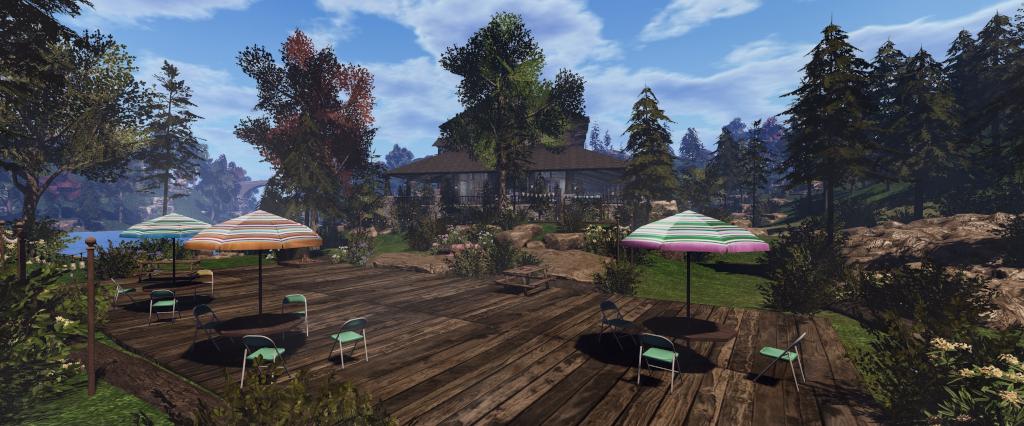
- At Campwich Forest.
- Meetings are open to anyone with a concern / interest in the above topics, and form one of a series of regular / semi-regular User Group meetings conducted by Linden Lab.
- Dates and times of all current meetings can be found on the Second Life Public Calendar, and descriptions of meetings are defined on the SL wiki.
Resources
- Second Life Mobile Beta website.
- Second Life Mobile on the Feedback Portal:
Current Releases
SL Mobile (Beta) version 2025.1065 (A) / 0.1.1065 (iOS) – October 20.
Updates:
- Fixed a bug with object loading
- Added a new 25m draw distance option (Menu > Settings > General > Max Draw Distance) – default is 40m.
- There have been some reports of this resetting to the default if 25m is set, and then another application is opened on a device. This is under investigation.
- Improved framerate on lower-end devices
- Rendering resolution now adjusted on the fly to keep things running smoothly. The app looks at your framerate over the last 10 seconds and automatically lower or raise resolution to maintain at least 20fps (or 80% of your framerate cap, whichever is higher). You might notice a short dip when loading new areas, but it quickly recovers.
- Added a new “unloader framework” that decides which items should be temporarily removed if the system runs low on memory. Instead of deleting them, it safely suspends them so they can return once memory becomes available again.
- A performance index now estimates your device’s power using real-world benchmarks. Default settings—like draw distance (how far you can see) and max avatars (how many avatars are shown) —automatically scale to fit your device’s capabilities.
Performance Updates
- The initial October update (560) caused a performance regression on some Android devices, prompting further releases during the month with a focus on re-upping the performance on “lower-end Android devices” (although this in itself covers a wide spectrum of hardware and devices due to the way various devices might be configured by the manufacturer to prioritise things like battery life).
- The biggest change in this regard is that the the rendering resolution is based on frame rate when initially loading a scene, the idea again being to speed-up the load time.
- In addition, and again particularly with Android, changes were made to the number of rendering passes being made, together with some simplification within the shaders to again help boost performance.
- Android testing indicated that these changes should hopefully see around a 20-25% performance boost for most of the affected hardware, which should help alleviate some of the pain users may have been feeling earlier in the month.
- Those who did experience performance issues on the earlier October releases for Android are encouraged to try the October 20th release, and see if their issues have been resolved (and if not, to please provide feedback).
- Additionally, changes have been made to how out-of-memory situations are handled.
- Previously, if the app showed signs of running out of memory, it would attempt to start deleting content held in memory (but not necessarily seen on-screen) to try to stay ahead of the curve and prevent the entire app from crashing due to running out of memory.
- However, any such content deleted from cache in this way was essentially “gone”; it could not be reloaded, even if the app had available memory to do so.
- Changes at the start of October altered this behaviour to enable content to be automatically re-loaded, and this has all been synced-up withing the memory management code to make sure that content is reloaded as soon as there is memory available.
Upcoming Work: Texture Memory Use
- For convenience “and a number of other factors” SL Mobile has been “pretty much” loading textures at one fixed resolution (with the exception of avatar textures). This means that the app does not take into consideration things like the size of an in-world object in order to determine a suitable texture resolution.
- Work is now in-hand to switch-over to a new texture resolution mechanism which allows textures to be loaded at resolutions based on the surface area of an object (what LL is calling “variable textures”).
- This also means larger objects will get more texture memory allocated to them, whilst very small objects (e.g. a ring, a button, etc.) will get loaded at the absolute lowest resolution.
- The overall goal is to allocate available texture memory more efficiently than currently is the case, and allow for adjustments to texture memory to be made on the fly as an avatar / camera moves around a scene, with texture memory use changing as any particularly object gets re-sized larger or smaller within the scene.
- Work on this has been in progress for the last couple of months, and is now a focus for the next beta release, and will be coming the Alpha version of the Mobile app for wider testing prior to release.
- It is hoped that by carrying out this work, more memory will be made available for future use – such as
- supporting PBR materials.
SL Mobile New Starter Experiences
- Already available to those in the SL Mobile alpha programme are four new starter experiences, and soon to be released within the beta versions. Specifically developed in collaboration with various SL creators, these are intended to offer new users coming into SL via the Mobile app with high-quality experiences, intended to be “fast, social, photogenic, and touch-friendly” (that is, interactive).
- The four experiences are:
- Scaredycat’s Funhouse (by MadPea) – a gamified experience involving catching little kitties.
- Midnight Pulse (by Bad Unicorn) – a nightclub-style experience.
- Chronicles from the Backwaters (by Arcback / Altscape) – a “dark, gritty, interactive novel”.
- The Mobile Learning Centre (by Second Life Studios) – designed to teach people how to move within and use the Mobile app.
- These have been built as a result of insight gained during the continued development of SL Mobile (e.g. because new users are looking for “snackable” experiences within the app to engage them), and have been informed by the manner in which people are using SL Mobile, together within its ouch-based UI, and things like the form factors of various mobile devices, and how people tend to use their mobile devices and apps in general (e.g. taking photos / selfies, creating shareable moments, etc.), and trying to lean into that kind of device usage.
- New users coming into SL for the first time using SL Mobile will be able to select the experience that most interests them as a part of the join process.
- Existing users will find the experiences can be accessed via the Lobby.
- As these experiences become more widely available, the plan is to iterate upon them whilst also monitoring them for how they are used and the kind of metrics they produce in terms of engagement, re-use, popularity, etc.
- The initial focus of this monitoring will be new user retention over the first 24 hours / first week, then expanding to look at month over month stickiness; if / when people make the move from Mobile to Desktop.
- Alongside of this will be on-going monitoring of general performance within the different experiences and what improvements can be made to them / to SL Mobile as a whole.
Q&A Session
- Bring the Map to SL Mobile: while the web-based SL maps (maps.secondlife.com) have been made mobile device responsive, they have not been directly added to the SL Mobile app as yet as there is not a lot of utility in doing this at this point in time due to limited functionality within the web-based maps toolset.
- Memory fragmentation:
- Some users with multiple accounts (notably subscription accounts) have noticed decreasing SL Mobile loading performance when successively logging-on different accounts (e.g. working through the accounts each day to claim Streaks rewards).
- This is caused in part by the way current versions of Unity work, which leaves small fragments of memory remaining marked as allocated unless an app is completed cleared from memory (swipe up) after use. These fragments then “break up” the larger pool of memory to eventually leave insufficient amounts of contiguous free memory available for other accounts to use when logging-in, thus increasing their load times.
- It is believed that Unity 7 will offer a better garbage collector for clearing memory, thus preventing this kind of fragmentation from occurring, and this will become available when the SL Mobile is moved to this version of Unity at some point in the future.
- For the time being, the easiest way to avoid the issue by those encountering it is to swipe up on logging-out of the app, thus removing it completely from memory, and then re-launching it to log-in on the next account (or, if using other apps at the same time, closing them and swiping up to remove them from memory, so as to prevent them causing fragmentation / using memory SL Mobile might otherwise access).
- Localisation for SL Mobile in support of non-English speaking users is on the roadmap, but has yet to be scheduled as a tranche of work.
Date of Next Meeting
- Check the SL Public calendar for details. At the time of writing, no meetings had been schedule for November or December.
 Inara Pey: Living in a Modemworld