The Project Zero User Group provides a platform for open discussion about Project Zero, the cloud-streamed version of the Second Life Viewer. Topics can range from sharing the goals for Project Zero, demoing the current experience, and gathering feedback to help shape the future of cloud access for Second Life.
These meetings are conducted (as a rule):
The second and fourth Thursday of every month at 13:00 noon SLT.
Meetings are open to anyone with a concern / interest in the above topics, and form one of a series of regular / semi-regular User Group meetings conducted by Linden Lab.
Dates and times of all current meetings can be found on the Second Life Public Calendar, and descriptions of meetings are defined on the SL wiki.
Firestorm Zero has – for the time being – been shut down as a streaming option.
Those who still had remaining purchased time for Firestorm Zero should have been refunded and received an e-mail notification that the service was being shut down.
The reason for shutting it down is primarily related to:
The amount of work required to maintain two different streaming products.
The need for the Lab to migrate project Zero to a new platform at the behest of their streaming provider, and not having time to also migrate Firestorm Zero in the same period.
This does not mean there will never be a further offering of Firestorm as a part of the Second Life streaming service.
New Joiner Workflow Updates
There has been a complete refresh of the Lab’s web-based new joiner workflow at join.secondlife.com, which now leverages the Avatar Picker first seen in Project Zero. For more on this, please see A short look at the refreshed Second Life web-based join flow.
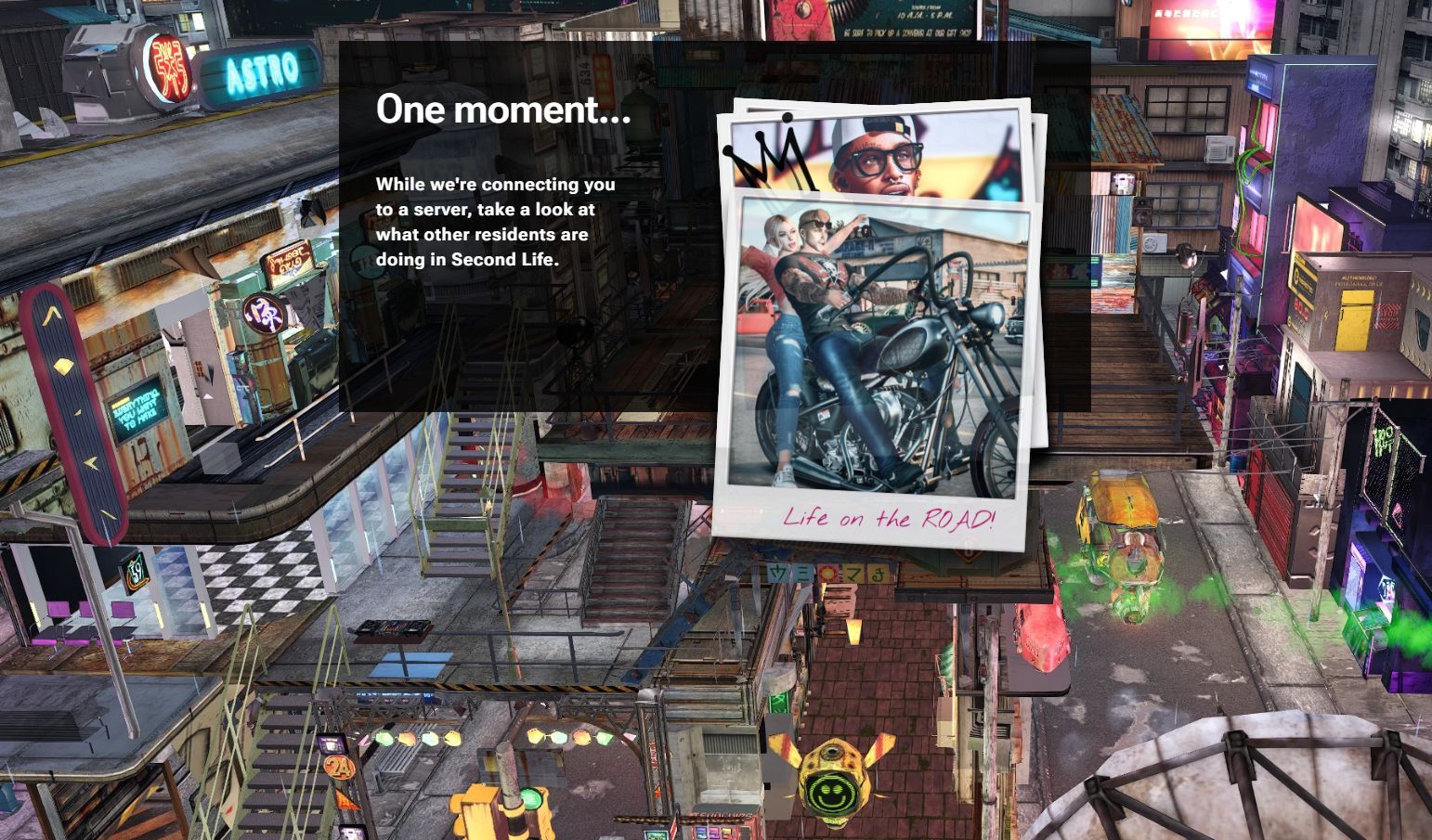
As a part of this, the sign-up flow specific to Project Zero has also been updated. In particular, the Project Zero web site web.secondlife.com (formerly zero.secondlife.com) has been refreshed so:
It now shows the same backdrop image as now seen on the web sign-up flow.
It Includes a slide show of Polaroid-like snapshots intended to illustrate to ne users what people can do in SL, whilst waiting for an instance of the viewer to become available and load in their browsero.
My own tests of this suggested that the page will keep parsing through the images seemingly ad infinitum if you cannot be connected to a browser instance of the viewer, rather than indicating this is the case.
The revised web page for launching Project Zero (web.secondlife.com) with the backdrop splash image and the “polaroid snapshots” slide show
Overall, these changes – both to web.secondlife.com and (particularly) join.secondlife.com have resulted in more incoming users sticking around in-world.
Current Focus
In line with Philip Rosedale’s SL22B Meet the Lindens session on Wednesday, June 25th (see the video, or refer to my summary of that event for specifics), Project Zero is focused on the new user experience.
Specifically, how to get a new user from logging in and choosing an avatar through to customising that avatar so it reflects what they want to reflect, as easily as possible, using the Avatar Welcome Pack content, rather than Senra.
This is likely to be an iterative process over multiple months, with a cadence of updates intended to test and refine ideas and approaches.
The work will also involve gathering quantitative data on how well the approach(es) seem to be working, and also qualitative data through spending time at areas where people coming into SL are, and watching and interacting with them as they customise their avatar, and gain feedback.
General Discussion
Project Zero remains primarily focused on use by incoming new users, with a “very small concurrency” of existing users available to access it.
The reason for the focus on incoming new users is because it is easier to try new ideas and iterate on them easier using Project Zero, rather than trying to do so through the desktop.
It is recognised that there is a hunger among existing users to try the streaming viewer, and one way to do this might be to start to offer it on a paid basis as was the case with Firestorm Zero. However, this is not something that is likely to happen in the short-term.
The current action of Project Zero simply booting a user off when their allotted time is up without any warning / gracefully log-out is something to be addressed in “the very near future”.
Whilst the UI for Project Zero largely resembles that of the official viewer, there are differences, some visible (such as the lack of a left-side toolbar button field, and some not so visible.
The not-so-obvious difference is that elements linked to buttons are subject to redesign, so that if any are updated – such as Chat – the associated Conversations floater can be redesigned so it does not obscure so much of the in-world view when it is open.
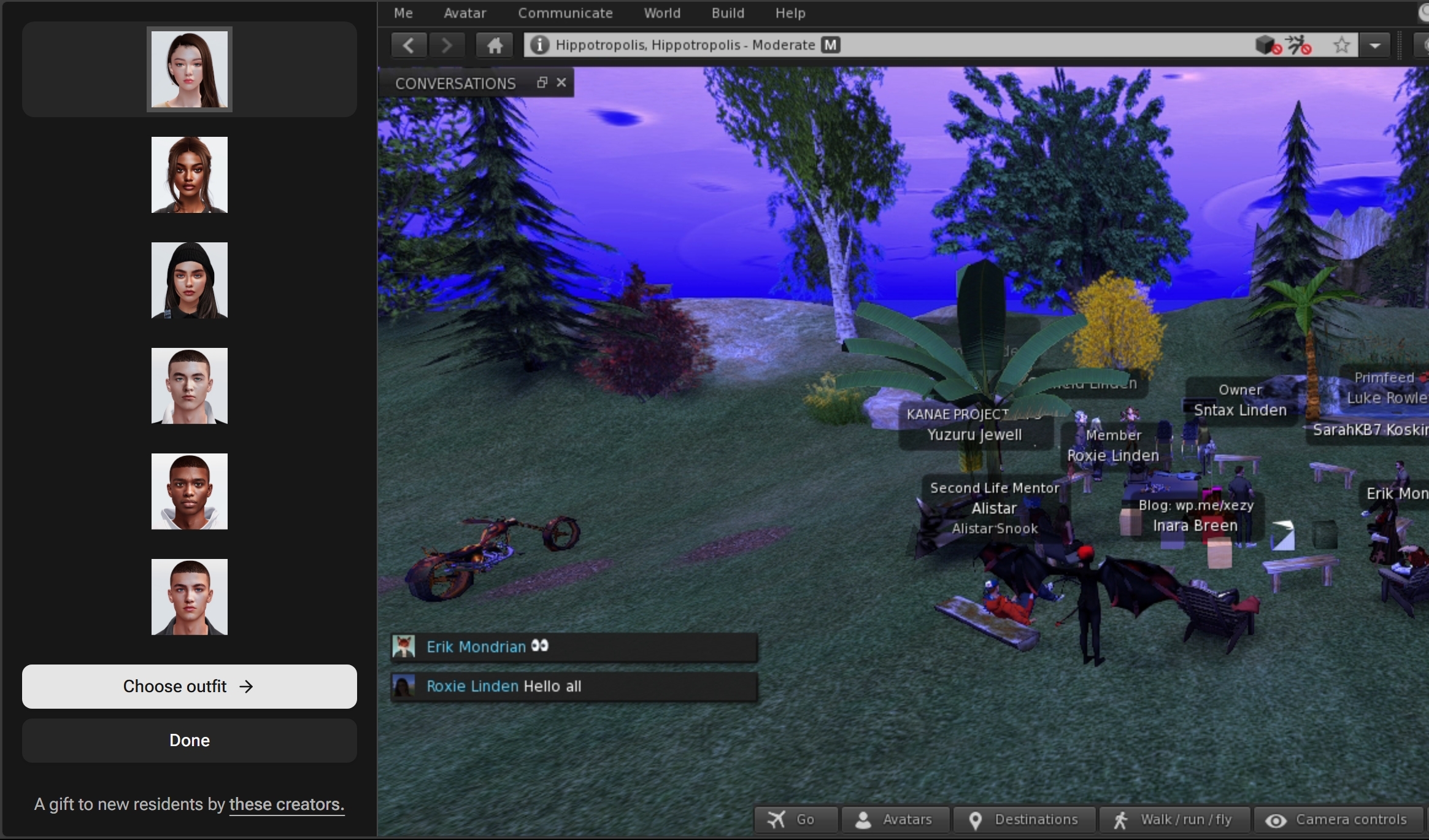
These aspects of the work potentially allow elements of the viewer to be displayed outside of the world view, but withing the browser tab, as has been done with the Avatar Picker, leaving the in-world view unimpeded.
An example of a viewer toolbar button (Avatars) causing the Avatar Picker to be displayed within the browser tab, but outside of the Second Life viewer window, leaving the latter unencumbered.
A general discussion on helping new users understand customising their avatars – from providing freebies suitable for the bodies in the Avatar Welcome Pack in placing such as the Welcome Hub and locating these together with the teleports to the changing rooms; providing additional help and information boards, etc., within the changing rooms, offering new users a “home space” where they can go to change (much like Sansar had / has), etc.
Offering some form of recognised changing room area where new users could experiment with avatar dressing / customisation was seen as advantageous on several levels:
It has a familiarity with the way we go about trying clothing in the physical world, and thus is a comfortable environment.
It could be used by a new user and a mentor or friend, so the latter can give support and lessons without interruption.
It can save on unintended embarrassment (e.g. having a fatpack for multiple different bodies and accidentally wearing everything).
A broader discussion on how to offer new users more of an experience in Second Life – should they be prompted / directed on the basis of interest, or should it be free-form? Should users be provided with lists of Groups which share their interests? How can this be done?, etc.
The refreshed Second Life web account sign-up page with the new splash image backdrop
Linden Lab has recently refreshed the Second Life web-based new user sign-up flow at join.secondlfe.com in order to offer incoming new users a smoother, easier experience when using the web sign-up process. Some of this incorporates work carried out with Project Zero – the viewer in a browser – and the new sign-up flow applies to both the viewer and Project Zero.
Key elements of the update include:
An image backdrop for the account creation page.
Quality of life updates to make it clear what information needs to be entered and when a mistake is made; use of a clearer font, etc.
There is no longer an avatar picker for those pointed to the viewer download workflow; instead, after completing the account creation page, new users are directed to download and install the viewer.
On logging-in through the viewer, a new user will be automatically assigned an initial avatar from the Avatar Welcome Pack, and desktop version of the Avatar Picker deployed to Project Zero (see here for more) is automatically displayed to allow for avatar customisation.
The web join flow still offers a random chance of a new sign-up being directed towards accessing SL via Project Zero rather than being asked to download the viewer.
The refreshed Second Life web sign-up goes from the account creation page directly to either the viewer download page (displaying the SL Mobile options) or to the Project Zero page
Further it should also be noted:
These changes do not apply to the sign-up flow for SL Mobile, although that sign-up process has been updated independently of join.secondlife.com.
The reason for removing the Avatar Picker from the web workflow was because data showed that a lot of new sign-ups were spending a significant amount of time actually in the avatar picker and customising their avatar, and then not actually going on to actually log-in to Second Life, so was seen as a blocker to getting people in-world.
All incoming new users are given the same avatar (I’m not sure if the selected avatar is periodically rotated), which can be interesting.
The Avatar Picker / Avatar Welcome Pack
As noted, the Avatar Picker – reference to as the Avatar Welcome Pack – is an idea that originated with Project Zero, and is now offered through the official viewer (and those TPVs that have adopted the 7.1.15.15596336374 – 2025.04.01 code base) with some tweaks – such as being presented as a floater within the viewer, and not having the Avatars toolbar button as is the case with Project Zero.
New users installing the release viewer for the first time should find the Avatar Picker open by default after logging-in, with the avatar tab displayed.
The Avatar Picker / Avatar Welcome Pack floater and tabs. Note: due to a known issue, only the female outfits are currently only presented / available (and Male clothing folder in the Library is empty)
Clicking on one of the six avatar images within the tab will automatically apply that avatar.
Clicking the Clothing tab with display the available outfits. Clicking on the image of an outfit will apply it to the currently-selected avatar.
Note: The update was deployed with a known issue that only the female outfits from the Avatar Welcome Pack are available in the system library. This is being addressed.
Selecting an avatar or outfit from the Avatar Picker will add the associated folder(s) to the Clothing system folder in Inventory.
If the floater is closed, it can be accessed again via the Avatar menu → Avatar Welcome Pack…, which replaces the old Choose Avatar option.
The Avatar Welcome Pack menu option
Personal Feedback
This is not intended to be an in-depth analysis of the now flow, but I have some general observations.
Overall the changes make for a smoother on-boarding, even allowing for the viewer having to be downloaded and installed (if the user is pushed through that flow).
This is very much assisted by taking the avatar customisation process out of the sign-up process, which as noted above, had become a bottleneck.
The avatar picker is fairly intuitive, but could perhaps benefit from some tool-tip prompts.
There are some areas of concern:
Each time the Avatar Picker is used, it generates a completely new folder for the selected and / or selected outfit within the Clothing system folder in Inventory. Whilst this is not directly visible to new users who might not be aware of Inventory to start with, it does potentially lead to a lot of duplication and additional inventory bloat.
There is now two very different and completely incompatible “starter avatar” systems still within the viewer:
The creator-supplied Avatar Welcome Pack (which I believe will be expanded upon).
The Senra avatar system.
Fortunately, the Senra system is fairly well buried within the system library; however, the majority of in-world information at places like the Welcome Hub, and resources on-line, such as the Second Life University videos focus on Senra. Hopefully, if both systems are to be run side-by-side, this balance will be redressed.
Senra at the Welcome Hub – but no Avatar Welcome Pack guidance as yet
The fact that the same avatar from the Avatar Welcome Pack is given to all incoming users means that the various spawn points where new users arrive can end up looking like a beam-in point for a gathering of clones.
This last point is really trivial to a point, but it does make arrival points for new avatars look and feel a little odd. As to the rest, nothing is impossible to correct – and much of it is hopefully already on LL’s radar; with limited resources, updates to all aspects of a process can take time, some of which can be spent engaged in testing and revising basic ideas and approaches.
Overall, the refresh to join.secondlife.com comes over as positive, and helps to bring the viewer and Project Zero a little closer together for those who might use both.



 Inara Pey: Living in a Modemworld