Meeting Purpose
- The Monthly Mobile User Group provides a platform to share insights on recent mobile updates and upcoming features, and to receive feedback directly from users.
- These meetings are conducted (as a rule):
- The last Thursday of every month at 12:00 noon SLT.
- In Voice and text.
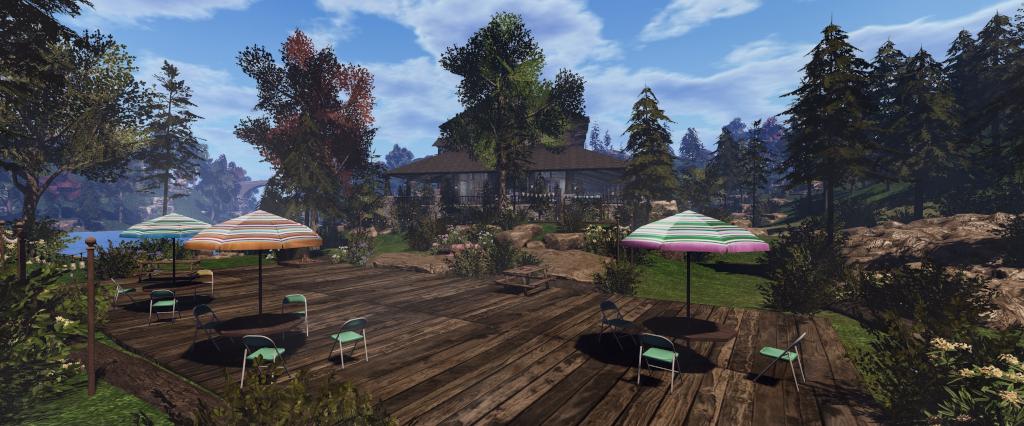
- At Campwich Forest.
- Meetings are open to anyone with a concern / interest in the above topics, and form one of a series of regular / semi-regular User Group meetings conducted by Linden Lab.
- Dates and times of all current meetings can be found on the Second Life Public Calendar, and descriptions of meetings are defined on the SL wiki.
Re-Cap on Recent Releases
- Version: 2025.01.538 (Android) / 0.1.530 (iOS)
- Push notifications for group notices.
- Mobile chat history.
- Avatar Improvements.
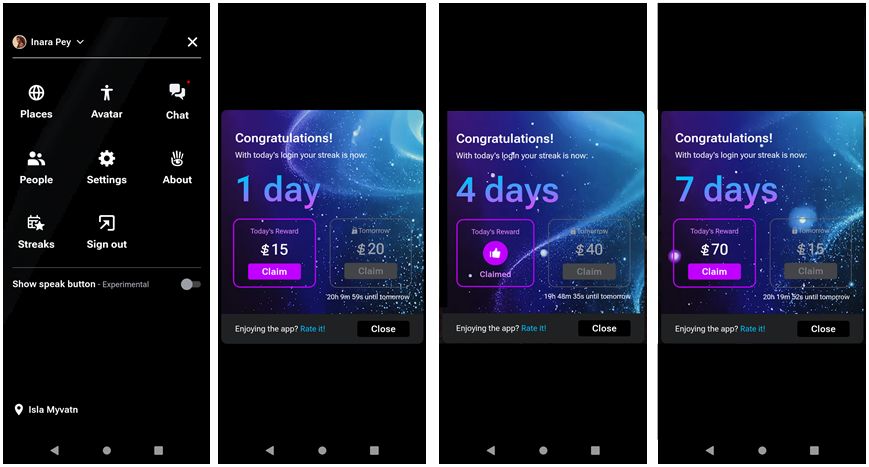
- Streaks rewards testing (see here for more).
Upcoming Updates and Roadmap
A look at upcoming features for SL Mobile based on information supplied to bloggers – including myself – at the end of 2024, and referencing my blog post on that meeting – see: Second Life Blogger Town Hall, December 2024: Mobile, marketing and more:
- Ability to create accounts via Mobile, including creating an initial avatar and logging in using the existing new joiner workflow.

- Addition of an Address Bar to the app, making it possible to:
- Search landmarks /create landmarks.
- Share SLurls with people on other apps (Discord, Reddit, WhatsApp, etc.) via the native share cards found in Android and iOS.
- Allow maps.secondlife.com work on the Mobile App.

- The new Lobby feature, intended to enable communications, allow users to see who is on-line and provide general information whilst the app continues to load things like the 3D world view in the background.
- This is also seen as a means for those on lower / mid-tier mobile devices to make use of the App as a communications tool.

- Other work in progress includes:
- Providing quicker access to chat when using the app.
- Providing the means to indicate which Group notifications you wish to see pushed to your mobile device.
- Improving in-world interactions within the app – making it easier to identify objects with which an avatar can interact, and know that something is happening when long-pressing an interactive object.
- The identification will initially likely be the display of a timer under the finger when placed on an interactive object – when the timer expires (approx. 1 second), the interaction (e.g. a dialogue box) will be initiated.
- Once available, this will be iterated over time to include selections form things like list views, where appropriate, limiting selection by distance, etc.
Roadmap Approach
- Grumpity Linden reiterated the approach to Mobile development is focused on batching together requests and feedback on what users would like to see (allowing for us all having different expectation / needs / wants), to build end-to-end experiences covering a specific aspect (“journey”) in using the app.
- To help with this, Grumpity also indicated that feedback (preferably through the Mobile app using the Feedback option in the menu) is greatly appreciated and does go into thinking about the roadmap and feature set for SL Mobile.
Avatar Rendering
- As there are numerous differences between avatar rendering / operation in Second Life and Unity (e.g. in SL the Z axis references vertical movement; in Unity it references horizontal back / forth movement; each system handles rigged meshes differently, etc.), the entire rendering system for SL Mobile has had to be built for the ground-up over a period of over a year.
- While much progress has been made, the team acknowledge avatar rendering within Mobile is not as yet on a par with avatar rendering in the viewer, therefore more work is to be done in this area.
- However, because the SL avatar system is so open, there are still numerous specific issues where avatars may not render correctly in SL Mobile for assorted reasons (such the the way an attachment has been made, how it attaches to the the avatar, etc).
- These issues require fixing on a case-by-case basis (and the team already have a library of 50 such “avatar classes”), and each one must undergone extensive regression testing to make sure any custom fix does not break avatar rendering elsewhere.
- This is a current focus of work, and users noting persistent rendering issues as a result of clothing / attachments are asked to report it via the Mobile app’s feedback option, including information on the attachment / item which seems to cause the problem they are seeing, and where a copy of it might be obtained.
- Once the focus can turn from the above work, there are plans to further improve avatar rendering performance, making it more efficient – and thereby improve app performance as a whole.
- There are some tonal differences in how avatars appear SL Mobile (e.g. skin tone). This is because SL and Unity use different approaches to rendering ambient light. Again, the hope is that in time, lighting in the Mobile app can be made more “viewer-like” to help reduce such issues, but, this work will take time to develop and deploy.
Avatar Transparency Issues
- During the run-up to the initial release of the Mobile app there was concern as to whether or not the app would get through the vetting process and onto the major app stores, particularly in terms of the risk of avatars appearing nude during rendering.
- The transparent avatar approach was specifically to solve this risk; keeping the avatar transparent until such time as it has fully loaded and be preventing it from rendering properly should an attachment fail to apply as expected.
- Unfortunately, the system is not fool proof, and false positives can be received which result in an avatar becoming “stuck” in the transparent mode.
- There is thought being given to help overcome this (e.g. by forcing the avatar transparency mode to time-out after a set period to allow the avatar to complete loading), but this has yet to be finalised.
- Those who do have repeated issues with being stuck in transparent mode, even after an outfit change (e.g. via the Desktop viewer) should file a feedback report, and if possible indicate the item they think might be causing the problem.
Memory Use (and PBR Rendering)
- Another key difference between Mobile and the viewer is (obviously) available system and video memory.
- Computers running the desktop viewer generally have at least 4Gb of memory to play with, with those with dedicated GPU cards also have dedicated VRAM.
- Mobile has around 500MB-1Gb to play with. This necessarily limits Mobile in some ways (e.g. dropping texture resolutions as limits are more easily hit, etc.). However, there is work being put into this in the hope of again making Mobile more efficient in its use of memory.
- In the meantime, the fact that memory is limited is one of the primary reasons why, as yet, there has been no attempt to implement PBR rendering into the Mobile app, and it significantly ups memory use.
- The memory limit is also the reason why the number of avatars SL Mobile can render is set so low: avatars have a high rendering / memory cost, and can push the app to its limits, stopping other things from rendering – including leaving avatars transparent.
In Brief
- A run-down of the top requests for Mobile (and the official viewer in some cases).
- HUDs: something the Lab would like to implement for Mobile, but the volume and complexity of HUDs in use, the screen space they require, etc., does make coming up with a suitable means of handling them difficult.
- The likely approach to this will again be iterative: initially offering support for very basic HUDs, and then working up from there.
- However, team resources are such that focusing on this as a multi-month project when there are other areas of Mobile to be enhanced and features possibly more easily implemented, means it is somewhat lower on the list.
- Inventory:
- Another intensive task.
- A preview of the work currently being done is in the Mobile app – the Select Outfit option, which is seen as a first step towards inventory support in Mobile.
- Exactly what will follow this as it is implemented, is still subject to a final decision.
- HUDs: something the Lab would like to implement for Mobile, but the volume and complexity of HUDs in use, the screen space they require, etc., does make coming up with a suitable means of handling them difficult.
- Mobile is generating a lot of new user traffic into SL, although precise metrics were not available at the meeting.
Date of Next Meeting
- 12:00 SLT, Thursday, February 27th, 2025, at Campwich Forest.


 Inara Pey: Living in a Modemworld