Becoming a Vetron aircraft painter

My customisation of a Vetron paint scheme for the DSA C33 Debonair, with the original Vetron colours (centre) and the original DSA paint scheme (furthest from camera)

Update, Thursday, January 29th: following the publication of this review, VetronUK started work updating the ribbing on the elevator textures in her Debonair kits. With some 74 kits to update, this might take a while, but if you do have one of them, you may well be receiving an update soon. Commenting on the update, VetronUK said, “I fly these paints myself and they are some of my favourite works, so if there is something not perfect about them I do get that nagging feeling to fix them :D.” All I can say is – kudos to her for move so swiftly on what is a pretty small thing I only noticed as I fixate on things like that!

Fellow aviator Terag Eshtan, knowing how I like to sort-of customise my boats and aircraft, pointed me towards VetronUK’s Vetron brand of painting kits, and particularly the fat pack of 60+ colour schemes / variations offered for L$1,195 for the DSA C33 Debonair which I recently acquired. As well as the fat pack, Vetron also supply individual colour schemes foe the C33 at L$195 each. The paint kits are provided full perm (subject to an EULA), with the allowance for them to be modified.

While 60+ paint options is a tad excessive for me, I was intrigued to note that Vetron paint kits can include materials options as well. Not only that, but in looking through the catalogue, I found a Red / white colour scheme that I rather liked, so I decided to give it a go. and I’m rather glad I did.
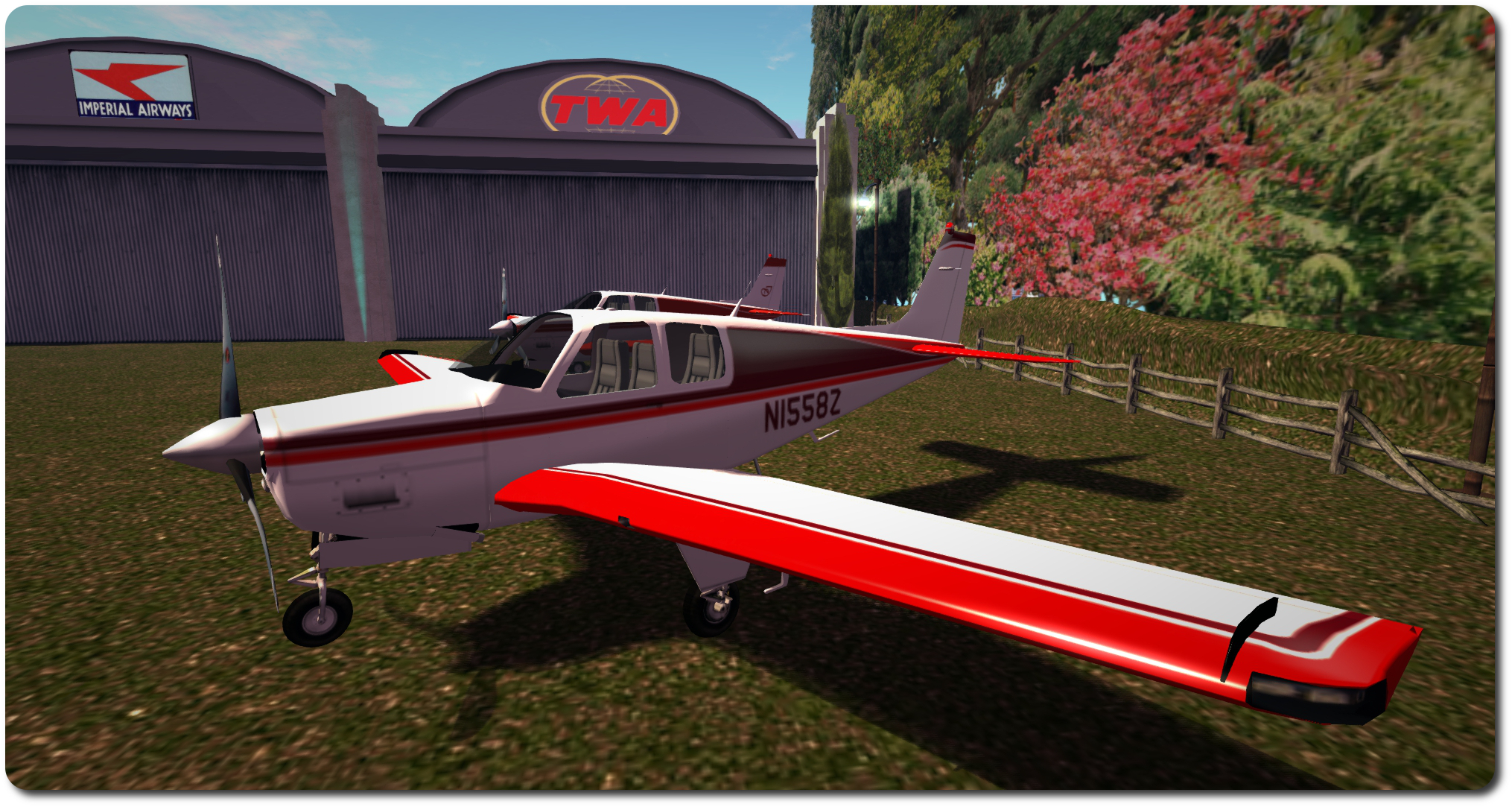
Vetron paint kits utilise materials, which add to the finish, as seen in the way sunlight is reflected in the 'plane's wing, above
Vetron paint kits utilise materials, which add to the finish, as seen in the way sunlight is reflected in the ‘plane’s wing, above (Vetron default scheme shown)

Each kit is supplied with a set of textures corresponding to the aircraft with which the kit is to be used (both with and without aircraft registrations in the case of C33 kits), a control script to be dropped into the ‘plane itself, and a HUD for applying the supplied paint kit / additional options (which may vary from aircraft to aircraft).

If you want to get an idea about how a specific colour scheme might look close-up prior to purchase, try visiting the Vetron store in-world, where you can rez demo models of DSA aircraft with the various paint schemes applied.
The HUD makes applying a Vetron paint scheme and options a joy

Using one of the kits is simplicity itself – instructions are given on the Marketplace listing for each kit, in a note card included with the kits and via a very clear PDF instruction manual. However, in summary:

  • Rez your ‘plane and drop the Vetron script into its contents
  • Wear the Vetron HUD
  • Click the Apply button on the HUD
  • Use the Advanced button to select any additional options which may be available, such as adding materials (normal and specular maps) to the ‘plane’s finish.

And that’s it; simples. The HUD even includes a Restore button, which will roll changes back to the original supplied default colour scheme for the aircraft.
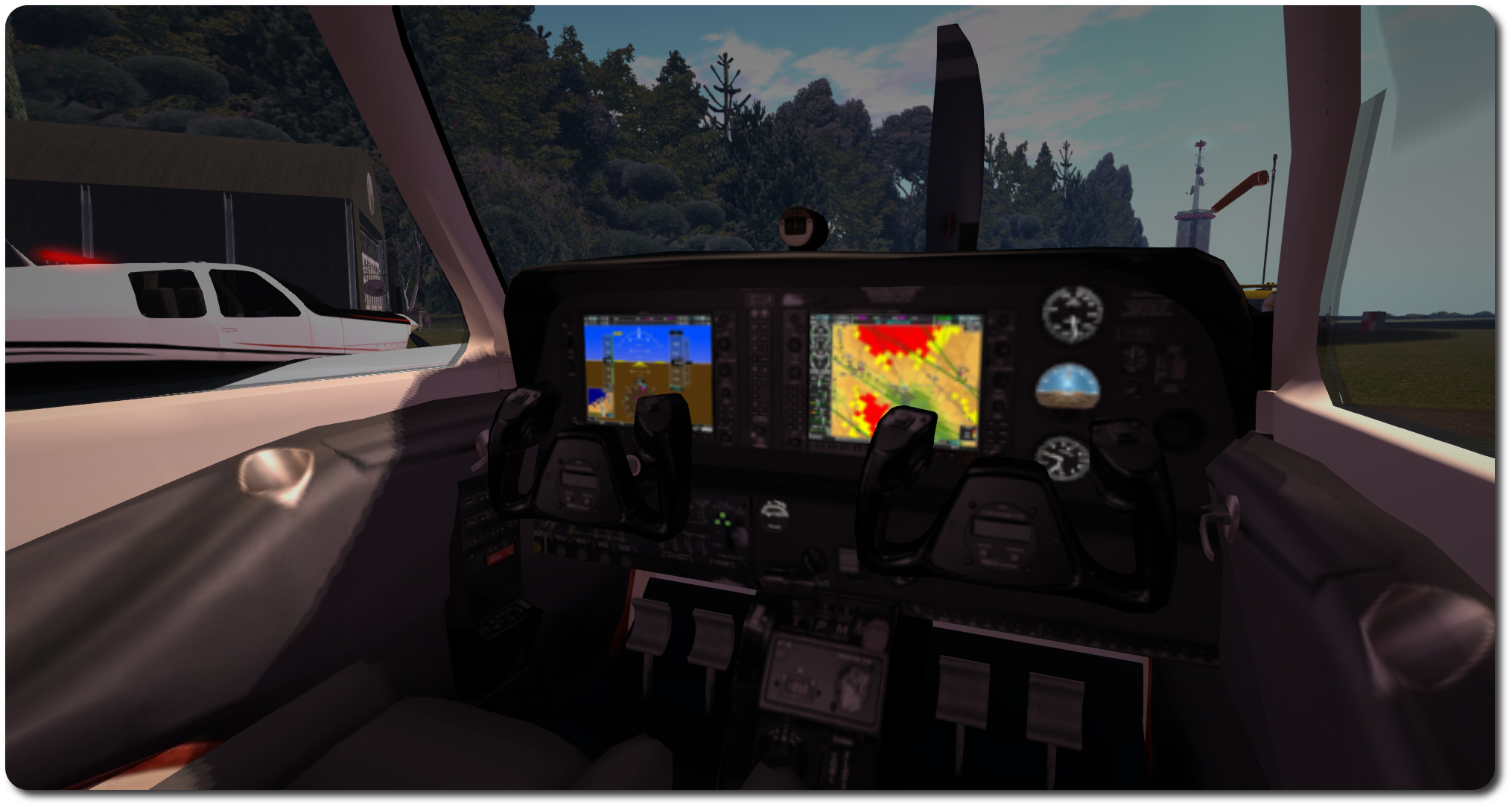
The C33 pack included new interior textures, added via the Materials option on the HUD

Customising the textures is achieve by saving the 1024×1024 files locally and then editing to them make your changes. Testing can be carried out by using the Local Textures option within the viewer, and applying your revised textures to the appropriate faces of the aircraft.

As the kit I purchased gave me a good baseline for how I wanted my C33 to appear, the work I did was pretty basic: altering the rest tints to a single colour, altering the tail and tailplane colour schemes, adding my usual registration & monogram.

The C33 kit does suffer the same issue as the original textures supplied by DSA, in that the ribbing lines on the tailplane’s elevators are significantly out-of-alignment when comparing the upper surface texture with the lower, but tbh, unless someone is looking really closely, this is unlikely to be noticed. Unfortunately for me, it’s also one of those things that, once noticed, can start nagging to be fixed. Fortunately, I wanted a two-tone tail with white elevators, so fixing this wasn’t a major problem, as I had to re-colour things anyway [Addendum: as noted at the top of this piece, VetronUK has / is correcting this.]
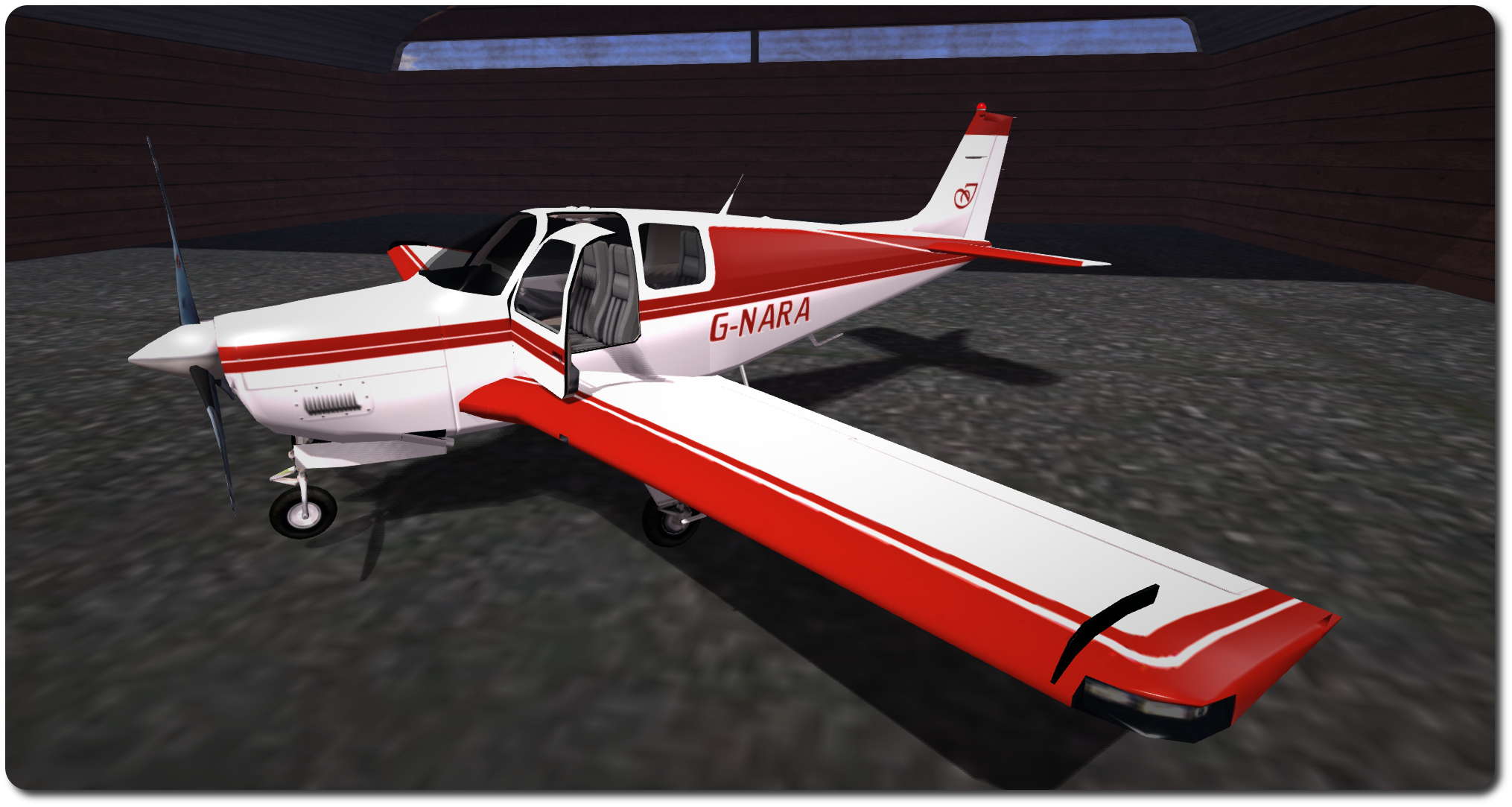
My C33 "G-NARA", created using the Vetron paint pack for N as a baseline
My C33 “G-NARA”, created using the Vetron paint pack for N1558Z as a baseline

Once you’re satisfied with your custom textures, upload them as per usual, and if you’re working with a MOD plane like those in the DSA range, again apply them directly from inventory to the required faces of the plane – you don’t need to use the Vetron HUD. However, you can still use the HUD to apply things like materials or glossiness to the plane if you want.

For those who would like a truly unique design, or who have a specific deign in mind that they’re not confident in producing themselves, VetronUK will consider custom work. Information and pricing guidelines are available via note card from her in-world store.

As well as the C33, Vetron produce individual packs (and fat packs) for other DSA aircraft (prices vary) and also kits for other makes of aircraft as well – making a visit to the in-world store worth the effort if you have various makes of ‘plane sitting in your inventory.

All told, the Vetron paint kits are extremely easy to use, and the use of materials really add a nice added finish to an aeroplane, the normal maps somewhat enhancing surface detailing and the specular maps giving a very natural level of light reflection on metallic / glass surfaces. Certainly, I have no hesitation in recommending the kits – in fact, I’m now eyeing-up one of red / white kits for DSA’s C90 GTX King Air! I may even let you know how I get on :).

Related Links

Getting a little Debonair

The DSA Debonair C33 with floats attached

Not too long ago, I wrote about my acquisition of the DSA Beechcraft King Air C90 GTX.  At the time I reviewed it, I mentioned it was somewhat bigger than my “ideal” ‘plane. Well, if only I’d been a little more alert. Not that I’m in any way disappointed with the King Air, I hasten to add (other than the issue in getting it up ramps and out of the water when using the floats), but rather because DSA are, at the time of writing, currently running a special promotion on their Beechcraft C33 Debonair.

This is a variation on the famous Bonanza design, but with a more familiar vertical tail, rather than the latter’s V-tail. However, what matters here is the Debonair comes as a “combo” plane; like the King Air, it can switch between floats and conventional undercarriage with a single command, and is presented, fully-functional, under the promotional offer at the princely some of – L$200!

The Debonair in its default textures and, beyond it, my custom version (some may notice a certain similarity with King Air I recently purchased!)

Obviously, at that price, the Debonair is an absolute bargain (so much so that when I told a friend, they leapt onto the Marketplace and bought two – one for their main account and one for their primary alt account), and I had to pick one up.  And what a bundle of joy!

This is an aeroplane that, given it likely runs the same scripts as the King Air, actually handles somewhat better, with very smooth region crossings for the most part (other than SL occasionally causing the camera to jump from the default view to one set a good ways back from the ‘plane) – no that the King Air was particularly rough. More to the point, with the floats in use and their wheels deployed, the Debonair can climb the ramp of most slips a lot easier than the King Air. I’ve tried my home ramp – although that’s now becoming redundant – the Hollywood airport slip ramp and Honah Lee Surf, and with a little power and a tap of the brakes, the Debonair took all three, where the King Air would frequently bury itself in the ramp / the terrain behind the ramp.

The DSA aircraft HUD, as presented with the Bonanza / Debonair

Being a smaller aircraft than the King Air, the Debonair only sits four, and is a bit of squeeze, but makes for a cosy flight :). As with the King Air, undercarriage options (wheels or floats) can be selected at any time, making landing options very flexible (although you can obviously make a runway landing with the floats attached, thanks to them having their own wheels.

Re-texturing the plane is pretty easy, as one would expect from a DSA plane. Download the maps from the DSA website (they’re labelled “Debonair” on the site, but the ZIP file and textures are all labelled “Bonanza”; this isn’t because they are the wrong files – as noted above, the Debonair is a variant of the Bonanza, and so uses the same texture files. the textures are supplied in .PSD, JPG and (some at least) X2 formats. However, I did note that float textures are currently absent the set (I simply re-used my King Air float textures).

The Debonair is a delight to fly and the DSA scripting makes STOL flights a joy

You can use Local Textures in the viewer to carry out “test fits” of your own designs prior to uploading anything and incurring costs; just make sure you select the required face of the plane when doing so, obviously, and be aware that you’ll need to use the same texture a number of times to achieve a finished result (e.g. you’ll need to use the wing textures individually on the wings, flaps, ailerons, tail & rudder).

Those who read my article on the King Air will see that I went for a similar colour scheme with the Debonair, and the little ego touches! OK, so I now have THREE ‘planes with the same registration, but I think I’ll be OK with the CAA / FAA! 🙂

All told, the Debonair is a great little aeroplane, and one I’ve been having a great deal of fun with – and likely will continue to do so. Certainly, as while the promotional offer is running, it is a genuine bargain.

Comparing size: the C90 King Air (to the rear) and the C33 Debonair side-by-side, and me for a sense of scale

Related Links

The King and I

DSA Beechcraft King Air C90 GTX

No, this isn’t a homage to Yul Brynner, although as the song goes, Second Life could well be a show with everything, even without him… The “King” I’m referring to is the DSA King Air C90 GTX, which has – after some considerable deliberation and bouncing around – become the latest aircraft I’ve added to my collection.

To be honest, it wasn’t actually the ‘plane I started out to get; I actually wanted something a fair bit smaller, given I already have the PBY 6A Catalina, and initially started looking at single-engined ‘planes. But for various reasons, I found myself drifting away from that choice and heading back into twin-engined territory, initially looking at Erick Gregan’s Cessna 421 (which came highly recommended, and looks to be a most excellent aeroplane).

DSA Beechcraft King Air C90 GTX
DSA Beechcraft King Air C90 GTX: the factory default finish, with my customised version beyond

However, as I live “on the water”, so to speak, I was drawn to DSA’s Beechcraft C90 GTX and Baron G58, as both of these are “combo” aircraft: you can switch between standard undercarriage or floats with a single command. In the end, and again on recommendation, I opted for the C90, although I suspect I’d have been happy with the G58.

The C90 is actually a big aeroplane; particularly when up on its floats – the picture of me doing a naughty and sitting on the wing probably gives you an idea of the size, if you’ve never seen this ‘plane before. 100% mesh, it weights-in at 96 LI, which is quite hefty – but it is packing a lot – and a physics weight of 11.7, which is slightly less than that of my MD-900, and almost one-third that of my Kv23H. It is supplied copy / mod, and is suitable for repainting, if desired (and a range of optional paint kits are available in-world from Josh Noonan – and I can personally attest to the quality of his work.

DSA Beechcraft King Air C90 GTX - a closer look at my paint scheme
DSA Beechcraft King Air C90 GTX – a closer look at my paint scheme

Indeed, the very first thing I did on getting mine, other than going for a short familiarisation flight, is repaint it. As I liked elements of the default colour scheme, I decided to stick with this as a base, and then work-in my traditional red and white. The model supports the use of local textures, which means you can play to your heart’s content creating and trying colours, and a full set of textures in JPG, PaintShop Pro and Photoshop formats can be downloaded from the DSA website.

To apply textures when working on things, simply blank a copy of the ‘plane then select the required face, then select and apply the texture from you heard drive via the viewer’s Local Texture option in the texture option of the Build floater. Note that The fuselage and the wing textures are used several times, and you’ll have to make sure they are applied to all the faces using them. For example, the fuselage texture needs to be applied to the fuselage (best to select the face by clicking on the tail), the rudder, and the nose wheel doors. When you’re happy, upload your textures to inventory & apply, or use the painting note card in the ‘plane.

DSA Beechcraft King Air C90 GTX - this is a big turboprop
DSA Beechcraft King Air C90 GTX – this is a big turboprop

I went for a very personalised look, as the photos here show, complete with my usual G-NARA registration and a bit of ego-pandering with a stylised “I” on the tail and on the winglets. I also added a touch of shine to the fuselage and wing textures, to give them more of a polished finish.

Flying-wise, this is a ‘plane aimed towards the more “realistic” end of the market (my one disappointment with the Catalina is that the flight system is rudimentary). DSA aircraft aren’t perhaps as advanced in this area as some other makes, but they are still pretty comprehensive. A detailed HUD is supplied, and commands can be given in chat as well.  One thing that is missing for those who enjoy procedure, is a need to carry-out pre-start checks (battery, magnetos, etc.); “lstart” and “rstart” will kick the respective engines into life once seated in the pilot’s seat, although the Engines button on the HUD will run through a more complete (and automated) pre-start check and engine start-up. This will also enable navigation, strobe and beacon lights for you, as well as close the boarding door.

... with a comfortable interior
… with a comfortable interior

The C90 handles really well in the air, and can be shared between pilot and co-pilot (the HUD is copy / transfer, so you can share it with friends) – make sure you both activate the co-pilot option on the HUD. Range is limited by fuel, and the plane comes equipped with a full fulling station (43 prims, which I presume works with any DSA ‘plane), or a convenient jerry can should you need to set down somewhere to refuel. Another nice touch is the inclusion of an instrument landing system (ILS), although I confess I’ve yet to actually try this, and documentation is supplied on the DSA website, rather than with the aircraft.

A slight irritant I have found is that this plane doesn’t handle water ramps at all well; with the wheels for the undercarriage deployed, it seems to require a decent run-up to a ramp at full throttle. Even then, getting ashore is far from guaranteed, and should you do so, there is the inevitable desperate throttling back before you go careering too far across an apron. Ironically, the C90 cannot make the relatively shallow ramp I have at home at all.

Also, the HUD also seems sensitive to region crossings; In the 4.5 hours I’ve been flying the plane, I’ve had buttons vanish from the HUD when clicked just after a region crossing, only to reappear on their own a short while later or at the next crossing. This is a niggle, but not a major problem.

DSA Beechcraft King Air C90 GTX - guess where? ;-)
DSA Beechcraft King Air C90 GTX – guess where? 😉

At L$5500 (at the time of writing), this isn’t a cheap light plane to have – but you do get the floats / wheel combo, and the mod options are all good, paint-wise. Overall, I’ve found the C90 more than pleasing to fly – the ramp issue following water lands notwithstanding; and particularly like the fact you can swap between floats and “standard” undercarriage mid-flight. OK, so not terribly real, but adds a certain flexibility when flying :). While this may not be the ‘plane I set out to get, I certainly have no regrets over buying it, and I’ll likely be swapping back and forth between the C90 and my Catalina quite regularly.

Related Links

Whirlybirding and painting things

A familiar fly-past: taking the MD-900 around the Fastnet Rock lighthouse

Back at the start of the year, I wrote about my experiences in getting hold of an EC-135 Eurocopter from  Spijkers & Wingtips. As noted in that article, it’s a great little helicopter – easy to fly, plenty of space in the cabin, and nicely customisable. It’s been on my helipad ever since.

Well, at least until this weekend, when it found itself returned to inventory after one last (for the time being) flight. Not because I’ve given up on flying – oh no! Rather, as the images in this piece show, I’ve swapped to a new aircraft.

Gracing my helipad at home now is the Spijkers & Wingtips MD-900 Explorer. Superficially like the EC-series of helos in terms of exterior cabin looks, this is a 7-seater helicopter that is 100% mesh, the design by Sylvira (sylviramaus). And I have to say, it is beautiful, with a wealth of detail to enjoy.

The MD-900 in its default (supplied) finish

The first thing that is immediately noticeable about the MD-900 is that it doesn’t have a tail rotor. Instead it uses a NOTAR system, employing a fan system together with a thruster mechanism at the end of the tail to both counter torque from the rotors and provide vectored thrust when turning, etc. With the S&W MD-900 the system is reproduced such that in-flight manoeuvring of the helicopter will see the directed thrust mechanism at the end of the tail moving in response to control commands, together with the twin rudders.

The helicopter comes as a comprehensive package: there is the MD-900 itself, Copy / Mod and with an LI of 54; a static display model, six customisable texture packs, optional combat script and cargo payload scripts. The default colour scheme for the helicopter is striking, and possibly the best of the supplied packs, and a further air ambulance option can be obtained from Sylvira.

The interior detailing is incredible; from the seat harness elements through to the individual buttons and dials on the controls and flight panel. Even the ducts air circulation system in the cabin is reproduced in detail, together with work front, passenger and rear cargo doors
The interior detailing is incredible; from the seat harness elements through to the individual buttons and dials on the controls and flight panel. Even the ducted air circulation system in the cabin is reproduced in detail, together with working front, passenger and rear cargo doors

Using the texture packs is a matter of unpacking the desired finish, then editing the helicopter via Edit Links Parts to drag and drop the various texture elements onto their requisite sections of the helicopter. For those who want something more personal, the textures can be saved as TGA or PNG files and amended locally & then re-uploaded at the usual L$10 a shot.

As most know, I have a penchant for red and white in my boats and planes, so one of the first things I did was grab one of the texture packs (“white with red stripe”) and download the various elements to produce a colour scheme more in keeping with my preferred style. When I did this with the EC-135, it literally took me 3 minutes to get something I was happy with  – although admittedly, I didn’t really try anything clever in editing the textures.

The MD-900 is one of the supplied texture finishes, and the default colour scheme to the rear

The MD-900 did take a lot longer. The was mostly down to my decision to go for a design which required some careful detailing around hinges and things. However, it also has to be said that, outside of the default paint scheme, the finishes on some of the packs are a trifle rough – in my case I found that white parts would have an odd splash of red where they shouldn’t (and vice versa, or that edging between the colours be a tad rough when looked at closely (and I do mean closely – the packs past muster reasonably when to the casual eye). Unfortunately, for me, once seen closely means such things are forever nagging; so I spent a good few hours doing some general clean-up, because I’m obsessive that way.

Handling-wise, the MD-900 is fabulous. I’m not sure how much updating Tig has done with her helicopter scripts, but the MD-900 really is a delight to fly. It’s very responsive, can move at a fair lick if required, and offers the usual 3rd person or Mouselook flight options (the latter feeling far more responsive that the EC-135). A HUD is provided for flying, although not essential (all commands can be entered via chat), and this reveals some of the extras – such as the searchlight (which can also be turned on / off via the chat command “sl”), the winch options for lifting cargo aloft – read the instructions carefully, and take note that cargo can behave oddly if particularly complex. There’s even a police / rescue siren!

A particularly nice touch with the more recent helicopters in in S&W range is the inclusion of auto-deploying pontoon floats. Simply drop down over Linden water in a low hover, and the floats will deploy for a water landing. They can also be manually deployed / stored when in flight via the HUD or a chat command.

My MD-900 at home
My MD-900 at home

All told, the MD-900 is a great aircraft, and niggles over the texture packs aside (they don’t in any way spoil the aircraft), it will make a great addition to any SL aviation enthusiast’s collection.

Related Links

Colouring a Cat 2: this time it’s personal!

Same Cat, new colours
Same Cat, new colours (click any image for full size)

It’s only been a week since I last blogged about my new obsession, my PBY-6A Catalina, but I make no apologies for doing so again and so soon. No apologies, because I want to say two words again: Josh Noonan.

Last time around, I covered Josh’s paint kits for the Shana Carpool PBY-6A, and specifically the Cousteau Society scheme he supplies, and his willingness to provide two RAF Coastal Command paint sets. While I’ve been happy flying my Cat in all of them, particularly the Cousteau colours,  I wanted something slightly more personal, and started hunting around for ideas.

When I came across some photos of the Peter Stuyvesant PBY-5A from the 1990s, I felt I had something to work on. I did consider going for a red-and-white scheme rather than blue, this being something of a preferred colour scheme for me, but I decided to go with blue to match the spirit of the Stuyvesent PBY, and contacted Josh. Within a couple of days, he’d delivered precisely what I’d asked for – and it was (and is) a delight, as can be seen in the photo above; a beautifully distinctive paint scheme.

There are just one small problem; and it wasn’t Josh’s, it was mine: I like red and white a little too much. So, I dropped Josh a line to say I might be requesting a red scheme (I was actually dithering over it and didn’t want to sound ungrateful for his work in producing the blue) – and when I next logged-in to SL, there were two boxes waiting for me from him: two new paint sets offering red schemes – not only that, but one was personalised in a lovely way!

Red Cat
Red Cat

The red finish is simply lovely, and complements the colour schemes of my EC-135 and Sparrow 2 beautifully – and the little touch under the cockpit canopy really has me bowled over.

Oh.. what’s that, you can’t see what it says? Let me give you a closer look 🙂 .

A girl and her Cat ...
A girl and her Cat …

To say I’m bowled over by the new paint scheme would be an understatement; I haven’t stopped smiling since applying it, and not even getting twice bumped to the bottom of the ocean passing over Blake Sea Half Hitch (again) could wipe the smile from my face.

Now all I need is a suitable jumpsuit to wear when flying it!

If you are looking for a paint scheme for you plane or helicopter, don’t forget to check Josh’s hanger at Hollywood airport. Depending on the make of your aircraft, he may well be able to help you out.

Colouring a Cat

My PBY6A sitting on the ramp in Cousteau Society colours
My PBY-6A sitting on the ramp in Cousteau Society colours

I have a new obsession in Second Life. It’s my PBY-6A Catalina flying boat – although the admission of the obsession probably comes as no surprise to regulars on my SL feed of late *coughs*.

I reviewed the Cat toward the end of August, commented that I hoped someone would produce a paint kit with RAF colours, because although the Catalina comes with UV maps, etc., so you can paint it yourself, I’m not sure I’m up for the cut.

Fortunately, fellow SL aviator and friend, Terag Ershtan, alerted me via Twitter to Josh Noonan, who produces a range of paint kits for various customisable aircraft, including the Shana Carpool Catalina. Josh is based on Hollywood Airport, one of my regular spots for starting / ending flights, so I hopped over to see him. And indeed, there on the wall of his hanger was a vendor which included a range of paint kits for the Catalina – although none in RAF colours.

Even so, there was one in the Cousteau Society’s markings, which I simply had to have. Purchasing it, I mentioned RAF colours to Josh, and he said “got any examples?” Well, I didn’t, but it was one of those times I knew Google was my friend, and so passing him a couple of links, I went on my way to paint my Cat in Cousteau colours.

Josh Noonan's Cousteau Society paintwork for the Catalina
Josh Noonan’s Cousteau Society finish for the Catalina

Dropping back to Josh’s hanger at the start of September, I was thrilled to see that he’d added not one, but two RAF Coastal Command paint kits for the Catalina to his range, both of which quickly went into my inventory.

I should point out here that not only are Josh’s kits exceedingly good, they are also based upon actual aircraft – such as the Cousteau’s PBY (tragically lost in an accident), and the RAF kits are no exception.

My PBY6A in the colours of FP225 from 240 Squadron, RAF
My PBY-6A in the colours of FP225 from 240 Squadron, RAF, sitting on the slip at Honah Lee Field and about to lower its floats ready to enter the water

First up is FP225 (above). This aeroplane flew with No. 240 Squadron RAF Coastal Command, and was originally a PBY-5A Catalina. This squadron saw service in the Battle of the Atlantic before transferring to India, with FP225 serving in the squadron’s “special duties” flight – although I have no idea what that entailed.

The second RAF paint kit converts the Catalina into AH545 / WQ-Z of 209 Squadron (below). This is the aeroplane, originally a PBY-5A as well, which located the battleship Bismarck in 1941, and has the more familiar RAF markings.

My PBY6A in the marking of AH545 from No 209 Squadron
My PBY-6A in the marking of AH545 from No 209 Squadron, sitting outside Josh Noonan’s hanger at Hollywood Airport

If I’m totally honest, I have no idea how often I’ll fly The Catalina in RAF colours, I’m far too enamoured with the Cousteau Society paint work. But if you do see an RAF Catalina passing overhead, give a wave – it might be me (well, same goes should you see one in the white, black and yellow of the Cousteau Society!).  In the meantime, Josh has done a lovely job with both kits, and with the Cousteau kit, and I have no hesitation in recommending his work. If you happen to own an aeroplane which has customisable paint options, you might want to check his hanger and see what he has on offer.

Next up: getting a group of Catalina pilots together for some formation flying; that should be fun!