Rokuro is one of a number of programs created by Second Life user Yuzuru Jewell under the Kanae Projects name. It can be used to create sculpt maps outside of SL, which can be saved as .TGA files and then imported for use in-world to generate sculpted shapes
In the new release, version 4.2.0, Yuzuru has added the ability for Rokuru to additionally save generated maps as Collada file, allowing them to be uploaded into Second Life as mesh items (XML, OBJ are also supported).
Rokuro – meaning lathe – offers a simple and effective way of creating symmetrical shapes for use in Second Life, and the website provides a host of samples and templates with which to get started with the tool and which can be easily modified to suit your needs.
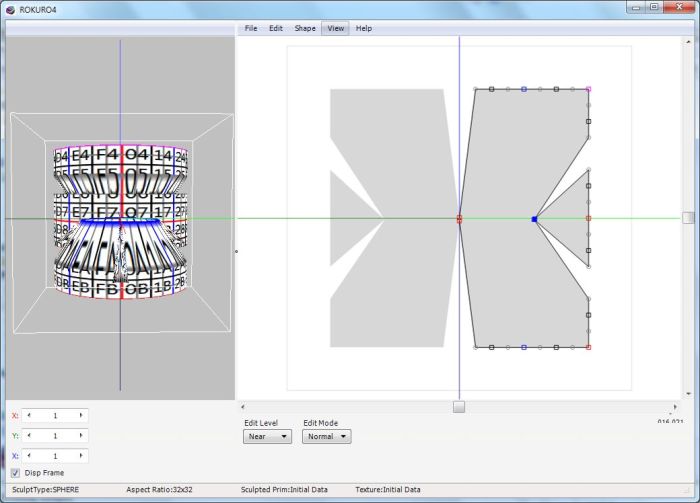
The UI itself comprises two parts – on the left, a “finished product” preview pane which displays a representation of your model, which can be drag-rotated in all three axes to examine the design, and an editing panel on the right, in which is displayed as a plan view of your shape, the right side of which can be edited (the left will automatically reflect all adjustments made). A range of menu-supplied options (including access to default shapes) and a range of settings provide a good degree of flexibility within the tool.
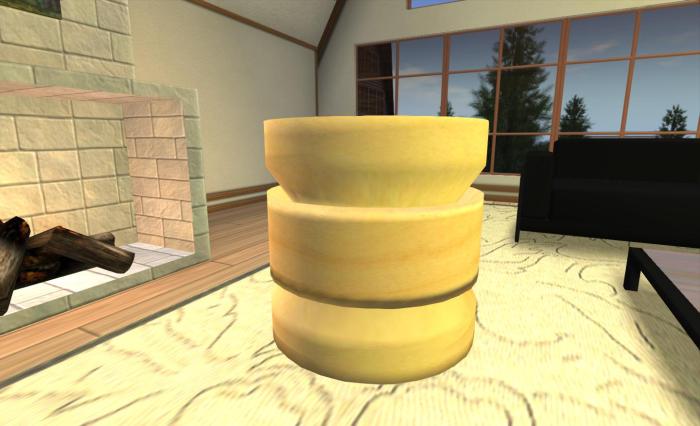
Rokuro is offered free of charge (although donations towards its ongoing development and the development of Yuzuru’s other products are always welcome), and is available in Window 32- and 64-bit versions, and is also available for the Mac. For those wanting to explore the capabilities of the tool in more depth, there are a range of tutorials available both in-world and on the Marketplace.
As mentioned above, Rokuro is one of a range of products made by Yuzuru to assist content creators, the entire range currently comprising:
- Rokuro
- Rokuro_Pro – a version of Rokuro which includes a texturing capability and a series of plug-in tools
- Tokoroten (“extruder”) – creates extruded forms of sculpted prim
- Tatara – an advanced sculpted prim editor which includes functionality from Rokuro and Tokroten and well as three additional modes, which can be used individually or collectively to create sculpt maps
- Shibori (“iris” – as in camera eye) – a “shrinkwrapper” for shrinking a sculpt around a given shape
- Nomi (“chisel”) – creates a sculpted prim or mesh with a relief surface from one picture using the picture’s brightness
- Hanko (“seal”) – a tool which allows you to add your signature to a sculpt map
Note that some of these tools require the purchase of a serial number from Yuzuru’s in-world store, but time-limited versions are available for download through the Kanae Projects website in order to “try before buying”.
Related Links
With thanks to Yuzuru Jewell.
 Inara Pey: Living in a Modemworld