Meeting Purpose
- The Mobile User Group provides a platform to share insights on recent mobile updates and upcoming features, and to receive feedback directly from users.
- These meetings are conducted (as a rule):
- The last Thursday of every month at 12:00 noon SLT.
- In Voice and text.
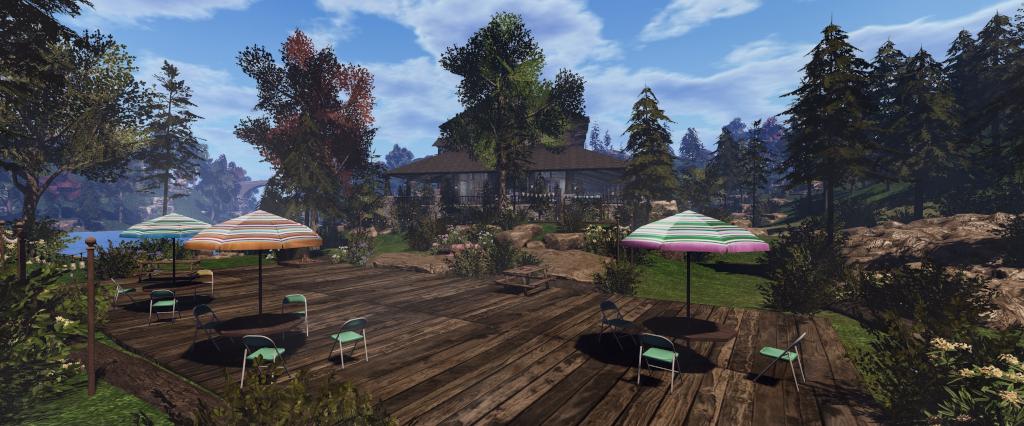
- At Campwich Forest.
- Meetings are open to anyone with a concern / interest in the above topics, and form one of a series of regular / semi-regular User Group meetings conducted by Linden Lab.
- Dates and times of all current meetings can be found on the Second Life Public Calendar, and descriptions of meetings are defined on the SL wiki.
Resources
- Second Life Mobile Beta website.
- Second Life Mobile on the Feedback Portal:
Current Releases
SL Mobile (Beta) version 2025.1075 (A) / 0.1.1075 (iOS) – December 12, 2025 – Avatar loading improvements.
New Starter Experiences Update
- SL Mobile is seeing new users signing-up and joining SL, this led to the creation of a series of New Start Locations for those coming in via Mobile to be able to easily reach, and which have been put together by the location creators specifically to be Mobile-friendly.

SL Mobile Alpha
- As many are aware (and a part of ), there is an invite-only SL Mobile Alpha group providing early access to users to help test upcoming Mobile features and updates prior to them being made publicly available through the main Beta programme on Android and iOS.
- The app for this programme is entirely separate to the app available via the Apple and Google stores.
- The most recent releases to Alpha include Bubble Chat and single-taps.
Bubble Chat
- This is is response to complaints about having to switch views / trying to remain in contact with the in-world scene when using chat.
- Allows chat and incoming IM’s to be viewed over the in-world scene, and allow tap-to-reply.
- In the initial iteration, tapping a message to reply will still take a user back to the menu to show the keyboard.
- However, as the feature is expanded, it is hoped that it will enable the keyboard overlay to be displayed over the in-world scene to allow for faster responses without having to switch away.
- Bubble Chat is also seen as a means of encouraging greater use of Mobile rather than just a quick “checking in” tool.
Single Tap to Interact
- Interactions with SL Mobile can be “tedious” in terms of the number of taps, etc., required to initiate an action – such as chatting, finding a person’s name / profiles, etc., and even interacting with objects.
- Single Tap to Interact replaces the current long press required to garner a response from objects in the world view (display the context menu). When tapping on an item, Single Tap will display the top items in the context menu as an overlay to the in-world view. So for example:
- Tapping on an avatar will display the options to send an IM or Friend request or expand the menu to see more options – such as their Profile.
- Tapping on an in-world object will similarly display the most common options in the context menu (e.g. “sit” if it is chair / seat), with an option to display the rest of the context menu.
- Like Bubble Chat, Single Tap is seen as a means to increase on-going use of SL Mobile beyond being an adjunct to using the viewer, and allow greater opportunity for users to be active in SL when using Mobile.
Technical Notes on Both
- Bubble Chat is seen as relatively “easy” to implement, outside of one or two quirks in how Unity handles uniformity of presentation of things like overlays, which does require a little additional work to solve.
- Single Tap to Interact is a more complex subject, as it not only involves changes to the underlying touch functionality, it is also attempting to more accurately map on-screen taps to ensure the right focus and the the resultant correct menu is displayed.
- On-screen interactions – touch, tap, etc., – can be seen as collisions, which require a degree of physics calculations. Generally in SL the vast majority of physics interactions and collisions are managed by the server – the viewer is essentially “dumb” to them.
- With Mobile, this can lead to inaccuracies arising between where the screen is touched and where the simulator thinks it has been touched, simply because of the network latency involved in back-and-forth communications and calculations, resulting in the noted frustrations with long-touch, etc.
- So as a part of the implementation of Single Tap, it was decided to incorporate some of the physics-related calculations into the app itself.
- Incorporating physics calculations into the app has involved building a “mini physics simulator”, capable of loading all of the physics colliders into the app’s already constrained memory limits (so effectively pre-caching them), and providing a means for the colliders and calculations to be recognised by, and accurately passed between, two different physics engines – Havok on the simulator, Unity’s own in the app.
- Whilst complex, this has resulted in a significant reduction in latency between touch and response and in ensuring the relevant menu appears, and with little to no added latency resulting from the device hardware having to do all the pre-caching and calculations. the only appreciable impact is on networking bandwidth during the pre-caching process.
- A further help here is that the Unity physics engine can be switched off excepted for when actually required, thus removing a continuous overhead for the app.
- This work will also help with other physics-related interactions down the road.
Future Work
- Stability: the Lab uses both their own internal metrics and those from the app stores to monitor SL Mobile’s overall stability.
- There has been a steady decrease in Android crash rates, and a further fix is coming in the next production beta release of Mobile.
- New work being initiated (no due dates / target release dates at present):
- Persistent chat (i.e. chat histories persisting between Mobile and viewer, rather than being broken by using one or the other).
- Chat logging.
- More work on language localisation for Mobile.
- Map and Search:
- Search: Web search is already Mobile responsive, but hard to use. To overcome this, this preferred route at present is to take Web Search and put it into Mobile as an embedded view. This requires a certain amount of work, which is in progress in terms of how to best present Web Search within the app and ensure its performance, prior to actually embedding it into the the app.
- Map support: starting to be looked at as a facet of Search, with the hope that the two will be fairly well integrated with each other in the future and where relevant (e.g. toggling between Search and the Map when searching for places). Once this is in place, the Mobile team will look to build further viewer World Map functionality into the Mobile Map.
General Q&A
- What is SL Mobile’s maximum Draw Distance?
- Up to 250 metres can be selected (but not recommended), but the app currently defaults to 40-50 metres to reduce the memory load.
- As a rule of thumb, every additional 10 metres of draw distance can result in 30%+ of the app’s memory allocation (determined by the OS / hardware) to rendering alone.
- Higher distances can be set at the user’s discretion via settings, but these can impact performance., and many of the higher settings (100m+) are not recommended for general use, as noted here and in the app.
- A danger with exceeding memory limits in an app is that the OS will simply drop it without warning.
- Concern was expressed about content being suitable for Mobile consumption – LODs, Land Impact, etc., – and on the need to encourage content creators to think Mobile in their work.
- The Mobile app does actually carry out a degree of object culling to lighten the load – small objects, for example, aren’t rendered unless directly focused upon.
- There have been internal discussions at the Lab about Land impact and how it relates to Mobile, but no firm decisions have been taken.
- The matter of LODs and content creation tools vis-à-vis Mobile has also been discussed, but again, no firm decisions have as yet been made. LOD models are a part of a wider discussion overall for SL, given they also impact lower-specification hardware running the viewer, and there are on-going talks (e.g. through the Content Creation User Group) on LODs, automatic LOD generation, decomposition tools, etc.
- PBR, Shadows and EEP support:
- PBR – not yet.
- Shadows – yes, supported, but is device-dependent, as shadow rendering is expensive (e.g. can as much as triple the rendering complexity for a scene).
- EEP – limited support, with two passes of integration carried out so far. More work is required on this (e.g. average scene lighting to bring Unity’s lighting more into line with how scenes appear on the viewer), but it is not an easy task in terms of future maintenance.
- Will SL Mobile support:
- In-scene dialogue menus (i.e. the blue menus displayed when touching scripted object in the viewer)? – Yes, possibly in the next couple of months.
- A walk / run / fly toggle on the movement joystick? – This is something that LL would like to support down the road.
- Alpha Texture support: there are two primary issues in managing alphas on Mobile:
- Formats: the viewer uses JPEG2000 for textures, Mobile uses a variety of formats which are hardware-dependent, and so additional work such as switching out texture formats is required – which itself can be problematic (e.g. can invalidate texture caches and cause issues such as slow loading, etc.). However, Adam Sinewave (Mobile Lead Developer) does have a potential fix for this in the works.
- Tiled-based GPUs: these are common on mobile hardware and do not like overdraw (rendering the same texture multiple times, required for alphas).
- Both of these mean that Mobile uses a mix of dithered alpha rendering and temporal anti-aliasing to achieve the desired result. This actually simplifies alpha rendering on Mobile, but does produce unwanted artefacts on transparency, some of which will be hopefully resolved, others of which might continue to result in differences in how alphas appear on Mobile compared to the viewer.
- Will SL Mobile be made available through other mechanisms than Google Play Store? Possibly, the idea of providing Android Package Kits (APKs) has been discussed, but brings with it a distribution problem. Also, the idea of using Google’s update mechanism for apps has also been discussed, which would bind SL Mobile more to the Google Play Store.
- Minimum requirements for Mobile: these are somewhat hardware constrained (CPU / GPU pairing). As a broad rule of thumb, SL Mobile requires a device with at least 4Gb of RAM, and preferably a more recently SoC combination of CPU/GPU.
Date of Next Meeting
- 12:00 SLT, February 26th, 2026, at Campwich Forest.