 Two new options which will be appearing in the official viewer in the near future, and which have been mentioned in this blog a number of times over the past few months are Avatar Complexity and the ability to create, save and restore graphics presets. Both are intended to provide options by which users can better tune the viewer and its settings to suit their needs and circumstances.
I’ve had the opportunity to look at both in a development viewer from the Lab, and what follows is an overview of how things may appear when both capabilities are released for general use. However, please keep in mind that things are sill very much a work-in-progress at the moment and aspects of either / both may well change between now and any functionality appearing in any public version of the viewer.
Avatar Complexity
As avatars can often be the single biggest impact on the viewer in terms of rendering, particularly in crowded places, so Avatar Complexity adds a new slider to the viewer which can be used to set a level above which avatars requiring a lot of processing will appear as a solid colour – the most popular term used to describe them being Jelly Babies after the sweet (candy) of the same name – greatly reducing the load placed on a system compared to having to render them in detail, so improving performance.
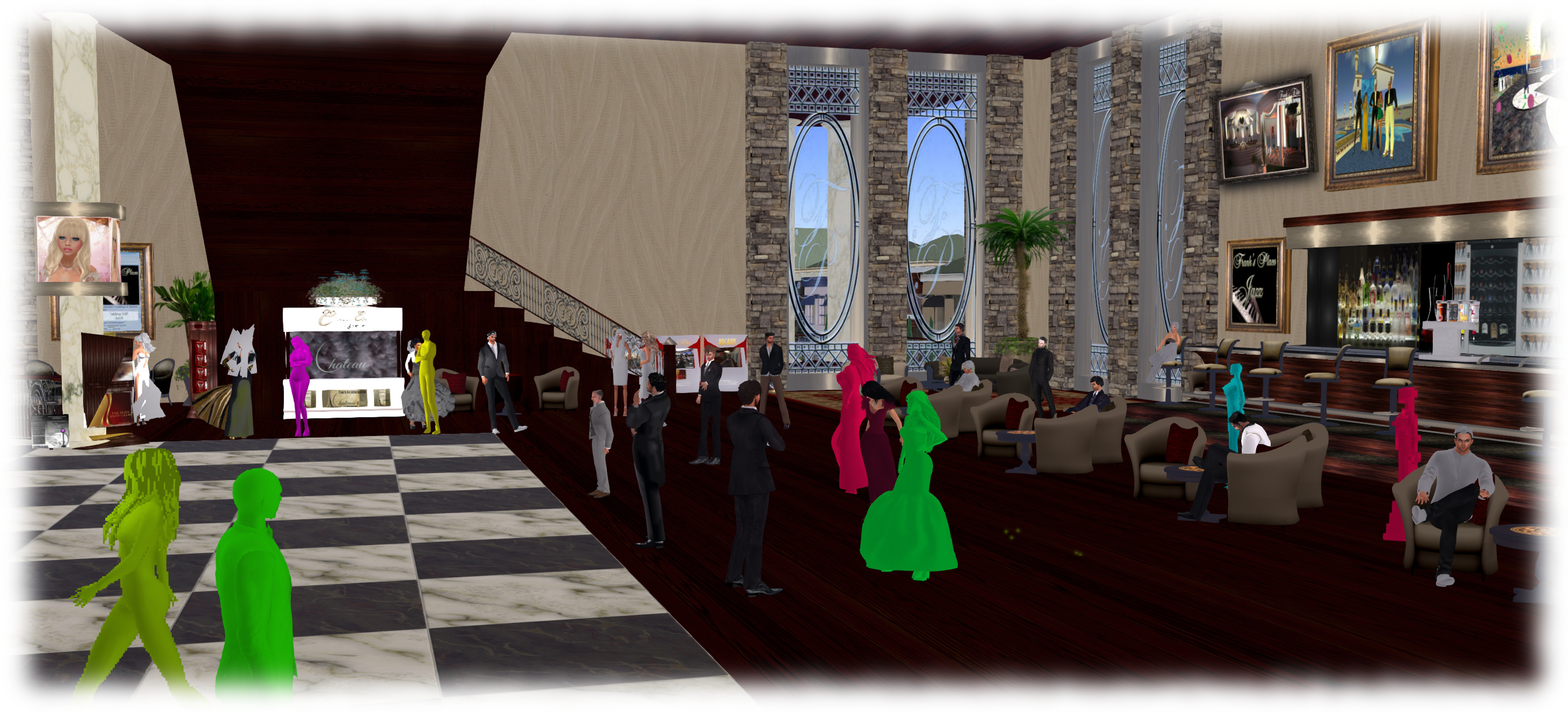
The intent with the capability is to allow people to adjust the setting according to circumstance, so that when in a crowded area with lots of avatars, the setting can be dialled down and more of those avatars which are harder to render become solid colours, while in quieter areas, the setting and can dialled back up, allowing more avatars to be seen in full detail.
Avatar Complexity is intended to sit alongside the avatar imposters functionality (Max # of non-impostors in the official viewer), allowing both to be used as required to produce more optimal performance in crowded or busy places.
By default, Avatar Complexity is set to No Limit, meaning all avatars in your field of view will fully render. As the slider is moved, it will list a render weight value, which is a revision of the RenderAutoMute function within the viewer previously used to help calculate the more familiar Avatar Draw / Render Weight. The latter, viewed via Advanced > Performance Tools, has also been renamed to Show Avatar Complexity Information for consistency, with the displayed information updated.

Graphics Presets
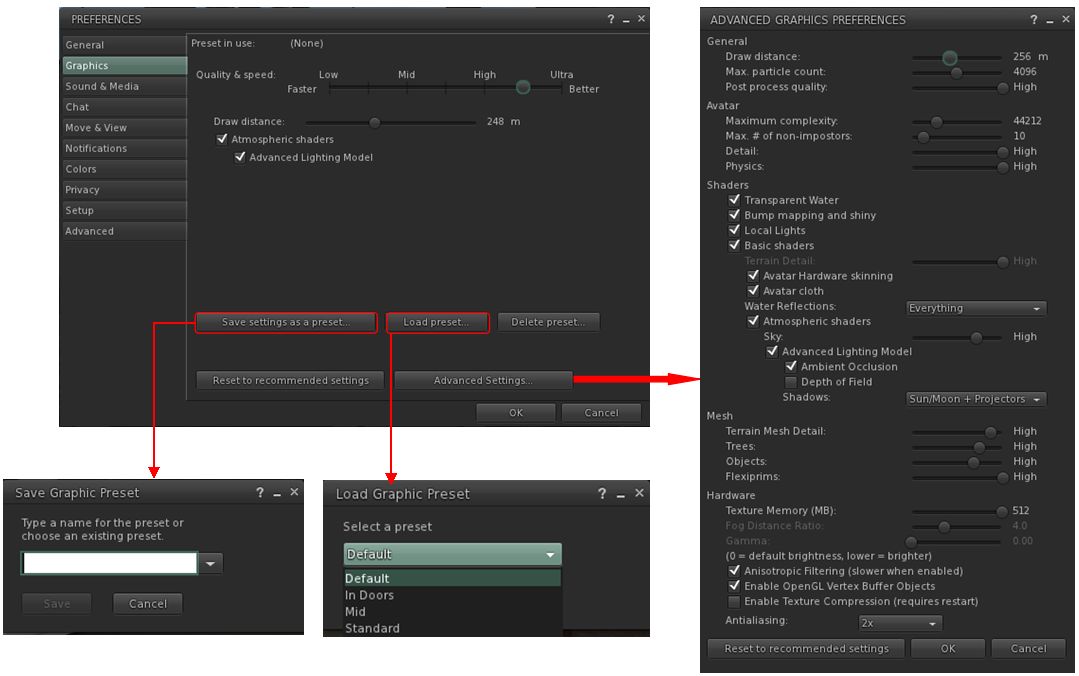
The initial work on Graphics Presets was undertaken by open source contributor Jonathan Yap (see STORM-2082) to provide a means by which users can save and restore different sets of graphics settings within the viewer. The idea being that users can then switch between different presets according to circumstance to help with viewer performance.
So, for example, one preset might have all the performance hitting items – shadows, projectors, etc., – turned on / up for times when the overall quality and depth of detail in a scene is important (such as when taking photos). Another might have these more taxing capabilities turned down / off to ease the processing load on a computer during more general activities. A third might be established for “in door” uses, with things like draw distance and the level of detail for external items (the sky, trees, terrain, reflections, etc.) all turned down, again easing the processing load.
Like Avatar Complexity, Graphics Presets is still undergoing development internally with the Lab, and so what is presented here may be subject to change.
Perhaps the most significant change this brings to the viewer is the introduction of a new Advance Graphics Preferences floater (shown below right). This is designed to display all of the options than a user can set and save within a graphics preset without having to either scroll through options (an earlier iteration of the design did use a scroll bar, but they didn’t meet with favourable reactions during testing), or having to switch between different sub tabs.
Continue reading “Early looks: Avatar Complexity and Graphics Presets”
 Inara Pey: Living in a Modemworld